Wait, Aren’t You Supposed to Be Telling Me About Z2M vs ZHA?
Zigbee wins for most home labs on price and device selection, and Z-Wave wins the moment you’re fighting real RF interference or want a smaller, stricter mesh that won’t need rebuilding.
Nope. Not this time.
The internet is full of comparisons between Zigbee2MQTT and Home Assistant’s ZHA integration. They’re both software stacks that use Zigbee as the underlying radio protocol. That’s a different fight, and we’ve got that covered already.
This article is about the radio protocols themselves: Z-Wave and Zigbee. The difference between “which software talks to my devices” and “what frequency bands my devices actually use.”
It’s the difference between comparing Android vs iOS (that’s Z2M vs ZHA) versus comparing GSM vs LTE networks (that’s Zigbee vs Z-Wave). The software layer matters, but the protocol layer is where the real tradeoffs live.
So if you’re standing in front of a blank home lab, no smart home setup yet, and someone’s telling you “just pick one,” this is the guide.
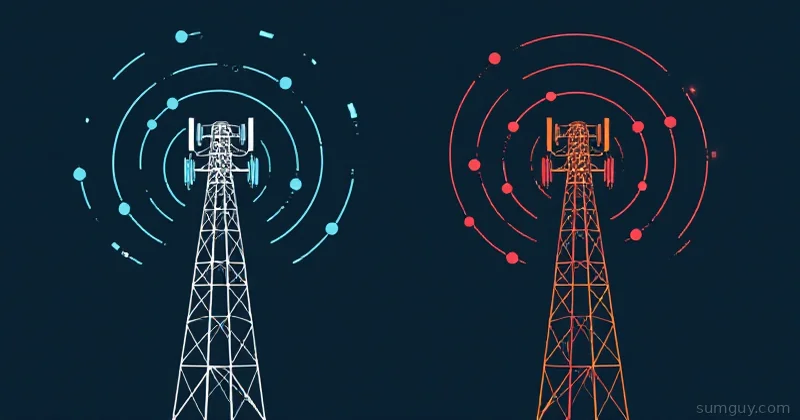
Zigbee Or Z-Wave: Which Protocol Should Run Your Mesh?
| Zigbee | Z-Wave | |
|---|---|---|
| Frequency | 2.4 GHz, shared with WiFi | Sub-GHz (908.42 MHz US, 868.4 MHz EU) |
| Range per hop (indoor) | 10 to 30 meters | 20 to 40 meters |
| Device cost | $15 to 30 per device | $40 to 60 per device |
| Mesh stability | Any plugged-in device can route, gets messy | Smaller, stricter mesh, more predictable |
| Region lock | None, works everywhere | Yes, US and EU devices are incompatible |
The Radio Specs: Frequency, Range, and Why It Matters
Zigbee: 2.4 GHz, The Shared Commons
Zigbee operates on the 2.4 GHz band. The same band where WiFi lives. The same band where your microwave, Bluetooth headphones, and that baby monitor screams about motion.
Range: Up to 100 meters in open air. In reality, inside a house with walls, you’re looking at 10 to 30 meters per hop. Good enough for most homes, but add a second floor or a detached garage and you’ll need a mesh relay.
Mesh behavior: Zigbee devices can act as routers and relay traffic. If a device supports routing (plugged-in devices, not battery-powered), it automatically joins the mesh and strengthens the network. This is both a feature and a foot-gun. A single misbehaving device or a bad route can tank your whole network.
The 2.4 GHz problem: You’re sharing airspace. WiFi, Bluetooth, cordless phones, microwaves, they all throw noise on this band. It’s usually fine because Zigbee uses DSSS (Direct Sequence Spread Spectrum, a channel-spreading technique that is distinct from frequency hopping), but a neighbors’ WiFi access point three feet from your coordinator or a microwave running during a critical device pairing can make your life miserable.
Device cost: Cheap. A Zigbee bulb runs $15 to 25. A Zigbee relay plug is $10 to 15. The market is flooded, and competition keeps prices low.
Brands: Philips Hue, IKEA Tradfri, Innr, Aqara, Tuya, and a thousand others run Zigbee.
Z-Wave: 908.42 MHz (US), 868.4 MHz (EU), The Private Club
Z-Wave operates on sub-GHz bands that vary by region:
- US/Canada: 908.42 MHz
- EU/UK: 868.4 MHz
- Australia: 921.42 MHz
These frequencies are less congested than 2.4 GHz. WiFi can’t reach here. Microwaves don’t care. You get a cleaner channel with less noise.
Range: Up to 150 meters in open air (per spec), realistically 20 to 40 meters indoors per hop. Better than Zigbee because lower frequencies penetrate walls better.
Mesh behavior: Similar to Zigbee, devices can route traffic, strengthening the network. But Z-Wave’s implementation is often more stable because the spectrum is less contested.
The sub-GHz advantage: Less interference. Your neighbor’s WiFi extender can’t touch your Z-Wave network. A microwave won’t jam it. This matters in dense urban apartments or in setups where you already have a ton of 2.4 GHz gear screaming.
Device cost: Expensive. Z-Wave devices cost 2 to 3 times more than Zigbee equivalents. A Z-Wave bulb is $40 to 60. A relay plug is $25 to 35. The market is smaller, so there’s less price pressure.
Brands: Aeotec, Fibaro, Qubino, Zooz, GE Enbrighten, and some others.
Region lock: Z-Wave devices sold in the US work only on 908.42 MHz. EU devices work only on 868.4 MHz. You cannot mix them. If you’re ever moving or ordering from overseas, you need to know which region you’re in and stick to it.
Mesh: How It Breaks and How It Doesn’t
Both protocols mesh, which is great until it isn’t.
Zigbee’s Mesh Problem
In Zigbee, every routing-capable device (plugged-in, not battery) joins the mesh automatically. This is democratically chaotic. A cheap IKEA bulb you bought on Amazon becomes part of your network infrastructure.
If that bulb gets a bad power supply, runs old firmware, or just decides to get weird, it can become a bad router. Bad routers send packets that make it halfway across your network, creating “broken paths” that waste bandwidth and confuse your coordinator.
Example from the field: You add five new Zigbee bulbs to your living room. One of them has a flaky power supply. For the next three weeks, random devices drop offline. You spend a Saturday night power-cycling everything and blaming your coordinator, when the actual culprit is a $15 bulb you forgot about.
Zigbee’s answer to this is router pruning: the coordinator can try to remove bad routers, but it’s reactive and not always reliable. You often end up doing what’s called a “rebuild” (removing and re-adding devices) to force the mesh to recalculate its paths.
Z-Wave’s Mesh Discipline
Z-Wave meshes are smaller and stricter. Not all Z-Wave devices can route. Battery devices (sensors, remotes) absolutely cannot. Plugged-in devices can, but they’re often fewer and more carefully chosen.
This means you typically have a smaller mesh with fewer nodes, which is harder to break. A single bad Z-Wave device can still cause problems, but the mesh is more stable because you’re not relying on a dozen cheapo relay devices to hold it together.
Cost: The Real Question
This is where most people stop reading and make their decision.
Zigbee costs $15 to $30 per device. If you’re running 30 devices, you’re looking at $450 to 900 for all the end devices.
Z-Wave costs $40 to $60 per device. Same 30 devices: $1,200 to 1,800.
That’s a 2 to 3 times difference. Over a home lab, it adds up.
If you’re building a home automation setup from scratch and money matters, Zigbee wins on price. You can afford to be aggressive and add devices everywhere.
If you’re price-insensitive or running a smaller setup (5 to 10 devices), Z-Wave’s stability might be worth the cost.
The Interference Reality Check
Zigbee’s 2.4 GHz sharing is less of a problem than it sounds.
Most home labs already have WiFi, and modern Zigbee devices handle WiFi interference gracefully. Your Zigbee network won’t be smoking because your WiFi is running on the same band. They use different spreading techniques, so they can coexist.
But.
If you live in a dense apartment building with four neighbors’ WiFi networks on 2.4 GHz, or if you’re running a ton of 2.4 GHz IoT gear (Bluetooth speakers, mesh WiFi, smart displays), Zigbee can get flaky.
Z-Wave’s sub-GHz advantage is real in these scenarios, but it’s also niche. Most home labs don’t hit the problem.
The real noise sources?
Microwaves (both 2.4 GHz and randomly RF-noisy), cordless phones on 5.8 GHz (not 2.4, doesn’t touch Zigbee), and cheap WiFi routers. Of those, microwaves are the only real problem, and Zigbee usually handles it fine because you don’t run them constantly.
Coordinator and Dongle Choice
For Zigbee: The usual suspects are ConBee II (Phoscon) and CC2652P-based dongles (Sonoff ZBDongle-P, SLZB-06, etc.). ConBee II is more stable and widely compatible. The CC2652P sticks are cheaper and more hackable. Both work.
For Z-Wave: Aeotec Z-Stick 7 (Gen7) or the newer 800-series sticks (Zooz ZST39, Aeotec Z-Stick 10 Pro). The Z-Stick 10 Pro is a dual Zigbee/Z-Wave stick and adds Z-Wave Long Range support (extended range, higher device counts per network); Z-Stick is the safe, well-supported choice either way.
Which One Should You Pick in 2026?
Pick Zigbee if:
- You’re cost-conscious. $15 bulbs beat $45 bulbs.
- You’re in an apartment or suburban home with normal interference levels. 2.4 GHz is fine.
- You want device variety and market choice. Zigbee has thousands of compatible devices. Every smart home brand has Zigbee.
- You don’t mind occasional mesh rebuilds. Zigbee networks sometimes need a reset when things go weird.
Pick Z-Wave if:
- You live in a dense RF environment. Multiple neighbors’ networks, lots of existing 2.4 GHz gear, and Zigbee flaking out.
- You want stability over cost. Z-Wave meshes are smaller, stricter, and more predictable.
- You’re running a small setup. 5 to 10 devices. The $30/device premium doesn’t sting as much.
- You value isolation. Sub-GHz frequencies give you a private channel that WiFi and Bluetooth can’t touch.
The Real Take
Most people should pick Zigbee. It’s cheaper, the device ecosystem is bigger, and the interference problem is overstated.
Pick Z-Wave if you know you have an interference problem or you’re the type who upgrades slowly and wants a foundation that won’t need mesh rebuilds.
You’re not locked in forever. You can run both Zigbee and Z-Wave in the same Home Assistant instance. Some people do exactly that: Z-Wave for critical stuff (door locks, thermostats) and Zigbee for everything else. It’s overkill for a home lab, but it works.
The Software Piece (Don’t Confuse It)
Before you buy your dongle, decide on your software stack. Z2M, ZHA, Home Assistant’s native Zigbee support, or something else.
The Zigbee protocol doesn’t care which software you use; Zigbee is Zigbee. Same with Z-Wave. Pick the software based on features and stability, not the protocol.
(Yes, this is where that Z2M vs ZHA debate lives. It’s orthogonal to this decision. Pick your protocol first, your software second.)
One More Thing: The EU Caveat
If you’re in Europe, Z-Wave uses 868.4 MHz instead of 908.42 MHz. That’s a completely different frequency band. Your EU Z-Wave devices will not work in the US, and vice versa.
Check your region before you buy. An Aeotec Z-Stick 7 EU is not the same as a Z-Stick 7 US.
Zigbee doesn’t have this problem; 2.4 GHz is 2.4 GHz everywhere.
The Honest Ending
You’re probably overthinking this. Pick Zigbee, buy a ConBee II, and start with IKEA Tradfri bulbs and Aqara sensors. If your mesh becomes a mess, you’ve learned a lesson and can rebuild. Total spend: $150 to 200 for the hardware and your first five devices.
Z-Wave is the right choice for maybe 10% of people (apartment buildings, interference nightmares, need for absolute stability). For everyone else, Zigbee is the path of least resistance.
And remember: neither protocol will solve the real problem. The real problem is that your teenager left the garage door open. That’s not a radio protocol issue; that’s a people issue.
Now go turn your home lab into a surveillance state. I’ll wait.