Your Yard Has More Birds Than You Think
You’ve got containers running. You’ve got dashboards. You’ve got uptime monitors for services nobody else uses. And yet, the bird that’s been screaming outside your office window since 6 AM? No idea what it is.
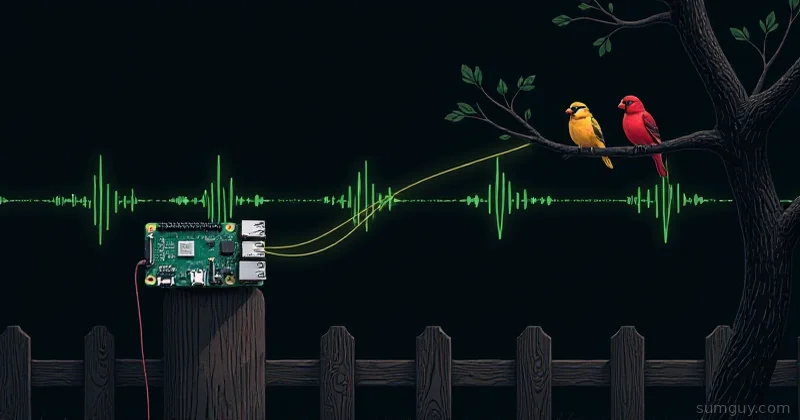
BirdNET-Pi fixes that. It’s a Raspberry Pi-based acoustic monitoring system that listens to your backyard 24/7 and identifies birds by their calls using the BirdNET neural network, the same Cornell Lab AI that powers the Merlin app millions of people use on their phones. Except this one runs on your hardware, reports to your Home Assistant, and doesn’t require a data subscription or a cloud handshake.
Honestly, it’s one of the more satisfying homelab projects I’ve done because it works surprisingly well and the WAF (wife acceptance factor) is legitimately high when you can say “oh that’s a red-tailed hawk” and actually be right.
What You’re Actually Building
One quick heads-up before you start: the original mcguirepr89/BirdNET-Pi repo was archived in August 2025, so don’t install from there anymore. The actively maintained fork is Nachtzuster/BirdNET-Pi, it’s a drop-in successor with Pi 5 support, x86 support, and ongoing updates. That’s what this guide uses. Under the hood it:
- Records audio continuously in 15-second chunks using your USB microphone
- Runs each chunk through the BirdNET-Analyzer ML model (a TFLite port of Cornell’s model)
- Logs detections with confidence scores, timestamps, and species info
- Serves a web dashboard with spectrograms, charts, and audio playbacks
- Optionally pushes detections to MQTT: which means Home Assistant, InfluxDB, Grafana, whatever you want
The software stack is BirdNET-Pi v2.x (late 2025 release), runs on Python 3.11+, and the web UI is a clean little Flask app. The ML model as of early 2026 covers ~6,000 bird species globally.
Hardware, Keep It Simple
Regarding hardware, you don’t need anything exotic.
Minimum viable setup:
- Raspberry Pi 4 (2GB RAM minimum, 4GB preferred) or Pi 5
- 16GB+ microSD card (Class 10 or better: you’ll be writing audio constantly)
- Any USB microphone
That’s it. You can literally test this inside on your desk before committing to an outdoor install.
For serious outdoor use:
- Microphone: AudioMoth (open-source wildlife recorder) is the gold standard, but it’s $75 and overkill to start. A $15 to 25 generic USB omnidirectional mic works fine. The BirdNET-Pi community has had good results with the RODE NT-USB Mini and even the Jabra Speak 510 (seriously).
- Weatherproofing: A food-grade silicone tube with a foam windscreen over the mic element works well. The Pi itself goes in a weatherproof project box, something like a Hammond 1554 or even a PVC junction box from the hardware store.
- Power: Standard Pi USB-C supply, or if you’re running it far from an outlet, a PoE hat + a PoE switch port, or even a small solar setup.
Avoid:
- USB extension cables over 5 meters (audio gets noisy)
- Pointing the mic at a road: you’ll log a lot of “Northern Cardinal (Truck)”)
- Pi 3B for this: the model inference is slow enough to cause it to fall behind real-time
Installation
The install script handles most of the heavy lifting. SSH into your Pi (fresh Raspberry Pi OS Bookworm 64-bit recommended) and:
sudo apt update && sudo apt upgrade -ycurl -sL https://raw.githubusercontent.com/Nachtzuster/BirdNET-Pi/main/newinstaller.sh | bashThis will take 15 to 30 minutes. It installs BirdNET-Analyzer, all Python dependencies, the web server, systemd services, and sets up the cron jobs for analysis. Get a coffee.
Once it’s done, the installer will tell you the web UI address, typically http://<pi-ip>:80. Open that up and you should see the dashboard.
Verify your mic is detected:
arecord -lYou want to see your USB mic in the output. If it’s not there, check lsusb and make sure the mic is actually mounted.
Set the correct input device in the BirdNET-Pi config:
nano /etc/birdnet/birdnet.conf# Audio device — match to arecord -l outputRECORDING_DEVICE=hw:1,0
# Your location (lat/lon) improves species filteringLATITUDE=40.7128LONGITUDE=-74.0060
# Detection threshold — lower = more detections, more false positivesCONFIDENCE=0.7
# Analysis overlap in seconds (0-2.9)OVERLAP=0.0
# Log database locationDATABASE=/home/pi/BirdNET-Pi/BirdDB.txtRestart the services after editing:
sudo systemctl restart birdnet_analysis.servicesudo systemctl restart birdnet_recording.serviceThe Web Dashboard
The built-in web UI is nice. You get:
- A rolling detection log with species name, confidence score, and timestamp
- Audio playback for each detection (15-second clips)
- Spectrogram images so you can see what the model saw
- Charts showing detection frequency over time
- A species list that builds up as new birds are detected
The spectrogram playback is where it gets addictive. You’ll find yourself clicking through clips at 11 PM going “wait, was that actually a Common Nighthawk or did the model get confused by the HVAC unit?”
Home Assistant Integration via MQTT
This is where it gets properly homelab-flavored. BirdNET-Pi supports MQTT out of the box, which means you can pipe every detection into Home Assistant and do whatever you want with it.
Enable MQTT in birdnet.conf:
MQTT_BROKER=192.168.1.10MQTT_PORT=1883MQTT_TOPIC=birdnet/detections# Optional authMQTT_USER=homeassistantMQTT_PASS=yourpasswordRestart the analysis service again.
On the Home Assistant side, add an MQTT sensor in your configuration.yaml:
mqtt: sensor: - name: "BirdNET Last Detection" state_topic: "birdnet/detections" value_template: "{{ value_json.common_name }}" json_attributes_topic: "birdnet/detections" json_attributes_template: > { "scientific_name": "{{ value_json.sci_name }}", "confidence": "{{ value_json.confidence }}", "timestamp": "{{ value_json.timestamp }}" }The MQTT payload from BirdNET-Pi looks like this:
{ "common_name": "American Robin", "sci_name": "Turdus migratorius", "confidence": 0.87, "timestamp": "2026-05-15T06:42:11", "lat": 40.7128, "lon": -74.0060}Practical automations you can actually use:
- Send a notification when a new species is detected for the first time (track your life list automatically)
- Log high-confidence detections to InfluxDB and graph them in Grafana by hour/day/season
- Trigger a PTZ camera to pan toward the mic when a target species is detected
- Create a “bird activity” score and use it as a proxy for “is the weather nice enough to go outside”
Dealing With False Positives
Real talk: the model is not perfect and you will get garbage detections. A few common offenders:
- HVAC/AC units: low-frequency hum that sometimes triggers waders and doves
- Rain: spectrograms during rain are noisy; expect random confidence-0.7 detections
- Distant traffic: certain engine RPMs apparently sound like shorebirds
- Your neighbors’ sprinkler system: don’t ask
Mitigation strategies:
-
Raise the confidence threshold. Default is often 0.7; bumping to 0.8 or 0.85 cuts false positives while only losing marginal real detections.
-
Use the location/date filtering. BirdNET-Pi can filter species by eBird range data for your lat/lon and date. Enable it:
SPECIES_PREDICT_ONLY=trueThis tells the model to only consider species that are plausibly in your area at this time of year. A Resplendent Quetzal detection in New Jersey in February gets suppressed. Good.
- Set recording hours. If you don’t care about nocturnal birds, restrict recording to dawn-to-dusk hours to cut noise from overnight machinery.
RECORDING_START=05:00RECORDING_END=21:00- Mic placement matters more than you think. Get the mic away from HVAC exhausts, in a location with some natural noise shielding. Trees and shrubs actually help reduce mechanical noise.
Merlin vs BirdNET-Pi The Honest Comparison
Merlin Bird ID from Cornell is excellent. Great UI, works on your phone, free, has the same underlying ML model family. So why bother with BirdNET-Pi?
| Merlin (mobile) | BirdNET-Pi | |
|---|---|---|
| Always listening | No (manual) | Yes |
| Night detections | No | Yes |
| Your data stays local | No | Yes |
| Home Assistant integration | No | Yes |
| Historical logs | Limited | Full database |
| Works offline | Partial | Yes |
| False positive handling | Better (curated UX) | Manual tuning needed |
| Setup time | 3 minutes | 2 to 3 hours |
Merlin wins for casual use. BirdNET-Pi wins for automation, long-term logging, privacy, and the satisfaction of running it yourself. They’re complementary, use Merlin on a walk, let BirdNET-Pi watch your yard while you’re at work.
Logging Detections to InfluxDB + Grafana
If you’re already running the Prometheus/Grafana/Loki stack (and if you have a homelab, you probably are), you can pipe BirdNET-Pi detections into InfluxDB for time-series charting.
There’s no built-in InfluxDB exporter, but the detection database is a simple tab-separated text file at ~/BirdNET-Pi/BirdDB.txt. A short Python script can poll it and push to InfluxDB v2:
import timeimport csvfrom influxdb_client import InfluxDBClient, Pointfrom influxdb_client.client.write_api import SYNCHRONOUS
INFLUX_URL = "http://192.168.1.10:8086"INFLUX_TOKEN = "your-token-here"INFLUX_ORG = "homelab"INFLUX_BUCKET = "birdnet"DB_FILE = "/home/pi/BirdNET-Pi/BirdDB.txt"
client = InfluxDBClient(url=INFLUX_URL, token=INFLUX_TOKEN, org=INFLUX_ORG)write_api = client.write_api(write_options=SYNCHRONOUS)
seen = set()
while True:    with open(DB_FILE, "r") as f:        reader = csv.reader(f, delimiter="\t")        for row in reader:            if len(row) < 6:                continue            date, time_str, sci_name, common_name, confidence, lat = row[:6]            key = f"{date}-{time_str}-{sci_name}"            if key in seen:                continue            seen.add(key)            point = (                Point("bird_detection")                .tag("common_name", common_name)                .tag("sci_name", sci_name)                .field("confidence", float(confidence))            )            write_api.write(bucket=INFLUX_BUCKET, record=point)    time.sleep(30)
Run this as a systemd service and you’ll have a Grafana dashboard showing peak detection hours, species frequency over the season, and confidence distributions. Bird phenology as a time-series metric. Honestly kind of beautiful.
Updating BirdNET-Pi
The project gets reasonably active updates, new model weights, bug fixes, support for new Pi hardware. The update process is straightforward:
cd ~/BirdNET-Pigit pull./update.shsudo systemctl restart birdnet_analysis.service birdnet_recording.serviceCheck the GitHub releases page before updating, occasionally there are breaking config changes. The README is kept reasonably up to date.
Should You Bother?
If you have a Raspberry Pi collecting dust and you spend any time outdoors, yes, obviously. The install is maybe 2 to 3 hours of actual work (plus waiting), the ongoing maintenance is basically nothing, and you end up with a living record of what birds visit your yard across the seasons.
It’s one of those projects where the nerd appeal and the real-world utility overlap. Your family will actually care about this one. “We’ve had 47 species this month” is a conversation starter. “I set up another Prometheus exporter” is not.
The false positive situation is manageable with the right confidence threshold and location filtering. The MQTT/Home Assistant integration is clean and works reliably. And there’s something satisfying about having a local ML inference system running 24/7 that isn’t doing anything dystopian, it’s just listening for warblers.
Start with a spare Pi and a cheap USB mic. If you like it, invest in better hardware and weatherproofing. You probably will.