The Eternal Zigbee Forum Debate
ZHA wins for anyone with under 15 mainstream devices who wants zero extra infrastructure, and Zigbee2MQTT wins the moment you pass 20 devices or need OTA updates that actually work.
If you spend five minutes in a Home Assistant or Zigbee forum thread, someone will inevitably recommend switching from ZHA to Zigbee2MQTT. Or vice versa. The argument is older than the devices themselves, and honestly, both sides are kind of right, but for different reasons.
Neither is “better” in the absolute sense. They’re different philosophies solving the same problem. ZHA is the batteries-included integration that ships with Home Assistant. Zigbee2MQTT is the power-user’s Swiss Army knife that requires you to run a separate MQTT broker. One plays nicely with HA’s UI. The other gives you surgical precision over your mesh network.
This is the practical breakdown for someone building a home lab. No gatekeeping, no zealotry, just the actual tradeoffs.
What’s Zigbee, Really?
Quick primer: Zigbee is a 2.4 GHz mesh protocol designed for low-power wireless devices. Unlike Wi-Fi, which is point-to-broadcast, Zigbee devices can relay signals through each other. Your Sonoff SNZB-01 door sensor talks to your smart light bulb (a “router” device), which relays the message to your Zigbee coordinator, the USB stick plugged into your Home Assistant server.
The protocol defines three device types:
- Coordinator: The hub. One per network. Sits on your Home Assistant box.
- Router devices: Mains-powered (lights, plugs, switches). These extend the mesh range by relaying messages.
- End devices: Battery-powered (sensors, remotes, buttons). They talk to routers or the coordinator directly.
The mesh is self-healing. If one route fails, devices find another path. It’s elegant and gets weirdly complicated once you have 30+ devices fighting for airtime.
Which Zigbee Integration Should Run Your Mesh?
| ZHA | Zigbee2MQTT | |
|---|---|---|
| Extra infrastructure | None, built into HA | Needs an MQTT broker |
| OTA updates | Unreliable | Works well |
| Device support | Large quirks database | Broader, herdsman-based |
| Mesh visibility | Signal strength only | Full topology and bindings |
| Setup time | ~5 minutes | ~30 minutes |
| Best device count | Under 15 | 20+ |
ZHA: The Home Assistant Native Path
ZHA (Zigbee Home Automation) is built directly into Home Assistant. Install the integration, plug in a compatible USB coordinator, and you’re done. No Docker containers, no separate broker, no configuration files to wrestle with.
What ZHA gets right
Zero external dependencies. Everything lives in Home Assistant. Settings, device pairing, automation, it’s all in the HA UI. If you have a Raspberry Pi 4 and a coordinator, you’re live in five minutes.
The UI is polished. Device management is straightforward. You see the mesh topology, signal strength, device health. Pairing is a button click. ZHA holds your hand, and for 90% of use cases, that’s exactly what you want.
Built-in device database. ZHA ships with quirks (device-specific handlers) for thousands of mainstream Zigbee devices. It handles the weird cases (like a Tuya smart bulb reporting brightness in 0-254 instead of 0-100) automatically.
Low operational burden. No MQTT troubleshooting. No debugging serialization issues. If something breaks, it’s probably the device or the coordinator, not your infrastructure.
Where ZHA struggles
OTA updates are rough. Over-the-air firmware updates exist, but they’re unreliable. Some devices work fine. Others timeout. It’s a gamble. Zigbee2MQTT handles this way better.
Device support gaps. While ZHA’s quirks database is huge, there are still devices that work just fine but don’t have a formal quirk. They report incorrectly or expose weird entities. Zigbee2MQTT’s herdsman database covers more ground.
Limited MQTT exposure. ZHA does support MQTT integration, but it’s shallow. You can’t easily manipulate cluster data or send custom commands. If you want fine-grained control over the Zigbee layer, ZHA doesn’t let you scratch that itch.
Mesh control is limited. You can’t force a device to bond to a specific router, change channels mid-network, or see which devices are relaying through which paths. It just works, but you don’t have levers.
Zigbee2MQTT: The Power User’s Thermonuclear Option
Zigbee2MQTT (Z2M) is a Node.js bridge that exposes your Zigbee network to MQTT. You run it as a container or addon, point it at your coordinator, and it publishes every device state to MQTT. Home Assistant subscribes to those topics. Everything is decoupled.
What Z2M gets right
Absurd device support. The zigbee-herdsman library and Zigbee2MQTT’s device database cover literally thousands of devices, including cheap Tuya bulbs, off-brand Chinese sensors, and industrial equipment. Found a weird device at a garage sale? Z2M will probably recognize it.
OTA updates that actually work. Zigbee2MQTT has invested heavily in firmware update reliability. Most devices update cleanly. It’s a differentiator.
Surgical MQTT control. Every device property is exposed to MQTT. Want to send a custom cluster command? Subscribe to a topic, publish JSON. Want to adjust endpoints or change how a device reports? You can do it.
Mesh visibility. You get detailed topology maps, can force binding tables, see exactly which devices are routing through which neighbors. It’s engineer’s paradise.
Migration and device swapping. Because everything’s stored in MQTT-accessible format, backup/restore of your mesh is easier. You can move devices between networks with less friction.
Where Z2M is exhausting
You need MQTT. A Home Assistant integration with no external dependencies becomes an add-on with a broker dependency. If your Mosquitto container crashes, your Zigbee devices disappear. You’re managing more infrastructure.
More moving parts = more failure modes. Zigbee2MQTT crashes? Your devices disconnect until the addon restarts. MQTT broker misconfiguration? Silent failures. You need to know MQTT basics to debug.
The UI is barebones. Z2M’s web UI is functional but sparse. Device pairing is less intuitive. Mesh topology is a text dump, not a visualization. Power users love this; people who like clicking buttons don’t.
Higher latency. Zigbee2MQTT adds a serialization hop. Your door sensor state transits through the coordinator → Node.js process → MQTT broker → Home Assistant. It’s milliseconds, but it’s there. ZHA is direct.
Setup friction. You need to configure MQTT topics, understand how Home Assistant’s MQTT integration works, maybe troubleshoot TLS or authentication. It’s not hard, but it’s more than ZHA.
Coordinator Hardware: The Physical Layer
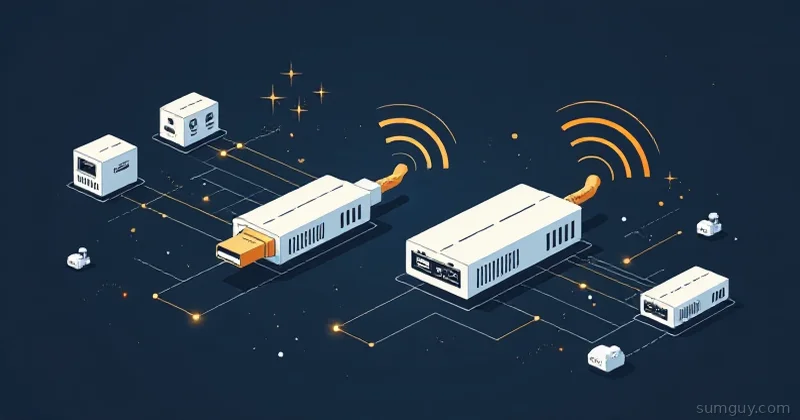
The USB coordinator is the anchor point. Different manufacturers make them, and they use different Zigbee stacks.
2026 lineup
Sonoff ZBDongle-E (CC2652P / EFR32). ~$25. Widely compatible, good range, supports both ZHA and Z2M. This is the no-brainer choice if you’re starting fresh. Both CC2652P (Texas Instruments) and EFR32MG21 variants work. Expect 15-20 devices reliably, 30+ if you have good routers. Range is about 50-75 feet in open space, less through walls.
Home Assistant Connect ZBT-1 (formerly SkyConnect). Home Assistant’s official coordinator, renamed back in 2024. You’ll still see “SkyConnect” on retailer shelves; it’s the same hardware. ~$30-40. Uses the EFR32 chip. Same effective performance as the ZBDongle-E, but you’re paying for official endorsement and HA support priority. There’s also a newer Connect ZBT-2 now if you want the latest. Solid choice if you want to support the project.
Sonoff SLZB-06. ~$35. Ethernet-powered, sits on your network. Great if you want the coordinator away from your server for range. Uses EFR32. Overkill for most setups but makes sense in a distributed lab.
ConBee III. ~$35-45. Dresden Elektronik’s German-engineered coordinator. Built on a Silicon Labs EFR32 chip and works with both ZHA and Z2M (and deCONZ, if you go that route). Slightly slower than the others but reliable. Good if you want German engineering bragging rights.
Older TI Z-Stack coordinators. Lots of pre-2024 coordinators ran Texas Instruments’ Z-Stack on CC2652/CC2531 chips. They work fine but are slowly being overtaken by Silicon Labs’ EFR32 (which runs the EmberZNet stack). If you have a working CC2652-based stick, keep it, don’t replace it. If you’re buying new, EFR32 is the safer bet for long-term support.
Thread support
Some 2026 coordinators (SkyConnect, newer Sonoff) also handle Thread and Matter. This is nice for covering future devices, but don’t let it drive your decision today. Zigbee and Thread are separate networks; you’d need to run both if you want mixed devices. Most home labs are still Zigbee-only.
Range and Mesh Reality
People ask: “Will my coordinator reach the detached garage?” Maybe. Depends on walls, interference, and whether you have router devices in between.
How mesh actually works: Your door sensor can’t reach the coordinator directly, but it can reach your kitchen light (a router). The light relays the message to the coordinator. Problem solved. The more router-class devices you have, the better the range.
Router devices = mains-powered gear: Smart lights, smart plugs, wall switches. If you have six of them scattered through your house, your mesh has solid coverage. If you have just the coordinator and a bunch of battery sensors, range is limited.
Z2M gives you visibility here. You can see that your bathroom motion sensor is routing through the hallway light. ZHA shows you signal strength but not the full path.
Practical range: 30 feet per hop. With good routers, you can cover a modest house (2,000 sq ft) and maybe reach a garage or shed. Beyond that, add a powered Zigbee device closer to the distant target.
The Migration Question
“Can I switch from ZHA to Zigbee2MQTT without re-pairing everything?”
Not directly. Zigbee doesn’t have a “export and import” button. Your devices are bonded to your coordinator’s network. When you switch integrations, you’re switching who controls the network, and the devices need to rejoin.
However: You only need to switch the integration, not the coordinator. Keep the same USB stick plugged in. Disable ZHA, enable Zigbee2MQTT. Devices will drop for 10-30 seconds, then reconnect. It just works if they trust the network key (and they should).
But: There’s a catch. If ZHA and Z2M try to run simultaneously on the same coordinator, you’ll corrupt the state. You have to fully disable one before switching. No hot-swapping.
Tools coming in 2026: The community is building better migration paths. Look for zigbee-network-backup or similar projects that can snapshot your network’s configuration and replay it. Not there yet, but the direction is clear.
Real advice: If you’re happy with ZHA, stay. If you need Z2M’s features (device support, OTA, MQTT), the 10-second rejoin is worth it. Don’t agonize over picking “wrong.” Switching is fast.
Setting Up Zigbee2MQTT
Here’s the practical setup. Assuming you’re running Home Assistant in Docker or Kubernetes.
services:  mosquitto:    image: eclipse-mosquitto:2.0.18    container_name: mosquitto    ports:      - "1883:1883"    volumes:      - ./mosquitto:/mosquitto/config      - mosquitto-data:/mosquitto/data    restart: unless-stopped
  zigbee2mqtt:    image: koenkk/zigbee2mqtt:2.6.2    container_name: zigbee2mqtt    depends_on:      - mosquitto    devices:      - /dev/ttyUSB0:/dev/ttyUSB0    environment:      - TZ=UTC      - ZIGBEE2MQTT_CONFIG_MQTT_SERVER=mqtt://mosquitto:1883      - ZIGBEE2MQTT_CONFIG_SERIAL_PORT=/dev/ttyUSB0    volumes:      - ./zigbee2mqtt:/app/data    restart: unless-stopped
Mosquitto config (minimal):
listener 1883allow_anonymous trueThat’s it. Mosquitto runs, Z2M connects, devices start showing up in HA.
Once Z2M is online, enable Home Assistant’s MQTT integration and point it at your Mosquitto broker:
mqtt: broker: mosquitto port: 1883 discovery: true discovery_prefix: homeassistantZ2M auto-discovers into HA via MQTT discovery. Devices appear in Home Assistant within seconds.
Debugging MQTT Is Not As Hard As You Think
If something’s not appearing, you can listen:
mosquitto_sub -h localhost -t "zigbee2mqtt/#"Every Z2M message will stream past. You’ll see exactly what’s happening. It’s invaluable.
# Watch one devicemosquitto_sub -h localhost -t "zigbee2mqtt/motion_sensor_hallway"
# Publish a commandmosquitto_pub -h localhost -t "zigbee2mqtt/lamp_bedroom/set" -m '{"state":"ON","brightness":200}'
MQTT transparency is why power users love Z2M. Everything’s observable.
ZHA Configuration Snapshot
For comparison, here’s ZHA in configuration.yaml:
homeassistant:  # ZHA is in the UI under Settings > Devices & Services > Zigbee Home Automation
# If you want to force a specific device path:zha:  device_path: /dev/ttyUSB0  enable_quirks: true  # Always true by default
That’s it. The rest is UI clicks. Create automations, pair devices, done.
So Which One Should You Choose?
Go ZHA if:
- You have fewer than 15 devices.
- You want minimal operational overhead.
- Your devices are mainstream (Philips Hue, IKEA TRADFRI, Aqara, Sonoff).
- You don’t want to learn MQTT.
- OTA updates are not a hard requirement.
Go Zigbee2MQTT if:
- You have 20+ devices or plan to scale.
- You have a mix of device brands (some oddball Tuya gear, industrial sensors, etc.).
- You want detailed mesh control and visibility.
- You’re already running MQTT for other things (Zigbee devices, Tasmota sensors, climate monitors).
- OTA updates matter.
- You like tinkering and don’t mind Docker containers.
Honest take: Most people should start with ZHA. It’s simpler, it works, and 95% of consumer Zigbee devices are supported. If you hit a device that doesn’t work, or you decide you want MQTT’s observability, switching to Z2M takes 30 minutes. Don’t overthink it.
The Mesh Gets Weird at Scale
One thing neither integration solves: Zigbee at 50+ devices gets finicky. Channel congestion, device timeout trees, routers dropping offline. Both ZHA and Z2M inherit the same physics limits.
If you’re building a full-house system (every room, every sensor), you’ll want:
- Multiple router devices spread across your space.
- A network scan to find the quietest channel (Z2M is better here).
- Good devices that actually relay well (Hue lights, IKEA bulbs, Sonoff switches).
- Regular restarts of your coordinator (every 30 days, honestly).
Neither integration prevents stupidity at scale. They just give you different tools to debug it.
Looking Forward
In 2026, the Zigbee landscape is solidifying. Thread and Matter are gaining traction, but Zigbee’s not going anywhere. The real question isn’t “which integration,” it’s “does Zigbee still make sense for my use case,” and for most home labs, the answer is yes.
ZHA will keep improving. Expect better OTA support and maybe a native MQTT bridge in the UI. Z2M will keep adding device support and polish its migration tools. By end of 2026, switching between them should be simple.
For now: Pick one based on your complexity tolerance, plug in a ZBDongle-E or SkyConnect, and get your lights talking to Home Assistant. Both paths lead to the same place: a working smart home. The journey’s just slightly different.