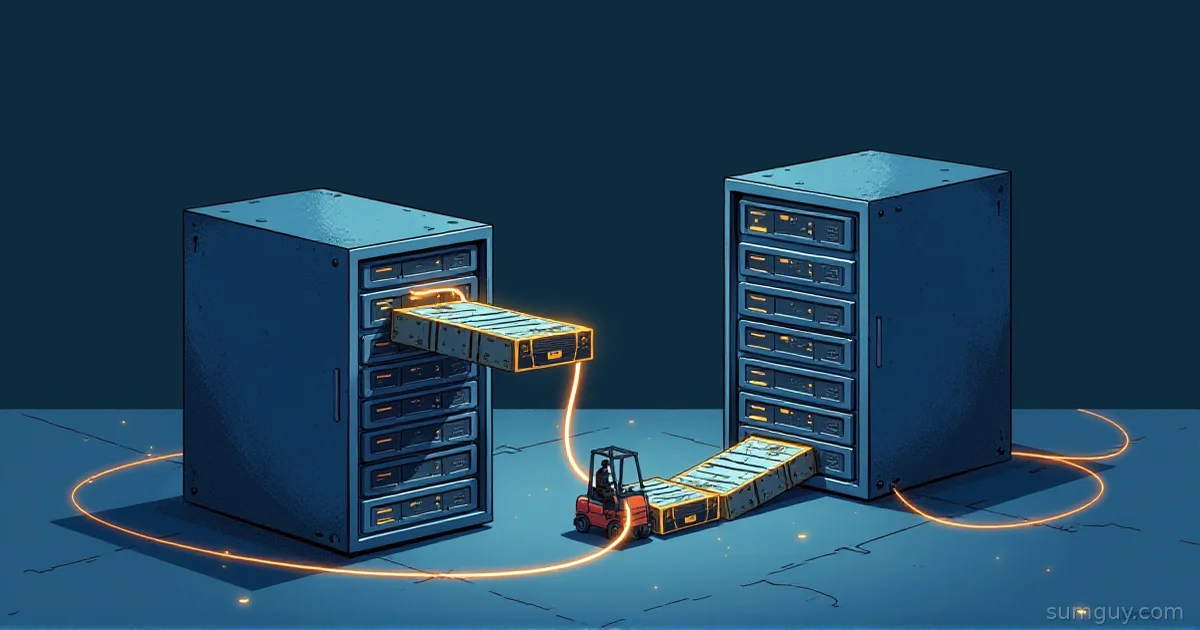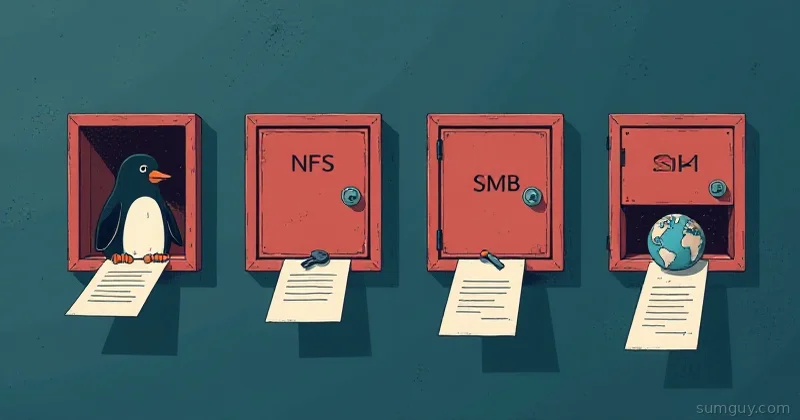
rclone wins for syncing active files you want to browse directly in the cloud, and Restic wins the moment you need ransomware-proof, deduplicated snapshots you can roll back to.
You’re at 2 AM. Your Docker volume just got encrypted by ransomware. You know you have backups somewhere, you think you told rclone to sync everything to S3. You open your bucket and find… the encrypted files are already there. Synced and locked.
You panicked because you confused two tools that sound like they do the same thing but really, really don’t.
Rclone Or Restic: Which One Actually Backs You Up?
- Pick rclone if you want a transparent mirror of your files you can browse directly in your cloud provider.
- Pick Restic if you need timestamped, deduplicated snapshots that survive ransomware or accidental deletes.
- Pick both if you want Restic’s snapshot safety locally and rclone pushing that repo offsite.
The Fundamental Difference: Copy vs. Snapshot
rclone moves files. Restic stores snapshots.
rclone is a file synchronization and copying tool. It’s rsync on steroids, it looks at your source directory, compares it to your destination (could be S3, Backblaze, a NAS, whatever), and copies over anything that’s missing or different. It stores files pretty much as-is. Your Docker volume as it exists right now gets copied to the cloud as-is. If those files get corrupted locally and rclone syncs them, the corrupted versions end up in the cloud too.
Restic is a backup engine. It reads your files, chunks them up into content-addressable blocks, deduplicates those blocks across snapshots, encrypts them, and stores timestamped snapshots of the whole mess. Each snapshot is a point-in-time reference. You deleted a file three weeks ago? Restic remembers every version. You overwrote a file today with garbage? Restic has the clean version from yesterday’s snapshot.
It’s the difference between a Xerox machine and a time machine.
How They Actually Store Data
rclone is straightforward: file in, file out. You have /data/mydb.tar.gz locally, rclone copies it to s3://backup-bucket/mydb.tar.gz. The remote storage looks like a mirror of your filesystem. Cloud storage sees your file structure, your filenames, your directory layout. It’s simple, it’s transparent, and it’s your responsibility to manage versions, encryption, and retention.
Restic doesn’t care about your filenames or structure. Here’s what actually happens:
- Restic reads your files and breaks them into variable-size chunks using content-defined chunking, roughly 1 MB on average (anywhere from 512 KB to 8 MB, decided by the data itself, not a fixed size)
- Each chunk gets a SHA256 hash and is stored by that hash:
a1b2c3d4e5f6... - Restic builds a metadata tree that says “snapshot 2026-06-14 points to chunks a1b, 3d4, e5f…”
- Next snapshot, if you haven’t changed files, Restic just points to the same chunks again
- Old snapshot? Still points to its chunks. Delete a file? The chunks that made it up stay in the repository until you run
forget+pruneto clean up unreferenced data
The remote storage looks like a pile of hashes and a metadata index. You can’t just browse it like a filesystem. You need Restic to reconstruct which chunks belong to which files.
This architecture sounds complicated, but it’s doing something magic: deduplication.
The Deduplication Math (Why It Matters)
Imagine you back up 100 GB of VMs every day. Each VM is mostly unchanged.
With rclone: 100 GB gets copied Day 1. Day 2, rclone checks and finds that 95 GB is identical. It skips those files (good!). But the 5 GB of new/changed data still gets copied. After 30 days, even with smart sync, you’re paying for roughly 100 + 5 + 5 + 5… = 150 GB of remote storage (assuming only 5 GB changes daily). Network traffic: similar.
With Restic: Day 1, your 100 GB becomes maybe 50 GB of chunks (compression + dedup within that day’s data). Day 2, the 95 GB of identical files reference the same chunks. You’re only uploading 2.5 GB of new chunks (5 GB of changed files becomes maybe 2.5 GB after compression, but it’s all new content so less dedup within a single backup). After 30 days, you have 50 GB (day 1) + 2.5 GB + 2.5 GB… = ~125 GB total. But that’s 30 snapshots, all kept.
In real-world scenarios with repeated data, Restic can achieve 70-90% reduction vs. naive copying. That saves money. More importantly, it saves bandwidth for your first upload to an offsite location.
Encryption: It’s Not The Same
rclone offers encryption via a separate crypt remote layer. You configure it, rclone encrypts files before uploading. Works fine, but:
- You have to explicitly set it up (easy to forget)
- The remote backend doesn’t know about your data; it just stores encrypted blobs
- You’re trusting rclone’s encryption implementation
Restic has encryption baked in as a first-class feature:
- Every chunk is encrypted with AES-256
- Metadata tree is encrypted
- Snapshots are encrypted
- You can’t even browse your Restic repository without the passphrase: the remote service never sees unencrypted data
- Encryption is mandatory, not optional
If you’re storing backups in a cloud provider you don’t fully trust, Restic’s enforced encryption is stronger. The cloud provider can’t snoop your backup contents, can’t guess filenames, can’t see what you’re storing.
Retention and Cleanup: The Biggest Gotcha
Here’s where people get burned.
rclone has no retention policy. It copies files. If you want to keep only the last 7 days of backups, you have to manage that yourself, delete old files from the remote, or write a separate script to clean up. rclone will happily sync your /data/ directory to the cloud. If you delete something locally, rclone’s default mode won’t delete it remotely (you’d need --delete-during). If you do enable delete, old backups are just… gone.
Restic has intentional snapshot retention. You can say “keep the last 30 snapshots, then prune old data.” Restic separates the concepts:
forgetremoves snapshot referencespruneremoves unreferenced chunks from the repository
So you can restic forget --keep-last 30, and Restic marks old snapshots as forgotten. Then restic prune cleans up the chunks those snapshots were using. The repository shrinks. You keep the last 30 points in time; older ones are explicitly cleaned up.
This is intentional: restore from any of those 30 snapshots without any special setup. Forgot what changed three weeks ago? Restore that snapshot, diff it with today, see what’s different.
Restore UX: Copy vs. Reconstruct
Let’s say you need to restore a single file.
rclone:
# Find the file in your S3 bucketaws s3 ls s3://backup-bucket/ | grep mydb.tar.gz# Download itaws s3 cp s3://backup-bucket/mydb.tar.gz ./mydb.tar.gz# DoneThree commands, transparent. You’re downloading the file as it sits in the cloud.
Restic:
# List snapshotsrestic snapshots# Pick one (e.g., 3c5b8a92)restic restore 3c5b8a92 --target /tmp/restore# Files appear in /tmp/restore/ with the same structureRestic reconstructs your filesystem from the chunks. Under the hood:
- Restic reads the metadata tree from the snapshot
- Downloads the chunks it needs
- Decrypts them
- Reassembles files
- Writes them to disk
It’s a bit slower than aws s3 cp because of the reconstruction step, but not by much. The payoff: you can restore from any snapshot, any version of any file.
Want to restore a single file from a specific snapshot?
restic restore 3c5b8a92 --include /path/to/file --target /tmp/restoreRestic downloads only the chunks needed for that file. Smart.
The Ransomware Problem (Why This Matters)
This is the core issue that gets people killed.
You set up rclone to sync your /data/ directory to S3 every 4 hours. Your Docker container gets hit with ransomware at 2 AM. It encrypts everything. At 6 AM, your 4-hourly rclone sync runs and copies the encrypted files to S3. You think your backups are safe. They’re not; they’re already corrupted on S3.
With Restic, that doesn’t happen:
- 2 AM: ransomware encrypts
/data/ - 6 AM: Restic takes a snapshot. It chunks the encrypted files, stores those chunks.
- Midnight (when you discover the attack): You restore a snapshot from yesterday, before the attack. The encrypted files from 6 AM’s snapshot are a separate snapshot in the timeline, not used.
restic forget --keep-last 30deletes the corrupted snapshots after 30 days, freeing space.
You didn’t lose anything because snapshots are timestamped and content-addressed. You restore the clean one.
This is why security-minded folks prefer Restic for critical data: each snapshot is a complete, immutable point in time. You can survive ransomware, accidental deletes, data corruption, all of it, as long as you have a clean snapshot from before the incident.
The Combo Pattern: Restic + rclone
Here’s the pattern that pros use:
- Restic to a local repository:
restic -r /mnt/backup-repo backup /data /home /etcEvery night, Restic snapshots your critical data to a fast local disk (NAS, local SSD, whatever).
- rclone pushes the Restic repo offsite:
rclone sync /mnt/backup-repo s3://backup-bucket/restic-repoOnce the Restic repo is updated, rclone syncs the whole thing to S3 (or Backblaze, or Wasabi, or wherever).
Why this combo?
- Restic handles dedup, encryption, snapshots, retention: the smart backup logic
- rclone handles transport: pushing a folder full of opaque chunks to cloud storage without caring what’s inside
- Local repo is fast: you can restore from the local NAS in seconds if needed
- Offsite is safe: ransomware that hits your home lab can’t touch your S3 bucket
- Separation of concerns: Restic owns backup semantics, rclone owns cloud transport
A variation some folks use: Restic with a cloud backend directly. Instead of syncing a local repo with rclone, Restic can talk to S3, Backblaze, GCS, etc. directly:
restic -r s3:s3.amazonaws.com/backup-bucket/restic-repo backup /dataThis trades network overhead for simplicity (no local repository). For small backups or gigabit internet, it’s fine. For large backups on slow internet, local + rclone sync is better.
Side-By-Side Comparison
| Aspect | rclone | Restic |
|---|---|---|
| Purpose | Sync/copy files to cloud | Deduplicated snapshot backups |
| Storage model | Mirror filesystem to remote | Content-addressable chunks + metadata |
| Encryption | Optional, requires crypt remote | Mandatory, all data encrypted |
| Deduplication | File-level only (skip unchanged) | Content-level (70-90% savings possible) |
| Snapshots | No, latest state only | Yes, unlimited timestamped snapshots |
| Retention | Manual (you delete old files) | Automatic (forget + prune) |
| Restore a file | Download from cloud directly | Reconstruct from chunks |
| Ransomware proof | No, syncs corrupted files too | Yes, restore from clean snapshot |
| Performance | Fast for small changes | Slower for new data, fast for dedup’d data |
| Learning curve | Easy | Medium (chunks/dedup concepts) |
| Best for | Syncing active work, mirroring data | Critical backups, offsite archives |
When to Use Each (or Both)
Use rclone alone if:
- You’re syncing configuration files, scripts, or documents to the cloud for access from anywhere
- You want a mirror of your data that you can browse/search directly on the cloud provider
- You’re moving large folders between storage backends and don’t need historical versions
- You don’t care about deduplication and want simplicity
Use Restic alone if:
- You’re backing up critical data and need immutable, timestamped snapshots
- You want strong encryption by default
- You care about bandwidth and storage costs (dedup saves both)
- You can afford to wait a bit longer on restore (negligible unless you’re restoring terabytes)
Use Restic + rclone if:
- You want the best of both: smart snapshots locally, offsite transport to cheap cloud storage
- You need fast local restores (from NAS) and safe offsite restores (from S3)
- Bandwidth is limited or expensive (backup to local repo, then sync incrementally)
The Bottom Line
Stop thinking of them as competitors. They’re tools for different jobs.
rclone is a file truck: it moves your stuff from A to B. Great at that job. Dumb as a box of rocks otherwise.
Restic is a time capsule: it preserves moments in time and lets you jump back to them. Harder to set up, but infinitely more powerful if something goes wrong.
For your homelab, your critical data deserves a time capsule. Your rclone instance can push that capsule into deep cold storage offsite while you sleep.
Your 2 AM self will thank you.