Borg wins for one machine backing up to your own SSH box, and Duplicacy wins the moment several machines need to write to one cloud bucket at once.
You’ve probably done the “rsync + cron” thing, it works until it doesn’t: huge transfers, duplicate data, and that night where you realise your “backup” was just a copy of the trash folder. If you want safe, space-efficient snapshots (and fewer 2 AM heart attacks), you need deduplicating backups. Borg and Duplicacy are the two heavy-hitters for home labs. One’s the veteran Swiss army knife; the other’s the clever kid that solved multi-source tetris. Here’s the head-to-head.
Which Backup Tool Belongs On Your NAS?
| Borg | Duplicacy | |
|---|---|---|
| License | Free, open source | Free CLI, paid Web GUI/commercial license |
| Multi-machine to one repo | Needs a lock, one writer at a time | Lock-free, built for concurrent writers |
| Cloud storage support | Via glue (rclone, SSH gateway) | Native S3, B2, GDrive, WebDAV |
| Restore speed | Fast for single files via mount/SSH | Fine, but many chunk downloads over cloud |
Why dedup matters (short version)
Deduplication saves storage and network: store identical chunks once and reference them from multiple snapshots. For a homelab with lots of similar VMs, dotfiles, or repeated ISOs, dedup is the difference between feasible and “please buy another drive”.
Your 2 AM self will appreciate the bandwidth and time savings.
Dedup mechanics, plain English
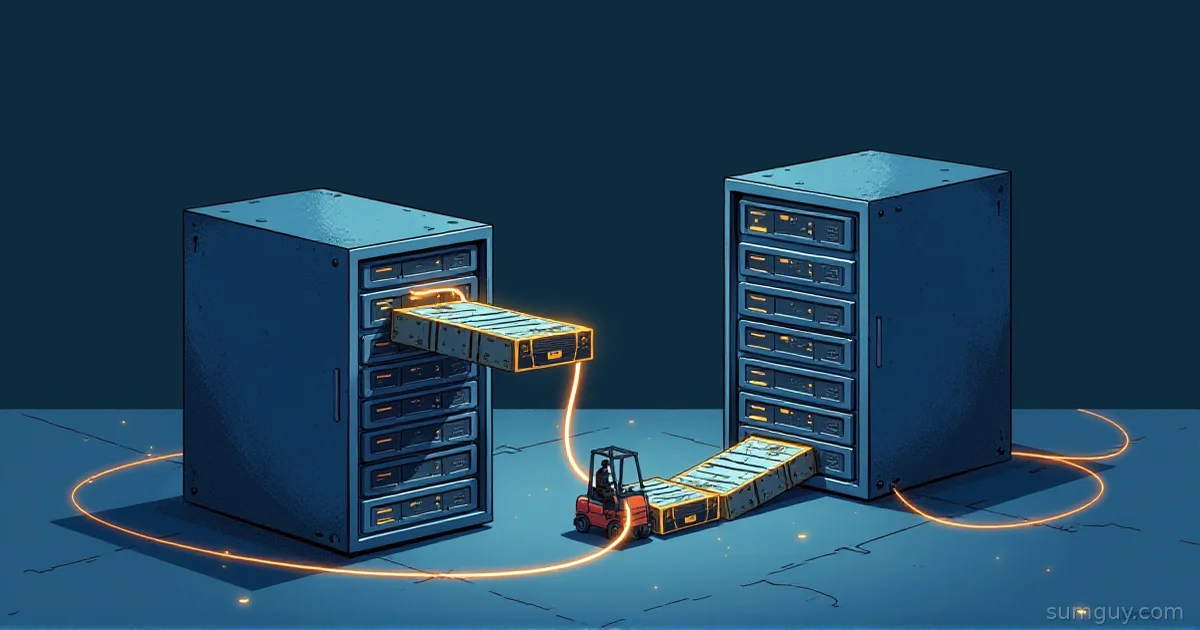
Think of a backup like packing cargo into a truck.
- A naive tool copies whole files (rsync = lots of crates).
- Dedup chops files into chunks and stores identical chunks once (same crates, reused).
- Chunk boundary choice is the secret sauce.
Borg: chunker (sliding / segmenting)
Borg splits data into chunks and groups them into segments. It uses a rolling-style approach that tends to avoid re-chunking when small edits happen (so a changed line doesn’t ruin the whole file). The result: excellent intra-repo deduplication and efficient appends.
Pros:
- Great cross-file dedup inside one repo.
- Mature, tuned for backups.
Cons:
- Single-repo metadata model means writes are coordinated; multiple machines writing the same repo concurrently need locks (i.e., one writer at a time unless you use workarounds).
Analogy: Borg is like a careful packer who numbers crates and keeps an index, slow if three people try to jam crates through the door at once.
Duplicacy: content-defined chunks + lock-free multi-source
Duplicacy also uses content-defined chunking, but its storage layout is fundamentally different: chunks are stored and referenced by their hashes and snapshots are independent JSON-like manifests that reference those chunks. That enables truly lock-free concurrent backups: multiple clients can push to the same storage concurrently without server-side locking.
Pros:
- Multi-source to one vault without coordination: brilliant for home labs with several machines.
- Cloud-first design: S3, B2, GDrive, WebDAV are first-class.
Cons:
- Different mental model; its on-disk layout and pricing for GUI can feel less “open”.
Analogy: Duplicacy is Git for chunks, many contributors can push branches (snapshots) at once; storage just holds the blobs.
If your setup looks like a spaghetti diagram, Duplicacy wins.
Quick install + first backup
Running these is boringly simple. Examples below use local repo or SFTP/S3 endpoints; adapt to your host.
Borg, init, backup, list
# Install (Debian/Ubuntu)sudo apt update && sudo apt install -y borgbackup
# Export passphrase in shell (safer: use keyfile or env var in service)export BORG_PASSPHRASE='supersecret-passphrase'
# Initialize repository (local or remote via user@host:/path)borg init --encryption=repokey /srv/borg-repo
# Create a snapshot (archive)borg create --stats --progress /srv/borg-repo::home-$(hostname)-$(date +%F) /home/you /etc
# List archivesborg list /srv/borg-repo
Notes:
--encryption=repokeystores an encrypted key inside the repo (protected by passphrase). keyfile mode stores the key outside the repo.- For remote: borg init user@backup:/srv/borg-repo and borg create user@backup:/srv/borg-repo::archive /home…
Duplicacy, init, backup, restore (multi-source)
# Download latest binary from GitHub releases, make executable (example)# There's no magic "latest" download path — resolve the version tag firstVER=$(curl -s https://api.github.com/repos/gilbertchen/duplicacy/releases/latest \  | grep -oP '"tag_name":\s*"v\K[^"]+')curl -Lo /usr/local/bin/duplicacy \  "https://github.com/gilbertchen/duplicacy/releases/download/v${VER}/duplicacy_linux_x64_${VER}"chmod +x /usr/local/bin/duplicacy
# On machine A (repo id 'laptop'), point to the same storage (sftp, s3, b2, etc.)cd /home/youduplicacy init -e laptop sftp://backup.example.com/duplicacy
# Run backup (will prompt for encryption passphrase)duplicacy backup -stats
# On machine B (same storage, different repo id)cd /home/otherduplicacy init -e tower sftp://backup.example.com/duplicacyduplicacy backup -stats
# Restore (restore snapshot revision '1' to /restore)duplicacy restore -r 1 /restore
Notes:
- The
-eoption enables encryption; Duplicacy prompts for a password to derive keys. - You can init many clients with different repository IDs, all using the same storage URL. Duplicacy dedups across them.
Multi-source and multi-destination workflows
This is the crown jewel: Duplicacy was designed for multi-writer, multi-source vaults. Want 5 laptops + server + NAS all pushing dedup’d data into a single S3 bucket? Duplicacy does that without special servers or locks. It stores chunks by hash and snapshots separately, so concurrent writes are safe.
Borg, by contrast, expects one repository to be the authoritative metadata holder. While you can mount a central borg repo over SSH and script clients to avoid collisions, you must manage repo locks. Workarounds:
- Give each client its own repo (simple, no cross-client dedup).
- Use a central Borg server (SSH) and serialize writes via cron/windows.
- Use a “staging” approach: push to per-client repos and periodically consolidate (painful).
If your setup is multiple machines backing up to one central vault, Duplicacy wins hands down. No locks, no merge headaches, no shepherding backups at 3 AM.
Encryption & key management, the practical story
Both tools offer strong client-side encryption (AES-256-level security is the commonly used algorithm in both ecosystems). But the key story is what trips people up.
Borg:
- Modes: repokey (key stored in repo, encrypted by your passphrase) or keyfile (store the key locally, more secure).
- Passphrase vs keyfile: repokey is convenient (server doesn’t need the plaintext key), but losing passphrase = you’re toast. keyfile is safer but you must manage the key (store it offline).
- Borg’s model ties encryption metadata to the repository.
Duplicacy:
- Uses a passphrase-derived key per repository (you provide a password at init).
- With multiple clients using the same storage, each client must use the same encryption passphrase to read snapshots.
- Duplicacy Web can store passphrases for scheduled runs (handy but adds a “GUI tax” security consideration).
Practical take:
- If you want “open-source forever + exact control over key material”, Borg (keyfile mode) is the conservative choice.
- If you want ease of use across many clients and don’t want to manage per-machine keyfiles, Duplicacy’s passphrase flow is friendlier: just secure the passphrase.
Encryption example, Borg (repokey) and Duplicacy:
# Borg: repokey init (stores key in repo encrypted by passphrase)export BORG_PASSPHRASE='supersecret'borg init --encryption=repokey /srv/borg-repo
# Duplicacy: init with encryption (will prompt; same password on all clients)duplicacy init -e laptop sftp://backup.example.com/duplicacy# (follow prompt to set passphrase)
Prune / forget policies compared
Keeping every snapshot forever = quick way to buy a bigger shelf of drives. Both tools provide retention/forget/prune options, but their models differ.
Borg:
borg prunewith keep flags is expressive and proven over years of real use.- Typical usage:
# Keep 7 daily, 4 weekly, 6 monthlyborg prune -v --list --keep-daily=7 --keep-weekly=4 --keep-monthly=6 /srv/borg-repo- Borg prune is fast when many snapshots share chunks (it just removes archive references and cleans unreferenced segments during
borg prune --list --dry-runandborg compact/maintenance).
Duplicacy:
duplicacy pruneworks against the storage and runs garbage collection-style cleanup. Its retention flag takes n:m pairs where n is the minimum days between revisions to keep and m is the minimum age in days those revisions must be.
# Keep 1 revision/day for revisions older than 7 days,# 1 revision/week for revisions older than 30 days,# 1 revision/month for revisions older than 180 days,# no revisions older than 365 days# (multiple -keep flags, sorted by m descending)duplicacy prune -keep 0:365 -keep 30:180 -keep 7:30 -keep 1:7 -exhaustive -stats- Duplicacy’s prune can be slower on large stores because it scans snapshots and chunk lists, but it is designed to handle multi-repo stores.
Practical note: pruning speed matters when you manage hundreds of snapshots. Borg’s internal index and segment model often make metadata operations snappier for single-repo situations. Duplicacy’s prune holds up across many clients, but expect more work when the storage is huge.
Cloud story, friction matters
If you’re cloud-first, this is where opinions harden.
Borg:
- Borg’s natural target is an SSH-accessible repo or local disk. Officially supported remote usage is via SSH to another host running borg serve.
- Want S3/B2? You’ll either:
- Run a small server (VM/container) that hosts the borg repo and expose it via SSH (works fine), or
- Use rclone to mount or serve but it’s a less-than-perfect fit and often fragile for live repos.
- Long story: Borg + object storage is doable, but you need glue (rclone / gateway / tiny VM). Expect to build it yourself.
Duplicacy:
- Native support for S3, Backblaze B2, Google Drive, WebDAV, SFTP, and many cloud providers.
- You point it at the bucket/remote and it works: chunk uploads, manifests, and metadata are handled without extra plumbing.
If your goal is “put backups straight into cloud storage and forget”, Duplicacy is 100x less friction. If you prefer fully open source, run-your-own-server setups, or have an SSH-accessible NAS, Borg is fine, but expect to manage the server.
Restore speed & recovery, which gets you unstuck
Restores are where courage and caffeine meet.
Borg:
- Fast random-file restores using
borg extractor mounting a repo via FUSE (borg mount) are excellent. - Borg’s archive approach makes it easy to extract single files quickly from a snapshot, and dedup/segment layout keeps chunks compact for quick pulls over SSH when not re-downloading duplicate data.
Duplicacy:
- “duplicacy restore -r
” restores snapshots. It’s decent but can be slower for large restores from cloud, because many individual chunk downloads occur: which is a cloud latency story. - Duplicacy also offers
duplicacy downloadfor partial retrievals and smart multi-threading.
The truth:
- For single-file emergency restores in a local or SSH-backed Borg repo, Borg frequently feels faster and more predictable (mount + copy).
- For multi-source cloud restores, Duplicacy will get it done but may be subject to the cloud provider’s per-request latency. Use parallelism (threads) and pick a region close to you.
If you’re on a slow link and need a quick file at 3 AM, mount the Borg repo and copy. Your 2 AM self will love you for it.
Scheduling: Borgmatic vs Duplicacy native + Web
Borgmatic = borg + sane automation.
- Borgmatic is a wrapper that handles creation, pruning, compression, reporting and systemd/cron integration. Its YAML makes retention policies consistent across machines.
- Example minimal borgmatic config:
Updated: borgmatic 1.8 deprecated the location:/storage:/retention: section keys. This uses the modern flat configuration format.
# /etc/borgmatic/config.yamlsource_directories:  - /home  - /etc
repositories:  - path: user@backup:/srv/borg-repo
encryption_passphrase: "{{ BORG_PASSPHRASE }}"
keep_daily: 7keep_weekly: 4keep_monthly: 6
Borgmatic runs on cron/systemd timers and just works.
Duplicacy:
- CLI: schedule with cron or systemd yourself (
duplicacy backup). - Duplicacy Web: paid/optional GUI that adds scheduling, reporting, and multi-repo management, nice for people who prefer a dashboard and fewer shell scripts.
- The GUI tax: Duplicacy Web costs money for some features; it’s pleasant, but not required. The CLI is scriptable for headless installs.
If you like YAML config that just works, borgmatic + borg is a polished combo. If you’d rather point-and-click and pay a few bucks for a dashboard, duplicacy web is a reasonable choice.
License reality check
Short version:
- Borg: fully open-source, free to use (community-driven).
- Duplicacy: CLI historically free for personal use but has a commercial licensing model for non-personal use and a paid Web GUI. Check current licensing for commercial environments.
Practical impact:
- If “I refuse to pay for backup tooling” is a hill you want to die on, Borg is the obvious pick.
- If the time saved by Duplicacy Web or a commercial license is worth the money for your setup, it’s a valid trade-off.
Which one gets the trophy? Decision matrix by use case
-
You run a single-server or small cluster, prefer open-source, and like full control: Borg (+ borgmatic). You get dependable performance and minimal vendor smell.
-
Winner: Borg
-
You have 3+ machines (laptops, NAS, servers) all needing to push to one central vault (S3 or similar) and you want lock-free, dedup’d storage without juggling repo locks:
-
Winner: Duplicacy
-
You want cloud-first, minimal glue, and support for S3/B2/GDrive out of the box:
-
Winner: Duplicacy
-
You want GUI scheduling, visual restore UI, and don’t mind a commercial GUI or paid Web app:
-
Winner: Duplicacy Web (commercial)
-
You need to guarantee everything is open-source and auditable, and you like mounting backup repos via SSH:
-
Winner: Borg
-
You value speedy single-file restores from a nearby host or SSH repo (2 AM “I deleted the wrong file” scenario):
-
Slight edge: Borg
Practical checklist before you pick
- How many machines will back up to the same vault? If more than 2 and you want one bucket, Duplicacy is attractive.
- Cloud or local NAS? Cloud-first → Duplicacy. Local SSH/NAS → Borg is simple.
- Do you like paying for polish (web UI, reporting)? Duplicacy Web.
- Do you want to never worry about licensing or network glue? Borg.
Final verdict, SumGuy’s pick by persona
- The minimalist homelabber who runs a NAS + 1-2 servers, loves open source, and cares about mount/restore ergonomics: Borg + borgmatic. It’s the classic. Dependable, no surprises. Like hiring a mechanic who knows your car, sometimes slower, always competent.
- The chaotic home with 4 laptops, a couple of servers, and a “backup to a single S3 bucket” policy: Duplicacy. It’s the guy who invented a better fork for a specific problem, lock-free multi-source. If your setup looks like a spaghetti diagram, Duplicacy wins.
- Cloud-first, ease-of-use, and paying for a dashboard: Duplicacy Web edges it.
- If you just want open-source, Linux-first, and the “I can mount and extract fast” workflow: Borg.
If forced to pick one for a general-purpose, multi-machine home lab: Duplicacy for multi-source + cloud convenience; Borg for pure OSS lovers and local-first setups. Either way, stop running rsync+cron like it’s 2006. Your future self and your wallet (storage bills) will thank you.
Closing notes (and a tiny bit of sarcasm)
Backups are boring until they’re life-saving. Don’t let shiny GUI features distract you from: verifying restores, storing keys offline, and actually testing a recovery. Backing up your backups is not paranoid, it’s responsible. If backing up feels like hiring a forklift to move a couch, technically it works, but your neighbors will have questions, maybe simplify your approach: pick the tool that matches your topology and stick to a tested schedule.
Want a short pairing guide for your exact setup (how many machines, cloud vs local, bandwidth constraints)? Tell me your topology and I’ll map the winner.