Cold Archive: Where Cheap Looks Cheap Until You Need It Back
Backblaze B2 wins for most home labs thanks to its Cloudflare egress trick, and Scaleway Glacier wins if you need EU jurisdiction and can wait a day for restores.
You’ve been running backups for months. Your restic or Borg repos are humming along, compressing your data down to something reasonable, and you’re sleeping better knowing that config disaster at 3 AM won’t cost you three days of work. But those backups are sitting in a hot-tier cloud bucket, costing you $5 to $20 a month just to exist. You don’t need to restore them tomorrow. You might not need them for a year. And when you do finally need them, you’re probably not in a hurry because it’s not a production fire, it’s a “oh crap I deleted my Home Assistant database” situation, and you’ll wait an hour for the restore.
Cold storage is the answer. And it is not all created equal.
What “Cold” Actually Means (And Where It Gets Expensive)
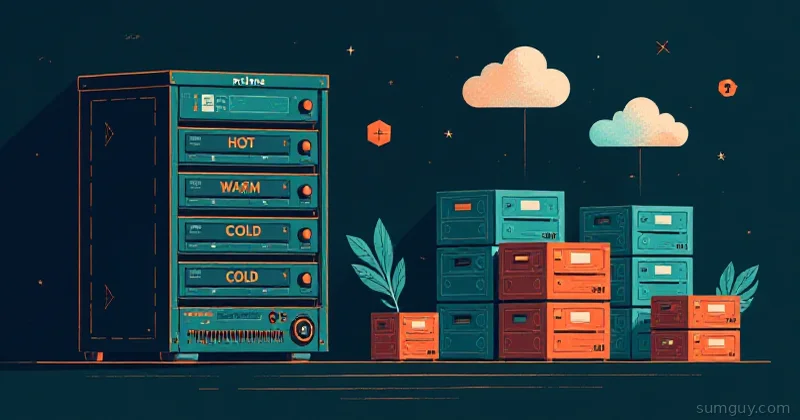
Cold storage tiers are a deal with the devil. You pay pennies per gigabyte per month, sometimes $0.002 per GB, but the retrieval costs and egress charges can absolutely wreck your budget if you’re not paying attention. It’s like buying a super-cheap airline ticket and then getting hit with carry-on fees, seat selection, baggage, and a “processing surcharge” that turns out to be 60% of the base fare.
The gotcha is this: cold storage vendors want you to remember that restores are supposed to be rare. If you’re pulling 100 GB out of cold storage twice a month, you’re doing it wrong, and they’re going to price you like you’re doing it wrong.
Before we get into specific services, understand the three costs:
- Storage cost: what you pay to keep the data frozen (the cheap part)
- Retrieval/restore cost: what it costs to thaw the data and make it accessible (the gotcha)
- Egress cost: what it costs to move the data out of their infrastructure (the real pain)
Miss any of these in your math, and your “cheap backup” turns into the most expensive decision you made all year.
Backblaze B2: The S3-Alike That Actually Respects Your Egress
Backblaze B2 is the evergreen choice for home labbers and small DevOps shops, and for good reason: it’s aggressively transparent about costs, and there’s a hidden trick that makes egress way cheaper than it looks.
Pricing:
- Storage: $0.005 per GB per month (first 10 GB free)
- API calls: $0.004 per 10,000 (negligible for backups)
- Egress: free up to 3× your average monthly storage, then $0.01 per GB… but
The egress trick: Backblaze has a “Bandwidth Alliance” with Cloudflare (and a few others like Fastly and bunny.net). If you route your retrieval through Cloudflare, egress is $0, no cache-hit requirement. Pull data straight out of B2 without going through a partner CDN and you eat $0.01 per GB beyond your free allowance (and B2 now gives you free egress up to 3× your average monthly storage before that meter even starts). For backups, the math is hard to beat.
B2 integrates natively with rclone, restic, and Borg. The setup is straightforward:
# rclone config[b2-backup]type = b2account = your-app-key-idkey = your-app-keybucket = your-bucket-namehard_delete = true# restic backup to B2restic -r b2:bucket-name:/ backup /home/youruser/datarestic -r b2:bucket-name:/ snapshotsrestic -r b2:bucket-name:/ restore latest --target /restore/pathVerdict: B2 is the practical choice. You’re not getting glacier-deep cold (data lives on hot hardware), but you’re getting S3-compatible simplicity with honest pricing and a clever egress loophole. The Cloudflare Bandwidth Alliance alone makes it worth a serious look.
Storj DCS: Decentralized Backup or a Very Distributed Risk?
Storj is the decentralized alternative. Instead of storing your data in one cloud vendor’s data center, it shards your backup across a network of independent storage nodes operated by random people around the world, who get paid in Storj tokens for storing your data. It’s got a noble idea baked in: no single entity controls your backup, and the network is distributed, so there’s no regional outage that takes down all your restores.
In practice, it’s more complicated.
Pricing:
- Storage: $0.0156 per GB per month (higher than B2, but uses file sharding so it’s not a direct comparison)
- Egress: Free within the network, $0.045 per GB if you pull to external storage
- Retrieval: Built into the network
The reality check: Storj’s decentralization comes with operational complexity. Your data is split into shards and distributed across nodes. When you restore, the network has to reassemble those pieces. This works fine until a few nodes go offline or your ISP hiccups, and suddenly your restore is slow or incomplete. The free egress is great until you need to actually use your backup outside Storj’s ecosystem, and then $0.045 per GB starts to sting.
There’s also the key rotation problem. Storj (like many decentralized systems) wants you to rotate your encryption keys periodically. But rotating keys means re-sharding your entire backup across the network. For a 500 GB archive, this is a multi-hour operation that costs real money in bandwidth and node work.
A sample restic config with Storj:
# restic with Storj S3 gatewayrestic -r s3:https://gateway.storjshare.io/bucket-name initrestic -r s3:https://gateway.storjshare.io/bucket-name backup /home/youruser/dataVerdict: Storj is interesting if you’re ideologically opposed to cloud providers, or if you really need geographic distribution and can tolerate the operational overhead. For most home labs, it’s over-engineered. The free egress within the network is a nice touch, but once you leave the network, costs climb faster than B2.
Scaleway C14 Glacier: True Cold Storage (But With Gotchas)
Scaleway’s C14 tier (and its newer Glacier offering) is where you get genuine cold storage. Data is stored on tape or in infrequently-accessed tiers, and retrieval times are measured in hours, not seconds. The storage costs are cheap at $0.002 per GB per month, but the retrieval game is different.
Pricing:
- Storage: $0.002$0.003 per GB per month (lowest in this comparison)
- Retrieval: $0.02 per GB (ouch)
- Egress: €0.01 per GB (about $0.011)
- Retrieval time: 1 to 24 hours depending on volume
The gotcha: Scaleway’s Glacier tier requires you to physically request a restore. You don’t just download your data; you initiate a restore job, wait up to 24 hours (sometimes more if they’re busy), and then you can download it. For a home lab disaster at 2 AM, this is not ideal. Also, the retrieval fee ($0.02 per GB) stacks on top of egress, so pulling out a 1 TB backup costs you $20 + $11 = $31, before any time spent waiting.
But here’s where it shines: Scaleway is based in Europe and subject to EU data protection laws. If GDPR compliance or geographic sovereignty matters to you, Scaleway is the only option in this list that gives you that.
# rclone config for Scaleway[scaleway-glacier]type = s3provider = Scalewayregion = fr-paraccess_key_id = your-keysecret_access_key = your-secretendpoint = https://s3.fr-par.scw.cloudstorage_class = GLACIERVerdict: Scaleway Glacier is for archives you’re okay with waiting a day to restore, and where EU jurisdiction is non-negotiable. The tape-backed storage is cold, and the price reflects it. Don’t use it for anything you might need to recover in under 12 hours.
The Comparison Table (In Plain English)
| Metric | B2 | Storj | Scaleway Glacier |
|---|---|---|---|
| Monthly storage (1 TB) | $5 | $15.60 | $2 to $3 |
| Restore speed | Instant | Minutes | 1 to 24 hours |
| Restore complexity | Simple (S3) | Moderate (shards) | Requires API call |
| Egress per 1 TB | $10 (or $0 via Cloudflare) | $45 external / free internal | $11 (€10) |
| Retrieve cost (1 TB) | $0 | $0 | $20 |
| Total egress + retrieve | $0 to $10 | $45 | $31 |
| Lock-in risk | Low | High (key rotation) | Medium (egress fees) |
| Geography | US (multi-region) | Distributed | EU (France) |
A Real Example: 1 TB Archive Over 3 Years
You’ve backed up 1 TB of home lab configs and databases. You plan to restore it exactly once in the next three years (probably never, but you need one restore scenario to feel safe).
B2:
- Storage: 1 TB × 36 months × $0.005/GB = $180
- One restore (via Cloudflare): $0 (free egress through the Bandwidth Alliance) or $10 direct
- Total: $180 to $190
Storj:
- Storage: 1 TB × 36 months × $0.0156/GB = $561.60
- One restore (external egress): 1 TB × $0.045/GB = $45
- Total: $606.60
Scaleway Glacier:
- Storage: 1 TB × 36 months × $0.0025/GB = $90
- One restore: 1 TB × $0.02/GB + 1 TB × $0.011/GB = $31
- Total: $121
B2 wins for most people. Scaleway wins if you’re okay waiting a day and can amortize the cheap storage over years with no restores. Storj costs 3× more and adds operational complexity.
Encryption: Do It Yourself
None of these services offer transparent encryption that you can’t shoot yourself in the foot with. Backblaze and Storj offer server-side encryption, but the provider holds the keys. If they disappear, get hacked, or have a policy change, your data security is downstream of their competence.
Better approach: Encrypt client-side with rclone crypt or restic’s native encryption before it leaves your machine.
# rclone crypt overlay[b2-encrypted]type = cryptremote = b2-backup:bucket-namepassword = your-passwordpassword2 = your-password-2nd-factorBoth restic and Borg encrypt by default, so if you’re already using them, you’re fine. But if you’re uploading raw images or configs directly to B2 via rclone, layer encryption on top.
Object Lock: Protection Against Your Own Mistakes
If you’re paranoid about ransomware (you should be), consider object lock, a feature where you can make objects immutable for a specified period. B2 supports it. Scaleway supports it. Storj… is less clear on the docs, which should tell you something.
Object lock means that even if your credentials get compromised and an attacker gets into your bucket, they can’t delete your backups immediately. You’ve bought yourself time to react.
# B2 bucket with object lock (set at creation time)# This is usually done via web console or API# b2 create-bucket --object-lock-enabled my-backup-bucketPicking a Cold Target
Here’s the decision tree:
-
You want simplicity and don’t mind the US: B2. It’s S3-compatible, transparent, has the Cloudflare egress trick, and the math works for most home labs.
-
You need EU jurisdiction and can wait for restores: Scaleway Glacier. Accept the 24-hour restore time as the tradeoff for cheap storage and GDPR compliance.
-
You want decentralization and don’t care about complexity or cost: Storj. You’re paying for ideology and distributed storage. That’s valid, just admit it upfront.
-
You’re doing this for a production system and need sub-hour restore times: Don’t use cold storage. Use warm storage (B2, AWS Standard, Wasabi) or on-premise. Cold storage is a long-term archive play, not a disaster recovery tool.
The unsexy truth: B2 + restic, set-it-and-forget-it, is the right answer for 90% of home labs. Pair it with object lock, encryption, and a backup verification schedule (test restores quarterly), and you’re done. Your 3 AM self will appreciate it.
One more thing: check your service’s terms on deletion and retention locks. Some services charge you to delete data early (looking at you, AWS Glacier). B2 doesn’t, and neither does Scaleway, you can yeet your archives anytime. That’s worth remembering when you’re calculating the cost of switching providers.