Your Postgres Has an Expiry Date
PostgreSQL 14 reaches end of life on November 12, 2026, per the versioning policy page. Version 13 already died last November. If your home lab database is on one of them, you have a calendar problem and a dread problem, and the dread is usually bigger than it needs to be.
Here is the opinion up front. For most home labs, pg_upgrade --link is the right answer. It finishes in seconds to minutes, you stop the app, you run it, you start the app. Logical replication earns its complexity in three cases: you can’t stop writes for more than a few seconds, the database is large enough that a copy-based upgrade is painful, or you want a rollback path that doesn’t involve restoring a backup at 2 AM. If none of those apply, close this tab and go run pg_upgrade. You’ll be done before the kettle boils.
Full example: Clone the working files at github.com/KingPin/sumguy-examples/self-hosting/postgres-major-upgrade-logical-replication
The Boring Path: pg_upgrade and Dump/Restore
You have three classic options, in order of pain.
- Dump and restore (
pg_dumpall, then load into the new major). Safe, simple, and downtime scales with database size. Fine for a few GB, miserable for a few hundred. pg_upgradein copy mode. Copies data files into the new cluster. Faster than a dump, but you need disk for two copies.pg_upgrade --link. Hard-links the data files instead of copying them, per the pg_upgrade docs. Downtime is mostly the time to rewrite catalogs, so it barely cares how big your tables are.
The catch with --link is the rollback story. Once you start the new cluster, the old one’s data files are shared with it and the old cluster is no longer safe to start. Your rollback is a backup you took beforehand. That is fine if you took one and tested the restore. It is a very bad day if you didn’t.
So the case for logical replication is not speed. It is that the old server stays untouched and fully working until you decide otherwise. It is like parking the new car next to the old one before you hand over the keys. You can walk back across the lot.
The Plan: Old Is Publisher, New Is Subscriber
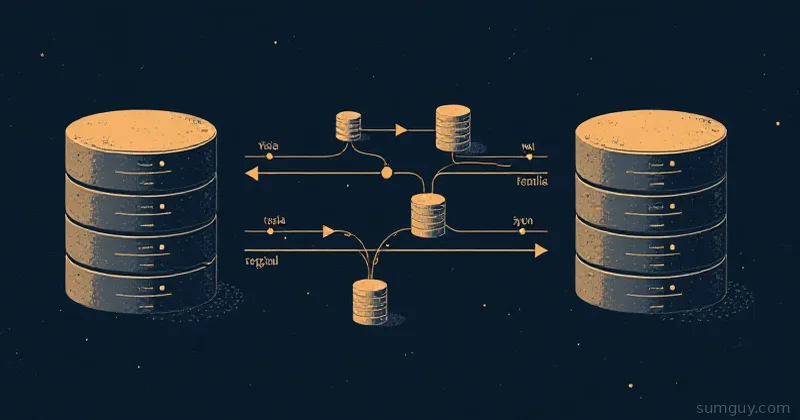
The shape of a logical replication upgrade:
- Run the new major version as a second server, next to the old one.
- Copy the schema across by hand, because DDL is not replicated.
- Publish all tables on the old server, subscribe from the new one. Postgres copies the existing rows, then streams changes.
- Wait for lag to hit zero, pause writes briefly, move the sequences, repoint the app.
- Drop the subscription.
The test rig for this post runs PostgreSQL 17.11 as the old server and 18.6 as the new one, in Docker. PostgreSQL 19 RC 1 came out on October 15, 2026, but 19 was not GA yet and the official image only had pre-release tags (19rc1), so 18 is the target.
services:  old:    image: postgres:17.11    command: ["postgres", "-c", "wal_level=logical", "-c", "max_wal_senders=10", "-c", "max_replication_slots=10"]    environment:      POSTGRES_PASSWORD: demo      POSTGRES_DB: app    ports: ["127.0.0.1:55432:5432"]    volumes: ["old_data:/var/lib/postgresql/data"]
  new:    image: postgres:18.6    command: ["postgres", "-c", "wal_level=logical", "-c", "max_wal_senders=10", "-c", "max_replication_slots=10"]    environment:      POSTGRES_PASSWORD: demo      POSTGRES_DB: app    ports: ["127.0.0.1:55433:5432"]    volumes: ["new_data:/var/lib/postgresql"]
Two details. The 18 image keeps its cluster in a version-specific subdirectory, so the volume mounts at /var/lib/postgresql, not .../data. And wal_level = logical on the old server is the one setting that bites you in production: changing it needs a restart of the publisher. Plan that restart for a quiet moment. It is the only unavoidable downtime in this whole approach.
# postgresql.conf on the old serverwal_level = logicalmax_replication_slots = 10max_wal_senders = 10Step One: Copy the Schema (DDL Doesn’t Travel)
The logical replication restrictions page is blunt: “The database schema and DDL commands are not replicated.” The initial schema is copied by hand with pg_dump --schema-only. Roles are not in a per-database dump either, so grab them with pg_dumpall --globals-only.
docker compose exec -T old pg_dumpall -U postgres --globals-only \  | docker compose exec -T new psql -U postgres -q
docker compose exec -T old pg_dump -U postgres -d app --schema-only \  | docker compose exec -T new psql -U postgres -d app -q -v ON_ERROR_STOP=1
After this, any schema change on the old server has to be applied to the new one by hand until cutover. Freeze your migrations while the replication runs. A deploy that adds a column on the publisher will stall replication with errors until you add it on the subscriber too. The docs say additive changes go to the subscriber first.
The seed schema has two tables. customers has a primary key backed by a bigserial. events has no primary key at all, on purpose.
CREATE TABLE customers (  id         bigserial PRIMARY KEY,  email      text NOT NULL,  created_at timestamptz NOT NULL DEFAULT now());
CREATE TABLE events (  customer_id bigint NOT NULL,  kind        text NOT NULL,  at          timestamptz NOT NULL DEFAULT now());
The seed script loads 500,000 customers and 3,000,000 events.
Gotcha One: The Table With No Primary Key
Create the publication, then try to update a row in the keyless table:
CREATE PUBLICATION upgrade_pub FOR ALL TABLES;UPDATE events SET kind = kind WHERE customer_id = 1;ERROR: cannot update table "events" because it does not have a replica identity and publishes updatesHINT: To enable updating the table, set REPLICA IDENTITY using ALTER TABLE.The publisher refuses the write, before any subscriber is involved. Your live app gets this error the moment the publication exists. An INSERT works fine, but any UPDATE or DELETE on a table with no replica identity fails. Fix it before you start the load test of your nerves:
ALTER TABLE events REPLICA IDENTITY FULL;FULL logs the whole old row so the subscriber can find it. That is fine for a one-week migration and ugly for a permanent setup. If the table can take a real key, add a primary key instead and skip FULL. Scan for these tables before you begin:
SELECT c.oid::regclassFROM pg_class cWHERE c.relkind IN ('r', 'p') AND c.relreplident = 'd' AND c.relnamespace NOT IN ('pg_catalog'::regnamespace, 'information_schema'::regnamespace) AND NOT EXISTS (SELECT 1 FROM pg_index i WHERE i.indrelid = c.oid AND i.indisprimary);Start the Stream
The test rig runs a small bash loop that inserts a customer and an event every iteration, against whatever host is named in a .target file. That loop stands in for your app. Start it against the old server. The shell snippets from here on use two helpers from migrate.sh, one psql per server:
o() { docker compose exec -T old psql -U postgres -d app -v ON_ERROR_STOP=1 -At "$@"; }n() { docker compose exec -T new psql -U postgres -d app -v ON_ERROR_STOP=1 -At "$@"; }Then create the subscription on the new one:
CREATE SUBSCRIPTION upgrade_sub CONNECTION 'host=old user=postgres password=demo dbname=app' PUBLICATION upgrade_pub;Postgres creates a replication slot on the publisher, copies each table, then replays the changes that arrived during the copy. Watch pg_subscription_rel. When every row shows srsubstate = 'r' (ready), the initial copy is done:
until [ "$(n -c "SELECT count(*) FROM pg_subscription_rel WHERE srsubstate <> 'r'")" = 0 ]; do sleep 0.5doneOn my machine, copying 500,000 customers and 3,000,000 events while the write loop ran took 2.8 seconds. Across three runs it was 2.8, 3.4, and 2.8 seconds. A first, cold run took 17 seconds. This is a single machine with local NVMe and two containers on one Docker network, not a benchmark. Your real number depends on row width, indexes (the subscriber updates every one as rows arrive), and your network. Budget hours for a few hundred GB.
Gotcha Two: The Slot Is a Leash
Once the subscription exists, the old server keeps every WAL file the slot has not confirmed. If the subscriber dies or you forget about it, the publisher’s disk fills up. The setting that caps this, max_slot_wal_keep_size, defaults to -1, which means unlimited retention.
Check the slot while you wait:
SELECT slot_name, active, pg_current_wal_lsn() - confirmed_flush_lsn AS lag_bytesFROM pg_replication_slots;upgrade_sub|t|1016About a kilobyte behind under a continuous insert loop. Healthy. If active goes to f and lag_bytes climbs, fix the subscriber now or drop the slot. A zombie slot is how a “temporary” migration turns into a full disk on the production box.
Gotcha Three: Sequences, Large Objects, and Other Leftovers
Same restrictions page, two more entries.
Sequences. The row data in a bigserial column replicates, but the sequence itself does not. After the copy, the new server’s sequence still sits at its start value. Insert a row on the new server without fixing this and you get duplicate key errors.
PostgreSQL 19 adds sequence replication, per the devel docs: publish with CREATE PUBLICATION ... FOR ALL SEQUENCES, then use ALTER SUBSCRIPTION ... REFRESH SEQUENCES on the subscriber. The same page says sequence synchronization requires the publisher to run PostgreSQL 19 or later. A 17 to 18 upgrade does not qualify, so the feature only pays off on your next upgrade. For now, copy the values by hand:
o -c "SELECT format('SELECT setval(%L, %s, true)', schemaname || '.' || sequencename, last_value) FROM pg_sequences WHERE last_value IS NOT NULL" | n -qThat generates one setval per sequence from the old server’s pg_sequences and runs them on the new one. In the test run, both servers reported 500095 for customers_id_seq afterwards.
Large objects. The docs list them as not replicated. If your app uses lo_import or pg_largeobject, migrate them separately, or move the data to bytea columns before you start. Most apps never touch them, but find out before cutover, not during.
Cutover: The Part That Takes Seconds
The sequence matters. Get it wrong and you lose writes.
- Stop writes at the app (maintenance page, or scale the app to zero).
- Capture the old server’s current WAL position.
- Wait until the slot’s
confirmed_flush_lsnreaches it. - Copy the sequences.
- Compare row counts.
- Repoint the app, drop the subscription.
echo pause > .target # 1. writes stopsleep 0.5 # in-flight inserts finishLSN=$(o -c "SELECT pg_current_wal_lsn()") # 2. where is the old server now?until [ "$(o -c "SELECT confirmed_flush_lsn >= '$LSN' FROM pg_replication_slots WHERE slot_name = 'upgrade_sub'")" = t ]; do sleep 0.1 # 3. wait for zero lagdoneSequences go next (the setval above), then the count check:
customers 500095 | 500095events 3000095 | 3000095Old on the left, new on the right. They match. Then the subscription goes away and the app points at the new server:
DROP SUBSCRIPTION upgrade_sub;Dropping a subscription also drops its slot on the publisher, so you stop retaining WAL. In my run, the whole write pause from “writes stop” to “writes resume on the new server” was about 2.2 to 2.5 seconds across three runs. Most of that is my script’s fixed half-second wait plus docker compose exec start-up overhead on every call. A real app behind a connection pooler would pause for less. Single machine, one run each, not a benchmark.
Zero errors on the write loop across the run, and 126 live inserts landed on the new server after the switch.
The Rollback Path: Reverse Replication
This is the reason to do it the hard way. Before you repoint the app, set up replication the other way, so the old server keeps receiving every write the new one takes. If the new version misbehaves a week later, you flip back.
-- on the new serverCREATE PUBLICATION rollback_pub FOR ALL TABLES;
-- on the old serverCREATE SUBSCRIPTION rollback_sub  CONNECTION 'host=new user=postgres password=demo dbname=app'  PUBLICATION rollback_pub  WITH (copy_data = false);
copy_data = false is correct here because both sides are identical at that instant, and writes are paused. Create it while writes are still stopped, or you will miss changes.
Two traps showed up in testing. First, the new server needs wal_level = logical too. My first run left it at the default and got this:
ERROR: could not create replication slot "rollback_sub": ERROR: logical decoding requires "wal_level" >= "logical"Second, events needs REPLICA IDENTITY FULL on the new server as well, because replica identity is per-table DDL and did not travel. And sequences do not flow back, so a real rollback also means running setval on the old server from the new server’s values.
In the test, writes after cutover landed on the new server and showed up on the old one a moment later. Row counts matched on both sides (500,126 customers and 3,000,126 events). The reverse subscription made no measurable difference to the pause: a run without it paused 2.16 seconds, against 2.15 and 2.48 with it. When you decide the new version is safe, drop rollback_sub on the old server and shut it down.
What About pg_createsubscriber and Slot-Preserving pg_upgrade?
Two newer tools address the slow part of this whole dance.
pg_createsubscriber (present in the PostgreSQL 17 docs and later) turns a physical standby into a logical replica. The docs say it “does not copy the initial table data” and targets large systems, where most of the time in plain logical replication goes to the initial copy. A physical standby runs the same major version as its primary, so this does not jump majors on its own. It helps when the copy phase is your bottleneck.
The second is in pg_upgrade. Per the upgrade chapter, pg_upgrade migrates logical slots when the old cluster is version 17.0 or later, so a publisher can be upgraded in place without redefining slots. Clusters before 17.0 silently ignore them. Prerequisites include wal_level = logical on the new cluster and enough max_replication_slots. Neither tool replaces the plan above for a 14 or 15 source. Both matter for the next upgrade after this one.
Clean Up
docker compose down -vThat removes the containers and volumes. The companion repo’s migrate.sh runs every step in this post, end to end, and prints the numbers quoted here.
The SumGuy Take
If your database fits in a coffee break and your users are asleep at 3 AM, use pg_upgrade --link, take a backup first, and test the restore. You will have the whole thing done before the logical replication tutorial finishes loading.
Reach for logical replication when the stop-the-world window is unacceptable or the rollback story matters. Budget for a restart on the publisher, a keyless-table audit, a sequence sync, and a disk alarm on the slot. Do the dry run in containers first, the way this post did. Your 2 AM self will thank you.
Common Questions
Does logical replication copy sequences in Postgres?
No, not before PostgreSQL 19. Logical replication copies the column values of a serial or identity column, but the sequence itself stays at its start value on the subscriber. PostgreSQL 19 adds sequence replication, and it requires a publisher on 19 or later. For a 17 to 18 upgrade, run setval by hand at cutover.
Do I need wal_level = logical on the new server too?
Only for the rollback path. The subscriber does not need wal_level = logical to receive changes. The new server does need it if you want to publish its changes back to the old server, and creating the reverse slot fails with a wal_level error otherwise. Set it on both servers from the start.
Can I roll back after pg_upgrade --link?
Not safely once the new cluster has started. The --link mode shares data files between the old and new clusters, so the old cluster is not a valid fallback after the new one runs. Your rollback is a backup taken before the upgrade. Test restoring it. Logical replication keeps the old server intact instead.
How much disk does the replication slot use if the subscriber is down?
The publisher retains all WAL since the slot’s last confirmed position, with no limit by default. The max_slot_wal_keep_size setting defaults to -1, meaning unlimited. A dead subscriber on a busy database can fill the publisher’s disk. Watch pg_replication_slots, set a cap, or drop the slot you no longer need.