You’ve Got Too Many Database Connections (Probably)
Postgres is great. Postgres is stable. Postgres will happily handle hundreds of concurrent connections. But that doesn’t mean you should throw a hundred app instances at it and let them all open their own TCP socket. That’s like hiring a forklift to move a couch. Technically it works, but something’s fundamentally wrong with your approach.
If you’re running a home lab with a bunch of microservices, Kubernetes pods, or just several apps hitting the same database, connection overhead gets real fast. Each connection costs memory, CPU cycles, and socket file descriptors. Your Postgres instance starts sweating, your OOM killer gets twitchy, and everyone’s latency goes sideways.
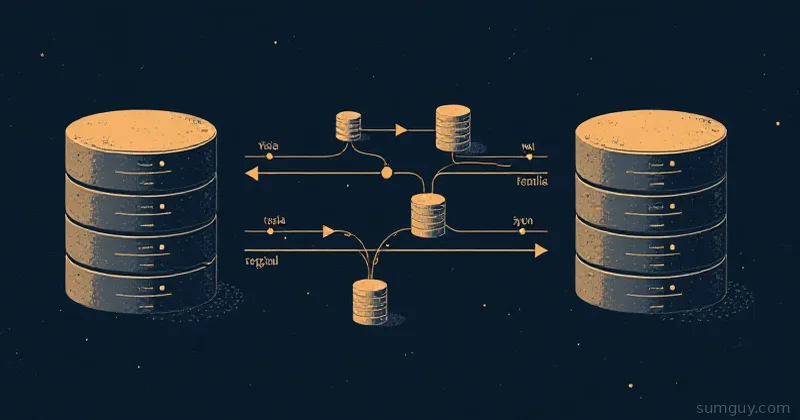
PgBouncer is a lightweight connection pooler that sits between your apps and Postgres. It’s the traffic cop: your apps talk to PgBouncer, and PgBouncer manages a smaller, sane pool of actual Postgres connections. You don’t need to change your app code. Just point your connection string at PgBouncer instead of Postgres directly.
This isn’t a “nice-to-have” optimization for home labs. It’s a “why didn’t you do this sooner” move once you hit 30+ concurrent connections.
How PgBouncer Actually Works
PgBouncer doesn’t execute queries. It’s not a proxy in the sense that it understands SQL. Instead, it’s more like a revolving door: apps open a connection to it, PgBouncer opens a connection to Postgres on their behalf, and when the app is done, PgBouncer keeps that Postgres connection open for the next app to reuse.
This matters because opening a TCP connection is expensive, TCP handshake, SSL negotiation (if you’re being sensible), Postgres authentication, etc. If you’ve got 50 app instances and each opens a fresh connection every 30 seconds, you’re burning CPU and memory on handshakes instead of actual work.
The trick is that PgBouncer operates at different “modes” depending on how aggressive you want to be with pooling. This is where things get spicy.
The Three Pooling Modes (and When Each One Breaks Your Code)
Session Mode: The Safe Default
In session mode, PgBouncer maintains a one-to-one relationship between client connections and Postgres connections. When your app connects, it gets a dedicated Postgres backend. When the app disconnects, that backend goes back to the pool.
This is the gentlest mode. Your app can use:
- Session state (
SET,RESET, session-level advisory locks) LISTENWITH HOLDcursors- Temp tables that survive a commit
- SQL-level
PREPAREandDEALLOCATE LOAD
Everything works like the app is talking directly to Postgres, because it effectively is.
Tradeoff: You don’t get much pooling benefit. If you’ve got 100 apps, you still end up with ~100 Postgres connections. You reduce some handshake overhead, but the main problem (connection count) isn’t solved.
Transaction Mode: The Efficient One (With Gotchas)
In transaction mode, PgBouncer returns a Postgres connection to the pool after every transaction, not after every client disconnect. So your app can hold a connection open for 10 seconds, but the underlying Postgres connection might be juggled between your app and 5 others in that same 10 seconds.
This is the actual pooling trick. You can have 100 apps talking to PgBouncer, but only 20 actual Postgres connections. PgBouncer queues the apps and hands off connections as transactions complete.
The catch used to be prepared statements. It mostly isn’t any more. Every blog post older than 2024 will tell you transaction mode and prepared statements are incompatible, and every one of them is now wrong. PgBouncer 1.21 (October 2023) added protocol-level prepared statement support, and 1.24 (January 2025) turned it on by default with max_prepared_statements = 200. If you are on 1.24 or newer, you did nothing and it already works.
The mechanism is worth knowing, because it explains what still breaks. PgBouncer gives every unique query string an internal name like PGBOUNCER_417, prepares it on the server under that name, and rewrites your driver’s own statement name to the internal one on the way through. If your next query lands on a backend that has never seen that statement, PgBouncer transparently prepares it there first. The max_prepared_statements value is the size of the LRU cache held per server connection, so set it above the number of distinct queries your app actually prepares.
What still breaks in transaction mode, straight from the project’s own feature map:
| Feature | Session | Transaction |
|---|---|---|
| Protocol-level prepared statements | Yes | Yes |
SQL-level PREPARE / DEALLOCATE | Yes | Never |
SET / RESET | Yes | Never |
LISTEN | Yes | Never |
NOTIFY | Yes | Yes |
WITH HOLD cursors | Yes | Never |
ON COMMIT DROP temp tables | Yes | Yes |
PRESERVE ROWS / DELETE ROWS temp tables | Yes | Never |
| Session-level advisory locks | Yes | Never |
LOAD | Yes | Never |
The split that matters: protocol-level prepared statements are the ones your driver creates when you pass parameters and let it bind them. Those get the rewriting treatment. Plain SQL PREPARE, EXECUTE and DEALLOCATE are forwarded to Postgres untouched, with no rewriting and no tracking. That is why the feature map says “Never” rather than “sometimes”: it will appear to work for as long as your pool happens to hand you the same backend, then fail with ERROR: prepared statement "..." does not exist the first time it doesn’t. DEALLOCATE ALL and DISCARD ALL are the two exceptions PgBouncer intercepts on your behalf.
SET is the one that catches people now. Use SET LOCAL inside a transaction instead, or set the value on the connection string. The six startup parameters (client_encoding, DateStyle, IntervalStyle, Timezone, standard_conforming_strings, application_name) are tracked by PgBouncer and stay consistent, so application_name is safe.
Statement Mode: The Aggressive Mode
In statement mode, PgBouncer returns a connection to the pool after every single query. Even faster pooling. Even fewer Postgres connections needed.
The gotcha: Everything that transaction mode breaks plus you lose transaction state. If you do:
BEGIN;INSERT INTO users (name) VALUES ('Alice');SELECT * FROM users WHERE name = 'Alice';COMMIT;PgBouncer does not split that across three backends and hand you corrupt semantics. It refuses. Multi-statement transactions are disallowed in statement mode, so you get an error instead of a silent data problem. The mode exists to enforce autocommit on a client that cannot be trusted to stay out of transactions, and it was originally aimed at PL/Proxy.
Use case: Read-only services that never open a transaction. If you are not sure whether yours does, you want transaction mode, which is the answer for almost everyone.
Setting Up PgBouncer: The Config
A bare-minimum pgbouncer.ini that works for home labs:
[databases]# Map logical database name to actual Postgresmyapp = host=postgres port=5432 dbname=myapp_prod user=appuser password=secret
[pgbouncer]# Network listen. 127.0.0.1 is right on a single host. In Docker or k8s# you need 0.0.0.0, or nothing outside the container can reach it.listen_port = 6432listen_addr = 127.0.0.1
# Poolingpool_mode = transactionmax_client_conn = 100default_pool_size = 20min_pool_size = 5reserve_pool_size = 5reserve_pool_timeout = 3
# Prepared statements. 200 is the default since 1.24; 0 disables.max_prepared_statements = 200
# Timeoutsserver_lifetime = 3600server_idle_timeout = 600idle_transaction_timeout = 60query_timeout = 0
# Authauth_type = scram-sha-256auth_file = /etc/pgbouncer/userlist.txt
# Admin consoleadmin_users = pgbouncer
Key settings:
pool_mode: Set totransactionfor most home labs. Usesessiononly if you needSET,LISTEN, or SQL-levelPREPARE.max_client_conn: Hard limit on app connections to PgBouncer. Don’t make this massive; queue the apps instead.default_pool_size: Target number of Postgres connections per database. Tune based on your workload and Postgres connection limit.reserve_pool_size: Extra connections allowed once the main pool is exhausted and a client has waitedreserve_pool_timeoutseconds. Defaults to 0 (off). Keep it small.server_lifetime: Maximum age of a server connection before PgBouncer closes and replaces it, whether it is busy or not. This is not an idle timeout.server_idle_timeout: Closes server connections that have sat unused this long. Default 600. This is the one that trims the pool back down after a traffic spike.idle_transaction_timeout: Kills a client that holds an open transaction without sending queries. Defaults to 0 (off), and turning it on saves you from the app that forgetsCOMMIT. Note the name:idle_in_transaction_session_timeoutis the Postgres setting with the same job, and putting it inpgbouncer.inimakes PgBouncer exit withunknown parameterandFATAL cannot load config file.
The userlist.txt file maps usernames to passwords. With auth_type = scram-sha-256 the entries can be plain text or a SCRAM secret copied out of pg_authid:
"appuser" "secret""readonly_user" "ro_password""pgbouncer" "admin_password"Docker Compose Setup (Home Lab Style)
This Compose setup keeps Postgres and PgBouncer separate but linked:
services:  postgres:    image: postgres:17-alpine    environment:      POSTGRES_DB: myapp_prod      POSTGRES_USER: appuser      POSTGRES_PASSWORD: secret      # Deliberately small. PgBouncer is what lets you get away with it.      POSTGRES_INITDB_ARGS: "-c max_connections=50"    volumes:      - postgres_data:/var/lib/postgresql/data    networks:      - db_network    healthcheck:      test: ["CMD-SHELL", "pg_isready -U appuser"]      interval: 10s      timeout: 5s      retries: 5
  pgbouncer:    # The project publishes no maintained image of its own: the    # pgbouncer/pgbouncer repo on Docker Hub stopped at 1.15.0.    # edoburu tracks upstream and builds the config from env vars.    image: edoburu/pgbouncer:v1.25.2-p0    environment:      DB_HOST: postgres      DB_PORT: "5432"      DB_USER: appuser      DB_PASSWORD: secret      DB_NAME: myapp_prod      POOL_MODE: transaction      AUTH_TYPE: scram-sha-256      ADMIN_USERS: appuser      MAX_CLIENT_CONN: "100"      DEFAULT_POOL_SIZE: "20"      MAX_PREPARED_STATEMENTS: "200"      SERVER_LIFETIME: "3600"      # This image defaults listen_port to 5432. Set it, or nothing      # reaches PgBouncer on the port you published.      LISTEN_PORT: "6432"    ports:      - "6432:6432"    depends_on:      postgres:        condition: service_healthy    networks:      - db_network
  myapp:    image: myapp:latest    environment:      # Point your app at PgBouncer, not Postgres directly      DATABASE_URL: postgres://appuser:secret@pgbouncer:6432/myapp_prod    depends_on:      - pgbouncer    networks:      - db_network
volumes:  postgres_data:
networks:  db_network:    driver: bridge
The key: set DATABASE_URL to pgbouncer:6432, not postgres:5432. PgBouncer listens on port 6432 by default.
Two things to check before you copy this. The env var names above are specific to the edoburu/pgbouncer image, which generates pgbouncer.ini and userlist.txt at startup; other images use different names, so the DATABASES_HOST and PGBOUNCER_* style you see in older posts belongs to a different image entirely. And LISTEN_PORT is not optional here: this image writes listen_port = 5432 when you leave it unset, which does not match the 6432 you published, so every connection is refused. If you would rather keep the hand-written pgbouncer.ini from the previous section, mount it at /etc/pgbouncer/pgbouncer.ini and drop the env vars.
Monitoring: Know When Things Go Sideways
PgBouncer exposes its own virtual database called pgbouncer. Connect to it as any user listed in admin_users:
psql -h localhost -p 6432 -U appuser -d pgbouncerTwo commands cover almost everything, and they are not interchangeable. SHOW POOLS is the live view, one row per (database, user) pair:
SHOW POOLS;cl_waiting: clients that have sent a query and are still waiting for a backend. Anything consistently above zero meansdefault_pool_sizeis too small.maxwait: how long the oldest client in the queue has been waiting, in seconds. If this climbs, either Postgres is overloaded or your pool is too small.sv_idleandsv_active: how many backends are sitting unused versus doing work. This is the number you were trying to shrink in the first place.
SHOW STATS is the counters view, per database, since PgBouncer started:
SHOW STATS;total_xact_countandtotal_query_count: transactions and queries pooled.total_wait_time: cumulative microseconds clients spent queued. Divide bytotal_xact_countfor the real cost of an undersized pool.total_client_parse_countvstotal_server_parse_count: prepared statements your clients asked for, versus ones PgBouncer actually had to prepare on a backend. A large gap means the statement cache is doing its job.
There is no wait column and no errors column in SHOW STATS, whatever half the tuning posts on the internet claim. Queue depth lives in SHOW POOLS; errors go to the log.
Both work non-interactively, which is all a cron job needs:
echo "SHOW POOLS;" | psql -h localhost -p 6432 -U appuser -d pgbouncerPgBouncer logs to stderr by default, so with the container it’s just docker logs pgbouncer. For real graphs, prometheus-community/pgbouncer_exporter scrapes the admin console and translates it to Prometheus format. PgBouncer still exposes no /metrics endpoint of its own, so the exporter is the supported path, not a shell script you have to write.
The Prepared Statement Landmine, Mostly Defused
This got its own section for a decade because it caught everyone once. It is worth knowing why it no longer does, because the internet has not caught up.
The old failure looked like this. Your ORM prepared SELECT * FROM users WHERE id = $1 on backend A and got a statement name like _sa_1 back. The first query worked. The second query landed on backend B, which had never heard of _sa_1, and your app started throwing ERROR: prepared statement "..." does not exist at random.
PgBouncer fixed this properly in 1.21 and made it the default in 1.24. It now keeps its own map of client statement names to internal ones, and prepares your statement on whatever backend it hands you. Check your version before you plan around the old behaviour:
psql -h localhost -p 6432 -U appuser -d pgbouncer -c "SHOW VERSION;"If that reports 1.24 or newer, you get prepared statements in transaction mode with no configuration at all. On 1.21 through 1.23 you get them by setting max_prepared_statements to a non-zero value, because it shipped as opt-in. Below 1.21, the old advice applies and your options are session mode or turning off your driver’s statement cache.
Two things are still true on the current version:
- SQL-level
PREPAREnever became safe. If you writePREPARE/EXECUTEby hand, or use a tool that does, that code needs session mode. - The cache costs memory on the Postgres side. Each backend holds up to
max_prepared_statementsprepared queries. With 20 backends and 200 statements that is 4000 prepared plans living in Postgres. It’s usually fine, but it is not free, and lowering the number is a legitimate tuning move if your box is tight on RAM.
And to correct the other half of the old advice: session mode is not a “small performance difference” from transaction mode. It is a different thing. Session mode holds one backend per connected client, so 100 clients means 100 Postgres backends and you have solved nothing except handshake overhead. Transaction mode is the one that turns 100 clients into 20 backends. If you were using session mode purely to keep prepared statements working, that reason is gone.
When Do You Actually Need This?
PgBouncer only makes sense when your situation has gotten bad.
You probably need it if:
- You’re running 30+ concurrent app connections
- Your Postgres
max_connectionssetting is approaching its limit - You’ve got a swarm of microservices, Kubernetes pods, or serverless functions all hitting the same database
- Your home lab has grown from “one thing” to “five things sharing Postgres”
- You’re seeing connection-related errors in Postgres logs
You probably don’t need it if:
- You’ve got 1 to 2 apps talking to Postgres
- Your Postgres connection pool is sitting at 10/100 with plenty of headroom
- You’re OK with adding connection pooling inside your app (many frameworks have this built-in)
The Real Take
PgBouncer is that thing you deploy when you realize scaling your database to accommodate a hundred individual app connections is dumb. Instead of making Postgres sweat, you make a lightweight proxy sweat for you. It’s one of those underrated tools that just… works. No fancy logic, no distributed consensus, no 500-page book to understand. Just a connection queue and some smart handoff logic.
In a home lab, it’s usually the first piece of infrastructure you add once you move beyond “run everything on one box.” Stick with transaction mode, run 1.24 or newer so prepared statements keep working, stop using SET outside a transaction, and enjoy the freed-up connections.
Your Postgres instance at 2 AM will thank you.
Common Questions
How big should default_pool_size be?
Start at 20 and tune from SHOW POOLS. The hard ceiling is arithmetic: every pool’s backends have to fit inside Postgres max_connections, so the number of pools times the pool size stays under that. Raise it while cl_waiting and maxwait sit above zero. A home lab rarely needs more than 20 per database.
Do I need PgBouncer if my framework already has a connection pool?
Yes, once you run more than one app instance. In-process pools do not coordinate with each other, so ten pods holding ten connections each still opens a hundred Postgres backends. PgBouncer is the only layer that sees the total. One app instance with a working internal pool does not need PgBouncer.
Can PgBouncer send reads to a Postgres replica?
No. PgBouncer does not inspect SQL, so it cannot tell a read from a write and offers no read/write split. The load_balance_hosts setting round-robins new connections across a comma-separated host list, which spreads load but would send writes to a replica. For read routing, use pgpool-II or route in the application.
Does PgBouncer encrypt the connection between my app and Postgres?
Not on the client side by default. client_tls_sslmode defaults to disable, so traffic from your app into PgBouncer is plain TCP until you configure a certificate and key. server_tls_sslmode defaults to prefer, so PgBouncer does request TLS to Postgres, but it does not validate the server certificate.
Which PgBouncer version do I need for prepared statements in transaction mode?
Version 1.21 at minimum, and 1.24 or newer to get it with no configuration. PgBouncer 1.21 added protocol-level prepared statement support as opt-in through max_prepared_statements. Release 1.24 changed that default to 200. Run SHOW VERSION; on the admin console to see what you actually have.