Your Database Is Lonely. Give It Friends.
Most home lab databases are solo acts. One Postgres server, one SSD, one catastrophic hardware failure away from zero backups. You know better than that. You’ve got the spare hardware, the network, the audacity. So why not replicate?
Postgres replication sounds like enterprise wizardry, but it’s practical for anyone running a database they actually care about. Read replicas fix the “single server crushing under SELECT traffic” problem. Standby replicas fix the “production went down on a Tuesday” problem. And if you pick the right replication strategy, you’re not managing a rocket ship control room. You’re managing a second server that Just Works.
This isn’t “set replication and forget it forever.” You need to understand two different animals: streaming replication (byte-for-byte copy, fast, dumb) and logical replication (selective tables, flexible, a little spicy). Both have their place. Pick wrong and you’ll be at 2 AM wondering why your 10 GB table replicated to a server that only needed 2 GB of specific data.
Everything below was run against PostgreSQL 18.6, with PostgreSQL 17.11 used to check which features are actually new. Every error message is copied from a real session.
Streaming Replication: The Photocopier Approach
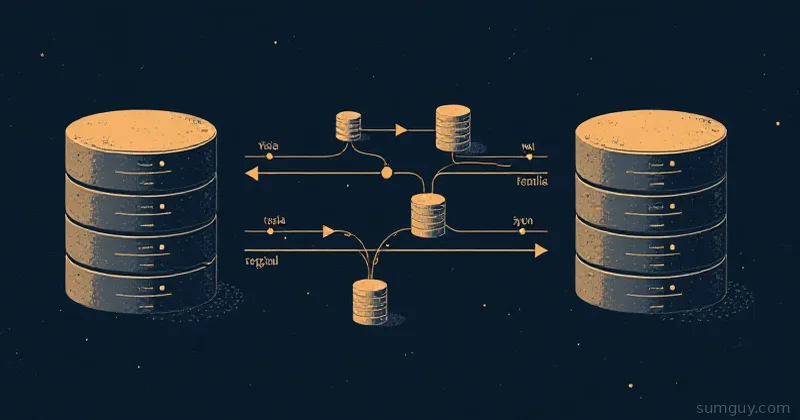
Streaming replication copies every single WAL (Write-Ahead Log) byte from the primary to the replica. It’s a carbon copy. The replica gets everything: every table, every index, every accidental mass update you’re regretting. It’s fast because Postgres just streams bytes and doesn’t think about what they mean.
This is your default play for:
- Failover standby replicas (one takes over if primary dies)
- Read-only replicas serving the same dataset
- Backup verification (“did our backup actually restore cleanly?”)
- Anything where the replica serves the same database as the primary
The catch? The replica starts as a physical copy of the primary. You take a base backup, ship it over, start streaming WAL, and boom, you have a replica. But if your primary is 500 GB and your replica server has only 200 GB, this approach is out. You need logical replication.
Logical Replication: The Selective Copier
Logical replication is Postgres’s way of saying “I only want these tables, not that bloated raw table you never clean up.” Instead of copying bytes, it decodes the WAL and replays specific changes to specific tables on the replica. The replica doesn’t have to be identical to the primary. It can have a subset of tables, extra indexes, even a different column list (Postgres 15 and up).
Use logical replication when:
- Your replica is a specialized read server (analytics, reporting, a different schema)
- Your primary is 500 GB but the replica only needs 50 GB
- You’re feeding data to a different Postgres instance (not a replica of itself)
- You want to replicate to multiple downstreams without coordinating all of them
- You’re building a staging environment that tracks production selectively
Logical replication is slower than streaming because Postgres has to decode every change and apply it row by row on the subscriber. But it’s flexible. You can filter tables, columns, and rows.
Setting Up Streaming Replication (Primary + Replica)
Let’s walk through the fast path: streaming replication with a read-only replica.
Primary Setup
On your primary server, enable replication in postgresql.conf:
# 'logical' is a superset of 'replica'. Set it now even if you only want# streaming today, because switching it later needs a full restart.wal_level = logical
max_wal_senders = 10          # concurrent replication connectionsmax_replication_slots = 10    # total slots on this server, not per replica
Both of those numbers are already the defaults in modern Postgres, so on a stock install you only need the wal_level line. Plenty of tutorials tell you to set them to 3, which is lowering your capacity, not raising it.
That wal_level choice matters more than it looks. If you set wal_level = replica (the default) and later try the logical replication section below, CREATE SUBSCRIPTION dies:
ERROR: could not create replication slot "s1": ERROR: logical decoding requires "wal_level" >= "logical"logical costs you slightly larger WAL volume and nothing else. Set it once.
Restart Postgres (a wal_level change requires a restart, not a reload):
sudo systemctl restart postgresqlCreate a replication user:
CREATE ROLE replicator WITH LOGIN REPLICATION PASSWORD 'strong_password_here';Add the replica’s IP to pg_hba.conf. Use scram-sha-256, not md5:
host replication replicator 192.168.1.20/32 scram-sha-256Since Postgres 14, password_encryption defaults to scram-sha-256, so the password you just created is stored as a SCRAM verifier. Ask for md5 in pg_hba.conf against a SCRAM-hashed password and authentication fails. Every copy-pasted md5 line on the internet predates that default.
Reload the config (this one doesn’t need a restart):
sudo -u postgres psql -c "SELECT pg_reload_conf();"Replica Setup: Base Backup
On your replica server, stop Postgres and take a base backup. Adjust the path to your major version:
sudo systemctl stop postgresql# This deletes the replica's entire data directory. Check the path twice.sudo -u postgres rm -rf /var/lib/postgresql/17/main/*sudo -u postgres pg_basebackup \ -h 192.168.1.10 \ -D /var/lib/postgresql/17/main \ -U replicator \ -C -S replica_one \ -v -P -RThis connects to the primary, grabs a consistent snapshot, and streams the whole database. It takes as long as your primary is big. 100 GB means go get a coffee.
The two flags people skip are -C -S replica_one, which create a physical replication slot on the primary and write its name into the replica’s config. Without them your replica streams with no slot reserving WAL, so any outage longer than your wal_keep_size (default: 0) breaks replication permanently and you get to run the whole base backup again. -R writes standby.signal plus the primary_conninfo and primary_slot_name settings into postgresql.auto.conf, which is what tells Postgres on startup “hey, you’re a replica.”
Start the replica:
sudo systemctl start postgresqlChecking That It Worked
This is where most guides send you down the wrong path. pg_stat_replication lives on the primary, because it lists WAL senders. Query it on the replica and you get zero rows and a bad afternoon.
On the primary, one row per connected replica:
SELECT usename, application_name, state, write_lsn, flush_lsn, replay_lsnFROM pg_stat_replication;On the replica, use the receiver-side view instead:
SELECT status, sender_host, slot_name, latest_end_lsn, latest_end_timeFROM pg_stat_wal_receiver;status should read streaming. Also handy on the replica: SELECT pg_is_in_recovery(); returns t, and SELECT now() - pg_last_xact_replay_timestamp(); gives you actual replay lag as an interval.
The replica is now a read-only copy of your primary. You can SELECT from it all day. Writes get rejected.
Logical Replication: Selective Tables
Logical replication is more fiddly because you’re saying which tables replicate.
Primary: Create a Publication
A publication is just “a list of tables the primary will offer to replicate.”
CREATE PUBLICATION my_pub FOR TABLE users, posts, comments;Or every table in a schema. Note the exact syntax, because FOR ALL TABLES IN SCHEMA is a syntax error that gets repeated constantly:
-- Correct (Postgres 15 and up). There is no ALL in this form.CREATE PUBLICATION analytics_pub FOR TABLES IN SCHEMA public;FOR ALL TABLES (no schema) is the separate, older form that grabs the entire database. Mixing the two gives you syntax error at or near "IN".
Replica: Create a Subscription
On a different Postgres server (or the same one with a different database), subscribe to the publication:
CREATE SUBSCRIPTION my_sub CONNECTION 'host=192.168.1.10 user=replicator password=strong_password_here dbname=sourcedb' PUBLICATION my_pub;Postgres decodes the primary’s WAL, filters for the tables in my_pub, and applies the changes on the replica database. The target tables must already exist with matching column names and compatible types. Logical replication does not copy table definitions, indexes, sequences, or anything else DDL. You create them yourself, and you re-create them yourself every time the primary’s schema changes. That last part is the tax nobody warns you about.
Check subscription progress:
SELECT subname, received_lsn, latest_end_lsn, last_msg_receipt_timeFROM pg_stat_subscription;Replication Slots: Don’t Forget to Manage Them
A replication slot is Postgres’s way of saying “don’t delete WAL files until the replica has caught up.” Slots are per-replica. Without one, WAL recycling ignores your replica’s needs entirely, and with one, a dead replica means WAL piles up until your primary disk fills at 2 AM. Pick your poison, then monitor it.
If you used pg_basebackup -C -S above, your physical slot already exists. To create one by hand:
SELECT pg_create_physical_replication_slot('replica_one');For logical replication, slots are created automatically when you define the subscription. Either way, monitor them:
SELECT slot_name, slot_type, active, wal_status, pg_size_pretty(pg_wal_lsn_diff(pg_current_wal_lsn(), restart_lsn)) AS retainedFROM pg_replication_slots;wal_status walks through reserved, extended, unreserved, and finally lost. A slot showing lost has had its WAL removed and cannot be resumed. That replica needs a fresh base backup. An active = f slot with a growing retained column is the one leaking your disk. Drop dead slots:
SELECT pg_drop_replication_slot('dead_slot_name');Set max_slot_wal_keep_size = '10GB' in postgresql.conf so a broken slot doesn’t eat your entire disk. The default is -1, meaning unlimited, which is exactly how a forgotten slot fills a volume. With a cap set, Postgres invalidates the offending slot (marking it lost) instead of running you out of space. You lose that replica, you keep your primary. That’s the right trade.
Conflicts: What Happens When the Replica Writes?
Streaming replicas are read-only. You can’t write to them. They reject writes with cannot execute UPDATE in a read-only transaction.
Logical replicas? You can write to them. That’s the point, the replica might be running analytics jobs, staging environments, whatever. But if both primary and replica write to the same row, you get a conflict. Out of the box, Postgres doesn’t merge anything on its own. It stops the subscription, logs the conflict, and waits for you to sort it out. There is no automatic “newest wins.”
Postgres 18 improved conflict detection. Turn on commit timestamps on the subscriber so it can tell which side changed a row:
track_commit_timestamp = onIt defaults to off. With it on, conflicts get logged with their type and counted per subscription:
SELECT subname, confl_insert_exists, confl_update_origin_differs, confl_update_exists, confl_delete_missing, confl_multiple_unique_conflictsFROM pg_stat_subscription_stats;Those confl_* counters are new in Postgres 18. On 17 the same view has only apply_error_count and sync_error_count, so if that query errors on unknown columns, check your version before you check your query.
What Postgres 18 does not give you is automatic conflict resolution. There is no ALTER SUBSCRIPTION ... CONFLICT RESOLVER and no last_update_wins setting; try it and you get syntax error at or near "CONFLICT" on both 17 and 18. A resolver was proposed during the 18 cycle and did not land. Plan your schema so conflicts can’t happen rather than waiting for a knob to fix them.
The practical rule: if both servers write to the same tables, you’re not doing replication, you’re doing multi-master by accident. Give the replica different tables or different rows and the problem disappears. Logical replication was built for that.
When Do You Actually Need This?
The unglamorous truth: most home labs don’t need replication. A single Postgres server with good backups and a second drive for WAL archiving beats a half-baked replica setup. Replication is for when you have:
-
Traffic that matters: Your primary can’t handle all the SELECTs. Spin up read replicas, point your read-heavy apps there. Your primary does writes, replicas do reads. Done.
-
Uptime that matters: You need failover. A standby replica takes over if primary dies. You’ll need a failover orchestrator (Patroni, or manual VIP switching) because Postgres does not promote anything on its own, but the infrastructure is there.
-
Data that can’t live on one server: Your primary is the source of truth for tables A, B, C. A specialist downstream database replicates only A, C for analytics without importing all of B. Logical replication is your tool.
-
Multi-region setups: You’ve got Postgres in the office and Postgres in the cloud, and they need to sync selectively. Logical replication handles this without needing identical hardware.
If you’re running a single server with a single app and decent backups? Replication is overengineering. It’s hiring a forklift to move a couch. But if you’ve got the hardware and the stakes, it’s boring infrastructure that Just Works.
The Decision Tree
Do I need my replica to be identical to my primary?
- Yes → Streaming replication. Fast, simple, transparent.
- No → Logical replication. Selective, flexible, slower.
Do I need my replica to accept writes?
- No → Streaming replication (read-only anyway).
- Yes → Logical replication (but be careful about conflicts).
How much disk space does my replica have?
- Same as primary (or more) → Streaming replication, no problems.
- Less than primary → Logical replication, replicate only what you need.
How many downstreams am I feeding?
- One → Streaming replication is fine.
- Many → Logical replication. Each subscriber manages its own lag independently.
Will the primary’s schema keep changing?
- Yes → Streaming replication. DDL rides along for free.
- Rarely → Logical replication, and write down the process for replaying DDL by hand.
Pick streaming replication and mostly forget it exists. Pick logical replication and know that you’re managing which tables, which columns, when they sync, what happens if both sides write, and every schema change forever. Neither is wrong. One is a lot less thinking.
Your 2 AM self will appreciate either choice as long as you tested a failover before the server caught fire.
Common Questions
Do I need wal_level = logical for streaming replication?
No, streaming replication only needs wal_level = replica. Set logical anyway. It’s a superset, it costs slightly more WAL volume, and changing wal_level later requires a full restart of the primary. Setting it once up front means you can add logical subscribers without scheduling downtime.
Why does pg_stat_replication return no rows on my replica?
Because pg_stat_replication reports WAL senders, so it only has rows on the primary. On a replica the equivalent view is pg_stat_wal_receiver, where status should read streaming. For lag on the replica, use SELECT now() - pg_last_xact_replay_timestamp(); instead.
Does logical replication copy my schema and indexes?
No. Logical replication moves row changes only. Tables must already exist on the subscriber with matching column names and compatible types, and no DDL is replicated. Every ALTER TABLE on the publisher has to be applied by hand on the subscriber, usually before the publisher change, or apply stalls.
What happens when a replication slot fills my disk?
An inactive slot retains WAL forever, because the default max_slot_wal_keep_size is -1 (unlimited). The primary runs out of space and stops accepting writes. Set a cap like 10GB and Postgres invalidates the slot instead, marking wal_status as lost. That replica then needs a new base backup.
Can Postgres 18 resolve replication conflicts automatically?
No. Postgres 18 adds conflict detection and per-type counters in pg_stat_subscription_stats, but there is no built-in resolver. ALTER SUBSCRIPTION ... CONFLICT RESOLVER is not valid syntax on 17 or 18. A conflicting change stops the subscription until you intervene, so design around conflicts instead.