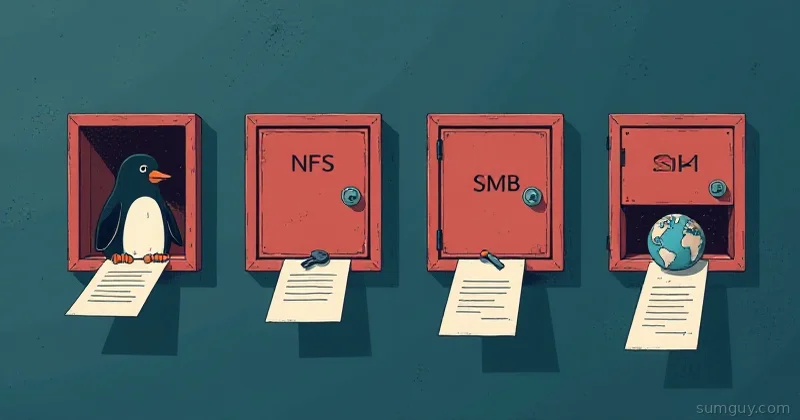
Four Protocols, One Boring Network Share
NFS wins for an all-Linux home lab chasing raw speed, and SMB wins the moment Windows machines or reliable multi-client backups enter the picture.
You’ve got a Plex server in the rack. A backup box under the desk. A dev machine in the home office. They all need to talk to each other and grab files, photos, movies, code, the usual chaos. So you open your browser and ask, “How do I mount a network drive on Linux?” and somehow end up on a 2003 forum thread arguing about NFS vs SMB vs this weird thing called SSHFS.
Welcome to network file sharing in 2026. We’re still debating this because the protocols all work, but they work differently, and picking wrong means either your Plex transcodes at 1 FPS or you’re typing your password seventeen times a day.
Let’s cut through the noise. Here’s what each does, when it actually wins, and the mental model to pick the right one without a networking degree.
Which File-Sharing Protocol Fits Your Home Lab?
| NFS | SMB | SSHFS | WebDAV | |
|---|---|---|---|---|
| Speed | Fastest | Slower, more overhead | Slow, encrypts everything | Slower than NFS or SMB |
| Best OS fit | Linux to Linux | Windows, mixed OS | Anywhere SSH already works | Mobile apps, browsers, Nextcloud |
| Auth | None by default (v3) | Mandatory | Existing SSH user account | HTTP auth |
| Setup effort | A few config lines | A few more knobs | One command, zero server setup | An add-on to a web server |
NFS: The Linux Default (And It Shows)
NFS, Network File System, is what Linux distributions agreed to use back when the internet was young and everyone trusted their local network. It’s kernel-level, which means blazing fast. It also means “here, share this directory” requires about four lines of config.
The Good
Fast. fast. NFS v4’s compound operations and single-port design mean it scales to dozens of clients without the server having an aneurysm. Your Plex library mount? This is the move. Rename a million files and it laughs.
NFS v3 is ancient, dumb, and assumes everyone on the network is friendly. No auth by default. You export a folder, any machine on the subnet can mount it. Very “let’s just get this working” energy, which is sometimes exactly what your home lab needs.
NFS v4 added Kerberos support if you want auth, but seriously, your 192.168.x.x network isn’t that paranoid. v4 also fixed a lot of v3’s weird edge cases (like file locking) but introduced complexity you’ll probably never need.
The Catch
NFS assumes Linux-to-Linux sanity. Windows? You can get NFS on Windows (it exists in Server editions, and WSL2 can access Linux shares directly). macOS? Technically works but clunky. iOS? Nope. Android? Double nope. The moment you need to share files with a phone or a Windows laptop, NFS whispers “maybe try something else.”
Permissions are POSIX-based. You get rwx for user/group/other. You don’t get Windows-style ACLs or “allow Bob to edit but deny deletes” granularity. It’s all-or-nothing.
Firewalls hate NFS. It uses a dynamic port range that makes corporate network engineers twitch. For a home lab behind a basic NAT? Fine. For anything talking across the internet? Pain.
A Mount That Works
# On the NFS server (e.g., TrueNAS, a Linux box, Synology)# Edit /etc/exports:/mnt/media 192.168.1.0/24(rw,sync,no_subtree_check,no_root_squash)sudo systemctl restart nfs-server
# On a client (Linux):sudo apt install nfs-commonsudo mkdir -p /mnt/nfs-mediasudo mount -t nfs 192.168.1.50:/mnt/media /mnt/nfs-media# Or permanent, in /etc/fstab:192.168.1.50:/mnt/media /mnt/nfs-media nfs defaults,soft,timeo=30 0 0
SMB/CIFS: Windows Brought This to the Party
SMB, Server Message Block, is Microsoft’s file-sharing protocol. Windows uses it natively. Linux can serve it via Samba. It’s the “universal remote control” of file sharing, everything speaks it, which makes it both the savior and the blame-sink of a mixed household.
The Good
Windows machines love it. macOS knows it (hit Cmd+K in Finder, type smb://192.168.1.50/share). Linux mounts it with mount.cifs. Even some IoT devices have SMB support built in. It’s like asking for a ride and getting a helicopter, a car, and a jetski simultaneously, overkill sometimes, but it works.
ACLs. Unlike NFS’s POSIX bluntness, SMB lets you set granular permissions. Alice can read. Bob can read and write. Carol can modify but not delete. This is the “Windows way” and it’s useful if you’re sharing across different user accounts on different machines.
Multichannel. SMB3 (Windows 8 / Server 2012+) supports parallel streams over multiple network paths. One big file? Smash it across all your network cards. Overkill for most home labs, but cool.
The Catch
Heavier. SMB carries more network overhead and more complexity. It’s not as fast as NFS for bulk operations. Moving a giant media library? NFS gets there first.
Authentication is mandatory. SMB always wants to know who you are. That’s good for security, bad for “just mount the dang thing.” You’re typing usernames and passwords more. You can use anonymous SMB, but it feels wrong, like disabling SELinux.
Samba (the Linux implementation) needs configuration. Not hard, but definitely more knobs than NFS. Kerberos, LDAP, passdb backends, share-level vs file-level permissions, it goes deep if you let it.
Windows and Samba sometimes disagree on timestamps, file ownership, and other fun edge cases. It works mostly, but you’ll hit weird bugs where a file’s modification date shifts by an hour due to timezone nonsense.
A Mount That Works
# On the Samba server (Linux):# Install: sudo apt install samba# Edit /etc/samba/smb.conf:[media]    path = /mnt/media    browsable = yes    read only = no    guest ok = yes    create mask = 0644    directory mask = 0755
sudo systemctl restart smbd
# On a client (Linux):sudo apt install cifs-utilssudo mkdir -p /mnt/smb-mediasudo mount -t cifs //192.168.1.50/media /mnt/smb-media -o username=guest,password="",uid=1000,gid=1000# Or in /etc/fstab://192.168.1.50/media /mnt/smb-media cifs username=guest,password="",uid=1000,gid=1000,file_mode=0755,dir_mode=0755 0 0
SSHFS: The One-Line Wonder (That’s Slow)
SSHFS, SSH File System, is the lazy person’s solution. You’ve got SSH. Your server’s got SSH. Why not just… mount it? No extra daemon, no port forwarding, just mount and you’re done.
It uses FUSE (Filesystem in Userspace) to mount a remote filesystem over SSH. It encrypts everything. It works literally anywhere SSH works. From a security angle? Clean. (Heads up: upstream sshfs is in maintenance mode and hasn’t seen active development in years, it still ships in every distro and works fine, just don’t expect new features.)
The Good
Portable. Working from a coffee shop on a VPN and need to mount your home server? SSHFS works. No special firewall rules, no weird dynamic ports. Just SSH on port 22 and you’re in.
Zero server setup. No daemons, no configuration files, no “is Samba running?” debugging sessions. The remote machine just needs SSH, which it already has.
Encrypted by default. Everything between your client and server is tunneled through SSH. No plain-text auth, no trust assumptions about your network. This matters if you’re ever mounting over the internet.
One command. Seriously, it’s two lines and done.
The Catch
Slow. SSHFS encrypts, authenticates, and buffers everything. A single file operation might be 5 to 10x slower than NFS. Bulk moves? Multi-threaded workloads? Plex transcoding in real-time? SSHFS will make you cry.
Reliability on flaky connections. If your network hiccups, SSHFS can get grumpy. The mount might hang. You might need to fusermount -u and try again.
Not great for databases or anything that relies on file locking. PostgreSQL over SSHFS? Don’t.
The remote SSH user needs to exist and have permissions on the directory. More users to manage than “just share it.”
A Mount That Works
# On the client:sudo apt install sshfsmkdir -p ~/remote-media
# Mount it:
# Or with a specific SSH key and port:
# To unmount:fusermount -u ~/remote-media
# For persistent mounts, use autofs (more advanced, requires systemd-user configuration)WebDAV: The Web Browser’s Secret File Sharing
WebDAV, Web Distributed Authoring and Versioning, is HTTP with extensions. It sits on top of the web stack. Nextcloud uses it. Apache/Nginx can serve it. Caddy? Yeah, out of the box.
It’s the “one foot in cloud, one foot in home lab” protocol. Not pure local network. Not cloud-only. Somewhere in between.
The Good
Works over HTTP/HTTPS. Firewall-friendly. If you’ve got Caddy or Nginx, you add like 10 lines of config and you’re sharing files. No new daemons.
Universal client support. macOS Finder can mount WebDAV. Windows has built-in WebDAV client (though it’s cranky). Linux? davfs2 does the job. Nextcloud apps speak WebDAV natively. iPhones can use third-party apps to mount WebDAV.
Bridges cloud and local. Running Nextcloud? You get WebDAV for free. Pair it with a Let’s Encrypt cert, and suddenly your phone can sync photos from home while you’re at work.
The Catch
Slow. Not as slow as SSHFS, but slower than NFS or SMB. HTTP has more overhead than raw block-level protocols.
Big file support is sketchy. WebDAV and HTTP assume files fit in RAM at some layer. Upload a 50GB ISO? Expect timeouts, retries, all the fun stuff.
No client-side caching intelligently. Every read touches the network. Working with large datasets or doing real-time edits? Not ideal.
Limited permissions model. WebDAV doesn’t have the granularity of SMB ACLs. It’s more “you can access this, or you can’t.”
A Mount That Works
# On the server (e.g., Caddy):# Caddyfile:media.homelab.local {    file_server {        root /mnt/media    }    encode gzip    # Optional: WebDAV if you're using a WebDAV module    # Or use a WebDAV-specific app like Nextcloud}
# On the client (Linux):sudo apt install davfs2sudo mkdir -p /mnt/webdav-media
# Mount it:sudo mount -t davfs http://192.168.1.50/media /mnt/webdav-media# Or over HTTPS:sudo mount -t davfs https://media.homelab.local /mnt/webdav-media
# Add to /etc/fstab for persistence (user must have sudoers NOPASSWD entry):https://media.homelab.local /mnt/webdav-media davfs user,noauto,rw,uid=1000 0 0
What About iSCSI? (The Block-Level Curveball)
Someone always asks. iSCSI is for block storage, not files. You’re not mounting a directory; you’re mounting a virtual disk. Your OS treats it like an internal drive. It’s fast, sophisticated, and completely overkill for file sharing unless you’re running databases or VMs off it.
For home lab file sharing? Skip it. Stick to the four above.
Use-Case Cheat Sheet
Plex media library, NFS. Fast, set-and-forget, survives thousands of concurrent reads.
Shared development workspace, SMB or NFS, depending on team (mixed OS? SMB; pure Linux? NFS). SSHFS works if you’re alone and patient.
Backup target from multiple machines, SMB. Backups need reliability and broad OS support.
Mobile photo sync, WebDAV via Nextcloud. Only protocol mobile apps actually support without wrestling.
Single-machine backup over the internet, SSHFS. Secure, no firewall drama, slow is fine for nightly runs.
Database storage, NFS v4 with proper locking, or nothing. Not SMB, definitely not SSHFS or WebDAV.
Intra-LAN, Linux-only, maximum speed, NFS. No debate.
Pick the One That Fits
Here’s the mental model: NFS is a race car (fast, built for the track, doesn’t tolerate fools). SMB is a minivan (slower, carries more luggage, everyone’s comfortable). SSHFS is a bicycle (zero setup, portable, don’t expect highway speeds). WebDAV is a boat (bridges different worlds, slow in traffic, great for specific jobs).
Your home lab probably needs two of these. NFS for your internal media and dev shares. WebDAV or SMB for crossing firewall boundaries or talking to Windows. SSHFS as a backup plan when the other three aren’t available.
Don’t overthink it. Try one, hit a wall, switch to the next. Home labs are the place to bump into limits and learn why they exist. And honestly? Your 2 AM self will appreciate whatever you pick, as long as you write down which one you chose.
Common Questions
Which is faster on a home lab LAN, NFS or SMB?
NFS, by a small margin on Linux-to-Linux over gigabit, and both will saturate the link on large sequential transfers. The real gap shows on many small files, where NFSv4 does fewer round trips. On 10GbE, SMB with multichannel can pull ahead because it uses several TCP connections while NFS uses one.
Is SSHFS fast enough for everyday use?
For browsing and editing files, yes. For bulk transfer, no. Encryption and the FUSE layer put SSHFS at roughly 40 to 70MB/s on gigabit where NFS hits 110MB/s, and per-file overhead makes large directory operations painful. Use it for the laptop-to-server case where a one-line mount beats configuring an export.
Can I mount a WebDAV share permanently on Linux?
Yes, with davfs2 and an /etc/fstab entry plus credentials in /etc/davfs2/secrets. Be
aware that davfs2 caches writes locally and uploads on close, so an application expecting
POSIX semantics will misbehave. WebDAV is the right answer when you need to cross a
firewall on port 443, not when you want a real filesystem.
What should I use to share files between Linux and Windows?
SMB. It is native on Windows, well supported by Samba on Linux, and it handles ACLs and file locking that Windows applications expect. NFS on Windows exists but the client is a Pro and Enterprise feature with weak Unix permission mapping. Do not fight it: run Samba and move on.