Stop Buying 8-Port Unmanaged Garbage
You know that feeling when you’ve got three Docker hosts, a NAS, a Proxmox cluster, and a wireless AP all competing for bandwidth on a dumb switch? Like hiring a crossing guard who can’t read traffic. The only thing getting through is sheer chaos and dropped packets.
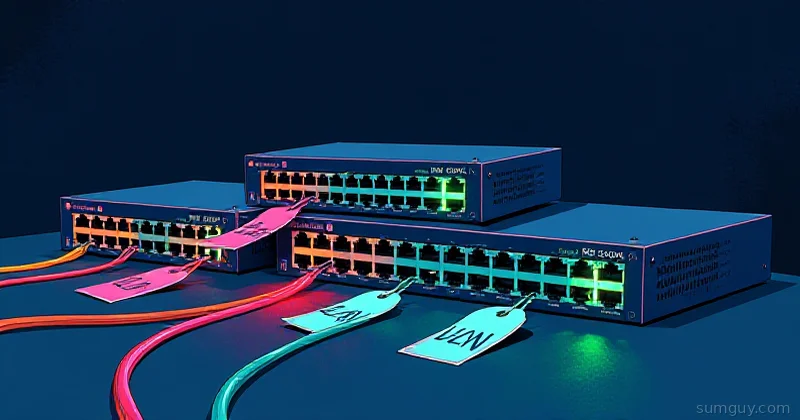
You don’t need to spend $500 on a managed switch to get your home lab network organized. The used enterprise market is absolutely packed with gear that was deployed in bank branch offices and call centers for five years, then recycled when someone’s corporate budget needed refreshing. You can grab a 24-port managed switch with VLAN support, PoE, and actual QoS for less than a fancy Unifi dream setup.
But not all cheap managed switches are created equal. Some are slow as molasses, consume enough power to heat your rack, or run firmware from 2003 that requires a hex editor and sacrificial chicken. This is where to actually look, and what gotchas to watch for.
The Players: Aruba, Brocade, MikroTik
Aruba Instant On Series (24xx)
The appeal: Aruba basically owns small-to-medium business networking. Their Instant On line (24xx, 25xx models) show up used on eBay constantly, dirt cheap, because SMBs upgraded to cloud-managed stuff and dumped the hardware.
What to buy: Aruba 2530-24G, Aruba 2530-48G (24 or 48 gigabit ports, no SFP). These are stupid reliable. Firmware updates are straightforward. Web UI works. VLAN config is boring but functional.
Gotchas:
- Aruba wants you to register gear for tech support. But you’re buying used, so this doesn’t matter.
- The 2530 series uses a weird CLI syntax if you’re used to Cisco. Not intuitive. But documentation exists and StackOverflow has answers.
- PoE support is limited on the 24G models (you need a 2530-24G-PoE+ variant for actual PoE+). Most listings are non-PoE.
- Firmware blobs are old. The last 2530-24G update was 2020ish. If security matters, this isn’t your answer, but for isolated home lab? Fine.
Idle power: ~30W for the 24G, ~45W for the 48G. Totally reasonable.
Price: $30 to 60 used. Sometimes less.
Brocade FC Series (FCX, ICX)
The appeal: Brocade made absolute tanks of switches. The FCX series especially, these boxes were designed for Fibre Channel fabric in data centers. They’re overengineered, support stacking, and have insane throughput specs for the price. You’re basically buying a 10-year-old enterprise switch for garage prices.
What to buy: Brocade FCX648S or ICX 7250. Both are 48-port, both support VLAN/LACP/STP, and both run firmware that’s actually modern enough (2015 to 2018 builds available). The ICX is slightly newer (2010s product line) and has better web UI, but FCX works too.
Gotchas:
- Firmware hunt is brutal. Brocade’s website is a graveyard. You need to hunt version files on archive sites or hope the seller includes a USB stick with firmware. Getting the CLI to accept the right
.binfile is a dark art: YouTube vids help. - Power supply noise. Brocade gear can sound like a small jet engine when fans ramp up. Acceptable in a basement rack, maybe not if your lab is in a bedroom.
- No web UI on older firmware. You’ll be doing VLAN config over SSH/CLI. Not hard, but not friendly.
- Stacking cables are expensive. If you’re buying multiple units thinking you’ll stack them, don’t. The stacking modules run $200+ each.
Idle power: ~60 to 80W depending on model. Higher than Aruba, but within “not ridiculous” range.
Price: $40 to 100 used. ICX models a bit more expensive than FCX.
MikroTik CRS (Cloud Router Switch Series)
The appeal: MikroTik doesn’t make traditional managed switches. They make routers that can switch. The CRS328 and CRS326 blur the line. These run RouterOS, which means you get full L3 routing, firewall, DHCP, bandwidth management, and VLAN support all in one box. For $50 used, that’s insane value.
What to buy: CRS328-24P-4S+RM or CRS326-24G-2S+RM. The 328 has PoE injector support (useful if you’re powering APs). Both are 24-port gigabit with SFP+ uplinks for fiber or stacking.
Gotchas:
- Learning curve. RouterOS is powerful but has a steep learning curve if you’re used to simple VLAN config. The web UI (Winbox) is dated but functional. CLI is friendlier once you get the hang of it.
- VLAN setup requires thinking. Unlike Aruba’s “tag ports, done”, MikroTik VLAN config involves bridge ports, interface lists, and sometimes firewall rules to make traffic actually move between VLANs. Totally doable, but not zero-friction.
- Firmware is frequent. MikroTik pushes updates constantly; good for security, annoying if you want a stable old box and never touch it. Updates are quick (web UI button), but watch for breaking changes in major versions.
- Fans are loud. Smaller than Brocade, but the CRS will spin up fans under load. Not data center jet-engine, more like “aggressive desk fan.”
Idle power: ~25 to 35W. Lowest of the three. If power draw is a concern, MikroTik wins.
Price: $40 to 80 used. Often cheaper than Aruba.
Performance & Power Comparison Table
| Model | Ports | Idle Watts | VLAN Ease | Price Used | Best For |
|---|---|---|---|---|---|
| Aruba 2530-24G | 24G | 30W | Very easy | $30 to 60 | Simple VLANs, boring reliability |
| Aruba 2530-48G | 48G | 45W | Very easy | $50 to 90 | Larger home lab, PoE needed (get -PoE variant) |
| Brocade FCX648S | 48G | 70W | Medium | $50 to 100 | Overbuilt power, silent data room vibes |
| Brocade ICX 7250 | 48G | 75W | Medium | $60 to 110 | Newer firmware support, better UI than FCX |
| MikroTik CRS328-24P-4S+RM | 24G+SFP+ | 30W | Harder | $50 to 80 | Routing + switching combo, fiber uplinks, budget power |
| MikroTik CRS326-24G-2S+RM | 24G+SFP+ | 25W | Harder | $40 to 70 | Same as above, older, fewer features |
VLAN Setup: The Practical Bit
Once you’ve got hardware, you need to actually use it. Here’s what a basic VLAN setup looks like on each.
Aruba 2530 (Web UI)
1. Log in to web UI (default IP 192.168.1.1)2. Go to Network > VLAN3. Create VLAN: - VLAN ID: 10 - Name: Management - Untagged port: (leave empty) - Tagged ports: 1, 2, 3, 244. Assign ports: - Port 1–3: tagged (VLAN 10, 20) - Port 4–23: untagged VLAN 20 (user traffic) - Port 24: trunk to router (all VLANs tagged)5. Save. Done.Web UI makes this trivial. No CLI needed.
Brocade FCX/ICX (SSH CLI)
# SSH to switch IP, default credentials usually admin/admin or admin/brocade
# Enter enable modeenable
# VLAN setupconfigure terminalvlan 10 name Managementexitvlan 20 name UserTrafficexit
# Port tagginginterface Ethernet 1/1 switchport mode trunk switchport trunk allowed vlan add 10,20exit
# Untagged port (access mode)interface Ethernet 1/5 switchport mode access switchport access vlan 20exit
# Savewrite memoryCLI is necessary, but straightforward once you learn the syntax. Brocade docs have config examples.
MikroTik RouterOS (Winbox GUI or CLI)
# Via SSH/terminal (Winbox is similar, just pointy-clicky)
# Create a VLAN-aware bridge/interface bridge add name=bridge1 vlan-filtering=no
# Add ports to bridge (ether1 = trunk to router, ether2 = access port on VLAN 20)/interface bridge port add bridge=bridge1 interface=ether1/interface bridge port add bridge=bridge1 interface=ether2 pvid=20
# Define VLAN membership: ether1 tagged on both, ether2 untagged on 20/interface bridge vlan add bridge=bridge1 vlan-ids=10 tagged=bridge1,ether1/interface bridge vlan add bridge=bridge1 vlan-ids=20 tagged=bridge1,ether1 untagged=ether2
# Create VLAN interfaces for L3 (router-on-a-stick)/interface vlan add name=vlan10 vlan-id=10 interface=bridge1/interface vlan add name=vlan20 vlan-id=20 interface=bridge1
# IP addresses for VLAN interfaces/ip address add address=192.168.10.1/24 interface=vlan10/ip address add address=192.168.20.1/24 interface=vlan20
# Turn on VLAN filtering once membership is set (do this last)/interface bridge set bridge1 vlan-filtering=yes
# Firewall to allow VLAN traffic (if needed)/ip firewall filter add chain=forward action=accept
MikroTik syntax is dense, but once you grok bridges and tagging, it’s flexible, you can do things Aruba can’t (like VLAN-aware QoS or dynamic filtering).
Firmware & Gotchas
- Aruba: Firmware updates are on HPE support site (free), straightforward
.binuploads. Stick to anything from 2016 onward. - Brocade: Firmware hunt is real. Try MikroTik forums (Brocade users post links there), or ask the eBay seller if they have a
.binfile. YouTube has guides for the CLI flashing process. Once you’re on 2016+ firmware, you’re golden. - MikroTik: Automatic updates available in RouterOS settings. Backward compatible. Just test VLAN traffic after a major version jump.
The Gotcha No One Talks About: Fan Noise & Thermals
Managed switches in small offices don’t have loud fans because they’re in server rooms. Put one next to your desk and you’ll hear it. Aruba is quietest (passive cooling on low models). MikroTik is fan-based but reasonable. Brocade can be a wind tunnel.
Solution: Mount it in a separate closet or basement. Or accept the noise as the price of overbuilt networking.
Should You Buy Used vs. New?
New managed switches are still expensive. A brand-new 24-port managed switch costs $300+. Used enterprise gear? $40 to 100 and you get better hardware because it’s from lines designed for reliability, not margin.
The trade-off: used gear has unknown history. Fans might be tired. You might get a unit that boots fine but has corrupted firmware. eBay returns usually protect you (test within 30 days), but budget for that risk.
New makes sense if:
- You want a warranty.
- You need PoE and want certified support.
- You’re paranoid about unknown hardware.
Used is the play if:
- You’re comfortable troubleshooting (reflashing firmware, replacing a fan).
- You have 30 days to test before you’re stuck with it.
- You want max bang for buck.
The Decision: Pick One
Go Aruba if: You want zero friction, simplest web UI, plug-and-play VLAN config. Boring is good. This is the “I just want it to work” choice.
Go Brocade if: You’re building a serious home lab with stacking ambitions, tons of throughput specs in your coffee table reading, or you like the idea of saying “yeah, that’s ex-datacenter gear.” Accept the firmware hunt and fan noise as tax on cool points.
Go MikroTik if: You want routing and switching in one box, don’t mind CLI, care about power draw, or plan to do fancy stuff like traffic shaping or DNS filtering at the switch layer. More power, steeper learning curve.
Bottom Line
A $60 used Aruba 24-port switch will organize your home lab better than three unmanaged switches stacked in frustration. Add it to your cart, test it for 30 days, and if firmware updates from 2020 bother you, return it. But odds are you’ll plug it in, configure three VLANs, and forget about it for the next five years, which is exactly what home lab networking should do.
Your 2 AM self will appreciate the packet filtering alone.