Wayland wins for any system with NVIDIA 555+ or modern AMD/Intel graphics, and X11 only wins if you depend on legacy hotkey daemons or RDP servers that assume it.
If you’ve been holding onto X11 because “Wayland isn’t ready,” the checkout counter is calling. It’s 2026. NVIDIA drivers work. Screen share works. Color management exists. The transition to Wayland isn’t a maybe anymore; it’s the default for every major desktop environment, and X11 is now the legacy fallback.
Let’s talk about what changed, why this matters, and whether you actually need to care.
Should You Switch From X11 To Wayland In 2026?
| X11 | Wayland | |
|---|---|---|
| Architecture | Client-server switchboard | Compositor renders directly |
| Security model | Trusts the server completely | Apps sandboxed via portals |
| NVIDIA support | Always works | Needs driver 555+ |
| Screen share/recording | Works via workarounds | Native via XDG portal + PipeWire |
| Legacy hotkey daemons | Supported (sxhkd, xbindkeys) | Not supported |
| Network transparency | Yes | No, use remote desktop tools |
How X11 Works (The Switchboard Problem)
X11 was designed in 1987, when “network transparency” meant running Emacs over a 56k modem from a shared Unix box. The architecture reflects that era.
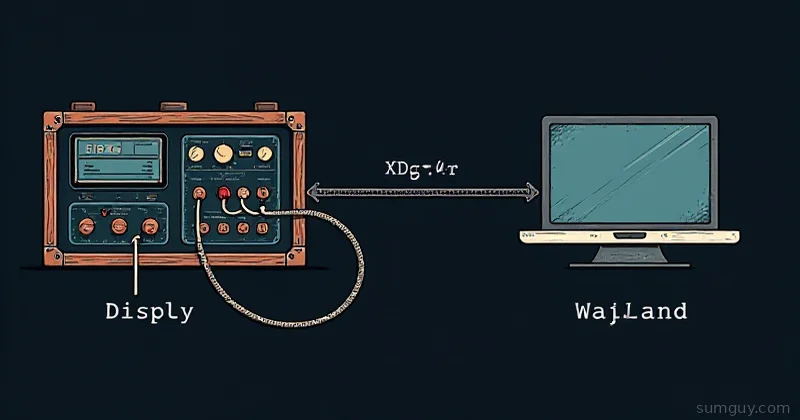
X11 uses a client-server model, but not the way you’d expect. The X server is the display (that’s your monitor and input devices). Applications are clients. Every single interaction between your app and the window manager goes through the X server: draw this pixel, get the mouse position, update the window title. It’s all networked RPCs, even on localhost.
This created the “BadWindow” problem. Your app can request a window operation, the X server processes it, but the window might have been destroyed by the time the request completes. X11 had to invent error codes for “oops, I deleted that while you were asking.” Threads? Forget about it. X11 isn’t thread-safe by default because the socket isn’t thread-safe.
Composition was bolted on top decades later. Want a drop shadow? The window manager has to intercept the render, composite it, and send it to the display. This led to tearing, input lag, and the eternal “X11 feels snappier than Gnome” meme (it didn’t; it was just perceived differently).
The worst part? The X server knows everything about your input. Every keystroke, every mouse movement, every window you look at. Security model is “trust the server completely.” A screen reader needs raw keyboard events? A color picker needs to see what’s under the cursor? You’re trusting the X server to not steal your passwords.
How Wayland Works (Direct Pipe)
Wayland flips the model. There is no X-style server in the middle. The compositor is the display. Applications render to off-screen buffers (usually via Vulkan or OpenGL), hand them to the compositor, and the compositor is responsible for combining them and sending the final image to your monitor.
Input is the same direction: the compositor owns the input devices and decides which app gets the keyboard/mouse events. Apps don’t see raw input, they see events delivered by the compositor.
This solves the security nightmare. A malicious app can’t sniff your passwords because it never sees input that’s not destined for it. A screenshot tool needs to capture the screen? That’s an XDG portal: the compositor shows you a dialog asking permission, and you approve it. Same for screen recording, color picking, or accessing your microphone.
The callback is that Wayland is not network-transparent. You can’t run Firefox on a remote machine and display it on your local screen anymore (well, not the way X11 did it). For home lab self-hosters, this barely matters; you’ve got remote desktop tools like XRDP, Sunshine, or Citrix if you need that. But enterprise Unix shops that still run Emacs over SSH? They’re stuck with X11 or need to deploy remote rendering.
Why X11 Had to Die
By 2010, it was clear X11 had reached its limit. The architecture was:
- Single-threaded. The server processed one request at a time. Modern GPUs need async processing.
- Fundamentally insecure. No way to sandbox applications or revoke access to input without rewriting the entire thing.
- Composition hell. Every app had to trust the window manager to composite it correctly. No GPU acceleration by default. Tearing was the Linux desktop problem.
- Monoculture. Every app had to speak X11. Want a new window manager? Still X11. Want a new rendering pipeline? Still X11.
Wayland said: “New compositors can define their own protocol extensions.” Hyprland can add blur, KDE can add effects, Sway can stay minimal; all on Wayland, all incompatible with each other at the protocol level, but that’s the point. You pick a compositor, not an X server.
The 2024 to 2026 Fixes (NVIDIA, Screen Share, Color)
Here’s what actually changed in the last two years:
NVIDIA Drivers (The Big One)
For years, the excuse was “NVIDIA doesn’t support Wayland.” Technically true until 2024. The problem was explicit sync, Wayland needs the GPU driver to tell the compositor when a frame is ready, not guess. NVIDIA’s proprietary driver didn’t do that.
In mid-2024, NVIDIA finally shipped explicit sync support, the linux-drm-syncobj-v1 protocol, in the 555.58 driver. If you’re on a recent driver (555+) with an Ampere-gen card or newer, Wayland works. Not “works for a single app”, works with multiple monitors, variable refresh rate, all of it. (You also want a compositor and Xwayland new enough to speak the protocol: Gnome 46.1, KDE Plasma 6.1, Mesa 24.1, Xwayland 24.1; but on any current distro that’s a given.)
Check your driver:
nvidia-smi --query-gpu=driver_version --format=csv,noheaderIf it’s 555 or higher, you’re good. Fedora 40+ or Ubuntu 24.04+ will just work.
Screen Share & Recording (XDG Portals + PipeWire)
2024 was the year Pipewire replaced PulseAudio on every major distro. Wayland screen capture uses the org.freedesktop.ScreenCast portal, which talks to PipeWire.
Open a Zoom call on Wayland. Click “Share screen.” A dialog pops up asking which monitor you want. You approve. It works. Same with OBS: you select “Wayland” as the capture mode, approve the portal, and recording starts.
This is real. Not “works sometimes.” This is default behavior on Gnome 46+ and KDE 6.
Color Management (Still Rough, But Here)
ICC profiles on Wayland landed in stages. KDE Plasma 6.2 shipped Wayland color management support back in October 2024, and Gnome’s Mutter added ICC profile support ahead of Gnome 49 in 2025. Your sRGB monitor will still render correctly on either. If you have a P3 monitor? Wayland can tell apps about it now.
It’s not Photoshop-level perfect yet (macOS has 15 years on us), but for web browsing, terminal apps, and video playback, the color science works.
What Still Doesn’t Work (Real Talk)
Wayland isn’t perfect. Here are its edges:
Legacy Hotkey Daemons
If you use sxhkd, xbindkeys, or custom xmodmap setup, you’re out of luck on Wayland. Those tools talk to X11 directly. Hyprland users switch to binds in the config. KDE users use system settings. Sway users use sway/config.
You can remap keys via xkb (the protocol), but it requires compositor support. Most support it now. Some don’t.
Niche XWayland Compatibility Bugs
XWayland is the Wayland server that runs X11 apps. It’s solid. But occasionally:
- A 20-year-old X11 game expects the window manager to behave exactly like fvwm. It doesn’t.
- Copy-paste between X11 apps and Wayland apps works, but sometimes clipboard history tools break.
- A legacy screen recorder tries to talk directly to the X11 driver and fails.
These are edge cases, not the norm. Most users won’t hit them.
Enterprise RDP / NoMachine
If you’re running NoMachine, Citrix ICA, or RDP servers on your Linux box, Wayland support is spotty. The RDP protocol assumes an X11 desktop underneath. XRDP (the open source RDP server) has partial Wayland support, but it’s not smooth. This is a real blocker for sysadmins.
Nesting Wayland Compositors
Want to run Hyprland inside KDE for testing? Nope. Wayland compositors are full-featured and can’t nest. X11 could do this. It’s useful for development, but not for end users.
Session Detection & Testing
If you want to know whether your current session is X11 or Wayland, check:
echo $XDG_SESSION_TYPEReturns x11 or wayland.
You can also check:
loginctl show-sessionAnd look for Type=wayland or Type=x11.
To force X11 on a system that defaults to Wayland (say, testing legacy apps):
startx -- :1Or in your login manager (GDM, SDDM, LightDM), there’s usually a dropdown on the login screen to pick “X11” or “Wayland” per session.
Wayland Compositors in 2026
You’re not picking a “Wayland server.” You’re picking a compositor, and there are only a few that matter:
- Gnome (Mutter): Full-featured, stable, opinionated. Wayland has been the default since Gnome 40, and Gnome 50 (March 2026) removed the X11 session outright, so current Gnome has no fallback to X11 anymore.
- KDE Plasma (KWin): Customizable, lots of effects, works on X11 or Wayland today, though Plasma 6.8 (due October 2026) drops the X11 session too. KDE 6 defaults to Wayland.
- Hyprland: Minimal, tiling, heavily customized via config files. Very popular with rice enthusiasts. No settings GUI: everything is code.
- Sway: i3 clone on Wayland. If you loved i3, this is your answer. Tiny footprint.
- River: Minimal tiling compositor. For people who think Sway is too featureful.
- Cosmic (System76): GA since December 2025, shipping by default in Pop!_OS 24.04 LTS and now up to the 1.2.x stable series. Already Pop!_OS’s default desktop, not a future plan.
For most users: Gnome or KDE. They’re mature, they have good tooling, and they work.
Decision Matrix: Should You Switch?
Stay on X11 if:
- You’re running NVIDIA on a driver older than 555
- You need legacy X11 tools like
sxhkdorxmodmapand aren’t willing to relearn your keybinds - You run RDP servers (XRDP) and need remote desktop that just works
- You’re on a 10-year-old system with weak GPU support
- You’re happy and nothing is broken
Switch to Wayland if:
- You want security sandboxing for applications
- You use Gnome or KDE and they’re offering Wayland (they are)
- You have a modern AMD or Intel GPU
- You have NVIDIA 555+ and a modern-ish GPU
- You want to stop dealing with screen tearing and composition lag
- You want the latest features (color management, PipeWire integration, etc.)
The honest truth: if you installed Linux in the last 6 months on a new machine, you’re already on Wayland. Fedora 40+, Ubuntu 24.04+, Arch, and Debian testing all default to it. The question isn’t whether to switch, it’s whether you’ve noticed you already did.
The 2026 Verdict
X11 is legacy. It’s not broken, and it’ll be patched until 2028 or so. But new features, new compositors, and all the momentum is Wayland.
NVIDIA finally worked it out. Screen share works. Color management is here. Keyboard remapping is doable. The arguments against Wayland are mostly solved. The arguments for it (security, modern architecture, GPU acceleration, hot swapping compositors) are real and getting stronger every quarter.
Your 2 AM self, the one debugging a compositor crash at 1:43 AM because some niche app doesn’t handle Wayland correctly, might curse you. But 99% of the time, Wayland is faster, more responsive, and more secure than what you were doing on X11.
If you’re on X11 by choice, you’re choosing to drive a ‘97 Civic with a custom turbo instead of buying a 2026 Civic that also has a turbo. The car works. You’ve got it tuned to your liking. But yeah, it’s time.
Give it a shot. Most distros let you flip back to X11 from the login screen if you hate it. You probably won’t.