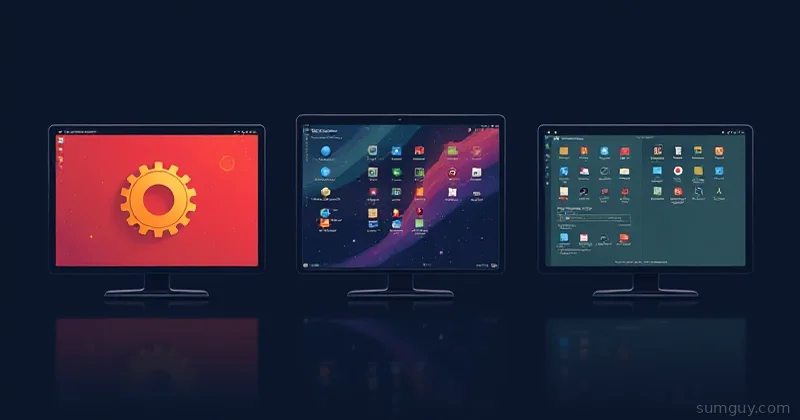
KDE wins for tinkerers and gamers who want every setting exposed, and GNOME wins for accessibility-focused minimalists who never want to open a config file, with COSMIC as the lean middle ground for everyone else.
If you’ve been out of the Linux desktop loop and are coming back in 2026, welcome to the arms race that finally dresses like a grown-up. Desktop environments aren’t just window managers with opinions anymore, they’re full personality clusters with design languages, ecosystems, and tribal accessories. The three serious contenders right now are COSMIC, KDE Plasma, and GNOME. Each makes different promises: COSMIC is the new kid that actually shipped with a plan (and Rust muscle), KDE is the configurability monster that will let you tune your widgets into submission, and GNOME is the minimalist workflow-first choice that demands you accept the opinionated furniture.
If you like tinkering, KDE will hand you a set of custom wrenches. If you like to be told how to work so you can get stuff done, GNOME will quietly clear your desk. COSMIC sits in the middle, opinionated, but pragmatic: enough defaults to be pleasant, enough knobs to not feel trapped.
Which Linux Desktop Should You Actually Install?
| COSMIC | KDE | GNOME | |
|---|---|---|---|
| Philosophy | Curated defaults | Everything configurable | Workflow first |
| RAM footprint | Leanest | Heaviest by default | Middle |
| Gaming/HDR | Catching up | Leader | Lags behind |
| Accessibility | Improving, newer | Solid | Historically leads |
| Tiling | Native | Meta+T or a KWin script | Extension only |
The 2026 State of Play
Short version: COSMIC is GA and shipping in Pop!_OS as a first-class desktop, KDE Plasma has settled into a mature 6.x era, and GNOME sits at 50, with 51 due this September. Wayland is the default across all three on modern distributions, and each team has been iterating on the rough edges for years.
COSMIC’s growth trajectory is the thing to watch, what started as a Pop!_OS reimagining has turned into a distinct desktop built in Rust and shipped as GA with careful ergonomics. KDE 6.x is stable, feature-rich, and still the place to go if you like settings. GNOME 50 continues the workflow-first polish, and also removed the X11 session entirely; it’s stable but opinionated in ways that can frustrate people who want to change everything.
Philosophy & Design
COSMIC: opinionated + Rust. COSMIC’s design ethos is that most users don’t need 300 toggles; they need sensible defaults, fast keyboard flows, and a curated set of behaviors. Thanks to a Rust codebase and Pop!_OS pedigree, COSMIC feels modern and fast. It leans into pragmatic choices: a clean dock, intelligible system settings, and a tiling-ish mindset that isn’t preachy. Think of COSMIC as a sports car tuned for commuting, lively, pleasant, and not embarrassed to have an alignment spec.
KDE Plasma: everything-is-a-setting. KDE is the Borg of customization: assimilate all widgets. If you enjoy configuring the color of focus rings, the animation duration of the scrollbar, or binding a macro to a triple middle-click, KDE will hand you a thousand sliders and ask which two you want to ruin the aesthetics with. Design-wise KDE is the Swiss Army knife of desktops, it can be anything, and it will be exactly what you asked for. If GNOME is a clean, single-serving espresso machine, KDE is the workshop with a bench grinder and a halo of power tools.
GNOME: workflow-first, opinionated furniture. GNOME’s aesthetic is calm, consistent, and deliberately constrained. Its designers assume a user flow and optimize around it: activities overview, minimal chrome, and simplified settings. That approach benefits people who want to work without fiddling, but it also bites if you rely on extensions or expect a Settings app with an endless, comforting scroll of toggles.
Wayland Maturity
Wayland is no longer experimental, it’s the default for all three. That said, the maturity varies by corner cases. GNOME historically had the smoothest Wayland integration because Mutter was designed with it in mind early on. KDE’s KWin has made impressive strides; multimedia, fractional scaling, and high-refresh-rate monitors behave well in Plasma 6.x. COSMIC benefits from the modern stack underneath Pop!_OS and tends to inherit Wayland stability from the distro’s effort to polish the end-to-end experience.
Where Wayland still trips people up is niche screen-recording tools, some remote desktop workflows, and exotic input devices. Those problems are shrinking fast, but if your job relies on capturing proprietary DRM streams or funky virtual cameras, test your exact toolchain before committing.
HiDPI & Fractional Scaling
HiDPI support used to be the hill that broke a lot of older laptops. In 2026, KDE and COSMIC handle fractional scaling much more gracefully than GNOME does out of the box. KDE’s scaling options let you tune display scaling per-monitor with fractional values, and Plasma’s scaling pipeline is mature enough to avoid blurry fonts in many scenarios. COSMIC, leaning on Wayland and a carefully curated compositor stack, delivers good fractional scaling for common laptop scenarios, it’s not as granular as Plasma, but it’s consistent.
GNOME still has some rough edges with mixed-DPI setups, particularly when dealing with XWayland apps. If you have an external 4K monitor and a 1080p laptop screen, KDE is least likely to make you open a support ticket to your own patience.
Gaming & HDR
If gaming is a priority, KDE is currently the leader. Plasma’s compositor and buffer management are tuned for fullscreen, performance-sensitive workloads, and KDE’s community has been aggressive about integrating compatibility layers and gamemode hooks. COSMIC is catching up, Pop!_OS has always leaned into gaming-friendly defaults (NVIDIA support, compositor tweaks), and COSMIC inherits that pragmatism. GNOME tends to be the slower option here; it’s not broken for gaming, but features like HDR and fast exclusive fullscreen handling have historically lagged behind Plasma’s edge-case optimizations.
HDR support is still somewhat distribution dependent, and Vulkan/Wayland stacks matter more than the desktop nameplate. If your setup involves HDR, variable refresh, or a mix of Proton/Steam Deck-style compatibility layers, KDE is the least surprising option, COSMIC is promising, and GNOME may require more manual fiddling.
Accessibility
GNOME has historically led on accessibility. The GNOME team invests in screen reader support, high-contrast themes, keyboard navigability, and assistive tech integration. That heritage makes GNOME the safe choice if accessibility is a primary requirement. KDE has solid accessibility features too, and Plasma’s configurability helps tailor environments for special needs, but GNOME’s defaults and ecosystem of assistive tooling give it a small edge.
COSMIC’s accessibility story is improving, the Pop!_OS team tends to be thoughtful, but it’s newer and hasn’t accumulated the decades of refinements that GNOME has.
Default Apps & Ecosystem
GNOME ships a coherent set of apps that match its design language: Files (Nautilus), Settings, Web, and simple utilities that follow GNOME HIG. KDE’s suite (Dolphin, System Settings, Konsole, Okular, Kdenlive, and dozens of smaller tools) is feature-rich and sometimes overkill, but it’s a complete ecosystem for power users. COSMIC sits between: it uses GNOME/KDE components selectively and leans on Pop!_OS curated defaults, simple file manager, polished settings, and a set of productivity-friendly apps.
If you like a tightly integrated suite where everything looks like it belongs together, GNOME or KDE will scratch that itch. If you want curated picks that mostly work and don’t demand your attention, COSMIC’s choices are friendly.
RAM Footprint
If system memory is a concern: COSMIC tends to be the leanest, GNOME sits in the middle, and KDE is often the heaviest, depending on what services and plasmoids you load. KDE can be lightweight if you turn off all the optional modules, but the default Plasma experience often consumes more RAM than a minimal COSMIC session. GNOME’s memory usage is reasonable for most modern laptops but not as miserly as COSMIC’s intentionally minimal defaults.
Tiling Support
For people who live in terminals and windows that snap into sensible grids, tiling support matters. COSMIC has native tiling modes built into the desktop’s workflow, it’s designed to accommodate keyboard-driven window management while staying friendly for mouse users. Plasma 6 ships its own basic tiling (Meta+T to edit layouts, Meta+drag to drop a window into a tile), and for full auto-tiling you reach for a KWin script like Polonium (the Plasma 6 successor to the now-archived Bismuth) with excellent results; it’s not native in the same opinionated way as COSMIC, but it’s powerful once configured. GNOME tiling feels like a postscript: Pop Shell and other extensions can add tiling, but they’re extensions, which means they can break across updates.
Here’s a quick example of enabling Polonium on KDE and a Pop Shell config snippet for GNOME users.
# Install Polonium on a KDE Plasma 6 system: System Settings -> Window Management#   -> KWin Scripts -> Get New Scripts, then search for "Polonium" and install# After install: enable the checkbox in the same KWin Scripts panel
# Install Pop Shell on GNOME (if available on your distro)sudo apt install gnome-shell-extension-pop-shell# Then enable with gnome-extensions enable [email protected]
# Example GNOME Pop Shell config fragment (toy example){ "tiling": true, "main-pane-size": 0.6, "gap-size": 8}Extension Risk
This is the part where GNOME users learn to breathe slowly. GNOME’s extension ecosystem lets you bend the desktop back into the shape you prefer, but it’s fragile: core API changes across GNOME releases sometimes break extensions. That’s why you’ll see a burst of frantic extension updates after a new GNOME release and a handful of users on Reddit posting about broken docks.
KDE and COSMIC are more conservative with their extension and plugin stability. KDE’s scripting and widget APIs are more mature and tend to be backward compatible, and COSMIC’s curated approach reduces the number of third-party hooks that can trip over API changes. If you rely on extensions for critical workflows, KDE or COSMIC will give you fewer surprise breakages.
Themes & Customization
KDE is the undisputed champion for themers. If your desktop needs to match a café’s neon sign, KDE will do it. Every color, shadow, and animation can be tuned. COSMIC is flexible but opinionated, theming is possible but it’s scoped by design so the UI remains coherent. GNOME keeps theming deliberately constrained: you can change the GTK theme and icons, but the overall experience is meant to remain consistent.
If customization is a hobby, KDE wins. If you want a pleasant default that won’t embarrass you in screenshots, COSMIC is a nice compromise. If you want to avoid the temptation to tweak and get to work, GNOME’s restraint helps.
Distro Defaults
The short list: Pop!_OS ships COSMIC as a first-class desktop, Fedora has a KDE Spin that’s a great KDE testbed, and Fedora Workstation remains the canonical GNOME experience. That doesn’t mean you can’t mix and match, you can run COSMIC on other distros or install GNOME on Pop!_OS, but defaults matter because they determine how polished the whole experience feels out of the box.
# Example: switch to COSMIC on Pop!_OS (Pop ships it; on other distros, follow distro docs)sudo apt update && sudo apt install cosmic-desktopPicking One: Gamer, Tinkerer, Minimalist
Gamer
Go KDE or COSMIC depending on how much fiddling you want. KDE is the most forgiving for edge-case graphics setups, HDR, and performance tuning. COSMIC gives you sensible defaults that usually make games launch without a fight.
Tinkerer
KDE. If configuring software is your hobby, KDE’s toolbox will keep you entertained for years. You’ll enjoy the ability to write tiny KWin scripts, adjust compositor settings, and make the desktop exactly weird.
Minimalist
GNOME or COSMIC. If you want to be gently guided to a focused workflow without endless options, GNOME’s disciplined minimalism shines. COSMIC offers a similar feeling but with more ergonomic defaults and a few extra toys for people who like tidy power.
If you’re allergic to breakage and care about accessibility, GNOME is the safe floor. If you want to tweak until midnight and enjoy the smell of burnt solder, KDE will feed that habit. If you want a modern, sane middle ground that doesn’t make choices optional to the point of chaos, COSMIC is probably the nicest surprise of 2026.
Pick the one that makes your laptop breathe, not the one that makes your evenings regretful.