You’ve got three projects, two dead hard drives, and a 2 AM commitment to stop using Google Keep. Time to pick a self-hosted project management tool. The problem? Everyone’s got a different opinion, and half the internet’s recommendations are archived.
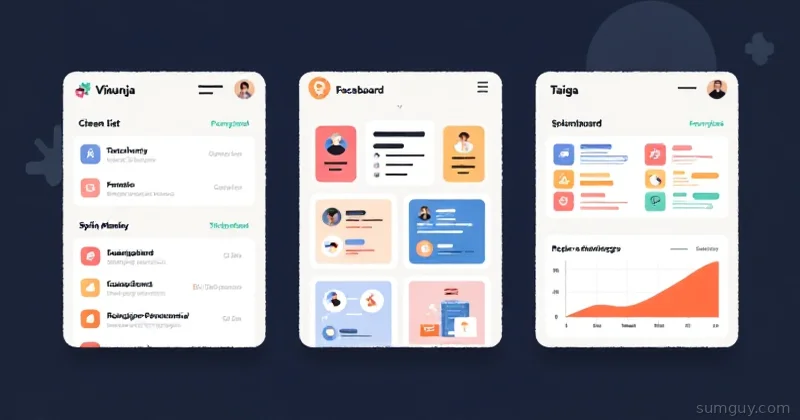
Here’s the reality: Vikunja, Focalboard, and Taiga are three very different takes on “organize work.” One’s a Todoist replacement, one’s a Trello clone (that nobody’s maintaining anymore), and one’s a Scrum sprint-planning machine for actual software teams. They’re not interchangeable.
Let’s figure out which one actually solves your problem.
Vikunja: The All-Rounder (Lists + Kanban + Gantt)
Vikunja is what happens when someone builds “Asana, but make it self-hosted and actually fast.” Written in Go, single binary, ships with a clean TypeScript frontend. You get task lists, kanban boards, gantt charts, recurring tasks, reminders, CalDAV support, and a mobile app that doesn’t suck.
The footprint: Tiny. One Go binary + a Postgres database (or SQLite for the broke and fearless). Container starts in seconds. Honestly, you can run it on a Raspberry Pi without breaking a sweat.
Vikunja’s audience: Solo home lab nerds, small teams (5–15 people), anyone who left Todoist or Asana and wants their data back. If you’ve got a personal wiki, a home lab, and a NAS, Vikunja is your spiritual home.
What it looks like:
- List view: Dead simple. Title, description, due date, assignee, tags, checklist items. Looks like Todoist but more honest about what it is.
- Kanban: Drag cards between columns. Works. Not fancy, not slow.
- Gantt: Timeline view for projects with due dates. Great for “when will this actually finish?” conversations.
- Recurring tasks: Smart. Daily, weekly, monthly patterns work as expected.
- Reminders: Built in. Can email you or trigger webhooks.
Here’s the play: spin up a Vikunja instance locally, toss your Todoist export at it (CSV → task import), and you’re done in 30 minutes.
services:  vikunja-db:    image: postgres:16-alpine    environment:      POSTGRES_DB: vikunja      POSTGRES_USER: vikunja      POSTGRES_PASSWORD: changeme    volumes:      - vikunja-db:/var/lib/postgresql/data
  vikunja:    image: vikunja/vikunja:latest    environment:      VIKUNJA_DATABASE_TYPE: postgres      VIKUNJA_DATABASE_HOST: vikunja-db      VIKUNJA_DATABASE_USER: vikunja      VIKUNJA_DATABASE_PASSWORD: changeme      VIKUNJA_DATABASE_DATABASE: vikunja      VIKUNJA_SERVICE_PUBLICURL: "http://localhost:3456"    depends_on:      - vikunja-db    ports:      - "3456:3456"
volumes:  vikunja-db:
Heads up: older guides show separate vikunja/api and vikunja/frontend images. Those are deprecated — since 0.23.0 the API and frontend ship in one vikunja/vikunja container, so you only run a single app container now.
Deploy that, hit http://localhost:3456, register an account, and you’ve got Asana sitting on your hardware. No subscription. No “we’ve improved the UI by removing half the features.”
Mobile: Vikunja’s got a native iOS and Android app. Both are solid. Offline sync works. Actually syncs when you come back online.
API: Clean REST API. Create tasks, check them off, update due dates — all from shell scripts or your annoying custom automation. CalDAV support means you can plug it into your calendar if you’re into that.
Maintenance: Actively developed. Commits most weeks. The maintainer runs a public instance and eats their own dog food. Always a good sign.
Focalboard: The Trello That Stopped Getting Updated
Focalboard is a TypeScript Kanban board that Mattermost built, opened sourced, and then quietly put into “archive mode” around May 2024. It does one thing: Trello-style cards on boards. Works fine. Just… nobody’s home anymore.
Why Mattermost archived it: They wanted to focus on their core chat/collab product. Fair enough. But it means you’re adopting abandoned software. Your 2 AM self will not appreciate discovering a security bug with no patch.
Focalboard’s audience: People who love Trello but want to run it on their own hardware, and don’t mind that it’s frozen in time. Existing Focalboard users who haven’t migrated yet. That’s increasingly small.
What it looks like:
- Boards: Kanban-style columns. Cards drag between them. Works exactly like Trello.
- Database views: You can create tables, galleries, calendars from the same underlying data. Notion-ish.
- Templates: Card templates so you’re not retyping the same fields.
- Sharing: Board-level permissions. Share with team. Basic but serviceable.
The install: Focalboard can run standalone (its own database, frontend), or integrated into Mattermost. Standalone is cleaner if you don’t need chat.
version: '3.8'services:  focalboard-db:    image: postgres:16-alpine    environment:      POSTGRES_DB: focalboard      POSTGRES_USER: focalboard      POSTGRES_PASSWORD: changeme    volumes:      - focalboard-db:/var/lib/postgresql/data
  focalboard:    image: mattermost/focalboard:latest    environment:      DB_TYPE: postgres      DB_HOST: focalboard-db      DB_USER: focalboard      DB_PASSWORD: changeme      DB_NAME: focalboard      DB_PORT: "5432"      SERVER_PORT: "8000"    depends_on:      - focalboard-db    ports:      - "8000:8000"    volumes:      - focalboard-data:/opt/focalboard/data
volumes:  focalboard-db:  focalboard-data:
Hit http://localhost:8000, make a board, drag some cards. It works. But that’s where the story ends — no new features, no performance improvements, security patches only if they’re critical.
Mobile: No native app. You get a web app. It’s responsive enough but not native.
API: REST API exists. You can automate board creation and card management. Not documented as well as Vikunja’s.
Maintenance: Archive status means no active development. There are actively-maintained alternatives in the same space (Plane is a popular one), but using the official Focalboard image means you’re on a shelf.
The verdict on Focalboard: If you’ve got an existing Focalboard setup, keep it running. Don’t start a new project with it. It’s like driving a car with a frozen engine — technically it still moves, but you’re buying a different car next month anyway.
Taiga: The Scrum Master’s Playground
Taiga is built by people who know Agile. It’s written in Python/Django on the backend, has a full TypeScript frontend, and does actual scrum: sprints, backlogs, user stories, burndown charts, velocity tracking, test management. If your team does two-week sprints and says “velocity” without irony, Taiga’s the play.
Taiga’s footprint: Heavier than Vikunja. Multiple containers, Postgres, Redis, async workers. You’re not running this on a Pi. But on a modest VPS? No problem.
Taiga’s audience: Small-to-medium software teams (5–50 people) doing actual Scrum/Agile. Not for solo home lab work. Not for “I just want a TODO list.” Taiga is for sprint planning, velocity calculations, and “why did we commit 40 story points when our burndown chart shows we only have 25 hours left?”
What it looks like:
- Backlog: Long list of user stories with story points and priority.
- Sprint board: Kanban view of the current sprint. WIP limits, drag-and-drop, status transitions.
- Burndown chart: Visual proof that either your estimates are garbage or your team is slow. Both probably true.
- Timeline: Gantt view. “When’s this feature shipping?” answers.
- Issues and epics: Group stories, track bugs, link related work.
- Test management: Test cases, test plans, test results linked to user stories.
Here’s the multi-container circus:
version: '3.8'services:  taiga-db:    image: postgres:16-alpine    environment:      POSTGRES_DB: taiga      POSTGRES_USER: taiga      POSTGRES_PASSWORD: changeme    volumes:      - taiga-db:/var/lib/postgresql/data
  taiga-redis:    image: redis:7-alpine
  taiga-backend:    image: taigaio/taiga-backend:latest    environment:      POSTGRES_DB: taiga      POSTGRES_USER: taiga      POSTGRES_PASSWORD: changeme      POSTGRES_HOST: taiga-db      REDIS_URL: redis://taiga-redis:6379/0      DJANGO_SETTINGS_MODULE: settings.production      SECRET_KEY: changeme-please-generate-random-string      DEBUG: "False"      TAIGA_DOMAIN: "localhost:8000"    depends_on:      - taiga-db      - taiga-redis    ports:      - "8001:8000"    volumes:      - taiga-media:/taiga/media
  taiga-frontend:    image: taigaio/taiga-frontend:latest    environment:      TAIGA_API_URL: "http://localhost:8001/api"    ports:      - "8000:80"
  taiga-events:    image: taigaio/taiga-events:latest    environment:      POSTGRES_DB: taiga      POSTGRES_USER: taiga      POSTGRES_PASSWORD: changeme      POSTGRES_HOST: taiga-db      REDIS_URL: redis://taiga-redis:6379/0    depends_on:      - taiga-db      - taiga-redis
volumes:  taiga-db:  taiga-media:
This is the real deal. Your entire project tracking stack in containers. You get real-time updates (WebSocket events), webhooks, integrations with Slack/GitHub, and a REST API that’s actually useful for CI/CD.
Mobile: Web-first design, responsive. Not as polished as Vikunja’s native app, but it works on your phone.
API: Full-featured REST API. Create sprints, add user stories, update burndown charts — all programmatically. GitHub integration means PRs can close stories automatically.
Maintenance: Actively developed by Taiga.io. Regular updates, security patches, community support. The company makes money on hosting, so they dog-food the open-source version hard.
The real talk: Taiga’s a commitment. You’re adopting Agile tooling for a reason. If your team isn’t actually doing sprints, you’re just adding overhead. But if you ship in two-week cycles? Taiga eliminates a ton of spreadsheet hell.
The Comparison Table (Actually Useful)
| Feature | Vikunja | Focalboard | Taiga |
|---|---|---|---|
| Task lists | ✓ | ✗ | ✓ (user stories) |
| Kanban boards | ✓ | ✓ | ✓ |
| Gantt charts | ✓ | ✗ | ✓ |
| Sprints | ✗ | ✗ | ✓ |
| Burndown charts | ✗ | ✗ | ✓ |
| Mobile app | ✓ (native) | ✗ | ~ (responsive web) |
| CalDAV | ✓ | ✗ | ✗ |
| REST API | ✓ | ✓ | ✓ |
| Container footprint | Tiny | Small | Medium |
| Active development | ✓ | ✗ (archived) | ✓ |
| Best for | Solo/small team | Trello refugees | Scrum teams |
Installation Reality Check
Vikunja: Fifteen minutes. One command, wait for Postgres, hit a URL, boom. Dead simple.
docker-compose up -d# Wait 10 secondscurl http://localhost:3456Focalboard: Twenty minutes. Slightly more environment variables, but still straightforward.
docker-compose up -d# Wait 15 secondscurl http://localhost:8000Taiga: Forty-five minutes. Get Redis working, get the async workers happy, figure out the Django secret key, debug why events aren’t firing. Then it’s rock solid, but the onboarding bites.
docker-compose up -d# Wait 30 seconds# Fix 3 things# Wait 30 more secondscurl http://localhost:8000The Practical Decision Tree
Are you organizing personal tasks or a small team’s work? → Vikunja. Done.
Are you a Trello refugee who just wants cards on a board and doesn’t care about updates? → Focalboard works, but honestly, migrate to Vikunja or Plane while you still can. Frozen software is a liability.
Are you a software team shipping features in sprints? → Taiga, no question.
Do you need to sync with your calendar? → Vikunja is the only one with CalDAV.
Do you need integrations with GitHub/Slack? → Taiga and Vikunja both have them. Focalboard’s integration story is basically dead.
The 2 AM Take
Here’s the thing: self-hosting project management is like choosing a car. Vikunja’s the Honda Civic — practical, works everywhere, won’t nickle-and-dime you on maintenance. Focalboard’s the beautiful 1987 Mercedes sitting in a barn that nobody remembers they own. And Taiga’s the pickup truck if you’re actually using it to haul stuff.
Use Vikunja if you want to stop thinking about the tool and start thinking about the work. Use Taiga if your team needs sprint metrics and burndown visibility. And honestly? Don’t start a new Focalboard deployment. The archive notice isn’t a suggestion.
Your 2 AM self — the one who actually maintains this stuff — will thank you for picking the one that’s actively maintained.