Stop Renting Intelligence You Can Run Yourself
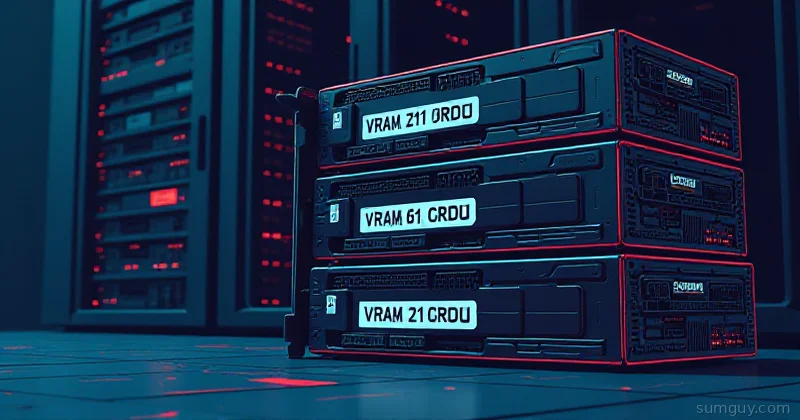
Running a local LLM is useful. Not just a party trick, but actually useful. Offline inference, no rate limits, no API bill creeping up on you at 2 AM when you left a script running. But there’s one number that determines everything: VRAM.
CPU offloading exists. It’s also approximately as fun as watching paint dry at 3 tokens per second. If you want a responsive model, the weights need to fit in GPU memory.
Here’s the actual math for models you probably care about in 2026:
| Model | Quant | VRAM Needed |
|---|---|---|
| Gemma 4 12B | Q4_K_M | ~8 GB |
| Qwen3.6-27B | Q4_K_M | ~17 GB |
| Gemma 4 31B | Q4_K_M | ~20 GB |
| Qwen3.6-35B-A3B | Q4_K_M | ~21 GB |
| Llama 4 Scout (109B total, 17B active) | Q4_K_M | ~55-60 GB |
MoE models like Qwen3.6-35B-A3B and Llama 4 Scout only activate a few billion parameters per token, but every expert has to stay resident in VRAM since the router picks different ones for each token. The VRAM number is based on total parameters, not the active count. Don’t let the small “active” figure fool you into thinking a 109B model fits on a 3060.
So if you want to run the big boys without selling a kidney, you need either one card with a lot of VRAM or two cards that can pool it. This guide is about how to get there without getting burned on the used market.
The Tiers (Actual Useful Breakdown)
$290 to $400: The Starter Slot
RTX 3060 12GB, The Home-Lab Sweet Spot
Honestly, this card is criminally good for the price. The 3060 12GB has more VRAM than the 3060 Ti and 3070. NVIDIA did that to protect their workstation line and ended up accidentally creating the best entry-level inference card in the used market.
- VRAM: 12 GB GDDR6
- Bandwidth: 360 GB/s
- TDP: 170W
- What it runs: Gemma 4 12B at Q4 (~8GB) with room to spare, anything under ~11GB fits cleanly
- fp16 throughput: ~12.7 TFLOPS
It won’t run a 13B-class model in Q4 cleanly, you’re about 2-3 GB short. But for 8-12B models it’s excellent, and two of them in a bifurcated x8/x8 slot setup gives you 24GB pooled if your motherboard cooperates.
Going rate is about $320 used as of September 2026, with the cheapest screened listings around $299 across roughly 80 active listings. If you see one under $290, that’s a good deal.
Tesla P40 24GB, Cheap VRAM, Expensive Patience
The P40 is a datacenter card from 2016. People buy it because 24GB for around $300 sounds like a steal. It is not a steal.
Here’s what you’re actually getting:
- No fp16 hardware support: fp16 operations fall back to fp32, which means inference is roughly half the speed you’d expect from a card with this much memory
- No NVENC: if you’re also running Plex or Jellyfin on this box, you need a separate card or CPU transcode
- Power connector: 8-pin, but it draws 250W and runs hot as a pizza oven
- Cooling: passive heatsink designed for a server chassis with serious airflow; in an open-air desktop case it will throttle aggressively
If you have a 4U server with proper airflow and you only care about VRAM capacity (loading huge models at low throughput), the P40 is workable. For actual interactive inference, you’ll be frustrated within a week. The context-length performance on long prompts is bad.
$1,300 to $1,600: The Sweet Zone
RTX 3090 24GB, Still the King for $/VRAM
In 2026 the 3090 is the card I’d actually recommend to most home-lab LLM people, even though the 2026 AI-driven VRAM shortage pushed used prices up hard. It now goes for about $1,520, with the cheapest screened listings near $1,350 and roughly 50 cards listed at any given time. That is up from the $450-550 it traded for before the shortage, and nothing in that bracket touches it for inference.
- VRAM: 24 GB GDDR6X
- Bandwidth: 936 GB/s (this matters enormously for inference)
- TDP: 350W (transient spikes to ~600W; more on this below)
- fp16: ~35.6 TFLOPS
- What it runs: Qwen3.6-27B Q4 (~17GB) fits with room to spare, Qwen3.6-35B-A3B Q4 (~21GB) fits tight, Llama 4 Scout Q4 (~55-60GB) needs a second card or heavy CPU offload
The memory bandwidth is what makes it fast. Inference is bandwidth-bound, not compute-bound. A 3090 at 936 GB/s trails a 4090 at 1008 GB/s by less than you’d think, while costing roughly half as much used.
Two 3090s with NVLink gives you 48GB pooled. That comfortably covers Qwen3.6-35B-A3B Q4 with room for long context and it rips; Llama 4 Scout’s ~55-60GB Q4 footprint still needs a third card or a lower quant.
# Check your 3090 on arrivalnvidia-smi --query-gpu=name,memory.total,memory.free,temperature.gpu,power.draw --format=csv,noheader,nounitsSample output from a healthy card:
NVIDIA GeForce RTX 3090, 24576, 24200, 32, 15If memory.total shows anything less than 24576 MiB, the card has a failed module. Walk away.
AMD Mi50 32GB, ROCm Cliff Edition
The Mi50 shows up on eBay for $300-400, far below the rest of this tier, and 32GB sounds amazing. The catch: ROCm support for Mi50 is officially deprecated as of ROCm 6.x. You’re pinned to older ROCm releases, which means you’re fighting software compatibility every time you update anything.
llama.cpp has HIP support and it mostly works on Mi50 with ROCm 5.7, but you’ll spend more time debugging the stack than running models. Unless you enjoy that kind of thing (some of us do, no judgment), stick to NVIDIA.
$2,200 to $3,100: Serious Inference
RTX 4090 24GB, Caught Up In the Same Shortage
The 4090 used market briefly loosened in late 2025 as supply improved, dropping to a $900-1100 range. That didn’t last: the 2026 AI-driven VRAM shortage pushed used 4090 prices right back up, and as of September 2026 the going rate is about $3,000, with the cheapest screened listings near $2,900.
For scale on how strange this market has gotten: the 4090 is discontinued, and new cards on Amazon were listed at $3,700 to $4,500 in September 2026. That’s roughly triple the $1,599 launch MSRP. Buying used isn’t the frugal option here, it’s the only sane one.
- VRAM: 24 GB GDDR6X
- Bandwidth: 1008 GB/s
- TDP: 450W
- fp16: ~82.6 TFLOPS
Honest take: for pure LLM inference, the 4090 is about 10-15% faster than a 3090 at the same VRAM. That’s real, but not twice-the-price real unless you’re also gaming or doing heavy video work. If inference is 90% of your use case, a 3090 is better value.
Where the 4090 wins: quantized generation throughput on smaller models. If you’re running Gemma 4 12B and want it fast (80+ tokens/second), the 4090 is noticeably better.
RTX A5000 24GB, Workstation Calm
The A5000 is the professional variant: blower cooler, certified drivers, runs at 230W instead of 350W. Same 24GB as the 3090 but at lower power draw and with proper ECC support.
- Used price: about $2,250 as of September 2026, cheapest screened listings near $2,200, up sharply from the $750-950 it traded at before the shortage. Only a handful are listed at a time, so check current completed sales before buying
- Blower cooler means it works in a 4U chassis without custom airflow engineering
- NVENC encoders on board (unlike the P40), so it can pull double duty for Plex/Jellyfin transcoding
- Slightly less raw bandwidth than 3090 (768 GB/s) but the stability is worth it for 24/7 inference workloads
If your home lab runs in a server chassis and you care about reliability over peak throughput, the A5000 is underrated.
48GB and Up: The “I Have a Problem” Tier
2x RTX 3090 with NVLink, 48GB Pooled
This build gets you 48GB pooled, comfortable headroom for Qwen3.6-35B-A3B at Q4 with long context. Llama 4 Scout’s ~55-60GB Q4 footprint is still bigger than 48GB, so Scout needs a Q3-class quant or a third card here. NVLink on 3090s bonds the VRAM, giving you 48GB as a single address space, not just split inference across two cards.
Requirements that will bite you:
- NVLink bridge: about $80 used, but cards need to be the same model and close enough in slot spacing
- PCIe slots: you need two x16 slots, or x16/x8 with bifurcation enabled in BIOS. x4 is too slow for NVLink throughput
- PSU: Two 3090s plus a system can hit 900W under load. Get a 1200W or 1600W PSU. No exceptions.
# Verify NVLink is detectednvidia-smi nvlink --status -i 0RTX 6000 Ada 48GB / A6000 48GB, One Card, No Drama
The A6000 (Ampere) and RTX 6000 Ada (Ada Lovelace) both have 48GB on a single card. No NVLink fiddling, no dual-slot PCIe drama.
A6000 Ampere: about $4,800 used as of September 2026, cheapest screened listings near $4,100 (up from ~$2,000-2,500 in 2025). 48GB, 768 GB/s bandwidth, blower, 300W. RTX 6000 Ada: hit by the same shortage and priced above the A6000, but listings are thin enough that no tracker gives a reliable band. Check completed sales before you budget. 48GB, 960 GB/s bandwidth.
If you’re buying new-to-you at this tier, run the VRAM math against your target models. 48GB comfortably covers Qwen3.6-35B-A3B at Q4 with room for long context, but it’s short of Llama 4 Scout’s ~55-60GB Q4 footprint. These cards earn their price if your workload tops out in the 20-40GB range; Scout-class MoE models need more, or a lower quant.
The Pain Points Nobody Mentions Until You’re Ankle-Deep
PCIe Lanes and Bifurcation
A GPU in an x8 slot runs at roughly 85-90% of x16 bandwidth for inference. Annoying but livable. An x4 slot is a problem: you’ll see stutters during model loading and reduced throughput on attention-heavy operations.
Before buying a second GPU, check your motherboard’s bifurcation support. Some boards can split a single x16 slot into two x8s for a PCIe riser, some can’t. Check the manual, not the spec sheet.
Power Supply: The 3090’s Dirty Secret
The RTX 3090 is rated at 350W TDP. What that doesn’t tell you is that transient power spikes during heavy compute can hit 580-620W on a single card. An 850W PSU powering a 3090 plus a modern CPU plus NVMe drives is cutting it uncomfortably close.
Rule of thumb: budget 400W for the 3090, 150W for a mid-tier CPU, 100W for everything else. A 1000W PSU is the minimum I’d recommend for a 3090 system. For dual 3090, go 1600W.
# Monitor power draw in real-time during a stress testwatch -n 1 nvidia-smi --query-gpu=power.draw,temperature.gpu,utilization.gpu --format=csv,noheaderBlower vs. Open-Air in a Server Chassis
Open-air (triple-fan) coolers are designed for ATX tower cases with front-to-back airflow. In a 4U rack server, they exhaust hot air sideways into adjacent components. That’s a thermal catastrophe.
If you’re racking this, get a blower card: A5000, A6000, Tesla-series (P40, T4), Quadro RTX 5000/6000. The blower exhausts out the rear bracket; that’s what your rack is designed for.
Consumer cards in a rack are a 2 AM pager event waiting to happen.
Used Market Scams to Know About
Mining cards: Years of continuous 80%+ load accelerate fan bearing wear. A card that benches fine for 10 minutes can fail at hour 3 under sustained inference load. Ask the seller what the card was used for. If they’re evasive, pass.
“Repaired package” listings: This is when someone has reballed the GPU die to fix a solder joint failure. It can last years or fail in weeks. These show up in bulk lots on AliExpress and get resold individually. Signs: unusually cheap price, suspiciously pristine PCB but worn fans, inconsistent thermal paste application.
Memory module failures: A 24GB card with one bad GDDR6X module sometimes shows up as 24GB in Device Manager but throws ECC errors under load. The burn test below catches this.
Test-on-Arrival Checklist
Run these within your return window. No exceptions.
# 1. Basic info: verify specs match what you boughtnvidia-smi -q | grep -E "Product Name|Total|Driver"
# 2. GPU burn test: catches memory errors, thermal throttling, bad solder# Install: https://github.com/wilicc/gpu-burn./gpu_burn 300  # 5 minutes, watch for errors
# 3. Stress + power monitoring combostress-ng --cpu 4 &watch -n 2 'nvidia-smi --query-gpu=name,temperature.gpu,power.draw,clocks.sm,clocks.mem --format=csv,noheader'
If you see GPU Burn: BURN TERMINATED with error counts above zero, the card has a memory problem. Return it.
If clock speeds drop below 1500MHz on a 3090 under sustained load, it’s throttling; could be thermal paste dried out, could be a power delivery issue on the board.
Running Your First Model
Once you’ve got a card that passes burn testing, here’s a real invocation that works:
# llama.cpp: Gemma 4 31B Q4 on a single 3090./llama-cli \ -m gemma-4-31b-instruct-q4_k_m.gguf \ -n 512 \ --n-gpu-layers 999 \ --ctx-size 4096 \ -p "Explain NVLink in one paragraph."The --n-gpu-layers 999 pushes all layers to GPU. If the model doesn’t fit, llama.cpp will error with the required VRAM. Adjust by reducing layers to offload the rest to RAM.
# vLLM: Gemma 4 12B on a 3060 12GBpython -m vllm.entrypoints.openai.api_server \ --model google/gemma-4-12B-it \ --dtype float16 \ --max-model-len 4096 \ --gpu-memory-utilization 0.90vLLM’s --gpu-memory-utilization 0.90 leaves 10% headroom for KV cache overhead. On a 12GB card with an 8B model, this is tight but functional. Drop to 0.85 if you see OOM errors on long contexts.
The Bottom Line
Here’s the actual recommendation based on what you’re trying to run:
Running Gemma 4 12B or similar 8-12B models, tight budget: RTX 3060 12GB at roughly $300-350. Best $/VRAM in this bracket, good fp16, runs cool enough for an ATX case.
Running Qwen3.6-27B to Gemma 4 31B class models, balanced budget: RTX 3090 24GB at roughly $1,350-1,550. This is still the 2026 home-lab inference card, even after the AI-driven VRAM shortage roughly tripled used prices from last year’s $450-550. Nothing else at this price has the bandwidth or VRAM to compete.
Running the biggest open MoE models (Llama 4 Scout, 109B total, 17B active): Its ~55-60GB Q4 footprint is bigger than 48GB pooled dual-3090 or a single A6000, so budget for a third 24GB card, an A6000 (48GB) plus a smaller offload card, or accept a lower quant instead of Q4.
Rack deployment: RTX A5000 (24GB, blower, 230W) or A6000 (48GB, blower), consumer cards are a bad time in a 4U.
Avoid: Tesla P40 unless you have a proper server chassis, infinite patience, and don’t care about throughput. AMD Mi50 unless you enjoy debugging ROCm compatibility on a Saturday afternoon.
The used GPU market rewards people who know what they’re actually buying. Run the VRAM math for your target models first, pick the tier that covers it with ~20% headroom, and test immediately on arrival. Everything else is negotiable.
Your 2 AM inference server thanks you for buying the right card the first time.