The Leap from Chatbot to Agent is Just Structured Tool Use
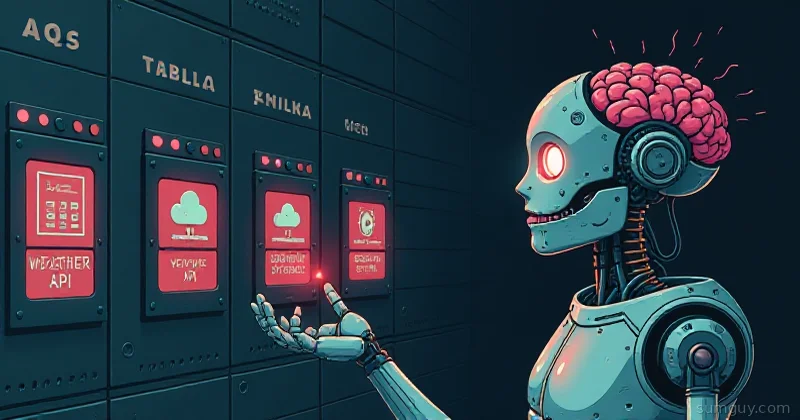
Here’s the thing: the jump from “GPT that answers questions” to “AI agent that actually gets stuff done” isn’t some magical leap in model intelligence. It’s a much simpler party trick — structured tool calling. The model stops spitting out prose and starts emitting JSON that says “hey, I need to call the weather API with these parameters” or “run this bash command” or “look this up in the database.”
For a long time, this was closed off to local models. You had to ship your request to OpenAI, Anthropic, or Anthropic’s competitor du jour, wait for them to handle your tools, and hope they didn’t hallucinate the function names. But in 2026, running a capable function-calling model locally is absolutely doable — and honestly, more reliable than you’d expect. Models like Gemma 4, Qwen3, and Llama 4 can do this. Ollama makes it smooth. llama.cpp gives you the fine-grained control. And the patterns? They’re not even that weird once you understand what’s actually happening.
This article walks through what function calling actually is, which models do it well, the tooling (Ollama, llama.cpp, grammar-constrained generation), and a real working example: a local agent that queries a weather API and calls a calculator. We’ll also dig into what breaks, why, and how to fix it.
Full example: Clone the working agent at github.com/KingPin/sumguy-examples/llm/function-calling-local-llms —
ollama pull gemma4:e4b,pip install -r requirements.txt,python agent.py.
What Actually Happens When a Model “Calls a Function”
Function calling isn’t the model reaching into your filesystem and executing code. What’s happening is this:
- You give the model a list of available tools in a structured format (JSON schema, usually).
- You ask the model a question that requires using one or more of those tools.
- The model, trained to recognize the pattern, emits a structured response instead of freeform text. That response says “use tool X with arguments Y.”
- Your code parses that structured response, calls the actual tool, and feeds the result back to the model.
- The model, now armed with the tool output, answers the original question.
The model isn’t “calling” anything — your orchestration layer is. The model is just predicting what should be called next, and it’s doing so in a format you can parse reliably.
This is why the OpenAI tools format became so influential: it standardizes how you describe tools and how the model responds. But local models have options now, and some are arguably better for constrained generation.
Function Calling Formats: OpenAI, Ollama, and Native Llama 3.1+
OpenAI Tools Format
The OpenAI format is the lingua franca. You define tools like this:
{ "type": "function", "function": { "name": "get_weather", "description": "Get the current weather in a location", "parameters": { "type": "object", "properties": { "location": { "type": "string", "description": "The city and state, e.g. San Francisco, CA" }, "unit": { "type": "string", "enum": ["celsius", "fahrenheit"], "description": "Temperature unit" } }, "required": ["location"] } }}The model sees this, understands the schema, and responds with something like:
{ "type": "function", "function": { "name": "get_weather", "arguments": "{\"location\": \"Seattle, WA\", \"unit\": \"fahrenheit\"}" }}Clean. Parseable. Standard across most LLM APIs. Ollama’s API mirrors this almost exactly when you set up tools.
Ollama’s Tool Support
Ollama supports the OpenAI tools format natively (shipped in mid-2024, with the Python library’s function-as-tool ergonomics landing later that year). You pass tools as part of the request, and Ollama handles routing the model’s output through the tool-calling path. The upside: it’s familiar. The downside: Ollama’s implementation is thin — it relies entirely on the model’s training to follow the schema, with no constraint enforcement on the output.
Llama 3.1+ Native Format
Llama 3.1 introduced an alternative: a built-in tool-use format baked into the model’s tokenizer and training. Instead of JSON in a text field, the model emits special tokens that represent tool calls. This is theoretically more robust because it’s enforced at the token level, but in practice, most local inference engines (Ollama, llama.cpp) still convert this back to JSON for easy consumption. You usually don’t notice the difference. Gemma 4 and Qwen3 do the same trick with their own chat templates — the special tokens differ, but the engine hands you parsed tool_calls either way.
llama.cpp’s Grammar-Constrained Generation (GBNF)
Here’s where it gets interesting: llama.cpp supports GBNF (EBNF-style grammars) to force the model to emit JSON that matches your schema. No hallucinated argument names. No malformed JSON. The model’s sampling is constrained to only tokens that are valid according to your grammar.
llama-cli -m model.gguf -p "What's the weather?" \ --grammar-file schema.gbnfThis is powerful for reliability, especially when you’re running a smaller or less-trained model locally.
Worth knowing: modern llama.cpp also ships built-in tool-call parsing now. Run llama-server --jinja and you get an OpenAI-compatible /v1/chat/completions endpoint that accepts tools and returns parsed tool_calls — no hand-written GBNF required for the common case. Grammars are still your escape hatch when you need to guarantee a specific structure out of a stubborn model.
Models That Actually Do This Well in 2026
Not every model is trained for function calling. You need one where the developer intentionally baked tool-use examples into the training data.
Gemma 4 (31B, 26B, E4B, E2B) — Google’s April 2026 release and an easy default. Native function calling is trained into the weights across the whole family — even the tiny E2B “effective” model emits clean tool calls. Apache 2.0, multimodal, and it pulls straight from Ollama. This is what we’ll use below.
Qwen3 (dense + MoE, down to 8B) — The most stable tool caller of the bunch: it rarely hallucinates a call or drops a parameter. If you want predictable agent behavior over long runs, this is the safe pick. Uses Hermes-style tool templates under the hood.
Llama 4 / Llama 3.3 (70B, 8B) — Still solid, still everywhere. Native tool-use tokens and strong reasoning. The 3.3 8B is a fine low-VRAM fallback if you’re already running it.
Mistral Small 3 (24B) — Punches above its size and fits comfortably on a single 24 GB card. A good middle ground when 70B is too much and 8B feels thin.
Avoid: Anything pre-2024 — Llama 2, Mistral 7B base, the original Gemma. They were never trained on tool examples, so instead of calling a function they’ll cheerfully describe calling one in prose, or invent a function name wholesale. This is the whole reason model choice matters: tool calling is a trained behavior, not something the runtime bolts on afterward.
The Practical Setup: Ollama + Python
Let’s build something real. A local agent that:
- Takes a question like “What’s the weather in Portland and add 5 to 32?”
- Calls a mock weather API.
- Calls a calculator.
- Synthesizes the answer.
First, pull a tool-capable model. We’ll use Gemma 4’s E4B — small enough to run on a laptop, but with native function calling baked in:
ollama pull gemma4:e4bollama serveThen, Python code to orchestrate the function calling:
import jsonimport reimport requestsfrom ollama import Client
# Initialize Ollama clientclient = Client(host="http://localhost:11434")
# Define tools schema (OpenAI format)tools = [    {        "type": "function",        "function": {            "name": "get_weather",            "description": "Get the current weather in a specified location",            "parameters": {                "type": "object",                "properties": {                    "location": {                        "type": "string",                        "description": "City name or city, state"                    },                    "unit": {                        "type": "string",                        "enum": ["celsius", "fahrenheit"],                        "description": "Temperature unit"                    }                },                "required": ["location"]            }        }    },    {        "type": "function",        "function": {            "name": "calculator",            "description": "Perform basic arithmetic operations",            "parameters": {                "type": "object",                "properties": {                    "operation": {                        "type": "string",                        "enum": ["add", "subtract", "multiply", "divide"],                        "description": "The arithmetic operation"                    },                    "a": {                        "type": "number",                        "description": "First number"                    },                    "b": {                        "type": "number",                        "description": "Second number"                    }                },                "required": ["operation", "a", "b"]            }        }    }]
# Fake tool implementationsdef get_weather(location, unit="fahrenheit"):    """Mock weather API"""    weather_db = {        "seattle, wa": {"temp": 58, "condition": "rainy"},        "portland, or": {"temp": 62, "condition": "cloudy"},        "san francisco, ca": {"temp": 72, "condition": "sunny"}    }    data = weather_db.get(location.lower(), {"temp": 70, "condition": "unknown"})    return f"The weather in {location} is {data['condition']}, {data['temp']}°{unit[0].upper()}."
def calculator(operation, a, b):    """Simple calculator"""    ops = {        "add": a + b,        "subtract": a - b,        "multiply": a * b,        "divide": a / b if b != 0 else None    }    result = ops.get(operation)    if result is None:        return f"Error: division by zero"    return f"{a} {operation} {b} = {result}"
# Tool execution dispatcherdef execute_tool(tool_name, args):    """Call the actual tool based on name and args"""    if tool_name == "get_weather":        return get_weather(**args)    elif tool_name == "calculator":        return calculator(**args)    return f"Unknown tool: {tool_name}"
# Main agent loopdef run_agent(user_query, max_iterations=5):    """Run the agent with function calling"""    messages = [        {            "role": "user",            "content": user_query        }    ]
    print(f"\n[User] {user_query}")
    iteration = 0    while iteration < max_iterations:        iteration += 1
        # Call the model with tools        response = client.chat(            model="gemma4:e4b",            messages=messages,            tools=tools,            stream=False        )
        # Check if model wants to call a tool        assistant_message = response["message"]
        if not assistant_message.get("tool_calls"):            # No tool calls, model gave a direct answer            print(f"[Agent] {assistant_message['content']}")            return assistant_message["content"]
        # Process tool calls        tool_results = []        for tool_call in assistant_message["tool_calls"]:            tool_name = tool_call["function"]["name"]            tool_args = tool_call["function"]["arguments"]
            # Parse arguments (handle both string and dict formats)            if isinstance(tool_args, str):                tool_args = json.loads(tool_args)
            print(f"[Tool Call] {tool_name}({tool_args})")
            # Execute the tool            tool_result = execute_tool(tool_name, tool_args)            print(f"[Tool Result] {tool_result}")
            tool_results.append({                "tool_call_id": tool_call.get("id", tool_name),                "tool_name": tool_name,                "content": tool_result            })
        # Add assistant message and tool results back to conversation        messages.append(assistant_message)
        for result in tool_results:            messages.append({                "role": "tool",                "content": result["content"],                "tool_call_id": result["tool_call_id"]            })
    return "Max iterations reached without answer"
# Test itif __name__ == "__main__":    result = run_agent("What's the weather in Portland, OR? Then add 5 to that temperature.")    print(f"\n[Final Answer] {result}")
Run it:
$ python agent.py[User] What's the weather in Portland, OR? Then add 5 to that temperature.[Tool Call] get_weather({'location': 'Portland, OR', 'unit': 'fahrenheit'})[Tool Result] The weather in Portland, OR is cloudy, 62°F.[Tool Call] calculator({'operation': 'add', 'a': 62, 'b': 5})[Tool Result] 62 add 5 = 67[Agent] The weather in Portland, OR is cloudy with a temperature of 62°F. Adding 5 to that would be 67°F.Works. Actually works.
Why Models Mess Up: Hallucinated Args, Infinite Loops, Parallel Calls
Function calling isn’t magic. Models still hallucinate. Here’s what breaks:
Hallucinated argument names. The model sees your schema and invents a parameter that doesn’t exist. You ask for weather with location but the model emits {"city": "Portland"} instead. Worse at the smaller scales (E2B, 8B), better with the larger Gemma 4 and Qwen3 variants.
Malformed JSON. The model emits close-enough JSON that regular parsers choke on. Missing quotes, stray commas, incomplete structures. Grammar-constrained generation in llama.cpp eliminates this entirely.
Infinite tool loops. The model calls a tool, gets the result, and decides to call the same tool again in a loop, never reaching a conclusion. Usually happens when the system prompt is unclear about when to stop using tools.
Parallel tool calls. Modern local models (Qwen3, Gemma 4) happily emit multiple tool calls in a single response — great for speed, but if your orchestration loop assumes one call at a time, it’ll choke or hang. The loop in our example iterates over a list of tool_calls, so it handles this fine; naive single-call parsers don’t.
Ignoring tool results. The model calls a tool, you feed it the result, and the model acts like the result doesn’t exist. Often a sign of a weak model or a system prompt that didn’t clearly explain the loop.
Mitigations:
- Use a model explicitly trained for tool use (Gemma 4, Qwen3, Llama 4).
- Use grammar constraints (llama.cpp + GBNF) to force valid JSON.
- Write clear system prompts that specify exactly when to stop using tools:
You are a helpful assistant. You have access to the following tools.Call a tool only when necessary. Once you have all the information neededto answer the user's question, provide the final answer directly. Do notcall a tool more than once for the same purpose. Do not call a tool andthen immediately call it again.- Validate arguments before calling tools. If the model emits a parameter that doesn’t exist, reject it politely and ask the model to try again.
- Set iteration limits to prevent infinite loops (like the
max_iterations=5in the code above).
Grammar-Constrained Generation: llama.cpp’s GBNF Superpower
If you’re serious about reliability, use llama.cpp directly with GBNF. You write a grammar that describes the exact JSON structure your tools accept, and the sampler refuses to emit anything that violates it.
Example grammar for a simple tool call:
root : "{" ws "\"name\"" ws ":" ws string ws "," ws "\"args\"" ws ":" ws object ws "}"object : "{" (pair ("," pair)*)? "}"pair : string ws ":" ws valuevalue : string | number | booleanstring : "\"" ([^"\\] | "\\" (["\\/bfnrt] | "u" [0-9a-fA-F] [0-9a-fA-F] [0-9a-fA-F] [0-9a-fA-F]))* "\""number : "-"? (0 | [1-9] [0-9]*) ("." [0-9]+)? ([eE] [-+]? [0-9]+)?boolean: "true" | "false"ws : ([ \t\n] ws)?Then:
llama-cli -m model.gguf \ -p "What's the weather in Portland?" \ --grammar-file grammar.gbnfThe model cannot emit invalid JSON. It’s constrained at the token level. This shifts reliability dramatically, especially for smaller models.
Function Calling vs. MCP: Different Layers
There’s confusion here, so let’s clear it up.
Function calling is a protocol: your orchestration layer describes tools as JSON schemas, the model emits structured tool calls, and you execute them. It’s what we just built above.
MCP (Model Context Protocol) is a standardized tool registry and communication spec. Instead of hardcoding tool definitions in your prompt, MCP lets you connect to a standard tool server that advertises what it can do. The model talks to the MCP server, which handles tool management and execution.
Function calling is the lowlevel protocol. MCP standardizes the tool layer on top. You can use function calling without MCP (like we did) and you can use MCP with function calling (MCP servers expose their tools as function schemas that feed into your calling loop).
For local models, you usually don’t need MCP unless you’re building something complex. Function calling directly is simpler and faster.
Putting It Together: A Real Local Agent
Here’s the full flow for something serious:
- Pick a model: Gemma 4 (E4B for laptops, 31B if you have the VRAM), or Qwen3 when you want the most stable tool calling.
- Define your tools: JSON schemas that are clear and specific.
- Run inference: Ollama for simplicity, llama.cpp for fine-grained control + GBNF.
- Orchestrate: Python with a loop that handles tool calls and feeds results back.
- Add error handling: Validate arguments, set iteration limits, catch hallucinations.
- Test edge cases: Ask the model to do weird stuff and watch where it breaks.
The tooling is there. The models are capable. The patterns are solid. In 2026, running a function-calling agent locally isn’t aspirational — it’s standard practice for anyone serious about AI at the edge. Your laptop can be the orchestrator. Your network can stay closed. And your models can actually do things instead of just chatting about them.
That’s the shift. Build like it.