You’ve Got 12 Clusters. ArgoCD Has Feelings.
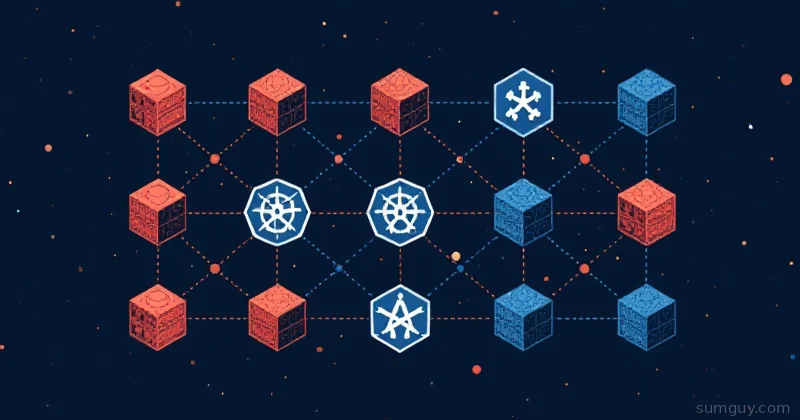
You started with one cluster. Then staging. Then a customer insisted on their own isolated environment. Then someone added a canary cluster “just to test something,” and now you have twelve of the things and a kubectl config get-contexts output that scrolls.
An ArgoCD Application CRD handles one app on one cluster. That’s fine when you have two clusters and three apps. At scale, you end up copy-pasting Application manifests like it’s 2017 and you’re editing Nginx config by hand. Every new cluster means another round of YAML surgery.
ApplicationSets fix this. One ApplicationSet manifest, one generator, and ArgoCD stamps out as many Application children as you need, automatically, consistently, with zero drift between them.
If you’re already familiar with the ArgoCD basics, check out the argocd-vs-flux-gitops comparison for context on where Argo fits in the GitOps landscape. This article is about the part where ArgoCD gets impressive.
What an ApplicationSet Actually Is
An ApplicationSet is a CRD managed by the ApplicationSet controller (bundled with ArgoCD since v2.3). It has two parts:
- Generators: produce a list of key-value parameter sets
- Template: an
Applicationspec with{{parameter}}placeholders
The controller takes every parameter set the generator produces, renders it into the template, and creates (or updates) the corresponding Application objects. When the generator’s output changes, a cluster is removed, a new Git folder appears, a PR is closed, the controller reconciles the child Applications accordingly.
Here’s the skeleton:
apiVersion: argoproj.io/v1alpha1kind: ApplicationSetmetadata: name: my-appset namespace: argocdspec: generators: - list: elements: - cluster: dev url: https://dev.k8s.example.com template: metadata: name: "myapp-{{cluster}}" spec: project: default source: repoURL: https://github.com/my-org/my-app targetRevision: HEAD path: helm/myapp destination: server: "{{url}}" namespace: myapp syncPolicy: automated: prune: true selfHeal: trueThat covers the concept. Now let’s look at what the generators can actually do.
The Generators You’ll Actually Use
List Generator, When You Know Your Clusters
The List generator is the simplest: you hand it a static list of key-value maps, and it iterates.
generators: - list: elements: - cluster: dev url: https://dev.k8s.example.com valueFile: values-dev.yaml - cluster: staging url: https://staging.k8s.example.com valueFile: values-staging.yaml - cluster: prod url: https://prod.k8s.example.com valueFile: values-prod.yamlThen in your template:
source: helm: valueFiles: - "{{valueFile}}"destination: server: "{{url}}" namespace: myappThree clusters, three Applications, one manifest. Add a fourth cluster? Add one element. No copy-paste. This is the “I know my cluster list and it doesn’t change often” pattern, dev/staging/prod is the classic case.
Cluster Generator, Auto-Discover Registered Clusters
The Cluster generator reads from ArgoCD’s own cluster registry. Every cluster you’ve added via argocd cluster add becomes a parameter set automatically.
generators: - clusters: selector: matchLabels: environment: productionWithout the selector, it targets every registered cluster including the in-cluster one (https://kubernetes.default.svc). The selector lets you tag clusters by environment, region, or team and filter accordingly.
This is the pattern for platform teams managing a fleet: register a new cluster, label it correctly, and your ApplicationSets pick it up with zero additional configuration. Honestly, this one feels like magic the first time you see it work.
Git Generator, One App Per Folder or File
The Git generator inspects your repo and generates one Application per matching folder or file. This is the “app of apps” pattern done properly.
Directory-based, one App per folder:
generators: - git: repoURL: https://github.com/my-org/cluster-configs revision: HEAD directories: - path: apps/*If apps/ contains prometheus/, grafana/, and cert-manager/, you get three Applications. Add a new folder, push to Git, ArgoCD creates the App. Remove the folder, the App gets pruned (if pruning is enabled, more on that landmine in a moment).
File-based, one App per config file:
generators: - git: repoURL: https://github.com/my-org/cluster-configs revision: HEAD files: - path: "clusters/*/config.json"Each matched config.json can contain parameters that get merged into the template. This works great for per-cluster Helm value overrides stored alongside the cluster definition.
SCM Provider Generator, One App Per Repo
The SCM Provider generator hits your GitHub/GitLab/Bitbucket API and generates one Application per matching repository. This is the pattern for microservice platforms: every repo that contains a Dockerfile or a helm/ directory gets its own Application.
generators: - scmProvider: github: organization: my-org tokenRef: secretName: github-token key: token filters: - repositoryMatch: "^service-" pathsExist: - helm/Chart.yamlOnly repos starting with service- that have a Helm chart get an Application. New service? Push a repo with the naming convention, and ArgoCD picks it up on the next reconcile. Your platform team writes zero additional Argo config per service.
Pull Request Generator, Ephemeral Preview Environments
This one is legitimately fun. The PR generator watches open pull requests and creates a temporary Application for each one.
generators: - pullRequest: github: owner: my-org repo: my-app tokenRef: secretName: github-token key: token requeueAfterSeconds: 60In the template, you get {{branch}}, {{branch_slug}}, {{number}}, and {{head_sha}} as parameters. A typical preview env setup:
template: metadata: name: "preview-pr-{{number}}" spec: source: targetRevision: "{{branch}}" helm: parameters: - name: image.tag value: "pr-{{number}}-{{head_sha}}" - name: ingress.host value: "pr-{{number}}.preview.example.com" destination: namespace: "preview-{{branch_slug}}"PR opens → preview env spins up. PR closes → Application deleted, namespace gone. Your QA team gets a live URL per PR with zero manual deployment steps. Your infra bill will have opinions, but that’s a different article.
Matrix Generator, Compose Two Generators
The Matrix generator takes two generators and produces the Cartesian product of their outputs. This is where things get powerful and occasionally cursed.
generators: - matrix: generators: - clusters: selector: matchLabels: environment: production - git: repoURL: https://github.com/my-org/apps revision: HEAD directories: - path: apps/*If you have 3 clusters and 5 app folders, you get 15 Applications. Every app on every cluster. This is the “deploy the same platform stack everywhere” pattern, monitoring, logging, cert-manager, ingress, one ApplicationSet that covers the whole fleet.
The danger: the math grows fast. 10 clusters × 10 apps = 100 Applications. Make sure that’s actually what you want before you commit.
Merge Generator, Override Parameters Per Context
The Merge generator combines multiple generators and lets later ones override parameters from earlier ones. Think base values with per-cluster overrides.
generators: - merge: mergeKeys: - cluster generators: - list: elements: - cluster: dev replicaCount: "1" memoryLimit: "256Mi" - cluster: prod replicaCount: "3" memoryLimit: "1Gi" - list: elements: - cluster: prod memoryLimit: "2Gi" enablePodDisruptionBudget: "true"The second list matches on cluster: prod and overrides memoryLimit and adds enablePodDisruptionBudget. Dev stays unchanged. This replaces the pattern of having separate ApplicationSets per environment with a single one that has sane defaults and targeted overrides.
Real Pattern: Deploy a Stack to Dev/Staging/Prod
Here’s a complete, working ApplicationSet for deploying a Helm chart across environments with per-environment value overrides:
apiVersion: argoproj.io/v1alpha1kind: ApplicationSetmetadata: name: myapp-all-envs namespace: argocdspec: generators: - list: elements: - env: dev cluster: https://dev.k8s.example.com replicas: "1" ingressHost: dev.myapp.example.com - env: staging cluster: https://staging.k8s.example.com replicas: "2" ingressHost: staging.myapp.example.com - env: prod cluster: https://prod.k8s.example.com replicas: "5" ingressHost: myapp.example.com template: metadata: name: "myapp-{{env}}" annotations: notifications.argoproj.io/subscribe.on-sync-failed.slack: deployments spec: project: default source: repoURL: https://github.com/my-org/myapp targetRevision: HEAD path: helm/myapp helm: parameters: - name: replicaCount value: "{{replicas}}" - name: ingress.hostname value: "{{ingressHost}}" destination: server: "{{cluster}}" namespace: myapp syncPolicy: automated: prune: true selfHeal: true syncOptions: - CreateNamespace=trueThree environments, one source of truth, Helm values driven by parameters. Promote to prod by updating the targetRevision in one place.
Pitfalls That Will Ruin Your Tuesday
Prune Behavior on Generator Changes
When an element disappears from a generator’s output, you remove a cluster from the List, delete a Git folder, close a PR, ArgoCD will delete the child Application. With prune: true on the Application, that means the workloads get deleted too.
This is correct behavior. It’s also terrifying the first time it happens in staging because someone renamed a folder.
Protect yourself with preserveResourcesOnDeletion. It goes on the ApplicationSet’s own top-level syncPolicy, not the Application template’s:
apiVersion: argoproj.io/v1alpha1kind: ApplicationSetspec: # generators/template omitted syncPolicy: preserveResourcesOnDeletion: true template: spec: syncPolicy: automated: prune: trueThis deletes the Application object but leaves the Kubernetes resources running. You clean up manually. For prod, this is almost always what you want. Put preserveResourcesOnDeletion under the template’s syncPolicy.automated instead of the ApplicationSet’s own syncPolicy, and it silently does nothing.
Progressive Sync Waves
By default, all child Applications sync simultaneously. For a “deploy to all clusters” ApplicationSet, that means dev, staging, and prod all update at the same time. That’s either brave or careless depending on your SLA.
Use sync waves in the Application template:
template: metadata: annotations: argocd.argoproj.io/sync-wave: "{{syncWave}}"Add syncWave: "0" to dev, "1" to staging, "2" to prod in your generator elements. ArgoCD processes waves in order, waiting for each wave to be healthy before proceeding.
RBAC Scope
ApplicationSets create Applications in the argocd namespace by default. Those Applications can target any project and any cluster ArgoCD knows about. If you’re in a multi-tenant cluster, scope your ApplicationSets to specific ArgoCD projects and use spec.project in the template to restrict what each generated Application can do.
Don’t let a developer’s ApplicationSet accidentally gain access to prod clusters because the template didn’t specify a project constraint.
cert-manager Integration
If your ApplicationSets are deploying cert-manager as part of a platform stack, common in the Matrix pattern above, the ordering matters. cert-manager CRDs need to land before any Certificate or Issuer resources. Use sync waves and resource hooks. The cert-manager-acme-kubernetes article covers the cert-manager setup side; just make sure it’s in wave 0 of your stack deployment.
When ApplicationSets Are Overkill
If you have two clusters and three apps, an ApplicationSet with a List generator is just a fancier way to write what could be three plain Application manifests. The abstraction only pays off at scale, roughly when you’d otherwise maintain five or more near-identical Application manifests.
For a single-cluster homelab or a small team project: plain Applications are fine. Don’t add complexity for complexity’s sake. There’s no prize for using every ArgoCD feature if a simpler setup ships features faster.
But if you’re managing a platform for multiple teams, running per-PR preview environments, or deploying a common stack across a fleet of clusters, ApplicationSets are the right tool. One manifest, consistent behavior, Git as the source of truth for what exists. Your 2 AM self will appreciate not having to remember which of the seventeen Application YAML files you need to edit.
Quick Reference
| Generator | Use Case |
|---|---|
| List | Known, static cluster/env list |
| Cluster | Auto-discover all registered clusters |
| Git Directory | One App per folder in repo |
| Git File | One App per config file match |
| SCM Provider | One App per matching repo |
| Pull Request | Ephemeral preview env per open PR |
| Matrix | Cross-product of two generators |
| Merge | Base params with per-context overrides |
ApplicationSets ship with ArgoCD, no extra install needed. The ApplicationSet controller runs as its own deployment (argocd-applicationset-controller) alongside the ArgoCD application controller. If you’re on ArgoCD v2.3+, you already have it.
Start with the List generator, get comfortable with the template syntax, then reach for Cluster or Git once you’ve got the hang of how generator outputs map to Application parameters. The Matrix generator is there for when you need it, just make sure the cluster × app math doesn’t surprise you on a Monday morning.