Key Takeaways
-
Alpine is the flexibility king with a full shell and package manager (
apk), but itsmusllibc can occasionally break Python/Node libraries. -
Distroless is the security “Fort Knox” (no shell, no tools), making it hard to exploit but a total headache to debug.
-
Multi-stage builds are the secret sauce that let you have your developer-friendly Alpine cake and eat your secure Distroless dinner.
-
The Verdict: Use Alpine for ease of use and local dev; switch to Distroless for high-stakes production if you have solid observability.
The Minimalist Myth
We’ve all been there: you build a Docker image for a simple “Hello World” app, and it’s suddenly 800MB because you started with a generic Ubuntu base. In the quest for “small,” two names dominate the conversation: Alpine and Distroless.
But choosing between them isn’t just about shaving off a few megabytes. It’s a philosophical divide between “I want a tiny OS” and “I want no OS at all.”
Alpine: The Tiny Powerhouse
Alpine Linux is the darling of the DevOps world for a reason. At roughly 5MB, it’s essentially a functional Linux distribution compressed into the size of a high-res photo.
Why it’s great: It has apk. If you realize you need curl or openssl in the middle of a deployment, you just run one command. It has a shell (sh), so you can actually exec into the container and see why your app is crying.
The Catch: It uses musl instead of the standard glibc. For Go or Rust developers, this is usually fine. For Python and Node.js devs, this is where the “Alpine Tax” comes in. Some C-extensions won’t compile, or they’ll run slower because they weren’t optimized for musl.
Distroless: The “See No Evil” Approach
Google’s Distroless images take minimalism to a terrifying extreme. They contain only your application and its runtime dependencies. No shell. No package manager. No ls, no cd, nothing.
Why This Actually Matters: If an attacker finds a vulnerability in your code and gains execution, they have… nothing. They can’t wget a rootkit. They can’t even ls to see where they are. It’s the ultimate “living off the land” defense because there is no land to live off of.
The Pain Point: Troubleshooting a failing Distroless container is like trying to fix a car engine through the exhaust pipe while blindfolded. Without a shell, you are entirely dependent on your logs and telemetry.
The “Holy Grail” Workflow
You don’t actually have to pick just one. Most sane teams use a multi-stage build. You use a heavy-duty image to build your app, and then you shove the resulting binary into a minimalist runtime.
# Stage 1: The "Messy" Build (Alpine or Full Distro)FROM golang:1.26-alpine AS builderWORKDIR /appCOPY . .RUN go build -o main .
# Stage 2: The "Clean" Runtime (Distroless)# Using 'static' because our Go binary is self-containedFROM gcr.io/distroless/static-debian12COPY --from=builder /app/main /CMD ["/main"]
Which One Should You Ship?
If you are a solo dev or part of a small team where “moving fast” means fixing things directly in the container when they break at 2 AM, stick with Alpine. The 10MB difference isn’t worth the sanity you’ll lose when you can’t ls a config file.
However, if you’re operating at scale or in a regulated environment, Distroless is the adult choice. It forces you to get your observability right from day one. If you can’t debug your app without exec-ing into it, your logging probably sucks anyway.
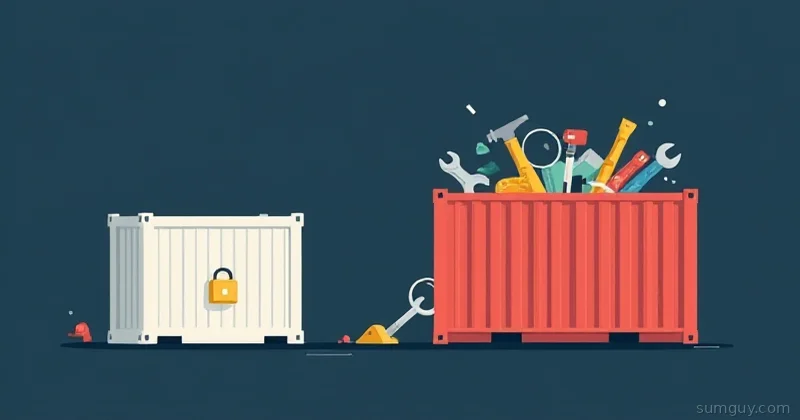
The tech industry loves to overcomplicate things, but here the choice is simple: Do you want a tiny toolbox (Alpine) or a sealed vault (Distroless)? Just please, for the love of open source, stop shipping 1GB images for a 20-line script.
Debugging Distroless Without Losing Your Mind
So you’ve shipped a Distroless container to production and now something’s wrong. Logs are vague, the app isn’t responding, and your usual docker exec -it container_name sh returns an error that looks like a personal insult. Welcome to the fun part.
The standard play here is the ephemeral debug container, a Kubernetes feature that attaches a temporary sidecar with actual tools, without restarting or modifying your running pod:
# Attach a busybox debug container to a running distroless podkubectl debug -it my-app-pod \ --image=busybox:latest \ --target=my-app-container \ --namespace=productionThat --target flag is key, it attaches to the process namespace of your app container, so you can actually inspect its file descriptors, environment variables, and network connections. No shell in the original image? Doesn’t matter, you brought your own.
For local Docker debugging (pre-Kubernetes), you can do the same trick with a docker run that shares the problematic container’s network and PID namespaces:
# Attach a debug container sharing network + process namespacesdocker run -it --rm \ --network container:my-distroless-app \ --pid container:my-distroless-app \ busybox shFrom inside that busybox shell, you can run netstat, ps, wget, anything you need to figure out why your app is sulking.
One more gotcha worth flagging: Distroless images come in :debug variants (gcr.io/distroless/base-debian12:debug) that ship with a minimal busybox shell. Never let these slip into production, but they’re invaluable during development when you want the security profile without giving up every last debugging tool before you’re ready.