It’s 2 AM and Your Backups Are Gone
You wake up to a Slack ping. Every VM on your NAS is encrypted. The ransom note says $4,800 in BTC. You take a breath, crack your knuckles, and navigate to your backup server.
Also encrypted.
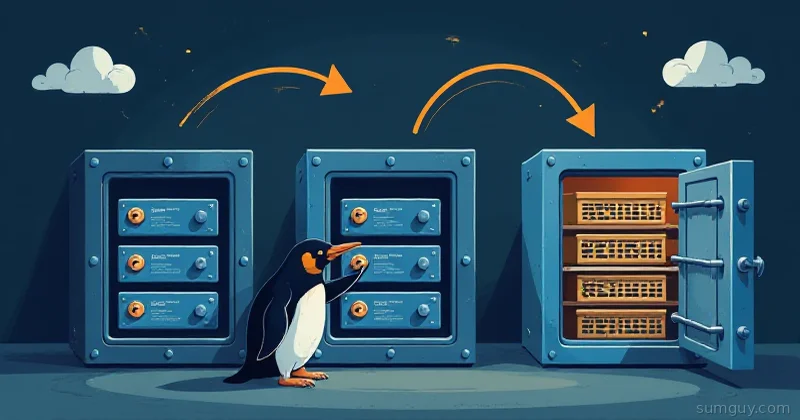
The “3-2-1” backup strategy you set up three years ago? Ransomware doesn’t care. The moment your backup host is reachable from an infected machine, whether by SMB mount, NFS, or SSH key the attacker now owns, it’s toast. Modern ransomware specifically hunts for backup targets. They know the playbook.
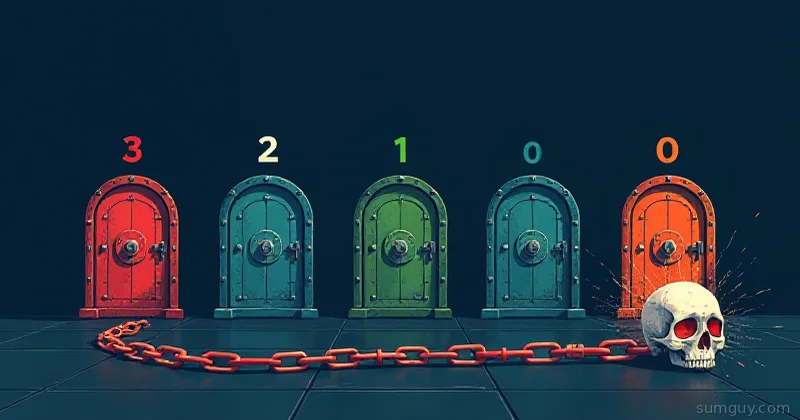
So the industry updated the rulebook. The result is 3-2-1-1-0, and if you’re running any kind of self-hosted infrastructure worth protecting, this is what your backup strategy needs to look like in 2026.
The Original 3-2-1, Good Start, Wrong Era
A quick refresher before we extend it:
- 3: Three copies of your data
- 2: On two different media types (e.g. local disk + cloud)
- 1: One offsite copy
That rule was coined in the days when “disaster” meant fire or hard drive failure. It’s solid against hardware death and natural disaster. Against a motivated attacker who’s been inside your network for three weeks? Not so much.
The problem isn’t the copies, it’s that all three can be online and writable at the same time. If ransomware has network access, it can reach all three simultaneously.
3-2-1-1-0: The Modern Update
The two additions that change everything:
- +1: One copy that is immutable or air-gapped (cannot be modified or deleted, even by you)
- +0: Zero errors verified by tested restores (a backup you’ve never restored is a hypothesis, not a backup)
Let’s break each tier down.
The Immutable Tier (+1): Your Ransomware Firewall
Immutability means the data can be written once and not modified or deleted for a defined retention period, even by the account that created it. Two practical approaches:
Option A: S3 Object Lock with restic
restic supports S3-compatible backends natively. Pair it with an AWS S3, Backblaze B2, or Wasabi bucket configured with Object Lock in Governance or Compliance mode. Cloudflare R2 does not support Object Lock as of September 2026, so skip it for this tier.
# Initialize a restic repo against an S3-compatible bucketrestic -r s3:https://s3.us-east-1.amazonaws.com/my-immutable-backup init
# Back up /data with a retention policyrestic -r s3:https://s3.us-east-1.amazonaws.com/my-immutable-backup \  backup /data \  --tag daily \  --exclude-caches
With Object Lock enabled on the bucket, existing snapshots cannot be deleted during the lock retention window, even if your AWS credentials are compromised. Set a 30 to 90 day retention window depending on your risk tolerance.
RESTIC_REPOSITORY=s3:https://s3.us-east-1.amazonaws.com/my-immutable-backupRESTIC_PASSWORD=your-strong-passphraseAWS_ACCESS_KEY_ID=your-write-only-keyAWS_SECRET_ACCESS_KEY=your-write-only-secretKey detail: Create a deny-delete IAM policy for your backup credentials. restic needs read and write access to operate (it reads the repo index on every run), so it can’t be write-only, but you can deny s3:DeleteObject, s3:DeleteObjectVersion, and any bucket-policy changes. That way, even if the key leaks, an attacker can’t nuke your backups.
Option B: BorgBase Append-Only Repos
BorgBase gives you hosted Borg repositories with append-only mode, clients can add new archives but cannot delete or modify existing ones. It’s perfect for the immutable tier without managing S3 bucket policies.
# Initialize an append-only Borg repo
# Create archive (append-only enforced server-side)borg create \ --stats \ --compression lz4 \ /dataAppend-only means your client can never run borg delete. Pruning is done via the BorgBase web interface after you’ve manually confirmed the backups are healthy. Slightly annoying for ops? Yes. Ransomware-proof? Also yes.
ZFS Snapshots via Syncoid
If you’re using ZFS (and you should be for anything serious), ZFS snapshots are near-immutable locally, they can’t be modified, only deleted. Pair them with syncoid to replicate them to a remote host, and you get an immutable-ish offsite copy.
We’ve already covered ZFS replication with syncoid and sanoid in depth, check that article for the full setup. The short version: syncoid sends snapshots over SSH to a receiving ZFS pool, and you lock down the receiving side so it can only receive, not delete.
The Air-Gap Tier: When Immutable Isn’t Enough
For the paranoid, and honestly, “paranoid” is just “experienced” with a PR problem, a physically offline copy breaks the network path entirely.
USB drive rotation works surprisingly well for home labs:
- Two or three external drives in rotation
- One connected for backup, others stored offsite (car glovebox, office, safe deposit box)
- Rotate weekly or monthly depending on data change rate
- Use restic or Borg to the local mount path
# Backup to a locally mounted USB driverestic -r /mnt/usb-backup-a backup /data --tag weekly
# Unmount and physically disconnect when doneumount /mnt/usb-backup-a
No network path = no ransomware path. It’s not glamorous, but your 2 AM self doesn’t care about glamour.
Tape is still alive in enterprise. LTO-8/9 cartridges hold 12 to 18 TB native, have a 30-year shelf life, and an air-gapped tape cartridge in a drawer is about as recoverable as it gets. Overkill for home labs, mandatory for regulated industries.
The Zero-Errors Discipline (+0): Test or It Doesn’t Count
Here’s the uncomfortable truth: a backup you’ve never restored is a hypothesis. You’re not backing up data, you’re hoping you backed up data.
The +0 rule means zero errors after restore testing. Practically, that means:
- Monthly automated restore to a scratch directory
- Checksum verification against the source
- Log the result somewhere visible
Automated Restore Test Script
#!/bin/bashset -euo pipefail
SNAPSHOT_TAG="daily"RESTORE_DIR="/tmp/restore-test-$(date +%Y%m%d)"SOURCE_DIR="/data"LOG_FILE="/var/log/backup-restore-test.log"
echo "$(date): Starting restore test" >> "$LOG_FILE"
# Restore latest snapshot to scratch dirrestic -r "$RESTIC_REPOSITORY" \  restore latest \  --tag "$SNAPSHOT_TAG" \  --target "$RESTORE_DIR" 2>> "$LOG_FILE"
# Compare checksumsif diff -rq --no-dereference "$SOURCE_DIR" "$RESTORE_DIR/data" >> "$LOG_FILE" 2>&1; then  echo "$(date): RESTORE OK - checksums match" >> "$LOG_FILE"  RESULT="OK"else  echo "$(date): RESTORE FAILED - checksum mismatch" >> "$LOG_FILE"  RESULT="FAILED"fi
# Cleanuprm -rf "$RESTORE_DIR"
# Alert on failureif [ "$RESULT" = "FAILED" ]; then  # Replace with your alerting method (ntfy, healthchecks.io, email, etc.)  curl -d "Backup restore test FAILED on $(hostname)" \    ntfy.sh/your-backup-alertsfi
echo "$(date): Test complete, result: $RESULT" >> "$LOG_FILE"
Throw this in cron to run monthly:
0 3 1 * * /usr/local/bin/backup-test.shAlso integrate with Healthchecks.io, free for small use, pings a URL on success, alerts you when it stops pinging. Silence from a backup job is its own kind of alarm.
restic vs Borg vs Kopia, Pick Your Weapon
Since we’ve referenced a few tools, quick context on where each fits. We’ve covered these in detail in the restic vs borg vs kopia comparison article, the TL;DR for the 3-2-1-1-0 context:
| Tool | Best for | Immutable backend support |
|---|---|---|
| restic | S3/cloud-first, multi-platform | S3 Object Lock, Backblaze B2 immutability |
| Borg | Local/SSH, append-only repos | BorgBase append-only, local snapshots |
| Kopia | GUI users, native S3 versioning | S3 Object Lock, Azure immutable blobs |
Mix and match. Your local tier might be Borg to NAS, your immutable tier restic to S3 with Object Lock, your offline tier restic to USB. They don’t have to be the same tool.
Putting It All Together: A Real Stack
Here’s a concrete 3-2-1-1-0 implementation for a home lab with ~500GB of data:
Tier Tool Destination Retention─────────────────────────────────────────────────────────────────────Copy 1 Borg Local NAS (same network) 30 snapshotsCopy 2 restic Backblaze B2 (cloud) 60 daysCopy 3 syncoid/ZFS Remote VPS (offsite ZFS pool) 90 day snapsImmutable restic S3 + Object Lock 90d 90 daysAir-gap restic Rotating USB drives MonthlyRestore test backup-test.sh Scratch dir, monthly cron Log + alertThat’s five destinations, three tools, and one automated test. The immutable S3 copy and the air-gapped USB rotation are the two that keep you safe when everything else gets encrypted.
The Terraform Destroy Problem
Ransomware isn’t the only threat. terraform destroy on the wrong workspace, rm -rf /data with a bad shell variable, a botched migration script, these are equally capable of ruining your month. The immutable tier saves you here too.
Object Lock doesn’t care why the data was deleted. It cares that it wasn’t deleted during the retention window. A 30-day lock means you have 30 days to realize you made a mistake and restore. That’s usually enough time to notice the missing data and panic appropriately.
Start Here If You’re Behind
If you’re currently at 0-0-0 (no backups, I see you, no judgment), the priority order:
- Anything is better than nothing: Start with restic to a cloud bucket today. Seriously, today.
- Add offsite: Second destination, different provider or physical location.
- Add immutability: Enable Object Lock on the S3 bucket. Takes five minutes.
- Test restores: Automate a monthly check. If it fails, find out now, not during an incident.
- Add air-gap: USB rotation. Rotate manually. It’s tedious. Do it anyway.
The full 3-2-1-1-0 stack sounds like a lot of work up front. Versus rebuilding everything from scratch after ransomware while your users are breathing down your neck? It’s a weekend project versus a week of nightmare.
The Honest Truth
Backups are boring infrastructure. Nobody gets excited about configuring restic retention policies or rotating USB drives. There’s no performance metric to show your boss, no fun dashboard to share on Reddit.
What there is, is this: when something goes very wrong at 2 AM, and eventually it will, you’ll spend the next ten minutes restoring instead of the next two weeks rebuilding. That silence from your phone, the absence of the “we lost everything” Slack message, is the metric. It just doesn’t show up in any dashboard.
Set up 3-2-1-1-0. Test your restores. Rotate the drives. It’s the least exciting thing you’ll do that matters the most.
Check out the backup restore testing deep dive for more on automating and dashboarding your restore health. Your future self will appreciate it.