Two machines that are never awake at the same time
My desktop is an Arch box that’s on from 9am to 5pm. My laptop is Ubuntu and it’s on from 8pm to midnight. That’s it. That’s the whole overlap window between them: zero. They are ships passing in the night, except the ships never actually pass: one leaves port right around the time the other one shows up on radar.
Syncthing is peer-to-peer by design. Two devices dial each other directly (or through a relay) and stream changes back and forth in near real time. That’s fantastic when both peers are reachable at the same moment. It’s completely useless when they never are. You can’t sync two machines that are never online together, any more than you can have a conversation with someone who’s only ever in the room after you’ve left it.
So I needed something in the middle. Something always-on, that both machines could talk to whenever they happened to be awake, which would just… hold the data until the other side showed up. That’s not a novel problem; it’s the entire reason relays and mail servers exist. But I wanted to solve it without giving up the two things Syncthing is actually good at: not trusting a cloud provider with my files, and not opening a single port to the internet.
Why the obvious answers all kind of suck
Dropbox/Google Drive/insert-SaaS-here: sure, it’d sync. It would also mean a third party has plaintext copies of everything I own, indexed and searchable, sitting on hardware I don’t control, governed by a ToS I didn’t read carefully enough. Also I’m syncing dotfiles and config, not vacation photos: the whole point of self-hosting this stuff is not routing it through someone else’s data lake.
Just leave the desktop on 24/7: technically solves it. Also wastes power, generates heat I don’t want in my office, and doesn’t actually fix the underlying architecture problem: it just avoids it by cheating on the “online” requirement. I wanted something that works even if both my machines keep their real, human schedules.
A single always-on relay VPS: closer. This is basically what I ended up building, except “a single” is a fragile word. One VPS is one host, one provider, one region, one point of failure. Your $5 box eats a disk failure, the provider has a regional outage, someone forgets to renew a card, and now your whole sync pipeline between two machines that already barely overlap in uptime is also down. When your redundancy plan has exactly one leg, it’s not a redundancy plan.
The design that actually satisfied me needed three things: an always-on middle layer, network isolation so nothing is exposed to the raw internet, and enough redundancy in that middle layer that losing one node doesn’t take down the sync.
The actual architecture
Here’s the shape of it:
- Desktop (Arch) and laptop (Ubuntu) run Syncthing natively:
pacman -S syncthingandapt install syncthing, not Docker. On endpoint machines I want it running as a proper systemd user service against my actual home directory with my actual UID, not fighting bind-mount permissions inside a container. Native install, systemd user unit, done. - Two VPS boxes, each running Syncthing in Docker, on two different cloud providers, on two different continents. Containerized here because I want pinned, identical, disposable Syncthing versions on infrastructure I don’t fully trust: if a VPS gets popped, the blast radius is “a container,” not “my whole OS.”
- Tailscale is the only network path between any of these four nodes. Every Syncthing port: 8384 (web GUI) and 22000 (sync/transfer protocol), is closed to the public internet on all four machines. Syncthing only listens on, and only dials out to, the private 100.x.x.x Tailscale addresses. No port forwarding, no NAT hole, nothing for a scanner to find.
- Cloudflare Tunnel is used only to reach the VPS Syncthing web GUIs for admin purposes, gated behind Cloudflare Zero Trust SSO. It’s not in the data path at all: it’s just so I can glance at sync status from my phone without opening 8384 to the world or VPNing in just to check a progress bar.
That’s the skeleton. Now the two parts that actually make this interesting.
The VPS nodes are blind, and that’s the whole point
What made me comfortable putting my Claude Code setup on a rented box I don’t fully trust is Syncthing’s Untrusted (Encrypted) Device feature. Quick heads-up before you build your whole life on it: Syncthing’s own docs still label this one beta/testing-only. It’s worked flawlessly for me, but that’s the official maturity level; factor it into your threat model.
One terminology note so nobody yells at me: these VPS boxes aren’t Syncthing relays in the strict sense. A Syncthing relay (the relays.syncthing.net kind) is a stateless forwarder that stores nothing. What I’m running is a full device that holds a complete encrypted copy of the folder, a store-and-forward peer. I’ll keep calling them “relays” casually because that’s the role they play in this design, but under the hood they’re receive-encrypted devices, not relay servers.
Normally, when you share a folder with a Syncthing device, that device gets a full plaintext copy: filenames, directory structure, file contents, all of it. That’s fine between my desktop and laptop, which I own and physically control. It is very much not fine for a VPS sitting on someone else’s hypervisor.
With an untrusted device, you share the folder to the VPS node but mark it “untrusted” and set an encryption password, known only to your trusted devices (desktop and laptop, in my case). Syncthing then encrypts every block of every file with that password before it ever leaves a trusted device. The VPS receives, stores, and relays nothing but encrypted binary blobs with obfuscated filenames. It doesn’t have the password. It can’t decrypt anything. It can’t even tell you what a file is named, let alone what’s in it.
Practically, this means: if that VPS provider gets breached, if an employee goes rogue, if the host itself gets popped by some rando doing internet-wide scans for exposed Syncthing instances, the attacker gets a directory full of cryptographic garbage. Not “your files, but encrypted, good luck.” Actual, structurally meaningless noise. That’s a genuinely different security posture than “trust the cloud provider’s access controls,” which is the posture basically every other cloud sync product asks you to accept.
That’s the pitch in one line: rent a $5 VPS that is physically incapable of reading your files.
The caveats, because I promised you honesty and not a sales pitch:
- It’s all-or-nothing per folder. You don’t get partial trust: a device is either trusted (full plaintext) or untrusted (fully encrypted) for a given shared folder. There’s no “trust it a little.”
- It’s strong, not perfect. File names, contents, metadata, and directory structure are all encrypted, but the encryption doesn’t hide individual file sizes, and the folder ID/label is visible on the untrusted node. So a determined snoop on the VPS learns “there’s a folder called X with a file of roughly Y bytes,” never the name or the contents. For config and dotfiles, that leakage is a non-issue; just know it exists.
- The encryption password is load-bearing and unrecoverable. Syncthing doesn’t store it anywhere retrievable, it lives only in your head and in the config of your trusted devices. Lose it, and the untrusted copy sitting on your VPS isn’t just useless to an attacker; it’s useless to you too. Write it down somewhere real (a password manager, not a sticky note on the monitor you’re currently syncing away from).
- Every trusted device must use the exact same folder password. The encrypted copy on the VPS is keyed to that one string: desktop and laptop have to agree on it byte-for-byte, or they can’t decrypt each other’s blocks coming off the relay. Set it once, store it once, use it everywhere.
Two VPS, two continents, one diamond
A single relay VPS gets you “always on.” It does not get you “reliable.” So I run two: one provider in one region, one provider in a completely different region on a different continent. Both hold the same untrusted, encrypted copy of the shared folder.
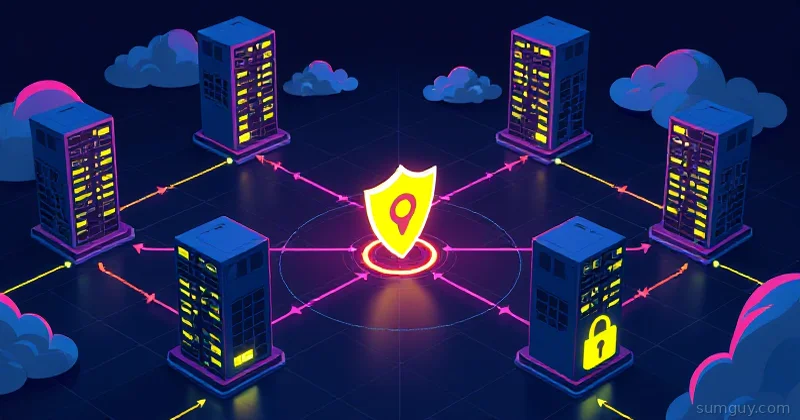
The topology is a diamond: desktop and laptop are the two side points, and the two VPS relays are the top and bottom. Every trusted device connects to every relay it can reach.
What that buys me in practice:
- When the desktop goes offline at 5pm, it has already pushed its day’s changes to both VPS nodes independently, not sequentially. No single relay is a bottleneck or a chokepoint.
- When the laptop wakes up at 8pm, it pulls from whichever VPS answers first, often both simultaneously, which is just faster (two upstream sources instead of one). If one VPS is down for maintenance, mid-migration, or just having a bad night, the laptop doesn’t notice; it just gets everything from the surviving node.
- Because the two boxes are on different providers and different continents, the failure modes are genuinely independent. A regional outage, a provider-wide incident, a single company’s billing screwup: none of those can take out both relays at once. That’s the actual value of “two,” as opposed to “two copies of the same single point of failure.”
This is not exotic Syncthing config; it’s just: share the folder with both VPS devices, mark both untrusted with the same encryption password, and let Syncthing’s normal peer discovery and reconnection logic do the rest. It already knows how to route around an unreachable device; you’re just giving it more than one path to route around.
What actually gets synced (and, more importantly, what doesn’t)
This whole rig exists to sync one thing across machines: my Claude Code configuration and instructions: ~/.claude/CLAUDE.md, skills, agents, settings. The “brain” of my agent setup, so both machines behave identically without me hand-copying files every time I tweak something.
What it explicitly does not sync: credentials. I do not back up or sync ~/.claude.json, session tokens, or anything OAuth-shaped. When I set up a new machine, I run claude login on it, manually, like a normal person. That’s not an oversight: it’s the design. Config and instructions are low-stakes and genuinely useful to have everywhere. Live session credentials are exactly the kind of thing you don’t want riding a sync pipeline, encrypted-relay or not. Fewer places a secret can exist is always the better security posture.
That’s what .stignore is for, and it’s doing two separate jobs here, not one:
Job 1: performance. Claude Code’s projects/ and file-history/ directories accumulate enormous transient logs, full conversation history, file snapshots, all of it plaintext, all of it growing constantly. Syncing that is like hiring a moving truck to carry your recycling bin across town every single day. It’ll work. It’ll also make Syncthing chew through bandwidth and CPU scanning gigabytes of stuff nobody will ever need synced.
Job 2: security. ~/.claude.json holds session state. It does not leave the machine. Ever. Not encrypted, not relayed, not anywhere near this pipeline.
# .stignore — lives in the synced Claude config folder
# Security: never sync credentials or session state.claude.json.claude.json.backup*credentials**.token
# Performance: huge transient conversation logs, not configprojects/file-history/
# Standard noise.DS_Store*.log*.tmp
Sync the brain, not the keys. You still log in per-machine; that’s by design.
The config that actually makes this run
The VPS side, Docker Compose: the port-isolation details are covered right after the block:
services: syncthing: image: syncthing/syncthing:1.28 container_name: syncthing-relay hostname: vps-relay-east restart: unless-stopped network_mode: host volumes: - ./config:/var/syncthing/config - ./data:/var/syncthing/data environment: - PUID=1000 - PGID=1000 - STGUIADDRESS=127.0.0.1:8384 # critical — see belowOne line in there is load-bearing and easy to miss: STGUIADDRESS=127.0.0.1:8384. The official image ships with STGUIADDRESS=0.0.0.0:8384 baked in as an environment default, and that env var overrides whatever you set in the GUI’s “GUI Listen Address” box. Combine the default with network_mode: host and your admin web UI is quietly listening on every interface the box has, public NIC included, no matter what the GUI setting says. So you pin it to loopback in the environment block explicitly. Don’t trust the GUI setting alone here; the env var wins.
Using network_mode: host here matters: it lets Syncthing bind directly to the box’s Tailscale interface rather than fighting Docker’s bridge networking and NAT, which is exactly the kind of container-networking headache I mentioned wanting to avoid on the endpoints, except here I’m fine dealing with it once, on a throwaway VPS, in exchange for clean version pinning.
Inside the Syncthing GUI on every node, endpoints and relays alike, the setting that actually enforces the “Tailscale only” rule is under Settings → Connections:
# Sync Protocol Listen Addressestcp://100.x.x.x:22000quic://100.x.x.x:22000
# GUI Listen Address127.0.0.1:8384
Bind the sync listener to your Tailscale IP specifically, not 0.0.0.0, not the default tcp://0.0.0.0:22000. Bind the GUI to loopback and reach it only through the Cloudflare Tunnel + Zero Trust SSO. No public listener means no public attack surface, regardless of what firewall rules you think you have correctly configured. Don’t rely on the firewall as your only layer; rely on the software never listening on the public interface in the first place.
What I’d still say no to
I’m not going to pretend this setup has no edges. The untrusted-device password is a single string that, if lost, permanently strands your relay copies; write it down somewhere durable. Two VPS instead of one is twice the attack surface in terms of “things that could theoretically be compromised,” even though each one individually holds nothing readable. And syncing app config across machines is genuinely great, but it will never replace actually logging in on each device: don’t go looking for a way to sync .claude.json through this pipe. That file staying put is intentional; don’t try to engineer around it.
Ships passing in the night don’t need to meet in person. They just need a lighthouse that can’t read the cargo manifest.