SQLite is not a toy database
I’m going to say it: you’re running Postgres in Docker when you should be running SQLite on the filesystem. And no, that’s not a hot take from someone who doesn’t understand distributed databases. It’s a cold, pragmatic take from someone who’s spent three years managing home lab apps that spawn new containers like rabbits.
SQLite is criminally underrated for self-hosted applications. It’s embedded, it’s transactional, it supports most SQL you’ll actually write, and it doesn’t require a separate service running somewhere screaming about connection pools. For 95% of home apps, you’re hiring a forklift to move a couch. SQLite is the couch. It’s the right tool.
Let me convince you.
Why self-hosters keep reaching for Postgres
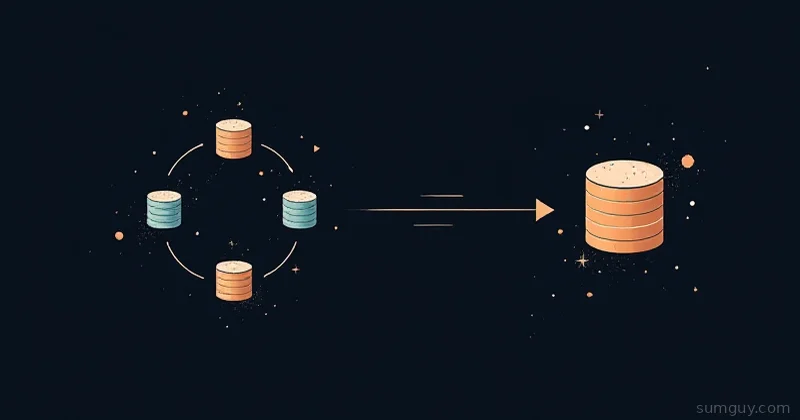
You already know the story. You deploy an app, you follow the Docker Compose guide, and it spins up two containers: the app and a Postgres service with environment variables for credentials. It works. It scales (eventually). And now you’re running a database service for an app that gets 10 requests a week.
Postgres is a database server. It’s networked, multi-user, handles concurrent writes from many clients, supports complex replication, and scales horizontally. That’s all true and all terrible overkill when you’re self-hosting a note app, a dashboard, or an RSS reader on a single server.
The real cost isn’t the container, it’s the complexity. You’ve added:
- Another service to health-check
- Database backups (now you have two backup systems)
- Connection pooling to think about
- Networking overhead (even on localhost)
- Docker resource overhead per database instance
- Startup order dependencies
- Postgres version locks and upgrade paths
For every app.
SQLite cost: one file. Zero services. Backups become “copy the file.”
When SQLite shines
SQLite is the right choice if:
- Single-server deployment. If your app runs on one machine, SQLite is faster than network database calls.
- Read-heavy workloads. Hundreds of concurrent readers? SQLite handles it fine. It’s writes that queue up, not reads.
- Embedded apps. Apps like Nextcloud, Vikunja, Gitea, and Forgejo all ship SQLite as their embedded option. This is not accident. (Note: a few apps like Immich go the other way and require Postgres, for vector search, so check before you assume.)
- Low concurrency writes. Your app doesn’t have 50 users writing simultaneously. Most home apps have you and maybe one other person.
- Simple schema. You’re not running 40 tables with complex foreign key relationships. You’re storing settings, posts, tags, and files.
- Ease of development. Zero database setup. Clone the repo, run the app, the database exists.
If you hit any of those checkmarks, SQLite is probably your answer.
The concurrency myth (and reality)
“But SQLite locks the whole database on writes!” Yes. It does. And?
Here’s what actually happens: SQLite acquires an exclusive lock, commits the transaction (usually <1ms), releases the lock. While it’s locked, other writes queue. This is fine if:
- Your writes are fast (they usually are: INSERT a row, done)
- You don’t have many concurrent writers (most home apps don’t)
- You’re not updating the same row from 10 processes simultaneously
If you have a background job writing metrics every 30 seconds and users reading simultaneously, SQLite handles it. If you have 50 users all inserting rows at the same time, yeah, you’ll see contention. But at that scale, you’ve got real infrastructure anyway.
Postgres handles concurrent writes better, that’s a real advantage. But you need to actually have concurrent writes before it matters.
WAL mode: the mode you should be running
By default, SQLite uses rollback mode: writes go to a journal file, and the main database only updates when everything’s committed. This is safe but slower.
Switch to WAL (Write-Ahead Logging) mode and SQLite writes to a .wal file while readers keep reading the main database. Readers don’t block writers. Writers don’t block readers. That’s what makes this worth switching to.
Enable it once on app startup or first connection:
import sqlite3
conn = sqlite3.connect('/data/app.db')conn.execute('PRAGMA journal_mode=WAL;')conn.execute('PRAGMA synchronous=NORMAL;')conn.close()
Or in raw SQL:
PRAGMA journal_mode=WAL;PRAGMA synchronous=NORMAL;PRAGMA busy_timeout=5000;PRAGMA cache_size=-64000;What you’re doing:
journal_mode=WAL: write-ahead logging (the good stuff)synchronous=NORMAL: don’t fsync after every transaction (faster, still safe with WAL)busy_timeout=5000: wait up to 5 seconds if the database is locked, then errorcache_size=-64000: use 64 MB of RAM for page cache (adjust to your app)
Run this once, commit the settings, and leave them alone. WAL mode turns SQLite into something that actually feels responsive under concurrent load.
Other PRAGMAs that matter
These aren’t magic, but they’re useful defaults:
PRAGMA foreign_keys=ON; -- Enforce foreign key constraintsPRAGMA temp_store=MEMORY; -- Keep temp tables in RAM, not diskPRAGMA query_only=ON; -- For read-only connections (if your app has them)PRAGMA auto_vacuum=INCREMENTAL; -- Reclaim deleted space; set with incremental-vacuumFor apps that write a lot (metrics, logs):
PRAGMA wal_autocheckpoint=1000; -- Checkpoint after 1000 pages (not every transaction)This batches checkpoint work instead of doing it constantly.
Backup strategy (it’s trivial)
One of SQLite’s secret weapons: backups are just file copies. While your app is running:
cp /data/app.db /backup/app.db.$(date +%s)Done. No downtime, no pg_dump, no credentials. The .wal and .shm files are ephemeral, you don’t need to back them up.
If you want to be fancy, use PRAGMA wal_checkpoint(TRUNCATE) before backing up to merge the WAL file into the main database, then copy:
sqlite3 /data/app.db "PRAGMA wal_checkpoint(TRUNCATE);"cp /data/app.db /backup/app.db.$(date +%s)That’s it. Restore is just move the file back.
The Docker twist: volume mounting
If you’re running your app in Docker with a mounted volume:
services: app: image: myapp:latest volumes: - ./data:/data environment: DATABASE_URL: sqlite:///data/app.dbSQLite works fine through Docker volumes on the same machine. Network volumes (NFS, SMB) are slower and riskier with SQLite’s locking. Keep the database local.
When to actually leave SQLite behind
There’s a real checklist. Leave SQLite when you hit:
- Many concurrent writers. If your app has 100+ concurrent write operations, the lock contention becomes a bottleneck.
- Geographic distribution. Your data needs to live in multiple data centers. Postgres replication is built for this; SQLite is a single file.
- Complex transactions across many tables. You’re doing 50-table joins and need to guarantee consistency across reads. SQLite works, but Postgres optimizes for this.
- JSONB querying at scale. If your app is basically a JSON store with billions of rows, Postgres (and its JSONB index support) becomes worth it.
- You actually want a database service. Not because you need one, but because you’ve got the ops chops and want the flexibility. Fair enough.
For everything else: SQLite wins.
One more thing: multi-instance apps
Some apps support running multiple instances against a shared database. The moment you go down that road, use Postgres or MySQL, SQLite’s file-based locking doesn’t work well across network boundaries or multiple writers. (Plenty of apps that offer Postgres still don’t actually support horizontal clustering, so don’t assume swapping the backend buys you that, check the docs.)
But if you’re running one instance on one server (which you are), this doesn’t apply.
The real win
SQLite’s superpower isn’t performance or features, it’s simplicity. Your app + SQLite = one process. No service discovery, no connection pooling, no “Postgres is down” at 2 AM because you fat-fingered an environment variable.
You deploy it, it works, you move on. Your 2 AM self will appreciate it.
Stop reaching for Postgres out of habit. Stop spinning up containers because the README says to. Squint hard at what you actually need, and half the time the answer is a three-letter acronym that fits in a file.
Use SQLite.