Your Solar Panels Go Dark When the Grid Does
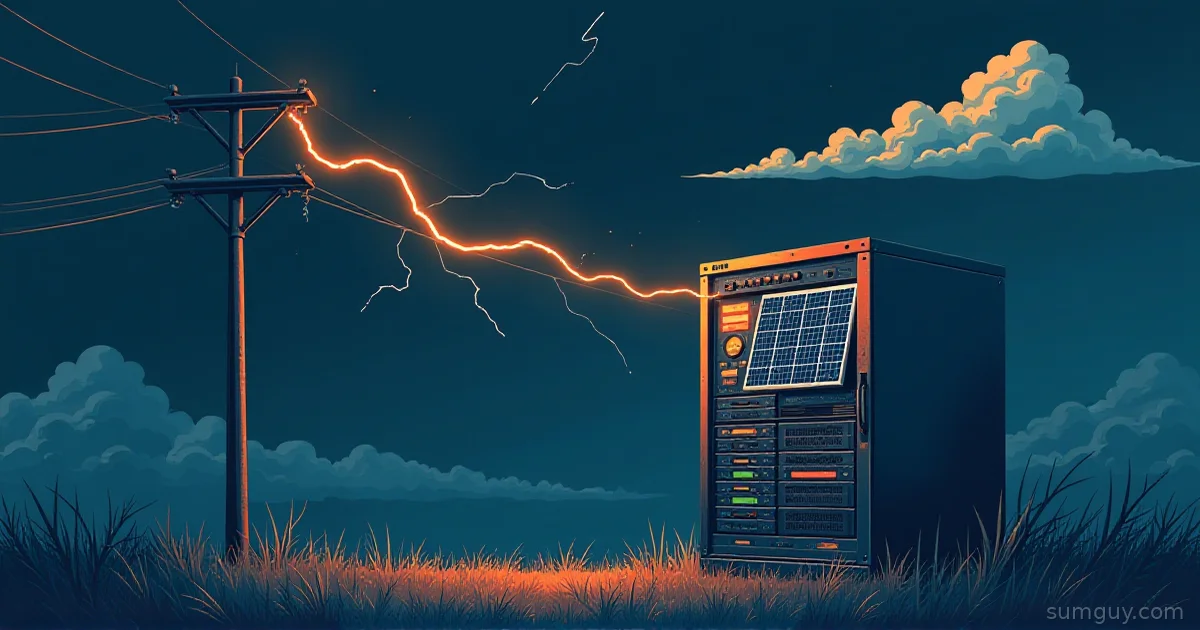
It’s 2 AM, the storm takes out the neighborhood, and your neighbor with the glossy roof array is sitting in the dark next to you. A standard grid-tied solar system shuts itself off when the grid drops. The rule is called anti-islanding (UL 1741 and IEEE 1547 in the US). The inverter must stop pushing power so a lineman repairing the “dead” wire doesn’t get electrocuted by your roof. Panels without storage mean no power during the outage, and your rack goes down with everything else.
So the battery keeps the lab alive. Solar has two jobs in this setup. First, it recharges the battery during a long outage, so runtime stops being a fixed number. Second, it offsets the 24/7 lab draw on your bill. This article sizes the battery to your measured load first, then adds only as much solar as refills it in a day. Then it compares two routes: an all-in-one power station, and a 48V DIY build.
Step Zero: Turn Watts into Wh
Measure the rack at the wall with a meter first (the Kill-A-Watt tour covers how). Guessing from PSU labels is how you buy a battery three times too big. A lab pulling 250 W averages 250 W x 24 h = 6 kWh per day. That is the number your utility bill sees, and it is why a lab can make solar pay for itself even without outages.
For battery sizing you only care about the hours you want to ride through. Here is a script that does the arithmetic.
import sys
def budget(watts, hours, inv_eff=0.88, dod=0.9, sun_hours=4.0, derate=0.8):    load_wh = watts * hours               # what the lab consumes    drawn_wh = load_wh / inv_eff          # what leaves the cells (AC round trip losses)    nameplate_wh = drawn_wh / dod         # usable depth of discharge    solar_w = drawn_wh / (sun_hours * derate)  # panel watts to refill in one day    return load_wh, drawn_wh, nameplate_wh, solar_w
if __name__ == "__main__": w, h = float(sys.argv[1]), float(sys.argv[2]) load, drawn, name, solar = budget(w, h) print(f"Load energy: {load:,.0f} Wh") print(f"Pulled from cells: {drawn:,.0f} Wh (after inverter losses)") print(f"Battery to buy: {name/1000:.2f} kWh nameplate") print(f"Solar to refill in 4 sun hours: {solar:,.0f} W of panels") print(f"Daily lab draw: {w*24/1000:.1f} kWh/day")$ python3 lab_power_budget.py 250 8Load energy: 2,000 WhPulled from cells: 2,273 Wh (after inverter losses)Battery to buy: 2.53 kWh nameplateSolar to refill in 4 sun hours: 710 W of panelsDaily lab draw: 6.0 kWh/dayThe defaults are assumptions. An AC passthrough path loses roughly 10 to 15 percent, so I used 0.88. LiFePO4 packs usually allow 80 to 90 percent depth of discharge, so I used 0.9. Power stations already publish usable Wh, so for those set dod=1.0 and use the listed capacity. The 0.8 derate covers wiring, heat, and dirty panels.
Read the result carefully. Eight hours of autonomy for a 250 W lab needs about 2.5 kWh. The 710 W of panels refill that in a single good day, but only if the lab is idle. While the lab runs, 250 W of the panel output goes straight to the load. That is fine. The point of solar here is that a two-day outage becomes a non-event.
Peak Sun Hours: The Number You Need to Look Up
A peak sun hour is one hour of sunlight at 1,000 W per square meter. Four peak sun hours doesn’t mean four hours of daylight. It means the day’s total sun energy equals four hours at that full intensity. Depending on your location and season, a typical range is roughly 3 to 6.
Don’t trust my 4. Look up your own number with NREL’s PVWatts calculator at https://pvwatts.nrel.gov/. Enter your address, tilt, and orientation, then read the monthly values. Pick the worst month you care about. Winter can cut the number hard, and panel tilt matters a lot: a steep tilt helps in December, a flat one helps in June. Size for the month you can’t afford to be dark.
Route A: The Power Station
A portable power station is a battery, inverter, charger, and MPPT solar input in one box. Brands include EcoFlow, Bluetti, and Anker SOLIX. Many have a UPS or EPS passthrough mode: wall power feeds the load through the unit, and when the wall dies the inverter takes over.
Transfer time. Check the spec sheet for each model, because the numbers differ. ATX power supplies tolerate short gaps thanks to hold-up time, which the ATX design guide requires to be at least 16 ms at full load (17 ms in older ATX12V revisions), so under 20 ms is the range you want, and a lightly loaded PSU holds on longer. Anker’s own F3800 page lists a UPS switchover under 20 ms. EcoFlow’s DELTA Pro 3 page advertises a 10 ms switchover. Both are vendor claims, so test with your own hardware before you trust them.
The solar input window is the real gotcha. Every station has a maximum solar wattage and a voltage window. Anker lists the F3800 at up to 2,400 W solar with 60 V inputs. EcoFlow lists two solar ports on the DELTA Pro 3: 30 to 150 V at 1,600 W max, and 11 to 60 V at 1,000 W max. People buy a pile of residential panels, wire them in series, and exceed the voltage limit. A panel’s open-circuit voltage (Voc) rises in cold weather, because cold cells produce more voltage. A string that reads 55 V on a warm afternoon can be well above that on a freezing clear morning. Stay under the limit with margin, using the Voc and temperature coefficient from the panel datasheet.
Cycle life. EcoFlow’s DELTA Pro 3 page says it retains 80 percent capacity after 4,000 cycles. Anker lists 3,000+ cycles for the F3800. One cycle per day gets you 8 to 11 years before the pack drops to 80 percent, which is longer than most home labs keep the same hardware.
Monitoring. Community integrations for several brands exist on HACS for Home Assistant. Check the project’s repo for your exact model before buying, since support varies and vendor firmware changes break things.
NUT and Power Stations
NUT doesn’t natively speak to most power stations. The simplest approach is to put a small conventional UPS between the station and the rack. NUT watches the UPS. The station acts as your generator. When the station dies, the UPS reports on-battery, and NUT shuts the hosts down cleanly.
The trick is to avoid shutting down on a short blip. Use upssched to start a timer when the UPS goes on battery and cancel it if power returns. First, point upsmon at upssched.
MONITOR myups@localhost 1 upsmon secret primaryNOTIFYCMD /usr/sbin/upsschedNOTIFYFLAG ONBATT SYSLOG+WALL+EXECNOTIFYFLAG ONLINE SYSLOG+WALL+EXECSHUTDOWNCMD "/sbin/shutdown -h +0"CMDSCRIPT /usr/local/bin/upssched-cmdPIPEFN /run/nut/upssched.pipeLOCKFN /run/nut/upssched.lock
AT ONBATT * START-TIMER lab-shutdown 600AT ONLINE * CANCEL-TIMER lab-shutdown#!/bin/shcase "$1" in lab-shutdown) /usr/sbin/upsmon -c fsd ;;esacIf the UPS stays on battery for 600 seconds, the script forces a shutdown. Newer NUT versions use primary where older ones used master, so match your install. The PIPEFN and LOCKFN paths must sit in a directory only NUT can write. Test it by pulling the station’s input, not by trusting the config.
Route B: The 48V Grown-Up Build
This route uses discrete parts: a 48V LiFePO4 server-rack battery, an inverter/charger, an MPPT solar charge controller, breakers and fuses, and a critical-loads subpanel. Why 48V? Higher voltage means lower current for the same watts. A 3 kW load draws about 62 A at 48 V and about 250 A at 12 V. Thinner cables, smaller fuses, fewer ways to melt something.
The parts I priced are the EG4 LifePower4 V2 (48V, 100Ah, 5.12 kWh), a Victron MultiPlus-II 48/3000, and a Victron SmartSolar MPPT 150/45. The MultiPlus-II has a built-in transfer switch. Victron’s MultiPlus-II product page says the switch to inverter power on a grid failure takes less than 20 ms. The datasheet lists zero-load power at 11 W for the 48V 3000 model, which is about 264 Wh per day just to stay on. Most of that is the cost of being an inverter, so measure it.
Wiring and permits. AC wiring on this route generally needs a licensed electrician and permits, depending on where you live. A critical-loads subpanel feeds only the circuits you want backed up, like the rack, modem, and router. In the US, a grid-interactive setup (one that can push power to the grid) needs utility interconnection approval. A battery-only backup system that is fed by an ordinary plug and doesn’t export is a different situation, but check local rules before you assume.
Monitoring with a Cerbo GX
Victron devices talk to a Cerbo GX running Venus OS, which exposes Modbus TCP. Victron’s published register list has the system battery state of charge at register 843 (uint16, scale 1, 0 to 100 percent) under unit ID 100. Here is a short pymodbus read.
from pymodbus.client import ModbusTcpClient
client = ModbusTcpClient("cerbo.lan", port=502)client.connect()# Unit ID 100 = com.victronenergy.system. Newer pymodbus uses device_id=,# older versions use slave=.rr = client.read_holding_registers(843, count=1, device_id=100)print(f"Battery SOC: {rr.registers[0]}%")client.close()
Venus OS also speaks MQTT. Topics follow N/<portal ID>/<service_type>/<device instance>/<D-Bus path>, and the portal ID is on the GX device under the VRM settings.
mosquitto_sub -h cerbo.lan -t 'N/<portal ID>/system/0/Dc/Battery/Soc' -vVenus OS 3.20 replaced the older dbus-mqtt service with dbus-flashmq. The older service needed a periodic R/<portal ID>/keepalive publish to refresh values. Check the docs for your Venus OS version.
What It Costs (Prices as of October 2026)
I fetched these on 2026-10-05. Prices move weekly, so treat them as a snapshot.
| Item | Price | Source and note |
|---|---|---|
| EcoFlow DELTA Pro 3 (4,096 Wh) | $2,799 (list $3,699) | us.ecoflow.com product page, sale price |
| Route A storage total | $2,799 | about $680 per kWh |
| EG4 LifePower4 V2 5.12 kWh | $1,470.99 (list $1,899) | shopsolarkits.com, ships from US warehouses |
| Victron MultiPlus-II 48/3000/35-50 120V | $881.45 (was $1,145.89) for SKU PMP482305100; the UL-listed SKU PMP482305102 is $942.65 | invertersupply.com |
| Victron SmartSolar MPPT 150/45 | $229.50 (was $274.99) | offgridstores.com |
| Route B storage total | $2,582 (non-UL inverter) or $2,643 (UL inverter) | about $504 to $516 per kWh, before extras |
| Aptos 550W bifacial panel | $214.50 each (about $0.39/W), 10-panel minimum order | signaturesolar.com; two panels bought singly elsewhere cost more per watt |
Panels sit outside both totals because the same two panels (about 1,100 W) serve either route, and the cheap per-watt price comes with a 10-panel minimum. Two panels from a retailer that sells singles will cost more per watt. Check current pricing. Route B also leaves out wiring, breakers, a Cerbo GX, and any electrician. If you are pulling permits, buy the UL-listed inverter SKU; the inspector will ask.
The battery alone is the fair storage comparison: the EG4 pack works out to about $287 per kWh, and the DELTA Pro 3 to about $680 per kWh. EG4 lists 6,000+ cycles at 80 percent DoD, against 4,000 for the EcoFlow.
Compare the $0.39 per watt rigid panel with a power station’s branded folding panels, which cost more per watt. Whichever panels you buy, confirm their Voc against the controller’s limit.
What to Actually Do
- Under 300 W, rolling outages of a few hours: buy a power station of 2 to 4 kWh with a small UPS in front of the rack. Route A wins on time and sanity.
- Keep the modem or ONT and router on the battery first. They draw maybe 20 to 40 W together and keep the rest of your network useful. Anything else can wait.
- Multi-day outages: add solar sized to the script’s number, using your worst-month sun hours. A power station with 700 to 1,000 W of panels does the job for a 250 W lab.
- More than about 5 kWh, or you want to expand later: go Route B. The battery costs less per kWh, you can add packs, and the inverter/charger gives you a proper sub-20 ms transfer. Hire the electrician.
- Not sure yet: start with the power station. You can always repurpose it.
Don’t buy a 48V rack and a Cerbo to protect two Raspberry Pis. That is like hiring a forklift to move a couch. Technically it works, but your neighbors will have questions.
Gotchas
- Cold and Voc. Panels produce more voltage in the cold. Size the string for the coldest morning, not the afternoon you measured.
- Idle draw. A station’s inverter burns power in passthrough mode and most vendors don’t publish the number. Plug a wall meter into the station’s output with no load and read it.
- Fans. A power station under load is audible. Put it somewhere you won’t hear it at 2 AM.
- Cold charging. Most LiFePO4 packs have a BMS that blocks charging below about 0 C (32 F). A garage in a cold climate needs a heated space or indoor placement. Check your pack’s spec for the exact limit.
- Firmware updates. Check whether updates interrupt the output, and schedule them accordingly.
- Generators are a different article.
Common Questions
Will grid-tied solar panels keep my home lab running during a power outage?
No. A standard grid-tied solar system shuts down when the grid fails, because anti-islanding rules (UL 1741, IEEE 1547) require it. Your home lab only stays up if you also have a battery and an inverter that can operate when the grid is down.
How big a battery do I need for a 250 watt home lab?
About 2.5 kWh buys 8 hours of runtime for a 250 W home lab. The math: 250 W x 8 h is 2,000 Wh, divided by 0.88 inverter efficiency and 0.9 usable depth of discharge. Double the battery for 16 hours, and measure your real load before buying.
Can I use an EcoFlow or Bluetti as a UPS for servers?
Yes, if the model has a UPS or EPS passthrough mode with a switchover time under 20 ms. Check the spec sheet for each model, because the quoted times differ. Servers with ATX power supplies tolerate short gaps, but test with your own hardware by pulling the wall plug.
Does NUT work with EcoFlow or Bluetti power stations?
Not natively for most models. Put a small conventional UPS between the power station and your rack, and let NUT monitor that UPS. When the station runs dry, the UPS reports on-battery, and upssched can shut your hosts down after a delay you choose.
Is LiFePO4 safe to keep indoors next to a server rack?
Yes, with the normal precautions. LiFePO4 is more thermally stable than other common lithium chemistries, and server-rack packs like the EG4 LifePower4 are UL 1973 recognized and UL 9540A tested. Follow the manufacturer’s clearances, keep the pack out of enclosed hot spaces, and check local fire and electrical codes before installing a large pack indoors.