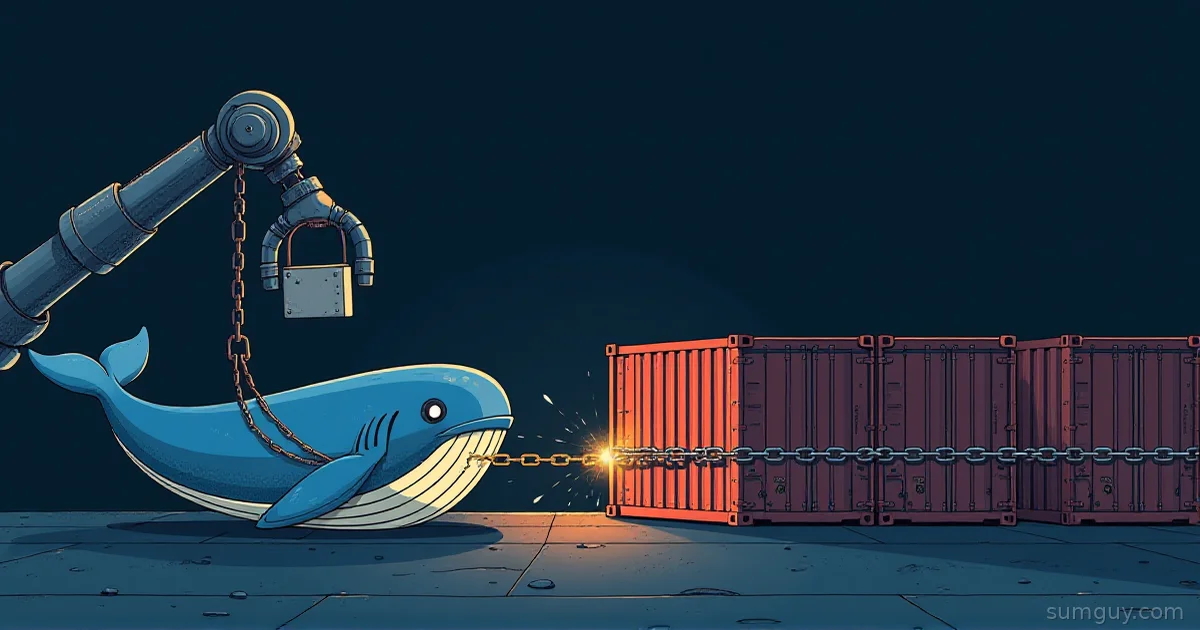
Your Runner Host Is One docker run -v Away From Owned
Somewhere in your homelab or your small org’s build pipeline there’s a self-hosted runner. Maybe it’s a beefy mini PC under a desk, maybe it’s a VM on your Proxmox box, maybe it’s three containers on the same Docker host that also runs your other stuff. And somewhere in that runner’s job container there is a very good chance you bind-mounted /var/run/docker.sock so the job can build and push images.
That single bind mount is the whole security model, and it is not a security model. Any process inside that container can talk to the host’s Docker daemon, and the daemon runs as root. Ask it to start a new container with -v /:/host and you have a root shell on the host, no escape exploit required, no CVE needed. A malicious npm postinstall script in a forked pull request can do this in under a second. If your runner is persistent (same host, same filesystem, job after job) that root shell also means the next ten jobs from other repos run on a compromised machine.
The fix is not a single setting. It’s a stack of decisions: run jobs on throwaway infrastructure, pick an isolation boundary that matches what you’re actually defending against, scope secrets so a fork PR can’t touch them, and stop pretending your runner needs unrestricted internet access. None of this is exotic. It’s the same approach cloud providers use to run other people’s code on shared hardware, just sized down for a homelab or a ten-person team.
The Anti-Pattern Everyone Copies From a Blog Post
A typical setup looks like this: a docker-compose.yml on a long-lived VM, one runner container, one bind mount, and every job (trusted maintainer or random fork) gets the exact same access.
services: runner: image: myorg/gh-runner:latest restart: always environment: - RUNNER_NAME=homelab-runner-1 - RUNNER_TOKEN=${RUNNER_TOKEN} - RUNNER_SCOPE=repo volumes: - /var/run/docker.sock:/var/run/docker.sock - runner-work:/actions-runner/_workvolumes: runner-work:Three problems stacked on top of each other:
restart: alwaysplus a staticRUNNER_NAMEmeans this is a persistent runner. Every job, including ones from forked PRs you’ve never reviewed, lands on the same filesystem as the last job.- The Docker socket mount gives job code root on the host, not root in a container. The container boundary is decorative at that point.
- Nothing here scopes secrets or network. Whatever the workflow can see, the fork PR job can see too.
You’ll find close cousins of this in GitLab Runner’s config.toml (privileged = true plus a docker.sock volume mount under [runners.docker]) and in Forgejo or Gitea’s act_runner, where the ubuntu-latest:host label skips containers altogether and runs the job directly on the runner’s own filesystem. Same failure mode, different YAML.
Ephemeral Runners: Burn It Down After Every Job
The cheapest upgrade that has nothing to do with sandboxing tech: stop reusing the runner. An ephemeral runner registers, picks up exactly one job, and gets destroyed. The next job starts from a clean image. A compromised job can trash its own throwaway VM or container, but it never gets to leave a backdoor for job number 47.
GitHub Actions supports this natively:
./config.sh --url https://github.com/myorg/myrepo \ --token "$RUNNER_TOKEN" \ --ephemeral \ --unattendedAn --ephemeral runner deregisters itself after finishing one job, so your provisioning script (cloud-init, a Terraform apply, a Packer image boot) has to bring up a fresh instance for the next one. If you’re running at any real scale, actions-runner-controller does this on Kubernetes automatically: each job gets its own pod, and the pod dies when the job does.
GitLab Runner gets there through its autoscaling executors (the older docker-machine executor or the newer instance/Fleeting executor), which provision a fresh VM per job on a cloud provider and tear it down afterward. Forgejo and Gitea’s act_runner supports the same idea directly: register --ephemeral deregisters the runner after a single job, no container tricks required.
Ephemeral alone stops the “one job poisons the next” problem. It does nothing about the “one job pivots to your network while it’s running” problem, which is what the isolation tiers below are for.
The Isolation Ladder: Pick the Rung That Matches the Threat
Not every job needs a microVM. A trusted-branch build on your own infra is a different threat model than a fork PR you’ve never met. The ladder runs from cheapest to most isolated:
Plain Docker container. Namespaces and cgroups separate the process tree, but the container shares the host kernel. A kernel exploit, or a plain old socket-mount mistake, gets you straight to the host. Fine for code you trust. Not a defense against code you don’t.
Rootless Docker or Podman. The daemon (or, for Podman, the process itself) runs as an unprivileged user, and user namespaces remap “root” inside the container to a nobody account on the host. Set it up with:
dockerd-rootless-setuptool.sh installdocker context use rootlessor just use Podman, which is rootless by default:
podman run --userns=keep-id -v "$PWD":/work:Z myorg/build-imageThis closes the “escape the container, own the daemon” path because there’s no root daemon to reach. It does not stop a kernel-level exploit; the kernel is still shared.
gVisor (runsc). A userspace kernel that intercepts syscalls from the container and services most of them itself, instead of handing them straight to the host kernel. Register it as a Docker runtime:
{ "runtimes": { "runsc": { "path": "/usr/local/bin/runsc" } }}docker run --runtime=runsc myorg/build-imagegVisor shrinks the kernel attack surface, at the cost of syscall overhead on anything I/O heavy (compiling, extracting archives, running a database in the job). A solid middle tier for jobs that don’t need bare metal speed.
Firecracker microVMs. Each job gets its own KVM-backed virtual machine with its own kernel, booted from a minimal rootfs. This is the technology behind AWS Lambda and Fargate’s per-invocation isolation. It needs /dev/kvm (bare metal, or a hypervisor with nested virtualization enabled) and real orchestration: a jailer process, a kernel image, a rootfs per job. More setup than any container runtime, but the isolation boundary is a real VM, not a shared kernel with extra syscall filtering.
Kata Containers. Splits the difference: you keep the container workflow (Dockerfiles, OCI images, docker run-shaped tooling), but each container actually boots inside its own lightweight VM, using Firecracker or QEMU underneath via a containerd shim (containerd-shim-kata-v2). If your team doesn’t want to hand-roll Firecracker orchestration, this is the fastest way to get VM-level isolation with container ergonomics.
Full VMs. The heaviest option: a real VM per job, provisioned and destroyed by your automation (a Packer image, cloud-init, or a hypervisor API call). Total isolation, full kernel, full hardware exposure limited to the job. Slowest to boot, most annoying to keep images current, but for code you’d hesitate to run on your own laptop (security research, unvetted third-party tooling) it’s still the safest floor.
Pick based on who’s submitting the code, not on what’s trendy. Your own team’s monorepo builds on a rootless Podman runner are fine. A public repo that takes PRs from strangers deserves at least gVisor, and arguably Firecracker or Kata if you’re serious about it.
Secrets and the pull_request_target Trap
GitHub Actions has two events that look similar and behave nothing alike, and mixing them up is how forks get your deploy keys.
A workflow triggered by pull_request from a fork runs with a read-only GITHUB_TOKEN and without access to repository secrets. That’s the safe default: fork code can build and test itself, but it can’t touch anything that matters.
A workflow triggered by pull_request_target runs in the context of the base repository instead of the fork. It gets the repo’s normal GITHUB_TOKEN permissions and full access to configured secrets, even when the pull request comes from a fork. GitHub built this event so workflows could safely label PRs or post comments using a token the fork itself never sees. The trap is when a pull_request_target workflow also checks out and executes the fork’s code:
on: pull_request_targetjobs: build: runs-on: self-hosted steps: - uses: actions/checkout@v4 with: ref: ${{ github.event.pull_request.head.sha }} - run: npm ci && npm run buildThat checkout step pulls in code from the fork, and the npm ci / npm run build step then executes that fork’s code (including any postinstall script) with access to every secret the workflow has. The fork author doesn’t need to compromise anything. They just write the PR.
The fix is to keep pull_request_target for the narrow thing it’s for (commenting, labeling, anything that doesn’t execute fork code) and run the actual build under plain pull_request, with explicit, minimal permissions:
on: pull_requestpermissions: contents: readjobs: build: runs-on: self-hosted steps: - uses: actions/checkout@v4 - run: npm ci && npm run buildIf a job actually needs a secret, such as publishing a package or deploying, gate it behind a GitHub Environment with required reviewers, so a human approves before the token gets minted, instead of handing it out to every PR automatically. GitLab has the equivalent with protected environments and protected variables restricted to protected branches. GitHub also has a repo-level setting under Actions, General, Fork pull request workflows, that requires manual approval before a workflow runs for a first-time contributor: turn it on the moment you accept public PRs, and check whether your Forgejo or Gitea instance exposes an equivalent approval gate before assuming it does.
Lock Down the Network Too
An isolated job that still has open egress to the internet can still exfiltrate your secrets, mine a coin, or pull a second-stage payload. Default-deny egress, then allowlist only what the build actually needs: your package registries, your git remote, nothing else.
The simplest version for a Docker-based runner is a dedicated network with no default route out, plus firewall rules that only permit the hosts you name:
docker network create --internal ci-jobs
nft add rule inet filter forward \  ip daddr { registry.npmjs.org, pypi.org, files.pythonhosted.org } acceptnft add rule inet filter forward oifname "docker0" drop
The --internal flag on the Docker network already blocks outbound traffic by default; the nft rules above show the shape of an allowlist if the job needs to reach specific registries through a NAT’d interface instead. For anything more than a couple of allowed hosts, run a forward proxy (Squid or mitmproxy) with a domain allowlist, point the job’s HTTP_PROXY/HTTPS_PROXY at it, and block direct outbound entirely so the proxy is the only path out.
If you’re on Firecracker or Kata, the same idea applies at the VM’s virtual network interface: attach it to a bridge with a restrictive firewall instead of a full NAT to your LAN. The runner host itself should never be reachable from inside the job network either. That’s the pivot path that turns “we lost a build” into “we lost the build server and everything it can see.”
Before and After, Side by Side
Anti-pattern: one persistent host, docker.sock exposed, pull_request_target running fork code, no network restriction.
on: pull_request_targetjobs: build: runs-on: self-hosted steps: - uses: actions/checkout@v4 with: ref: ${{ github.event.pull_request.head.sha }} - run: npm ci && npm run build && npm publishservices: runner: image: myorg/gh-runner:latest restart: always volumes: - /var/run/docker.sock:/var/run/docker.sockHardened: ephemeral runner, rootless or gVisor isolation, minimal permissions, secrets gated behind an approved environment, egress restricted to the registries the build needs.
on: pull_requestpermissions: contents: readjobs: build: runs-on: [self-hosted, ephemeral, gvisor] steps: - uses: actions/checkout@v4 - run: npm ci && npm run build publish: needs: build if: github.event.pull_request.head.repo.full_name == github.repository environment: npm-publish runs-on: [self-hosted, ephemeral, gvisor] steps: - uses: actions/checkout@v4 - run: npm ci && npm publish./config.sh --url https://github.com/myorg/myrepo \ --token "$RUNNER_TOKEN" --ephemeral --labels ephemeral,gvisorNotice what moved: the build job that runs fork code has no secrets and no publish step. The publish job that does have secrets only fires for PRs from the same repo, not forks, and sits behind an environment that you can require a human to approve. The runner label tells your orchestration which isolation tier to boot, and the runner itself gets torn down the moment the job ends.
None of this is a weekend project if you’re doing it for the first time, but you don’t have to build all five tiers on day one. Ephemeral runners plus rootless Podman plus fixing the pull_request_target mistake covers most of the actual risk for a homelab or small org. Save Firecracker and Kata for when you’re running code from people you don’t actually know or trust.
Common Questions
Does Firecracker need KVM to work?
Yes. Firecracker requires /dev/kvm on a Linux host, so it needs either bare metal or a hypervisor with nested virtualization enabled. Most consumer cloud VMs and many homelab hypervisors don’t expose nested KVM by default, so check that first before planning a Firecracker setup. Without it, look at Kata Containers with QEMU or stick to gVisor.
Are GitHub-hosted runners already isolated enough?
Yes, for GitHub-hosted runners: each job gets a fresh, single-use virtual machine that GitHub destroys afterward, so none of this applies. Self-hosted runners give up that guarantee entirely. The moment you register your own runner, isolation between jobs becomes your responsibility, not GitHub’s.
Is a plain Docker container safe enough for internal-only jobs?
Yes, for internal code from people on your own team, on a repo that never takes outside PRs. A plain container shares the host kernel, so it isn’t a boundary against a determined attacker. The moment a repo accepts external contributions or third-party workflow dependencies, move to rootless or gVisor at minimum.
How much hardware does a microVM CI setup need?
A single machine with virtualization support (/dev/kvm present, a few CPU cores, and a few gigabytes of RAM per concurrent job) is enough to start. Firecracker microVMs are deliberately lightweight, with a minimal kernel and rootfs, so the hardware bar is closer to running a few extra containers than running a few extra full VMs.
Can I mix isolation tiers on the same runner fleet?
Yes, and most real setups do. Route trusted-branch builds to a rootless Podman or gVisor pool, and route fork PRs to a Firecracker or Kata pool. GitHub Actions and Forgejo’s act_runner support job labels for this, and GitLab Runner does the same through tags, so you pick the tier per workflow.