Pick Podman Quadlets. Unless You Own a Docker Habit
If you start from nothing on a single home-lab host, run your containers with rootless Podman and Quadlet files. Each container becomes a normal systemd user unit, so boot order, logs, restarts, and updates all use tools you already have. You get no extra daemon to babysit.
If you have a pile of compose.yaml files and muscle memory, rootless Docker is the shorter road. It works, and it stays closer to what the tutorials show. You pay for that in networking quirks and a daemon that lives in a user namespace.
Full example: Clone the working files at github.com/KingPin/sumguy-examples/docker/rootless-podman-vs-docker
Versions in this post, as of October 2026: Podman 6.1.4, Docker Engine 29.9.2, RootlessKit v3.3.0. The Podman repo now lives at podman-container-tools/podman.
Two Architectures, One Goal
Rootless Docker runs a full dockerd as your user. A helper called RootlessKit builds a user namespace and a network namespace, and the daemon lives inside them. Your docker CLI talks to a socket at /run/user/1000/docker.sock. One daemon per user, one socket, many containers.
Podman has no daemon. Every container is a child process with a tiny monitor (conmon) next to it. Quadlet adds the glue: you drop a .container file in ~/.config/containers/systemd/, a systemd generator turns it into a .service, and systemd runs podman run for you.
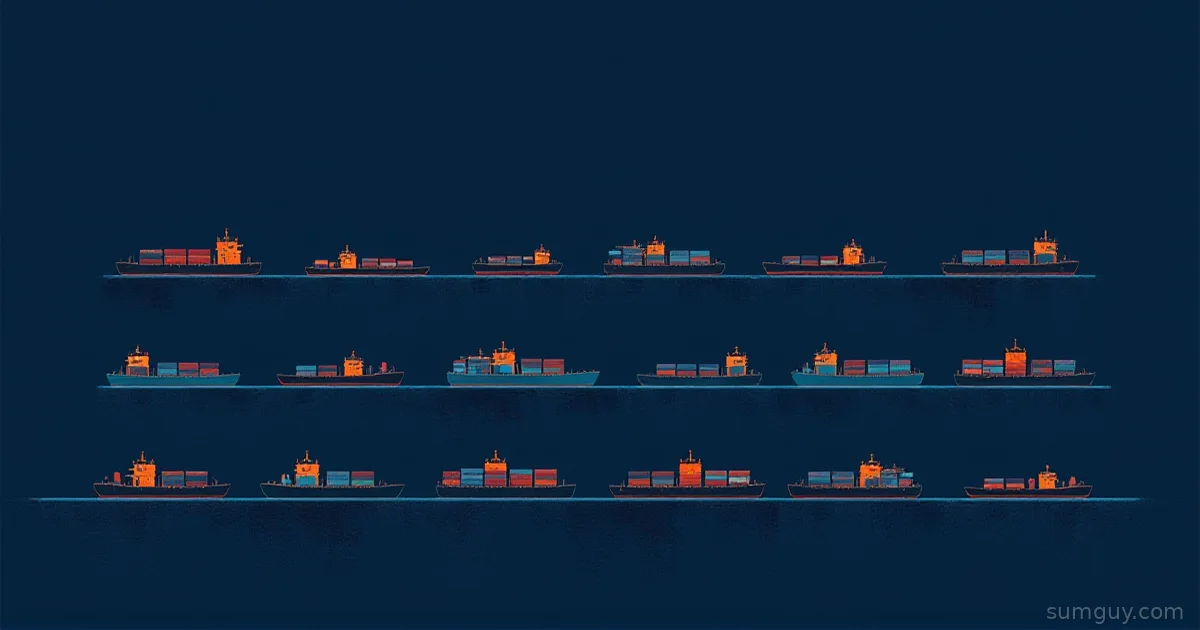
Rootless Docker is a small forklift depot with a dispatcher: one process decides who moves what. Podman has no depot. Systemd hands each container its own forklift.
| Topic | Rootless Docker | Rootless Podman + Quadlet |
|---|---|---|
| Process model | One dockerd per user via RootlessKit | No daemon, conmon per container |
| Started by | docker.service user unit | One generated user unit per container |
| Boot without login | systemctl --user enable docker + linger | [Install] section + linger |
| Auto-update | None built in | AutoUpdate=registry + timer |
| Logs | docker logs | journalctl --user -u name |
| Data directory | ~/.local/share/docker | ~/.local/share/containers |
| Compose files | Native | Convert, or podman compose |
Setup Steps
Both need /etc/subuid and /etc/subgid entries with at least 65,536 IDs for your user. Both also need newuidmap and newgidmap (the uidmap package on Debian and Ubuntu, shadow-utils on Fedora). Podman packages usually pull them in.
Rootless Docker, from the documented steps:
dockerd-rootless-setuptool.sh installsystemctl --user enable --now dockersudo loginctl enable-linger alicedocker info --format '{{.SecurityOptions}}'The installer writes ~/.config/systemd/user/docker.service and creates a CLI context named rootless. If a system-wide Docker daemon is running, disable it first, or pass --force and accept that you are still running rootful Docker. Some tools want export DOCKER_HOST=unix:///run/user/1000/docker.sock.
Rootless Podman, once the package is installed, has no install step. You write files:
[Unit]Description=whoami test container
[Container]Image=docker.io/traefik/whoami:latestAutoUpdate=registryPublishPort=8081:80
[Service]Restart=always
[Install]WantedBy=default.targetsystemctl --user daemon-reloadsystemctl --user start whoami.servicesudo loginctl enable-linger aliceTwo gotchas. Quadlet units are generated, so you cannot systemctl enable them. The [Install] section is applied at generation time instead, and only Alias, WantedBy, RequiredBy, and UpheldBy work there. Second, a typo in a key means the unit silently does not exist. Debug it with:
/usr/lib/systemd/system-generators/podman-system-generator --user --dryrunNetworking: Where the Two Really Differ
Podman 6 removed the slirp4netns rootless network stack. Pasta is the only choice now, and it has been the default since Podman 5.0. The same release also dropped CNI (Netavark only) and cgroups v1. If an old guide tells you to pass slirp4netns options, it is describing a Podman you no longer have.
Docker’s rootless networking is a menu. RootlessKit takes a network driver and a port driver. With slirp4netns installed, the default is slirp4netns with the builtin port driver. Without it, you get gvisor-tap-vsock. Pasta works too, with the implicit port driver, but Docker’s docs mark it experimental and it needs Docker Engine 25.0 or later.
The classic trap is source IPs. Put a reverse proxy or a service with IP allow-lists behind rootless Docker, and every client may look like the same internal address. The Docker docs say the userland-proxy is incompatible with RootlessKit’s source IP propagation. With RootlessKit v3.0 or later, you disable it and restart the daemon:
{"userland-proxy": false}systemctl --user restart dockerYou may also need the br_netfilter kernel module loaded.
Podman has a smaller version of the same gotcha. A rootless bridge network, like the one a .network Quadlet creates, forwards ports through rootlessport by default. The Podman docs list rootless_port_forwarder="pasta" in containers.conf as an experimental way to keep the original client source IP. If you need real client IPs, test this before you trust it.
Sharing a network between containers is two small files:
[Network][Container]Image=docker.io/louislam/uptime-kuma:2Network=apps.networkPublishPort=3001:3001Volume=kuma-data.volume:/app/dataQuadlet names the network systemd-apps unless you set NetworkName=, and it makes the container unit depend on the network unit. Containers on it reach each other by container name. Quadlet names each container systemd-<unit> (for example systemd-uptime-kuma) unless you set ContainerName=.
Privileged Ports
Neither tool lets a normal user bind ports below 1024. Docker fails with cannot expose privileged port 80 and suggests the fix. Both tools respect the same kernel knob:
echo 'net.ipv4.ip_unprivileged_port_start=0' | sudo tee /etc/sysctl.d/50-unpriv-ports.confsudo sysctl --systemDocker documents a second option: sudo setcap cap_net_bind_service=ep $(which rootlesskit), then restart the daemon. That limits the privilege to one binary, but it is Docker only. The sysctl opens every port for every user on the box. On a single-user home server, that is a fair trade. Otherwise, publish 8080 and let a proxy on the host handle 443.
Resource Limits and cgroup v2
Both depend on cgroup v2 and systemd. On cgroup v1, rootless Docker ignores --cpus, --memory, and --pids-limit. Podman 6 dropped cgroups v1 support entirely.
Both also hit the delegation limit. systemd 252 and later delegates cpu, memory, and pids to user managers by default. Older systemd delegates only memory and pids, and Docker’s own tips page still shows that older output. Check yours:
cat /sys/fs/cgroup/user.slice/user-$(id -u).slice/user@$(id -u).service/cgroup.controllersIf cpu is missing, or you want cpuset and io too, delegate more:
[Service]Delegate=cpu cpuset io memory pidsRun sudo systemctl daemon-reload, then log out and back in (or reboot) so the user manager picks it up. Delegating cpuset needs systemd 244 or later. In Quadlet, memory and process caps are first-class keys:
[Container]Memory=512mPidsLimit=512For CPU caps you can use PodmanArgs=--cpus=1, which needs the cpu controller in the list above. Docker’s equivalent is the Compose mem_limit and pids_limit fields, or docker run flags.
Restart on Boot and Linger
This is the one place they are identical, because both are systemd user units. A user manager normally starts at login and stops at logout. loginctl enable-linger alice tells systemd to start your user manager at boot and keep it alive. Without it, your containers vanish when your SSH session closes, and your 2 AM self will not be amused.
For Docker you also run systemctl --user enable docker, and Compose’s restart: unless-stopped handles the rest. For Podman, WantedBy=default.target starts the unit, and Restart=always in [Service] restarts it after a crash.
Auto-Updates
Docker has nothing built in. You bolt on a separate updater or a cron job running docker compose pull && docker compose up -d.
Podman ships podman-auto-update.service, triggered daily at midnight by podman-auto-update.timer. Quadlet opts a container in with one key:
[Container]Image=docker.io/traefik/whoami:latestAutoUpdate=registrysystemctl --user enable --now podman-auto-update.timerpodman auto-update --dry-runThe rule: registry needs a fully qualified image name. whoami:latest fails, docker.io/traefik/whoami:latest works. Podman checks the registry, pulls, and restarts the systemd unit. Pin a major tag like :2 for anything you care about, so a surprise major release does not land at midnight.
Compose Files and Logs
Docker Compose runs against the rootless socket with no changes. That is the main sales pitch, and it is a good one:
services: whoami: image: traefik/whoami:latest restart: unless-stopped ports: - "8081:80"Podman gives you three routes. Write Quadlet files by hand (best long-term). Run podman compose, which hands the work to an installed compose provider. Or convert with the podlet tool, which turns podman run commands and Compose files into Quadlet output. Treat a conversion as a first draft and read every line. podman generate systemd still exists, but its man page marks it deprecated in favor of Quadlet.
Logs are where Quadlet quietly wins. Container output lands in the journal next to everything else:
journalctl --user -u uptime-kuma.service -fFile Ownership on Bind Mounts
Both tools map your user to root inside the container, and other container UIDs map into your subuid range. The result is the same confusion: a container running as UID 999 writes files that show up on the host as UID 100998 or similar, and you cannot edit them.
Podman has two clean fixes. :U on a volume recursively chowns the source to the container user’s UID and GID:
[Container]Volume=%h/appdata:/data:UOr keep your own UID inside the container with UserNS=keep-id, which is handy when the image lets you choose a user. Docker rootless has no per-mount equivalent of :U. You fix ownership yourself, usually with a chown run from a helper container. Named volumes sidestep all of it on both tools.
Storage lives in ~/.local/share/docker for Docker and ~/.local/share/containers for Podman. Keep either off NFS: Docker’s troubleshooting page lists lchown ... operation not permitted as the usual symptom.
What Rootless Actually Buys You
Rootful Docker hands anyone in the docker group root on the host. One docker run -v /:/host and a chroot later, they own the box. Rootless closes that door on both tools. A container escape lands as alice, not root, and the damage stops at alice’s files and the subuid range of that account. Even --privileged only grants the capabilities of alice’s user namespace, not real host root.
The difference is the socket. Rootless Docker always has one at /run/user/1000/docker.sock. Anything that can write to it can start containers as alice, mount the home directory, and read every secret in it. Mount that socket into a dashboard or a reverse proxy container, and that container gets the same power.
Podman has no API socket until you ask for one:
systemctl --user enable --now podman.socketYou only need that for tools that speak the Docker API. Off by default means one less thing to leak.
Neither tool protects alice’s data from alice’s own containers. Run three services under one user, and a hole in one reaches the volumes of all three. If one service faces the internet and the others hold your photos, give the risky one its own Unix user. Both tools support that pattern, and each user gets a separate subuid range.
When It Breaks at 2 AM
Rootless Docker problems usually live in the daemon. Start here:
systemctl --user status dockerjournalctl --user -u docker --since "10 minutes ago"docker context lsThe last command catches the most common mistake. If you see Cannot connect to the Docker daemon at unix:///var/run/docker.sock, the CLI is looking for the rootful daemon. Switch with docker context use rootless or set DOCKER_HOST.
Quadlet problems live in the generator or in the unit:
systemctl --user status uptime-kuma.servicejournalctl --user -u uptime-kuma.service -n 50podman ps -aIf systemd reports that uptime-kuma.service is not found, the generator rejected your file. Run the dry-run command from the setup section, and it prints the bad key and the file it is in. The upside of Quadlet here: every failure lands in the same journal as the rest of the system, so you do not need a second log tool.
Who Should Pick What
Pick Podman Quadlets if you run a handful of long-lived services, you like journalctl, and you want updates handled without another tool. It is also the pick if you start fresh and want fewer moving parts.
Pick rootless Docker if you have many Compose stacks, you use tooling that expects a Docker socket, or you follow tutorials that assume Docker. Disable the userland proxy, and the main sharp edge is gone.
Do not mix them out of curiosity on a box you care about. Using a forklift to move a couch is fine once. Running two depots is a hobby.
Common Questions
Can I run Docker rootless and Podman rootless on the same user?
Yes. Docker stores data in ~/.local/share/docker and Podman in ~/.local/share/containers, so images and containers do not collide. Both need subuid and subgid ranges and share them. Avoid publishing the same host port from both stacks, because the second container will fail to bind.
How do I migrate from rootless Docker to Quadlets?
Convert each Compose service into a .container file, using podlet for a first draft. Recreate volumes with .volume files and copy the data across, because Podman cannot read Docker’s storage. Test on different host ports, switch, then run dockerd-rootless-setuptool.sh uninstall to remove the daemon unit.
Does rootless Podman 6 still support slirp4netns?
No. Podman 6 removed the slirp4netns rootless network stack and uses Pasta. It also dropped CNI networking and cgroups v1 support. Rootless Docker still offers slirp4netns as a RootlessKit network driver, so that option exists only on the Docker side.
Do rootless containers survive a reboot without a login?
Yes, if lingering is enabled for the user. Run sudo loginctl enable-linger alice once, and the systemd user manager starts at boot with no login. Rootless Docker also needs systemctl --user enable docker. Quadlet units need an [Install] section with WantedBy=default.target. Without linger, rootless containers stop when the last session closes.