The Great Home Lab Dilemma: Pocket-Sized vs Shoebox-Sized
The Pi 5 wins for low-power, single-purpose workloads like Home Assistant or Pi-hole, and the mini PC wins the moment you’re running three or more services or anything write-heavy.
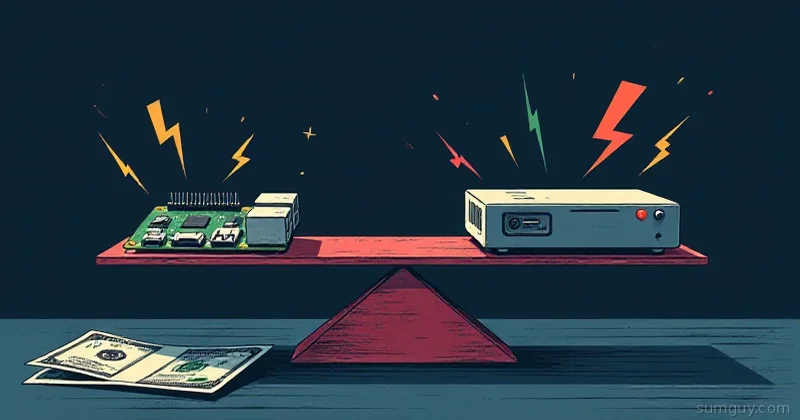
You’re standing in the electronics aisle (or refreshing Hacker News for the 47th time today) wondering: do I buy another Raspberry Pi 5, or finally take the leap to a mini PC? The Pi is charming. It’s got that hacker aesthetic, fits in your pocket, and the community is enormous. The mini PC sits there looking like a tiny MacBook Mini, no fuss, no HATs, no ARM weirdness.
They’re not interchangeable, and picking wrong wastes money in ways that aren’t immediately obvious.
This isn’t “which is better”; they’re solving different problems. But you need to know when the Pi’s cuteness ends and the mini PC’s practicality begins. And we’re talking real numbers: the Pi with NVMe HAT, case, and PSU costs more than people think.
So Which Board Should Power Your Home Lab?
- Pick the Pi 5 if you want the lowest idle power draw and you’re running lightweight, single-purpose services.
- Pick a mini PC if you’re running three or more services, compiling code, or serving LLMs and need real x86 multi-threaded performance.
- Pick both if you’re building a hybrid lab with the Pi handling IoT edge duties and the mini PC handling compute-heavy workloads.
The Raspberry Pi 5: Charming but Expensive When Fully Loaded
The Raspberry Pi 5 starts at $80 for the board alone. Cute price tag. End of story? Not remotely.
Let me break down what you actually need to spend:
The Real Pi 5 Kit:
- Board: $80
- Case (metal, decent airflow): $15 to $25
- NVMe HAT + M.2 enclosure (if you want storage): $25 to $35
- Power supply (27W+ for sustained load): $15 to $20
- Heatsinks or active cooling: $10 to $15
- Micro HDMI cables, USB hub, SD card (if not already owned): $30 to $50
Total: $175 to $225 for a functional, fully-equipped Pi 5 that doesn’t throttle.
Now compare that to entry-level mini PCs, which start around $250 to 350 and come with everything: case, PSU, storage, zero assembly required.
The Pi 5 advantages:
- Absurdly low idle power (2 to 4W)
- Tiny physical footprint
- Easy to experiment with GPIO/sensors
- Massive community (Stack Overflow, YouTube, forums)
- Can run Alpine Linux, NixOS, Arch, full Unix ecosystem
- Silent (passive cooling is viable)
The Pi 5 gotchas:
- ARM-only (more on this later)
- Single-threaded perf is still ~half of an x86 equivalent
- NVMe HAT latency is real, not SATA-speed reliable for heavy I/O
- Thermal throttling if you cheap out on cooling
- PCIe bottleneck means sustained reads/writes lag behind mini PCs
Mini PC: Practical x86 Beast (But Not Cheap on Power Bills)
Mini PCs have exploded in the last 18 months. You can grab one with:
- Intel N100 (4 cores, 6W TDP) or Ryzen 5700U (8 cores, 10 to 25W TDP), or newer
- 16GB RAM, 512GB SSD, preinstalled Linux or Windows
- Actual case, actual PSU, WiFi, Ethernet
What you pay:
- Beelink SER7: $350 to 400 (Intel i7, 16GB, 512GB)
- Minisforum HM100: $280 (AMD Ryzen 5, 16GB, 512GB)
- LattePanda Mu: $450 (Intel, more hackable, fewer hidden firmware blobs)
- Off-brand Aliexpress special: $180 to $250 (hit or miss on driver support)
The mini PC advantages:
- x86 architecture (99% of Linux software “just works”)
- Multi-threaded perf is 3 to 5x better than Pi 5
- Native Docker support, mainstream distros happy on it
- Supports VirtualBox, KVM without ARM-specific pain
- Storage is direct SATA/NVMe (no HAT drama)
- Built-in; no assembly, no “wait, where’s my SD card reader?”
- Runs Windows 11 native if you ever need it
The mini PC gotchas:
- Idle power: 8 to 15W (vs Pi’s 2 to 4W), adds up over months
- Bigger footprint (shoe box vs. credit card)
- Heat and fan noise at load (though modern models are quiet)
- Some cheap boards have sketchy BIOS/firmware
- x86 driver support is usually good, but ARM SBC driver support has gotten sharper in recent years
The Real Cost Table: Total Cost of Ownership (12 Months)
Here’s what actually hurts your wallet over a year:
| Metric | Pi 5 (Full Kit) | Mini PC (Entry) |
|---|---|---|
| Hardware cost | $200 | $300 |
| Idle power / 24h (W avg) | 3W | 10W |
| Load power (Compose stack, e.g.) | 12W | 25W |
| Annual idle power (at 30¢/kWh) | $7.88 | $26.28 |
| Annual mixed-load power (40% idle, 60% 15W avg) | $30 | $79 |
| Total hardware + power (12mo) | ~$230 | ~$379 |
Real-world: over a year, the Pi is cheaper if you don’t already have a Pi 5. But if you’re buying both, the delta narrows because mini PC gives you more workload density (run more services, use one machine instead of two).
Performance: When Arm Matters, When It Doesn’t
The Pi 5 is fine for:
- Lightweight dashboards (Home Assistant, Grafana single-node)
- DNS/AdGuard/Pi-hole
- Small database (SQLite, tiny Postgres)
- Media streaming (Jellyfin, basic load)
- Sensor polling, GPIO automations
- Single-threaded workloads (Ollama on 8B models, barely)
- Reverse proxy (Caddy, Nginx)
The mini PC is the right call for:
- Running LLMs seriously (vLLM on 13B+, quantized 70B)
- Compiling anything (Rust, Go, C++)Pi takes 45min, mini PC takes 8min
- Docker Compose with 5+ containers under real traffic
- Kubernetes (even k3s is happier on x86)
- Video processing (Frigate with GPU or CPU-intensive encoding)
- Database performance testing
- Running CI/CD runners (GitHub Actions, Gitea)
- Multi-tenant scenarios (multiple projects/users)
The ARM Problem: It’s Smaller Than You Think
Here’s what ARM got wrong for home lab:
-
Container images: Most Docker images are multi-arch these days. But older projects, academic software, and niche tools? Single x86 only. You’ll hit this maybe once per month, and it sucks.
-
Package availability: Arch ARM and Debian ARM are solid, but some packages lag behind x86 by months. Alpine ARM is sometimes 6 weeks behind. Usually fine. Sometimes annoying.
-
Compiler toolchains: If you need to build something from source, ARM cross-compilation is messier than x86 native builds. Not impossible, just friction.
-
GPU acceleration: Most AI/ML software assumes x86 + NVIDIA/AMD GPU. ARM GPU support (Mali, etc.) exists but is ecosystem-thin.
-
Emulation as a crutch: Running x86 containers on ARM via QEMU is hilariously slow. Don’t do it.
In practice: If you’re running standard open-source stacks (Home Assistant, Jellyfin, Nextcloud), ARM is invisible. If you’re tinkering with bleeding-edge stuff or obscure tools, x86 saves your sanity.
Real Workload Examples
Scenario 1: Home Automation + Sensor Logging
Use case: Home Assistant + MQTT + InfluxDB + Grafana Pi 5: Handles it fine. HA is ARM-native, MQTT is lightweight, Grafana is happy. Idle power is a bonus. Mini PC: Overkill. You’re paying for CPU you won’t use. Verdict: Pi 5 wins.
Scenario 2: Self-Hosted Apps Stack
Use case: Nextcloud + Jellyfin + Calibre Web + Syncthing + Postgres Pi 5: Struggles. Jellyfin video encoding is single-threaded and slow. Postgres gets grumpy with >5 concurrent users. You’ll want to throttle load or split services. Mini PC: Handles it comfortably. Jellyfin transcoding is 2 to 3x faster. Postgres breathes. Verdict: Mini PC wins.
Scenario 3: Kubernetes / GitOps Lab
Use case: k3s + Flux + cert-manager + 3-node cluster Pi 5: You can run it. Single Pi as a control plane is not recommended. Cluster of 3 Pis is possible but 2GB RAM per node is tight. Mini PC: Single mini PC beats a 3-Pi cluster. Better perf, less hardware, easier to maintain. Verdict: Mini PC wins on density and sanity.
Scenario 4: LLM Serving
Use case: Running Ollama with 13B model locally Pi 5: Works with quantized models (Q4_K, Q3_K). Inference is ~10 tokens/sec on 8B. Acceptable for hobby, not useful for real apps. Mini PC: Same model, ~30 to 50 tokens/sec (CPU-only). GPU-enabled mini PC: 200+ tokens/sec (Ryzen 5700U + external NVIDIA). Verdict: Mini PC by a mile.
Thermal Reality Check
Pi 5 thermals:
- Stock: throttles at 80°C (you hit this under sustained load)
- With passive aluminum case: stays ~60 to 65°C (still throttles occasionally)
- With active cooling (tiny fan): 45 to 50°C, silent until load spikes
- Sustained load: heat dissipates, but case gets warm to touch
Mini PC thermals:
- Fanless models: exist for N100 (15W), but limited options
- Passive cooling: rare; most mini PCs use quiet 40mm fans
- Active models: spin up at 50°C, back down at 40°C, barely noticeable
- Sustained load: case warm, fan audible but not loud
Real talk: If silence is your priority, Pi with passive cooling is magic. If you’re running real workloads, the mini PC’s fan is fine: it’s not a laptop fan; it’s a measured whisper.
The Ecosystem: When Community Matters
The Pi has critical advantages here:
- Tutorials: Every Pi project ever written has a guide. YouTube has 10M+ Pi videos. Stack Overflow will find your error in 30 seconds.
- Hardware HATs: NVMe, PoE, relays, cameras, displays. Tons of HAT support.
- Social proof: Millions of home labs built on Pi. You’re not alone when something breaks.
Mini PC ecosystem:
- Less hand-holding: Docs assume you know Linux. Sometimes true, sometimes painful.
- More DIY: You’re closer to raw hardware. That’s powerful and isolating.
- Better for x86 problems: If you hit a CPU/memory/storage issue, the x86 problem is solved on 1 million servers worldwide.
If you’re new to home lab: Pi 5 wins on support. If you’ve run Linux before: Mini PC wins on time saved.
Decision Tree: Pick Your Weapon
Buy a Raspberry Pi 5 if you’re:
- Running Home Assistant, Pi-hole, or lightweight dashboards
- Power-conscious (running 24/7 is $8/year cheaper than mini PC)
- Experimenting with GPIO, sensors, or hardware hacking
- New to Linux and need training wheels (community is huge)
- Building a sensor array or edge compute cluster
- Want fanless silence
Buy a mini PC if you’re:
- Running 3+ services (Nextcloud, Jellyfin, etc.) simultaneously
- Compiling code or running local CI/CD
- Serving LLMs or video encoding
- Scaling a hobby into something production-ish
- Don’t care about 12W of idle power draw
- Want zero “wait, does ARM have this package?” friction
- Have $300+ and want it done today
Buy both if you’re:
- Building a hybrid lab (Pi for IoT edge, mini PC for compute core)
- Running out of outlets anyway (one more device won’t hurt)
- Rich, or this is a business expense
The Honest Take
The Pi 5 is a marvel of engineering. $80 for that much compute is wild. But the moment you add storage, cooling, and power, it’s a $200 investment that competes with a $300 mini PC that needs nothing.
The mini PC doesn’t have that hacker magic. It’s not cute. It won’t fit in your pocket. But it will run your entire home lab without apology, won’t make you debug ARM-specific weirdness at 2 AM, and will laugh at workloads that make the Pi sweat.
The real question isn’t “which is better.” It’s “what am I actually running?” If you know the answer, the hardware picks itself.