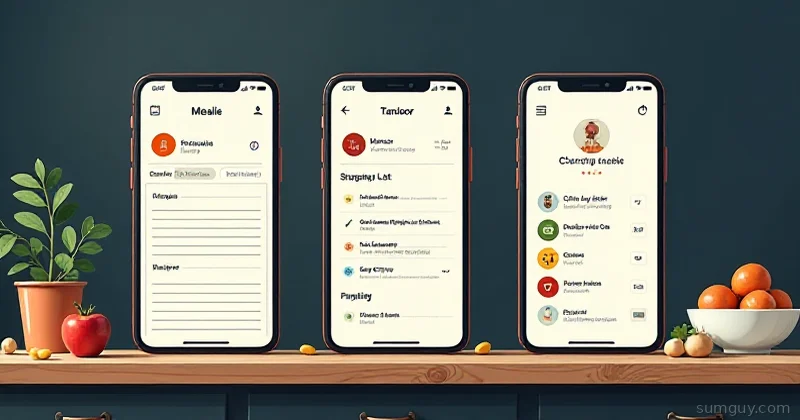
You want to stop paying for subscription apps and keep your recipes, meal plans, and pantry data in your own hands. Cool. But here’s the thing: there are three completely different philosophies under the self-hosted kitchen umbrella, and picking the wrong one is like buying a pickup truck when you needed a sedan.
Mealie is the sleek recipe manager. Tandoor is the serious meal-planning and shopping beast. Grocy is the “I want to track literally everything in my house” system. They’re not really competitors — they’re different tools solving different problems. Let’s break down which one owns your kitchen.
Mealie: The Modern Recipe App
Mealie (Python/FastAPI + Nuxt frontend) is what you show your non-technical family members and they actually enjoy using. Clean UI, fast, web-first, mobile responsive, and it scraped that recipe from some random blog without all the life story and ads.
The killer feature: Built-in recipe scraping. Paste a URL from AllRecipes, Serious Eats, whatever — Mealie extracts the ingredients, instructions, and image in seconds. No more copy-pasting recipe text like you’re typing in the Dark Ages. It handles most major recipe sites and custom blogs surprisingly well.
What it covers:
- Recipe storage and organization (tags, cuisine types, prep time)
- Meal planning calendar (weekly/monthly view)
- Shopping list generation (auto-aggregate ingredients from meal plan)
- Grocery store list sync (Home Assistant integration for shopping apps)
- Recipe sharing and image storage
- User accounts and multi-tenant support
What it doesn’t: Pantry inventory, expiration tracking, barcode scanning, chore management, or any sense of what’s actually in your fridge.
Docker Setup (Mealie)
services: mealie: image: ghcr.io/mealie-recipes/mealie:latest container_name: mealie ports: - "9925:80" environment: PUID: 1000 PGID: 1000 TZ: America/Chicago DB_ENGINE: sqlite SQLALCHEMY_DATABASE_URL: sqlite:///./data/mealie.db SECRET_KEY: "your-secret-key-here" ALLOW_SIGNUP: "false" volumes: - ./mealie-data:/app/data restart: unless-stoppedThat’s it. SQLite by default, no external database needed. If you scale to hundreds of recipes and 10+ users, swap DB_ENGINE: sqlite for Postgres, but for a home kitchen, this just works.
Recipe Scraping & Import Quality
Mealie’s scraper is solid. Feed it:
- Standard food blogs: AllRecipes, Serious Eats, Food Network, Budget Bytes — ✓ flawless
- Non-English sites: Some hit-or-miss depending on markup, but it tries
- Reddit threads: Sometimes works, sometimes doesn’t
- Restaurant websites: Hit-or-miss; chains usually fine, local restaurants usually fail
If the scraper chokes, you can paste raw JSON ({"name": "...", "ingredients": [...], "instructions": [...]}), or just type the recipe in manually (it’s an OK form, but not joyful).
Import formats: Mealie can ingest recipes from other apps — Tandoor export, NextRecipe JSON, Paprika, and others. Good for migrations.
Tandoor: The Cooking Powerhouse
Tandoor Recipes (Django) is what a group of people who actually cook built. It’s not as pretty as Mealie, but it’s dense with cooking features most home cooks didn’t know they needed. This is the app for households where cooking is a regular thing, not a “let me defrost something” situation.
The defining trait: Meal types + advanced shopping lists. You plan breakfasts, lunches, dinners, snacks separately, and Tandoor aggregates them into a single shopping list. Then it can export that list to grocery store formats, sync with Home Assistant, or just print it.
What it covers:
- Recipe storage with yield/serving calculations
- Meal planning by type (breakfast/lunch/dinner/snacks on a calendar)
- Sophisticated shopping list (auto-combine by category, ingredient normalization, strikethrough tracking)
- Unit conversions (scale recipes, auto-adjust for household size)
- Nutritional info (if you import/calculate it)
- User groups (families, roommate setups, shared households)
- API for automations
- Community recipe sharing (Tandoor has a small recipe sharing site)
What it doesn’t: It doesn’t scrape recipes from websites. You import from Tandoor’s site, other exports, or type manually. No built-in pantry tracking.
Docker Setup (Tandoor)
Tandoor needs Postgres (or MariaDB). SQLite will choke.
services:  tandoor-db:    image: postgres:16-alpine    container_name: tandoor-db    environment:      POSTGRES_DB: tandoor      POSTGRES_USER: tandoor      POSTGRES_PASSWORD: your-secure-password    volumes:      - ./tandoor-db:/var/lib/postgresql/data    restart: unless-stopped
  tandoor:    image: vabene1111/recipes:latest    container_name: tandoor    ports:      - "8000:8000"    environment:      ALLOWED_HOSTS: "*"      DEBUG: "False"      SECRET_KEY: "your-secret-key-here"      DATABASE_HOST: tandoor-db      DATABASE_NAME: tandoor      DATABASE_USER: tandoor      DATABASE_PASSWORD: your-secure-password      TIMEZONE: America/Chicago    volumes:      - ./tandoor-static:/opt/recipes/staticfiles      - ./tandoor-media:/opt/recipes/mediafiles    depends_on:      - tandoor-db    restart: unless-stopped
Tandoor is heavier, but that’s because it’s doing more. Boot it, create an account, and start importing recipes or typing them in.
Meal Planning & Shopping Lists
This is where Tandoor shines. Create a meal plan:
Monday:  Breakfast: Scrambled eggs & toast  Lunch: Leftovers  Dinner: Pasta primavera
Tuesday:  Breakfast: Oatmeal  Lunch: Sandwich  Dinner: Chicken stir-fry
Tandoor aggregates all ingredients, normalizes units (“cups” vs “tbsp” of the same ingredient), and generates a shopping list grouped by store section (produce, dairy, meat, pantry). Export to CSV, print, or sync with Home Assistant. No separate “shopping list app” needed.
Recipe sharing: Tandoor has a community recipe database (recipes.tandoor.dev), but it’s smaller than Mealie’s ecosystem.
Grocy: The Entire-House Tracker
Grocy (plain PHP backend, Bootstrap frontend) starts as a pantry inventory manager and somehow ends up as your home operations dashboard. Recipes? Sure. Shopping lists? Obviously. But also: expiration tracking by location, chore management, task board, barcode scanning, and stock history.
The core insight: Your pantry data is valuable. If you know what you have, when it expires, and where it is, you waste less food and cook more intentionally. Grocy is obsessed with that.
What it covers:
- Recipe storage and organization
- Pantry/stock tracking (items, quantities, locations, expiration dates)
- Barcode scanning (via mobile app or USB barcode scanner)
- Shopping list (as a product list or recipe-based)
- Stock value tracking (what’s your pantry worth?)
- Chore management and recurring tasks
- Equipment and batteries (track maintenance)
- Meal planning (basic; not Tandoor-level)
- Expiration alerts
- Stock history and waste tracking
What it doesn’t: Fancy recipe scraping (you import manually), sophisticated meal types, or a polished mobile UI (the web app works on mobile, but it’s not optimized).
Docker Setup (Grocy)
Grocy defaults to SQLite. It works fine, but Postgres/MariaDB are recommended for reliability.
services:  grocy-db:    image: mariadb:latest    container_name: grocy-db    environment:      MYSQL_ROOT_PASSWORD: root-password      MYSQL_DATABASE: grocy      MYSQL_USER: grocy      MYSQL_PASSWORD: grocy-password    volumes:      - ./grocy-db:/var/lib/mysql    restart: unless-stopped
  grocy:    image: linuxserver/grocy:latest    container_name: grocy    ports:      - "9925:80"    environment:      PUID: 1000      PGID: 1000      TZ: America/Chicago      GROCY_CULTURE: en      GROCY_CURRENCY: USD    volumes:      - ./grocy-data:/config    depends_on:      - grocy-db    restart: unless-stopped
Boot it, scan the barcode on your milk jug, add it to your pantry. Grocy records the date, location (“fridge”), and alerts you a day before expiration.
Pantry Tracking: Grocy’s Killer Feature
This is unambiguous: Grocy owns pantry management. Mealie and Tandoor don’t even try.
You can track stock by:
- Product (e.g., “2% milk”)
- Location (Fridge, Freezer, Pantry, Garage)
- Quantity and unit (liters, cups, pieces)
- Purchase date and expiration date
- Price paid (for budget tracking)
- Barcode (so you scan when you buy or add manually)
Grocy then alerts you: “Milk expires in 2 days,” “Low stock on olive oil,” “You have 3 items expiring this week.”
Create a “use” event when you consume something, and Grocy tracks consumption patterns. Over time, you can forecast grocery needs (“We go through 1 gallon of milk every 5 days”).
Barcode Scanning
Mealie: No barcode support.
Tandoor: No barcode support.
Grocy: Full barcode support. Scan with the mobile app or USB barcode reader. Link barcodes to products. It Just Works.
This is the workflow that turns pantry tracking from “annoying chore” to “faster than checking the fridge.” Scan at checkout, scan at home. Done.
Home Assistant Integration
Mealie has basic HA integration (display current meal plan, trigger recipes).
Tandoor has some third-party automations via API.
Grocy has deep HA integration. Template sensors for “expiring soon,” automations like “remind me on Tuesday to use the spinach,” notifications for stock alerts. If you’re already running Home Assistant, Grocy plugs in like it was designed for it.
Multi-User & Family Setups
Mealie: Multi-tenant by design. Each person logs in and sees their own account, but you can share recipes to groups or the instance.
Tandoor: Household/group support. Create a household, invite family members, everyone contributes and plans together. Better for “we all live here and we all cook.”
Grocy: Single-user focus. You can add users, but it’s one shared pantry, not per-person views. Better if one person is “the pantry keeper.”
Meal Planning Head-to-Head
| Feature | Mealie | Tandoor | Grocy |
|---|---|---|---|
| Calendar view | ✓ | ✓ | Basic |
| Multi-user planning | ✓ (shared recipes) | ✓ (household) | Single keeper |
| Meal types | None | ✓ (breakfast/lunch/dinner/snack) | Basic |
| Shopping list auto-gen | ✓ | ✓ (excellent) | ✓ |
| HA integration | Basic | Third-party | Deep |
| Barcode scanning | None | None | ✓ |
| Recipe scraping | ✓✓ (excellent) | None | Basic |
| Pantry tracking | None | None | ✓✓ (killer) |
Which One Should You Pick?
Pick Mealie if:
- You mostly care about recipes and meal planning
- You find recipes online and want them in one place
- You have a small household and don’t need fancy grocery aggregation
- You want the prettiest UI
- You’re a solo cook with occasional guests
Pick Tandoor if:
- Your household actually meal-plans together
- You want sophisticated shopping lists grouped by store section
- You cook regularly enough that ingredient aggregation saves time
- You like the idea of a community recipe database
- You need multi-user planning without cross-household bleeding
Pick Grocy if:
- You’re tired of wasting food because you forgot what’s in the back of the fridge
- Barcode scanning feels like a “nice to have” (it’s not, once you try it)
- You want expiration alerts and stock alerts
- You have a Home Assistant setup already
- You want to know how much you spend on groceries
Pick all three if:
- You’re the type who wants the whole stack. Run Mealie for recipes + meal planning, Grocy for pantry + expiration, and ignore Tandoor (it overlaps both). Give them different ports. Sync via Home Assistant automations. This is the “I have 4 Raspberry Pis and I’m not afraid to use them” approach.
The Reality Check
Here’s the thing: Most home cooks will pick Grocy and regret not doing it sooner. The barcode scanning + expiration tracking combo is life-changing. Seriously. You’ll go from “I think I have garlic powder?” to “Garlic powder expires Tuesday” in three months.
Mealie is the “I just want my recipes organized” app, and it’s excellent at that. Tandoor is for households that treat meal planning like an actual practice. Grocy is for people who waste food.
Start with Mealie or Grocy (not Tandoor, unless you’re in a multi-adult household already doing meal plans). If you’re annoyed that you can’t track what’s in your fridge, add Grocy. If you want prettier meal planning, add Mealie. By year two, you’ll probably be running all three and wondering how you ever lived without them.
Your 2 AM self — the one standing in front of the fridge at midnight trying to remember if you bought milk — will thank you.