
Steam Doesn’t Have Your Games
You bought a pile of games on Epic during a sale. You have a GOG library from the days when DRM was a dirty word. Your friend wants you on Battle.net. Somewhere in a drawer is a CD from 2004 that you refuse to give up on. Steam covers none of it, and Steam with Proton is a solved problem, so this post is about the leftovers.
Three tools handle the leftovers on Linux: Lutris, Heroic, and Bottles. The verdict is short. Use Heroic for Epic, GOG, and Amazon libraries. Use Lutris for everything else. Use Bottles for Windows apps that aren’t games, or for any game you want to snapshot before a risky mod.
The reason this works is that all three can ride umu and Proton now. The Wine underneath is converging, so you pick the layer on top. Versions below are current as of November 2026: Lutris 0.5.22, Heroic 2.22.4, Bottles 67.6.
The Shared Plumbing: umu and Proton
Before the tools, the thing they all sit on. Proton is Valve’s Wine-based compatibility layer. umu-launcher is the piece that lets non-Steam launchers run Proton the same way Steam does. Each of our three tools wired it in recently.
Lutris 0.5.20 shipped the change in its release notes: “Proton-GE launched via umu is now the default. Umu takes care of keeping Proton-GE up to date.” The same release stopped offering VKD3D, D3D Extras, and DXVK-NVAPI on Proton versions, because Proton handles those itself. The Esync, Fsync, and DXVK settings are now passed on to Proton.
Heroic ships with umu on by default. Its default game settings have disableUMU: false, which is a double negative that means umu is on. The 2.22.4 release notes mention “a small hotfix to fix the GOG Login and UMU issue”, so it is live code that people actually hit.
Bottles integrated umu in version 66 (August 2026), with ProtoSoda as its default Proton, and 67.6 made the UMU controls optional. Bottles is the odd one: bottles themselves default to Soda (Bottles 65 shipped Soda v11.0-4), and umu games live in a separate UMU section rather than inside a bottle.
Practical upshot: a game that works under Proton in one tool has decent odds of working in another, because the same translation layer is doing the work. The launcher decides how you log in, where files live, and how much it hovers over your shoulder. That is the real choice.
Heroic: The Epic, GOG, and Amazon Tool
Heroic does three stores and does them well. Epic goes through Legendary, GOG goes through Heroic’s own gogdl, and Amazon Games goes through Nile. You log in with your existing account and your library appears.
The README feature list reads like what you wanted from the start:
- Install, uninstall, update, repair, and move games.
- Import a game you already installed.
- Play with Wine or Proton on Linux, and download custom Wine and Proton versions.
- ProtonDB and Steam Deck compatibility info on game pages.
- Cloud save sync.
- A download queue.
- Sideloading, for games and apps outside GOG, Epic, and Amazon.
It is an Electron, React, and TypeScript app under GPL-3.0, and it runs on Linux, Windows, and macOS. Releases land roughly monthly in 2026: 2.21.0 in April, 2.22.0 in May, 2.22.1 in August, 2.22.2 and 2.22.3 in September, 2.22.4 in October. Other stores such as IndieGala are planned and not supported today. Don’t build a plan around a feature on a roadmap.
Install it from Flathub:
flatpak install flathub com.heroicgameslauncher.hglThe README also lists a Debian/Ubuntu .deb, an Arch AUR package, Fedora, NixOS, and an AppImage if Flatpak isn’t your thing.
Defaults worth knowing: games install to ~/Games/Heroic and Wine prefixes go in ~/Games/Heroic/Prefixes. If you ever wonder where your disk space went, start there.
Launching From a Script
Heroic registers a heroic:// URL scheme, so you can launch a game from anything that can open a URL: a desktop entry, a shell alias, a hotkey daemon. The forms are heroic://launch/<appName>, heroic://launch/<runner>/<appName>, or heroic://launch?appName=X&runner=legendary. Runner names are legendary (Epic), gog, nile (Amazon), and sideload.
xdg-open "heroic://launch/gog/<appName>?gui=false"The <appName> is the store’s own game id, so it is a placeholder here. Adding gui=false (or 0, or no) hides the main window on launch, which is what you want when the launcher is only a means to an end.
Lutris: The Everything Drawer
Lutris is a game library manager for everything. Wine and Proton games, native Linux games, emulators (it calls them runners), and a long list of store integrations (it calls them sources). At 0.5.22 the source modules include Amazon, Battle.net, EA App, Epic Games Store, Flathub, GOG, Humble Bundle, itch.io, Steam, Steam Family, Steam for Windows, Ubisoft Connect, ZOOM Platform, and local desktop entries, plus Dolphin and ScummVM when those have a library on disk. MAME and Lutris’s own catalog sit behind environment variables.
That list is the pitch. Battle.net, EA App, Ubisoft, itch.io, Humble, an emulator, a ripped CD: Lutris takes all of them. Heroic has a login for none of those.
It is Python and GTK, licensed GPL-3.0. The release history has a gap worth knowing about. 0.5.18 landed in December 2024 and 0.5.19 in February 2025 (a git tag with no GitHub release page; Debian 13 ships it). Then a year passed until 0.5.20 in February 2026, the big one. 0.5.21 and 0.5.22 followed within days as small fix releases, 0.5.22 on 2026-02-25. The 0.5.20 notes also added a “Create Steam Big Picture shortcut” context menu item and a file association so double-clicking a .lutris installer runs it.
Install it from Flathub:
flatpak install flathub net.lutris.LutrisLutris is also in most distro repositories. On Ubuntu, sudo apt install lutris works from universe. On Debian the package lives in contrib, so enable that component first. Either way the repo version can lag, and the Lutris team runs a PPA. Check what version you actually got before you file a bug.
Install Scripts Are the Reason It Exists
Community install scripts on lutris.net automate the tricky installs. They are YAML files. Here is the documented example from the Lutris installer docs:
name: My Gamegame_slug: my-gameversion: Installerslug: my-game-installerrunner: wine
script:  game:    exe: $GAMEDIR/drive_c/game/bin/Game.exe    args: --some-arg    prefix: $GAMEDIR    working_dir: $GAMEDIR/drive_c/game  installer:  - task:      args: /SILENT /LANG=en /SP- /NOCANCEL /SUPPRESSMSGBOXES /NOGUI /DIR="C:/game"      # In this situation, `setup.exe` is located next to this YAML file      executable: $SCRIPTDIR/setup.exe      name: wineexec
Three variables do the heavy lifting. $GAMEDIR is the absolute install path, $SCRIPTDIR is the directory holding the YAML, and $CACHE is the cache. The args line is a pile of Inno Setup flags, the same kind GOG offline installers use for silent installs. A create_prefix task exists, but the other wine directives create the prefix themselves, so most scripts never need it.
Run a script from disk with lutris -i:
lutris -i ./my-game.ymlWriting your own script is the forklift option. Most of the time someone already wrote it, and you click Install.
The CLI
Lutris has a real command line. This lists what you have installed, as JSON:
lutris --list-games --installed --jsonTake the numeric id from that output and launch the game with it:
lutris lutris:rungameid/<id>There is also lutris lutris:rungame/<game-identifier> if you prefer the slug. My favorite is lutris -b, short for --output-script. It generates a bash script that runs a game without the Lutris client. Your 2 AM self will thank you when you want a game on a launcher-free kiosk box. Other flags worth knowing: --list-wine-versions, --list-runners, --exec to run a program inside the Lutris runtime, and --export and --import for moving games between machines.
Bottles: Prefixes With Receipts
Bottles solves a different problem. It is a Wine prefix manager, and its tagline is “Run Windows Software on Linux.” You don’t log in to stores. You create a bottle, which is a prefix, and pick an environment: gaming, application, or custom. Then you run an installer inside it.
Why would you want that? Because prefixes break. You install a mod, the game stops launching, and you spend an evening wondering which of 40 changes did it. Bottles has versioning: snapshots of a bottle, backed by the FVS2 backend. Snapshot, mod, and roll back if it goes wrong. It also has backups, a dependency installer, registry rules (added in 60), and a per-bottle frame rate limiter (added in 65).
It does detect games from Epic, Ubisoft Connect, and Steam when those clients are installed inside a bottle. It just doesn’t log in to any store itself. For a non-game Windows app, such as an old accounting tool or a design program, Bottles is the cleanest answer of the three.
Bottles is Python with GTK4 and libadwaita, GPL-3.0, and ships often: 67.1 through 67.6 between September and November 2026. The version scheme jumped in late 2025. It went 51.x (to 51.25 in October 2025), then 52, then 60.0 in November 2025, then 61 through 67 in 2026. Don’t let the numbers fool you into thinking it is a decade older than the others.
The README says Bottles is “primarily and officially distributed as a Flatpak”, so that is the install:
flatpak install flathub com.usebottles.bottlesThe CLI
The binary is bottles-cli, and it lives inside the Flatpak. Run it like this:
flatpak run --command=bottles-cli com.usebottles.bottles new \ --bottle-name MyBottle --environment gamingThe new subcommand also takes --arch win32|win64, --runner, --dxvk, and --vkd3d. Then run an installer inside the bottle:
flatpak run --command=bottles-cli com.usebottles.bottles run \ -b MyBottle -e /path/to/setup.exeUse -p "Program Name" instead of -e to run a program already registered in the bottle. And standalone generates a launch script that bypasses Bottles entirely, the same idea as lutris -b:
flatpak run --command=bottles-cli com.usebottles.bottles standalone -b MyBottleOther subcommands at 67.6 include list, programs, add, tools, reg, edit, shell, and umu. The -j or --json flag is global.
The Flatpak Permissions Gotcha
This one eats an afternoon the first time. Flatpak sandboxes each app, and the three tools ship with very different permissions, taken from their Flathub manifests.
- Lutris has
--filesystem=homeplus~/Games,/run/media, and/media. It sees your whole home directory. - Heroic has
~/Games/Heroic(created if missing),/mnt,/media,/run/media, the documents and desktop directories,~/.steam, and~/.local/share/lutris. No full home access. - Bottles has no home,
/mnt, or/mediaaccess at all. It getsxdg-data/umuand~/Games/umu, and that is it.
So you download setup.exe to ~/Downloads and pick it in Bottles. The Flatpak file portal hands Bottles that one file, so a lone .exe starts. An installer that needs the files next to it (.bin parts, a data folder) fails, and bottles-cli run -e ~/Downloads/setup.exe cannot see the path at all. Nothing is broken. The sandbox is working exactly as designed. Grant the access you need with flatpak override:
flatpak override --user --filesystem=~/Downloads com.usebottles.bottlesflatpak override --user --filesystem=/mnt/games com.usebottles.bottlesFlatseal does the same thing in a GUI if you would rather click. Grant the narrowest path that solves the problem. Handing a sandbox your whole home directory defeats the reason you chose the sandbox.
Comparison Table
| Lutris | Heroic | Bottles | |
|---|---|---|---|
| Best for | Everything else | Epic, GOG, Amazon | Windows apps, snapshots |
| Store login | Many sources | Epic, GOG, Amazon | None |
| Version (Nov 2026) | 0.5.22 | 2.22.4 | 67.6 |
| Built with | Python, GTK | Electron, React, TypeScript | Python, GTK4, libadwaita |
| License | GPL-3.0 | GPL-3.0 | GPL-3.0 |
| umu / Proton | Default (Proton-GE via umu) | On by default | Optional controls |
| Install scripts | Yes, YAML on lutris.net | No | Yes, from bottlesdevs/programs, plus dependencies |
| Snapshots | No | No | Yes, per bottle |
| Platforms | Linux | Linux, Windows, macOS | Linux |
| Flatpak home access | Whole home | Limited paths | None by default |
Which One Do I Install?
Run down this list and stop at the first match.
- Your games live on Epic, GOG, or Amazon. Install Heroic. Log in, install, play. Cloud saves (Epic and GOG only; Amazon has none) and updates come with it. Use the sideload feature for the odd one-off.
- You have Battle.net, EA App, Ubisoft, itch.io, or Humble games, or you want emulators. Install Lutris. It has a source for each of those.
- You have a CD or an old installer. Install Lutris and check lutris.net for an install script first.
- You want to run a Windows app that is not a game. Install Bottles.
- You are about to try a risky mod or a fragile install. Use Bottles and take a snapshot first.
- Your games are on Steam. Stay in Steam. The Steam and Proton post covers it.
Running two of them is normal. A machine with Heroic for the Epic backlog and Lutris for Battle.net is a reasonable setup. All three can run on umu and Proton, so the front end is the main choice.
The SumGuy Take
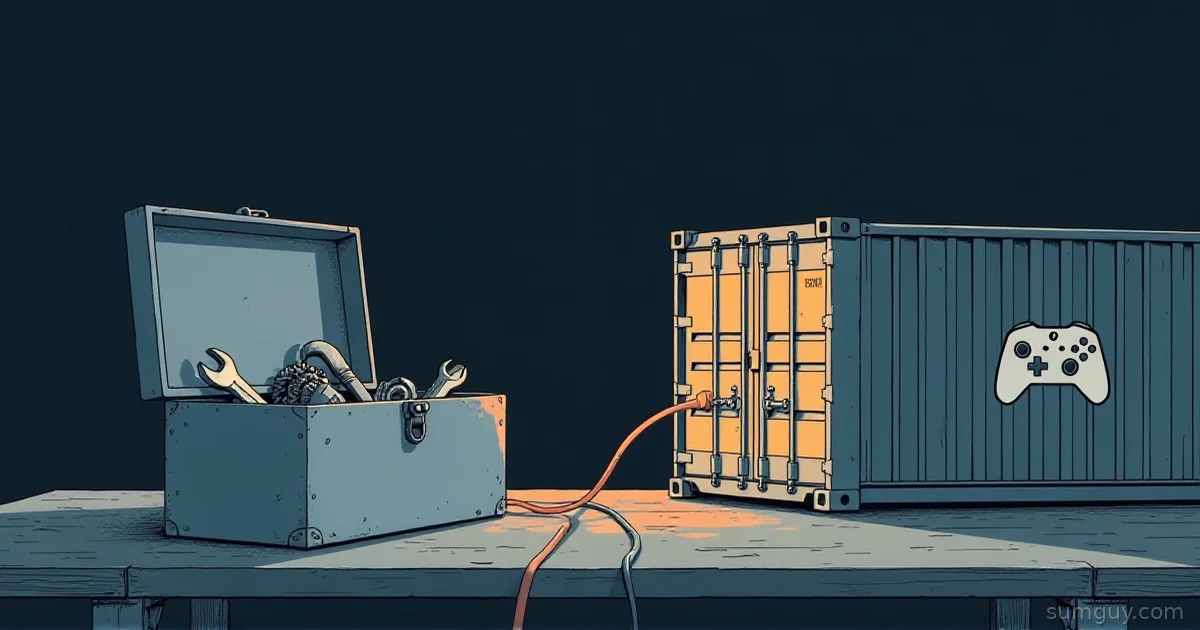
Treat the three as a drawer, a counter, and a vault. Heroic is the counter: fast, one job, three stores. Lutris is the drawer: it holds everything, and a few things in it are tangled. Bottles is the vault: you snapshot it before an experiment and roll back after.
Most people need Heroic plus one of the other two. Start with Heroic if you own Epic or GOG games, add Lutris when the first non-Epic game shows up, and keep Bottles around for the day a Windows app refuses to cooperate. Skip any plan that involves picking one tool for everything. That is a forklift moving a couch: it works, and your neighbors will have questions.
Common Questions
Can I use Heroic and Lutris at the same time?
Yes. Heroic and Lutris are separate apps with separate libraries, and the Heroic Flatpak even ships with access to ~/.local/share/lutris. Both default to umu and Proton, so they use the same translation layer. A common split is Heroic for Epic and GOG games, and Lutris for Battle.net, emulators, and old installers.
Where does Heroic store Wine prefixes?
Heroic stores Wine prefixes in ~/Games/Heroic/Prefixes by default. Games install to ~/Games/Heroic. Both are defaults, so you can change them in Heroic’s settings. The Flatpak build is allowed to create ~/Games/Heroic, so the default paths work in the sandbox without extra setup.
Why can’t Bottles see my Downloads folder?
Bottles runs as a Flatpak with no home, /mnt, or /media access. The Bottles file picker can hand over one file through the Flatpak portal, but Bottles cannot browse ~/Downloads or read files next to that one. Run flatpak override --user --filesystem=~/Downloads com.usebottles.bottles to grant the folder. Flatseal does the same job in a GUI.
Do I need a store account to use Bottles?
No. Bottles has no store login. You create a bottle, pick the gaming, application, or custom environment, and run an installer inside it. Bottles can detect Epic, Ubisoft Connect, and Steam games, but only when those clients are installed inside a bottle.