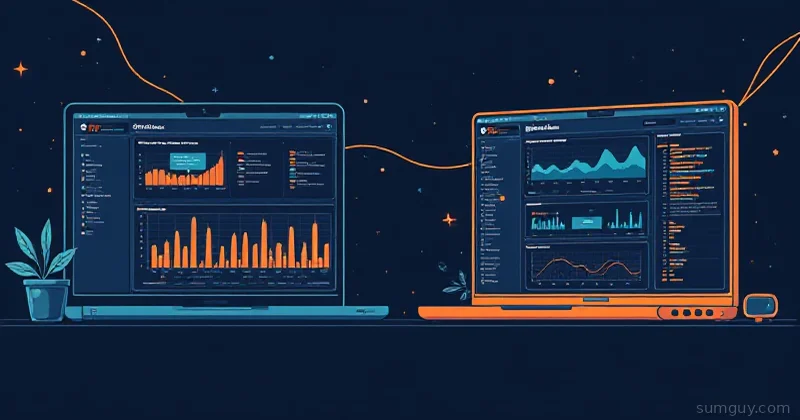
The ClickHouse Era of Observability Has Too Many Contenders (Good Problem to Have)
HyperDX wins if you want session replay correlated with backend traces on a full-stack app, and OpenObserve wins the moment storage cost or a constrained box matters more than frontend visibility.
A few years ago, your self-hosted observability options were basically: run the full Elastic stack and watch your RAM disappear, or pay Datadog approximately one kidney per month. Then SigNoz showed up and proved you could get logs, metrics, and traces in one box without mortgaging the homelab. Then came SigNoz vs Grafana LGTM, and now there’s a whole new wave of platforms leveraging columnar storage and modern query engines to eat Datadog’s lunch at a fraction of the cost.
Two of the most interesting newer entrants: HyperDX and OpenObserve. Neither is a household name yet, but both have real production deployments and real opinions about how observability should work in 2026. I looked at a lot of the newer platforms in this space, and these two kept coming up as the strongest “wait, why isn’t everyone talking about this?” options.
Full example: Clone the working files at github.com/KingPin/sumguy-examples/observability/hyperdx-vs-openobserve
They’re solving the same core problem (unified observability without the Datadog tax) but from completely different angles. Let’s break it down.
What Is HyperDX?
HyperDX is an open-source observability platform built on ClickHouse. It’s OpenTelemetry-native, meaning it speaks OTLP directly and stores logs, metrics, and traces in a ClickHouse backend designed for fast analytical queries.
What makes HyperDX interesting (the thing that sets it apart from SigNoz and the other ClickHouse-backed platforms) is session replay and front-end RUM (Real User Monitoring). Most observability tools stop at the backend. HyperDX crosses the line into the browser, letting you correlate a JavaScript error with the trace it triggered on your API and the log line that preceded it. That’s a different product category than “just another Grafana replacement.”
The project went through a lineage shift (the Clickstack/HyperDX v2 era) and emerged with a cleaner architecture: all-in-one Docker image for small deployments, scalable ClickHouse cluster mode for larger ones. The search UX is Lucene-ish; if you’ve used Kibana or Datadog’s log explorer, you’ll feel at home. It’s designed to be dev-friendly: correlate a session replay with the exact trace and log, click through to the stack trace, done.
HyperDX at a glance:
- Backend: ClickHouse (hot columnar storage)
- Languages: TypeScript/Node orchestration layer
- Signals: Logs, Metrics, Traces, Session Replay / Front-end RUM
- Ingestion: OTLP (gRPC + HTTP), direct SDK support
- Deployment: Single Docker image (all-in-one) or ClickHouse cluster
- License: MIT
What Is OpenObserve?
OpenObserve (commonly abbreviated O2) took a completely different bet. It’s written in Rust, single binary, no JVM, no Python runtime, no Go daemon, and it’s designed from the ground up to run on cheap object storage instead of hot disk. The pitch is roughly: what if your observability backend cost as much as your S3 bill instead of as much as your GPU cluster?
The numbers they cite are around 140x lower storage cost compared to Elasticsearch for the same data. Even if you discount that by 50% for homelab conditions, that’s still a dramatic difference. The key architectural bet is that object storage (S3, MinIO, GCS, Azure Blob) is cheap and durable, and modern Rust query engines are fast enough to make cold-ish reads feel acceptable.
OpenObserve handles logs, metrics, traces, and dashboards. It has built-in alerting, scheduled queries, and a SQL-based query interface alongside its own query language. The single-binary deployment story is impressive: you can have it running in under two minutes on a machine that would choke trying to run ClickHouse.
OpenObserve at a glance:
- Backend: Rust + object storage (S3/MinIO/GCS/Azure Blob/local disk)
- Languages: Rust (core), Vue (UI)
- Signals: Logs, Metrics, Traces
- Ingestion: OTLP, Elasticsearch-compatible API, Kinesis, GCS Pub/Sub, Prometheus remote write
- Deployment: Single binary or Docker
- License: AGPL-3.0 (community), commercial Enterprise License (enterprise features)
Architecture: Two Very Different Bets
This is the crux of the whole comparison, so let’s not gloss over it.
HyperDX bets on ClickHouse being fast enough and cheap enough. ClickHouse is a column-oriented OLAP database that’s excellent at analytical queries over time-series data. It’s what Altinity built a business on, what SigNoz uses, and what several others have converged on. The downside: ClickHouse wants disk. Hot disk. SSD-backed storage that doesn’t disappear. In a cloud context, that means EBS or equivalent. In homelab context, that means your NVMe array. It’s not cheap if you’re storing months of production telemetry.
OpenObserve bets on object storage being fast enough for most observability queries. Object storage is cheaper per GB: a self-hosted MinIO cluster on spinning rust costs a fraction of equivalent SSD capacity, and cloud S3 costs pennies per GB-month. The trade-off is query latency: columnar scans over object storage have more overhead than local NVMe ClickHouse queries. For interactive dashboards where you’re poking at the last hour, you’ll notice. For analytical queries over weeks of data, the latency difference matters less and the cost difference matters more.
Neither bet is wrong. They’re optimizing for different constraints.
Running HyperDX (All-in-One)
The simplest HyperDX deployment is the all-in-one image. It bundles ClickHouse, the API server, and the UI into a single container, useful for evaluation and small teams, though you’ll want to externalize ClickHouse for anything production.
services:  hyperdx:    image: hyperdx/hyperdx-all-in-one:latest    container_name: hyperdx    ports:      - "8080:8080"   # UI      - "4318:4318"   # OTLP HTTP      - "4317:4317"   # OTLP gRPC    environment:      - HYPERDX_LOG_LEVEL=info      - FRONTEND_URL=http://localhost:8080    volumes:      - hyperdx_data:/data    restart: unless-stopped
volumes: hyperdx_data:docker compose up -d# UI at http://localhost:8080 — register on first visit# OTLP HTTP at http://localhost:4318# OTLP gRPC at localhost:4317That’s it for local evaluation. ClickHouse is running inside the container, data persists to the volume. For a split deployment with external ClickHouse, you’d pass CLICKHOUSE_HOST, CLICKHOUSE_USER, CLICKHOUSE_PASSWORD environment variables and point it at your ClickHouse instance.
Running OpenObserve
OpenObserve’s single-binary story is even simpler. The default mode uses local disk for storage; swap out the ZO_* storage env vars to point at S3 or MinIO and you get the full object-storage architecture.
services: openobserve: image: public.ecr.aws/zinclabs/openobserve:latest container_name: openobserve ports: - "5080:5080" # UI + API - "5081:5081" # gRPC (OTLP) environment: - ZO_ROOT_USER_PASSWORD=changeme123 # Local disk storage (default for eval) - ZO_DATA_DIR=/data # --- Uncomment for S3/MinIO object storage --- # - ZO_S3_BUCKET_NAME=my-o2-bucket # - ZO_S3_REGION_NAME=us-east-1 # - ZO_S3_ACCESS_KEY=minioadmin # - ZO_S3_SECRET_KEY=minioadmin # - ZO_S3_SERVER_URL=http://minio:9000 volumes: - openobserve_data:/data restart: unless-stopped
volumes: openobserve_data:docker compose up -d# UI at http://localhost:5080 — login with ZO_ROOT_USER_EMAIL/PASSWORD# OTLP gRPC at localhost:5081The resource footprint here is small. OpenObserve idles around 50-100MB RAM in local mode. Compare that to the HyperDX all-in-one (which includes ClickHouse internally) sitting at 1-2GB+ in real use. If you’re running this on a Raspberry Pi 4 or a low-spec VPS, OpenObserve wins by a country mile.
Wiring Up Your App via OTLP
Both platforms speak OTLP, so your instrumentation code doesn’t change between them. Here’s a Python FastAPI app sending to each:
from opentelemetry import tracefrom opentelemetry.exporter.otlp.proto.http.trace_exporter import OTLPSpanExporterfrom opentelemetry.sdk.trace import TracerProviderfrom opentelemetry.sdk.trace.export import BatchSpanProcessorfrom opentelemetry.instrumentation.fastapi import FastAPIInstrumentor
# Point at HyperDX# OTEL_EXPORTER_OTLP_ENDPOINT = "http://localhost:4318"
# Point at OpenObserve# OTEL_EXPORTER_OTLP_ENDPOINT = "http://localhost:5080/api/default/"# OTEL_EXPORTER_OTLP_HEADERS = "Authorization=Basic <base64(email:password)>"
provider = TracerProvider()exporter = OTLPSpanExporter(    endpoint="http://localhost:4318/v1/traces",  # swap per platform)provider.add_span_processor(BatchSpanProcessor(exporter))trace.set_tracer_provider(provider)
FastAPIInstrumentor.instrument()
The one gotcha with OpenObserve: its OTLP HTTP endpoint path includes the organization (/api/default/) and it requires HTTP Basic auth headers. HyperDX’s endpoint is a more typical bare OTLP path. Neither is better; just configure your collector or SDK accordingly. If you’re running an OTel Collector in front of both (which you should be in production anyway), this is a one-line config change.
Feature Comparison
| Feature | HyperDX | OpenObserve |
|---|---|---|
| Storage backend | ClickHouse (hot disk) | Object storage (S3/MinIO/local) |
| Runtime | Node.js + ClickHouse | Single Rust binary |
| Idle RAM | ~1-2 GB (incl. ClickHouse) | ~50-100 MB |
| Logs | Yes | Yes |
| Metrics | Yes | Yes |
| Traces | Yes | Yes |
| Session Replay / RUM | Yes (differentiator) | No |
| OTLP ingestion | Yes (gRPC + HTTP) | Yes (gRPC + HTTP) |
| Elasticsearch-compat API | No | Yes |
| Prometheus remote write | Via collector | Yes (native) |
| Dashboards | Yes | Yes |
| Alerting | Yes | Yes |
| SQL queries | Via ClickHouse | Yes (native SQL UI) |
| Object storage support | No (ClickHouse is hot) | Yes (core feature) |
| Multi-tenancy | Basic | Yes (organizations) |
| License | MIT | AGPL-3.0 / commercial Enterprise |
| Single-binary deploy | No | Yes |
| Estimated storage cost | Higher (NVMe ClickHouse) | Much lower (S3 tier) |
The Storage Cost Story in Plain Numbers
The data volume in observability grows fast and it grows forever. A mid-sized homelab with a few services pushing logs, traces, and metrics can easily generate 5-10 GB/day of raw telemetry. Over 90 days retention, that’s 450-900 GB.
On a self-hosted ClickHouse (HyperDX default), you need that on fast disk. NVMe capacity costs real money. On a cloud ClickHouse (RDS ClickHouse Cloud, etc.), it costs a lot of real money.
On OpenObserve with MinIO on spinning rust, 900 GB of telemetry data costs you… not much. The columnar compression OpenObserve applies on ingest is aggressive; real-world ratios of 10-20x compression versus raw log volume are credible for structured logs. That 900 GB of raw telemetry might land as 50-90 GB on disk after compression and columnar encoding.
This isn’t theoretical hand-waving. It’s the core design decision of the project, and it’s why OpenObserve makes sense for teams that need long retention without a storage budget that scales with Grafana Cloud’s pricing page.
HyperDX’s Session Replay: The Actually Differentiating Feature
Honestly, most of the features in this table are table stakes at this point. Logs, metrics, traces, dashboards, alerts: every platform in this category has them. Session replay is different.
HyperDX lets you instrument your front-end (via their JS SDK), and when a user hits an error or you want to investigate a slow page load, you can watch a pixel-perfect replay of exactly what they saw. Not a recording; a DOM event replay, so it’s lightweight and GDPR-manageable. And then you correlate that replay directly with the backend trace it triggered.
That’s the scenario: user reports “checkout was slow at 2pm yesterday,” you find the session, watch the replay, see the 3-second spinner, click through to the trace, see the database query that timed out, jump to the log. All in one tool.
OpenObserve doesn’t have this. If you need front-end observability, you’re wiring up a separate tool (Sentry, Highlight.io, your own solution) and doing the correlation manually. That’s fine if your app is backend-only or you already have a front-end error tracking solution. But if you’re running a full-stack SaaS or a homelab web app where you actually care about what users experience, HyperDX’s RUM story is compelling.
Positioning Against SigNoz
If you’ve already read the SigNoz vs Grafana LGTM piece, here’s where HyperDX and OpenObserve fit in:
SigNoz is the most mature open-source “Datadog alternative” in the ClickHouse camp. It’s been around longer, has a bigger community, and has more polish on the alerting and dashboard side. If you need something with a longer track record, a big GitHub community, and enterprise support options, SigNoz is probably the safer pick.
HyperDX is where you’d go if SigNoz’s lack of session replay is a problem, or if you prefer HyperDX’s more dev-centric UX (the correlation workflows are tighter).
OpenObserve is a different trade-off entirely: it’s not competing with SigNoz on features, it’s competing on cost and footprint. If you’re running SigNoz and wincing at your ClickHouse storage bill, or you need to deploy observability on a constrained machine, OpenObserve is worth a serious look.
Decision Matrix: Which One to Pick
Pick HyperDX if…
- You’re running a full-stack web app and want session replay + RUM correlated with backend traces
- Your team uses a browser-heavy workflow and wants a Datadog-like search UX without the Datadog bill
- You’re comfortable with ClickHouse storage costs (or already have ClickHouse running)
- You want the tightest possible correlation between frontend errors and backend traces
- You’re building a dev/staging observability setup where speed of investigation matters more than storage cost
Pick OpenObserve if…
- Storage cost is your primary constraint; you’re storing weeks or months of telemetry
- You’re deploying on a resource-constrained machine (VPS, Raspberry Pi, edge node)
- You want a single binary with zero runtime dependencies
- You already have S3 or MinIO and want to use object storage as your observability backend
- Your app is backend-only (no front-end RUM requirement)
- You need Elasticsearch-compatible API endpoints to reuse existing log shippers
- You’re dealing with petabyte-scale data at some point and want the architecture to not fall over
The SumGuy Take
Honestly? They’re not really competing with each other; they’re solving different parts of the same problem.
HyperDX is the right call if you’re running a full-stack product and you want one tool that covers everything from “why did this user bounce” to “why did this API call time out.” The session replay + trace correlation is legitimately useful, not a marketing checkbox. The ClickHouse backend means your queries are fast even when you’re looking at large windows of data. The trade-off is storage cost and a heavier footprint; ClickHouse doesn’t run on a 512MB VPS.
OpenObserve is the right call if you’re either resource-constrained or cost-constrained (or both). A single Rust binary with 50MB idle RAM that stores to your existing MinIO cluster is a different deployment story than “run ClickHouse somewhere.” The query UX is solid, the OTLP support is full-featured, and the Elasticsearch-compatible API means you can migrate existing log shippers without rewriting configs.
If you’re just getting started with self-hosted observability and don’t know which one to try: start with OpenObserve. It’s faster to get running, cheaper to operate, and has less “I need to learn ClickHouse administration” tax. Once you understand what you need from observability, you’ll know whether HyperDX’s feature set is worth the heavier footprint.
Both are better deals than Datadog. Your 2 AM self (staring at a timeout that’s been flapping for three hours) will thank you either way.
Further Reading
- SigNoz vs Uptrace: the more established ClickHouse-based options
- SigNoz vs Grafana LGTM: if you’re already invested in Grafana
- OpenTelemetry for Self-Hosters: instrument your apps before you pick a backend
- ClickHouse for Self-Hosted Observability: if you want to understand what HyperDX is built on