The 10-Day Cliff (And Why It Sucks)
Home Assistant’s default recorder keeps 10 days of history. Ten. Days.
If you’re tracking anything remotely interesting, temperature swings across seasons, power consumption trends, occupancy patterns. Ten days is like trying to understand your car’s fuel economy by looking at yesterday’s commute. You’re missing the whole story.
Home Assistant’s built-in SQLite recorder is fine for “what happened last week?” but it’ll discard your data like garbage. Want to see if your heating efficiency changed from winter to spring? Gone. Wondering if that new AC unit is actually saving you money compared to last year? The evidence is already in the bin.
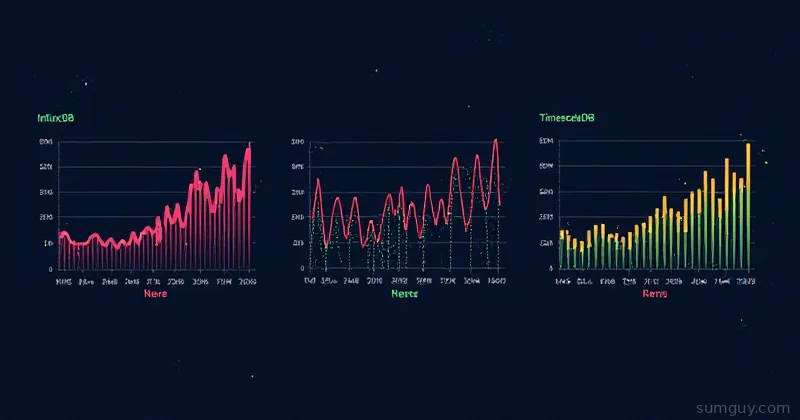
InfluxDB handles this. It’s a time-series database built for exactly this problem: store millions of sensor readings, query them efficiently, and build dashboards that actually tell you something about how your home behaves over months and years.
Why InfluxDB and Not Just Postgres?
Short answer: time-series databases are purpose-built for this. They compress data better, query faster, and handle retention policies natively. Postgres works, sure, but you’re using a sledgehammer to hang a picture.
InfluxDB 2.x runs in a Docker container, auto-generates retention policies, and integrates with Home Assistant in two lines of YAML. Plus, Grafana treats InfluxDB like a first-class citizen: you write Flux queries (InfluxDB’s query language) that feel natural for time-series work.
The trade-off? InfluxDB is opinionated. You’re not writing custom SQL; you’re writing Flux. But for a home lab, that’s fine. The syntax is actually pretty readable once you get past the first query.
Setup: Docker Compose + Home Assistant Config
Let’s assume you’ve got Home Assistant running somewhere (Docker, bare metal, doesn’t matter). We’re adding InfluxDB as a companion service.
Docker Compose
Drop this in your compose file. I’m sticking with InfluxDB 2.7 on purpose: InfluxDB 3 Core is now the latest tag, but it dropped Flux support, and the whole Grafana + Home Assistant workflow below is built on Flux. So pin 2.x:
services:  influxdb:    image: influxdb:2.7-alpine    container_name: influxdb    ports:      - "8086:8086"    environment:      DOCKER_INFLUXDB_INIT_MODE: setup      DOCKER_INFLUXDB_INIT_USERNAME: admin      DOCKER_INFLUXDB_INIT_PASSWORD: changeme      DOCKER_INFLUXDB_INIT_ORG: homeassistant      DOCKER_INFLUXDB_INIT_BUCKET: homeassistant    volumes:      - influxdb_data:/var/lib/influxdb2      - influxdb_config:/etc/influxdb2    restart: unless-stopped
volumes:  influxdb_data:  influxdb_config:
Spin it up:
docker compose up -d influxdbWait 10 seconds. Check logs:
docker logs influxdbYou should see Server listening on port 8086. If not, InfluxDB is probably initializing, give it another 5 seconds.
Home Assistant Configuration
In Home Assistant, add this to your configuration.yaml:
influxdb: api_version: 2 ssl: false host: influxdb port: 8086 token: "your-token-here" organization: "homeassistant" bucket: "homeassistant" tags: source: homeassistant tags_attributes: - friendly_nameWait, where do we get that token? You need to set it up via the InfluxDB web UI first.
InfluxDB Initial Setup
Navigate to http://localhost:8086 (or your server’s IP):
- Create initial admin: Username
admin, password (change thechangemefrom Compose) - Organization name:
homeassistant(must match the YAML config) - Bucket name:
homeassistant(must match) - Generate token: Go to Data → Tokens → Generate Token → Read/Write Token
- Scope: Read + Write on the
homeassistantbucket - Copy that token, paste it into
configuration.yaml
Restart Home Assistant:
# Or just restart the container from shell:docker restart home-assistantCheck the Home Assistant logs. If you see no errors about InfluxDB, you’re connected.
Verify the Connection
Log into InfluxDB’s web UI again. Go to Explore → select the homeassistant bucket → run a simple query:
from(bucket: "homeassistant") |> range(start: -24h) |> limit(n: 10)You should see sensor data flowing in. If you get nothing, Home Assistant might not have any compatible entities yet (numeric sensors, temperatures, power readings). Give it a few minutes and refresh.
What Gets Sent to InfluxDB?
Home Assistant only sends “numeric” entities by default: temperatures, humidity, power consumption, battery levels, occupancy counts, motion sensors as numbers. Binary sensors (on/off) get sent as 1/0. Text entities and automations? They stay in SQLite.
You can be selective about what gets logged. Add this to your influxdb: config block:
influxdb: # ... previous config ... include: entities: - sensor.living_room_temperature - sensor.power_meter_total - sensor.bedroom_humidity exclude: entities: - sensor.time # don't log this, it's spammyGood candidates for long-term tracking:
- Temperature/humidity sensors
- Power meters (whole-house or per-circuit)
- Water meters
- Occupancy/presence sensors
- Battery levels
- Any trending metric you care about
Retention Policies: Don’t Store Forever
By default, InfluxDB will keep everything. That sounds great until your disk is full in six months.
Set up a retention policy via the web UI:
- Buckets → select
homeassistant - Retention → set to
1 year(or whatever makes sense for you)
For a home lab, one year of data is usually perfect. You can ask questions like “is my heating bill going up?” and actually have a year’s worth of comparison. Beyond that, you’re probably not going back.
If you want aggressive retention (e.g., high-resolution data for 3 months, then aggregate to daily for a year), that requires custom InfluxDB tasks. Not covering that here. It’s overkill for most home labs. The simple “1 year, keep everything” approach works fine.
Building Dashboards: Grafana
Now you’ve got a year of sensor data. Time to make it pretty.
Add Grafana to your Compose:
  grafana:    image: grafana/grafana:latest    container_name: grafana    ports:      - "3000:3000"    environment:      GF_SECURITY_ADMIN_PASSWORD: admin    volumes:      - grafana_data:/var/lib/grafana    restart: unless-stopped
volumes:  grafana_data:
Restart Compose. Navigate to http://localhost:3000 → log in with admin/admin.
Connect InfluxDB as a Data Source
- Configuration → Data Sources → Add data source
- Select InfluxDB
- Query Language: Flux (not InfluxQL)
- URL:
http://influxdb:8086 - Organization:
homeassistant - Token: (paste the same token from Home Assistant config)
- Default Bucket:
homeassistant - Save & Test
Create a Panel: Monthly Temperature Comparison
Create a new dashboard. Add a panel. Set the data source to InfluxDB. Write a Flux query:
import "experimental"
from(bucket: "homeassistant")  |> range(start: -1y, stop: now())  |> filter(fn: (r) => r["_measurement"] == "°C" and r["entity_id"] == "sensor.living_room_temperature")  |> aggregateWindow(every: 1h, fn: mean, createEmpty: false)
This gives you hourly-averaged temperature for the past year. Drop it into a time-series panel. You’ll see the heating ramp up in December, drop in March, spike in July.
Want to compare this year to last year? Add a second query with range(start: -2y, stop: -1y) to fetch last year’s data in the same graph.
Power Consumption Example
Here’s something actually useful: track power consumption by time of day, month to month:
from(bucket: "homeassistant") |> range(start: -1y) |> filter(fn: (r) => r["_measurement"] == "W" and r["entity_id"] == "sensor.power_meter_total") |> aggregateWindow(every: 1d, fn: sum, createEmpty: false)This sums power every 24 hours. Throw it into a bar chart. You’ll see summer months spike (AC running) and winter months dip (heating costs more electricity in some regions, but less AC). Now you have data for conversations like “why is the bill up?”
Common Pitfalls
“I’m not seeing any data.”
- Check that the InfluxDB container is running:
docker logs influxdb - Verify the token is correct (Home Assistant logs will complain)
- Make sure the bucket name matches in both places
- Give it 5 minutes after restarting Home Assistant; data doesn’t stream instantly
“InfluxDB is taking up too much disk space.”
- Check your retention policy. By default, it keeps everything.
- Set it to
1 yearor6 monthsvia the web UI - If you’re logging something spammy (like a status entity that updates 10 times a second), exclude it from the InfluxDB config
“Grafana queries are slow.”
- You’re probably not aggregating. Always use
aggregateWindow()when querying a year of data - Don’t pull raw samples across 12 months; group them by hour or day
- InfluxDB is fast, but asking for a million individual data points is a good way to make it unhappy
“I want to archive old data.”
- InfluxDB has export/backup built in. Run
influx backup /path/to/backupfrom inside the container - For a home lab, just set a 1-year retention and let it auto-delete
Worth It?
Honest take: if you’re just running a few lights and a thermostat, this is overkill. Home Assistant’s default recorder is fine.
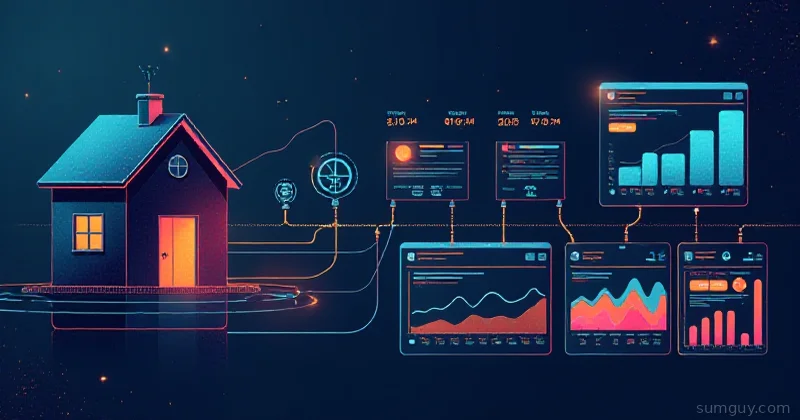
But if you’re actually collecting data (power meters, multiple temperature sensors, occupancy tracking, anything seasonal), InfluxDB + Grafana is the way to see patterns you’d miss otherwise. You go from “the heating bill went up” to “the heating bill went up because the temperature outside was 3°C colder in February than last year, and your furnace ran 40% more cycles.”
That’s not just analytics. That’s ammunition for home improvement decisions. And for a Docker container and some YAML config, it’s not a hard sell.
Set it up on a weekend, let it run for a month, then build a dashboard. You’ll understand your home in ways you couldn’t before.