You’ve Got the Right Problem, Wrong Tools (Maybe)
You’re bouncing between Python 3.12 and 3.11 across projects. Your Node version jumps. AWS credentials leak into the wrong shell because you forgot which .env file you’re in. Meanwhile, your coworker just… cd’d into a directory and everything worked.
That’s the promise: automatic per-project language versions and environment variables, loaded invisibly when you enter a directory.
Two camps solve this. The OG combo: direnv + asdf. The newer unified play: mise (the rebranded rtx). Both work. Both have trade-offs. Pick the wrong one and you’re debugging PATH issues at 2 AM.
Here’s the real choice: are you chasing simplicity, or do you need maximum flexibility?
The Combo: direnv + asdf
This is basically the “use two tools, each obsessively good at one job” approach.
asdf manages language versions. Shim-based, supports 600+ plugins (Python, Node, Go, Rust, Ruby, Postgres, Terraform, you name it). You declare versions in .tool-versions files.
direnv watches your .envrc file and loads environment variables when you enter a directory. It’s pure shell scripting, zero magic, total control.
Together: asdf sets your Python to 3.11, direnv loads your AWS credentials and DATABASE_URL.
Setup: direnv + asdf
Install both:
# direnv (Debian/Ubuntu)sudo apt install direnv
# asdf (macOS / Linux). Since 0.16 asdf is a single Go binary,# Homebrew is the easy path, or grab the release binary from GitHub.brew install asdf
# Add asdf shims to your PATH (bash; adjust for zsh/fish)echo 'export PATH="${ASDF_DATA_DIR:-$HOME/.asdf}/shims:$PATH"' >> ~/.bashrc
# Add direnv hook to shell configeval "$(direnv hook bash)"   # or zsh, fish
Per-Project: .tool-versions
In your project root:
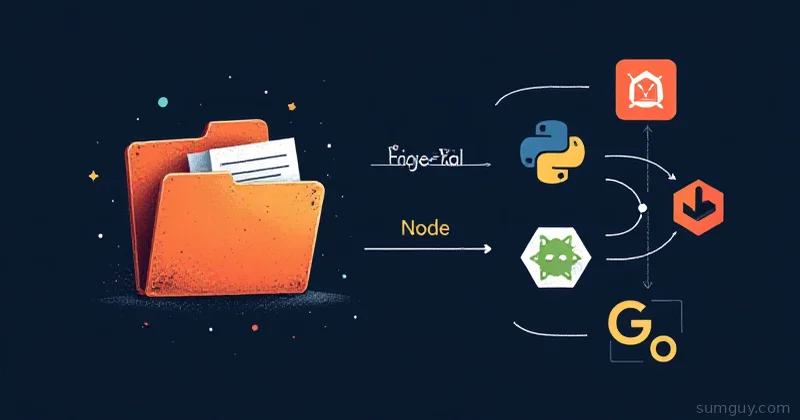
python 3.11.0nodejs 20.9.0golang 1.21.0asdf reads this, installs the versions (once), and shims them into your PATH. When you cd into the project, python → 3.11, node → 20.9.
Per-Project: .envrc
Same project, same root:
# Load AWS creds for this projectexport AWS_PROFILE=prod-dbexport AWS_REGION=us-west-2
# Database connectionexport DATABASE_URL="postgresql://user:pass@localhost:5432/mydb"
# Python venv (optional, but common)layout python3
# Load .env file if it exists (careful: don't commit secrets)dotenv
When you cd into the directory, direnv hooks your shell and runs .envrc. Vars are set. Leave the directory, they’re gone.
layout python3 is a direnv built-in that auto-creates and activates a Python venv under .direnv/python-<version>/. No extra commands.
How It Feels
$ cd ~/myapp        # direnv runs .envrc, loads DATABASE_URL, etc.direnv: loading ~/myapp/.envrcdirenv: export AWS_PROFILE AWS_REGION DATABASE_URL
$ python --version  # asdf shimPython 3.11.0
$ echo $DATABASE_URLpostgresql://user:pass@localhost:5432/mydb
$ cd ..             # leave the projectdirenv: unloading
$ python --version  # falls back to system PythonPython 3.9.2
The Upside
- Minimal, composable. Each tool does one thing. asdf ≈ nvm/pyenv/rbenv combined. direnv ≈ smart env vars.
- Years in production. Both have been stable for years. Large projects use them (Kubernetes devs, Ruby shops).
- Shell-agnostic direnv. Works in bash, zsh, fish, whatever. Just add the hook.
- Vast plugin ecosystem. asdf has plugins for everything: databases, CLIs, even Nix.
- Explicit. You see what’s happening in
.envrc. No hidden magic.
The Downside
- Two config files. Cognitive overhead.
.tool-versions+.envrcto manage. - direnv requires shell hooks. If you forget to add the hook to a new shell profile, it won’t work.
- asdf is shim-based. Adds a tiny overhead on every binary invocation (negligible, but it’s there).
- You manage the split. Versions in one file, env vars in another. Easy to forget which is which.
The New Hotness: mise
mise (formerly rtx) is a single tool that does both, language versioning and env var loading. Written in Rust, fast, fewer moving parts.
Instead of .tool-versions + .envrc, you get one file: mise.toml.
Install mise
# Using curl (recommended)curl https://mise.jdx.dev/install.sh | sh
# Or Homebrewbrew install mise
Add the hook:
eval "$(mise activate bash)" # or zsh, fishPer-Project: mise.toml
[tools]python = "3.11.0"nodejs = "20.9.0"golang = "1.21.0"
[env]AWS_PROFILE = "prod-db"AWS_REGION = "us-west-2"DATABASE_URL = "postgresql://user:pass@localhost:5432/mydb"
[tasks.dev]description = "Start dev server"run = "python -m uvicorn main:app --reload"
[tasks.build]description = "Build project"run = "npm run build && go build ./..."
When you cd into the project, mise loads the versions and env vars. No second file needed.
How It Feels
$ cd ~/myappmise: installing python 3.11.0mise: activating nodejs 20.9.0, golang 1.21.0, python 3.11.0
$ python --versionPython 3.11.0
$ echo $DATABASE_URLpostgresql://user:pass@localhost:5432/mydb
$ mise run dev   # Built-in task runner# Starts uvicorn on port 8000
The Upside
- One file, one tool. mise.toml replaces
.tool-versions+.envrc. Less config surface. - Unified experience. Versions and env vars live together. Easier to reason about.
- Built-in task runner. Define dev, build, test, deploy tasks in the same file. No Makefile needed.
- Fast. Written in Rust. Noticeably quicker than asdf shims.
- Modern UX. Actively developed, responsive maintainer, regular updates.
- Fallback support. Older versions declared in
.tool-versionsare still respected (backward compat with asdf).
The Downside
- Younger. mise exists since ~2023 (as rtx). Less proven in massive production codebases than asdf+direnv.
- Less plugin ecosystem. asdf has 600+. mise is growing (200+), but not there yet.
- Single tool = single point of failure. If mise breaks, both versioning and env vars are down. With asdf+direnv, you can debug them separately.
- New to the ecosystem. Your team might not know it yet. Training curve.
Head-to-Head: Decision Matrix
| Feature | direnv + asdf | mise |
|---|---|---|
| Setup complexity | Two installs, two hooks | One install, one hook |
| Config files | 2 (.tool-versions, .envrc) | 1 (mise.toml) |
| Language support | 600+ plugins (asdf) | 200+ (growing) |
| Env var loading | direnv (.envrc) | Built-in |
| Task runner | No (use Make/scripts) | Yes |
| Stability | Mature, proven | Solid, newer |
| Learning curve | Moderate | Low |
| Speed | Good (shim overhead) | Faster |
| Debugging | Separate tools, easier to isolate | Single tool, check mise status |
| Team onboarding | asdf widely known | Growing, but less common |
When to Use Each
Use direnv + asdf if:
- You manage a lot of different language ecosystems. Heavy polyglot shop (Python, Go, Ruby, Rust, Elixir). asdf’s plugin depth is hard to beat.
- Your team is already familiar with asdf. Don’t retrain.
- You need tight control over every piece. You like debugging env vars and versions separately.
- You have legacy projects on older asdf configs. Migration cost isn’t worth it yet.
- You’re in a conservative environment. Proven, stable, auditable.
Use mise if:
- You want simpler, fewer files. One
mise.tomlbeats juggling two config files. - You want a task runner built in. No more
Makefiles orpackage.jsonscripts for everything. - Your team is small to medium and open to new tools. Easy to teach.
- You’re starting a new project from scratch. No legacy constraints.
- You’re tired of copy-pasting environment setup across projects. mise makes it atomic.
- You care about speed. Rust > shell shims.
The Real Answer: It Doesn’t Matter (Much)
Honest take: both work. Both are fast enough. Both won’t burn your house down.
The “wrong” choice is nothingmanually managing Python versions and exporting credentials in 15 different projects. That’s the horror show.
direnv + asdf is the safer bet if you’re pessimistic about tool churn. Mise is the friendlier bet if you’re starting fresh and want simplicity.
If you’re already running asdf and direnv? Don’t migrate just for this. You’re fine. Spend that energy elsewhere.
If you’re picking for a new project or greenfield monorepo? Go with mise. Simpler, faster, and the ecosystem is solid enough that you won’t regret it.
And if your team’s split? Pick one, document it in your README, and move on. Consistency beats micro-optimality every time.
Your 2 AM self doesn’t care which tool you used, they just care that the Python version was right and the database URL loaded automatically.