You Don’t Own Your Audible Library
Audiobookshelf wins for almost every homelab audiobook setup, and Booksonic still earns its keep if you already run a Subsonic ecosystem like Navidrome or Airsonic.
Here’s a fun thing Audible will never put in a marketing email: you don’t own a single book you bought. You own a license. Audible revokes access, changes terms, or just goes down at 2 AM and suddenly your 400-book library is a subscription you forgot to renew.
Self-hosting your audiobook collection is the same energy as running your own Plex server, you paid for the content, you store it, you stream it. No DRM, no monthly fee, no “this title is no longer available in your region.”
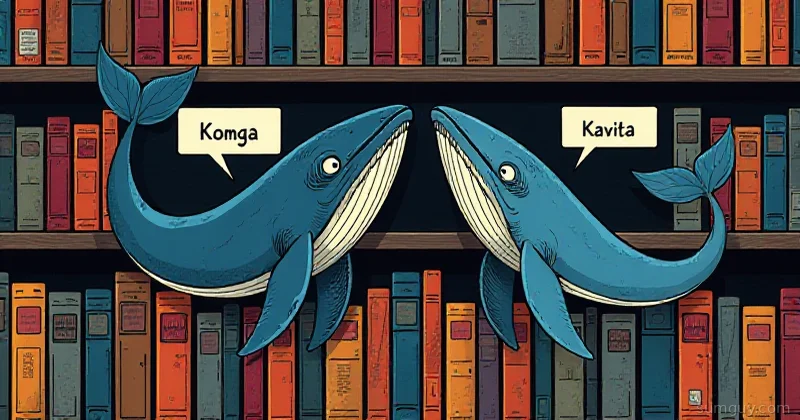
Two contenders worth knowing: Audiobookshelf (ABS) and Booksonic. One is a modern, purpose-built audiobook and podcast server. The other is a Subsonic fork that someone bolted audiobook support onto. Spoiler: the winner is obvious, but Booksonic still has a niche.
Which Audiobook Server Should You Actually Run?
- Pick Audiobookshelf if you want native M4B chapter support, Audible/OpenLibrary metadata matching, and an official mobile app that actually syncs progress.
- Pick Booksonic if you already run a Subsonic ecosystem (Navidrome, Airsonic) and want audiobooks to slot into clients you already use.
What They Are
Audiobookshelf
ABS is a self-hosted audiobook and podcast server built from scratch for the job. It’s actively maintained, has official mobile apps for iOS and Android, handles M4B chapters natively, syncs per-user listening progress, and supports OPDS so your e-readers and third-party clients can pull from it too.
The project started around 2021 and has been on a steady upward trajectory. The Docker image is well-maintained, the UI is clean, and it doesn’t feel like someone duct-taped audiobook support onto a music player.
Booksonic
Booksonic started as an Airsonic/Subsonic fork tuned for audiobooks. The idea was solid: Subsonic has a decent streaming protocol, a ton of client support, and a known quantity. Slap audiobook metadata handling on top and call it done.
The catch: it’s old. The original Booksonic hasn’t seen much love in years. There’s Booksonic-Air, a fork of it, but its own last tagged release was v2201.1.0 back in January 2022. You’re still working with the Subsonic model under the hood either way, which was designed for music, not 15-hour single-file audiobooks with chapter markers.
Library Structure: Folder Layout Matters
This is where ABS wins before you even open a browser.
ABS expects:
/audiobooks/ Author Name/ Book Title/ book.m4b ← single file, chapters intact cover.jpg metadata.opf ← optional but usedOr for multi-part MP3:
/audiobooks/ Brandon Sanderson/ The Way of Kings/ Part 01.mp3 Part 02.mp3 ... cover.jpgABS scans the folder, matches metadata from Audible or OpenLibrary, pulls cover art, and presents it cleanly. It handles M4B chapters natively, you get a chapter scrubber in the player, not just a timeline.
Booksonic expects: essentially whatever Subsonic expects, it reads ID3 tags on MP3s. If you have a tidy, tagged MP3 collection that happens to be audiobooks, Booksonic will pick it up. If you have M4B files, you’re converting or losing chapter data.
If you’re starting fresh or ripping Audible DRM (with tools like OpenAudible), go M4B with ABS. You’ll thank yourself later.
Metadata: Audible vs OpenLibrary
ABS has built-in metadata providers:
- Audible: pulls title, author, narrator, description, duration, series info, cover art
- OpenLibrary: fallback for non-Audible books
- Google Books: another fallback
You can trigger a metadata match per-book or run a bulk scan. It’s not perfect, series with weird naming conventions need manual nudging, but it’s miles ahead of editing ID3 tags by hand.
Booksonic relies entirely on your file tags. Whatever’s in the MP3 metadata is what you get. If you have a clean collection already tagged with something like beets or Mp3tag, that’s fine. If you don’t, prepare for a weekend of cleanup before your library looks presentable.
Docker Compose: Both Running in 5 Minutes
Both are trivially easy to spin up. Here’s production-ready Compose for each.
Audiobookshelf
services: audiobookshelf: image: ghcr.io/advplyr/audiobookshelf:latest container_name: audiobookshelf restart: unless-stopped ports: - "13378:80" environment: - AUDIOBOOKSHELF_UID=1000 - AUDIOBOOKSHELF_GID=1000 volumes: - /media/audiobooks:/audiobooks - /media/podcasts:/podcasts - /opt/audiobookshelf/config:/config - /opt/audiobookshelf/metadata:/metadataHit http://your-server:13378, create your admin account, add your library path, and let it scan. First scan on a large library takes a few minutes. After that, incremental.
Booksonic-Air
services: booksonic: image: linuxserver/booksonic-air:latest container_name: booksonic restart: unless-stopped ports: - "4040:4040" environment: - PUID=1000 - PGID=1000 - TZ=America/New_York - CONTEXT_PATH=/booksonic # optional, for reverse proxy subpath volumes: - /media/audiobooks:/audiobooks - /media/podcasts:/podcasts - /opt/booksonic/config:/config - /opt/booksonic/playlists:/playlistsLinuxServer.io maintains the Booksonic-Air image and keeps it reasonably current. Use their image over the upstream, better layer caching, s6-overlay, consistent UID/GID handling.
Mobile Clients: Where ABS Runs Away With It
This is the biggest practical difference day-to-day.
ABS official app (iOS + Android): purpose-built, syncs chapter position, handles sleep timers, bookmarks, and playback speed properly. It’s the app you actually want. Free, open source.
Booksonic: The official Android app is effectively dead. Your options are:
- Booksonic-Air companion app: functional but bare-bones
- Any Subsonic-compatible client: DSub, Ultrasonic, Symfonium, these work because Booksonic speaks the Subsonic API, but they’re music clients that tolerate audiobooks, not the other way around. Sleep timers and per-chapter sync are hit-or-miss depending on the client.
If you’re the only person using your server and you exclusively listen at home on a desktop, the client gap doesn’t matter. The moment you’re commuting with your phone, ABS wins by a mile.
Multi-User and Progress Sync
ABS handles this properly. Each user gets their own account, their own listening progress, their own bookmarks. You can share a server with your household and nobody’s position clobbers anyone else’s.
Progress syncs across devices, pick up on your phone where you left in your browser. It uses a simple API call on pause/close, so it’s not real-time, but it’s close enough.
Booksonic has multi-user support (it inherits it from Subsonic), but position sync across devices is less reliable depending on your client. Some Subsonic clients bookmark position, some don’t. It’s inconsistent in a way that’s fine for music and annoying for a 30-hour audiobook.
Podcasts and Ebooks: ABS Does More
ABS isn’t just audiobooks. It handles:
- Podcasts: add RSS feeds, it downloads and manages episodes, syncs playback position
- Ebooks: it’ll serve EPUB/PDF files and has a built-in reader; OPDS support means your Kobo or Moonreader can pull from it
Booksonic is audiobooks (and technically podcasts in Booksonic-Air). No ebook support.
If you want a single server for your entire “non-video media” library, audiobooks, podcasts, and ebooks, ABS does it. Booksonic doesn’t.
When to Use Plex Instead
Look, Plex is right there. If you’re already running Plex for video and you have a few audiobooks, Plex handles them. The audiobook metadata experience in Plex isn’t great, it treats your audiobooks like music and the chapter support is absent, but it works if you’re not precious about it.
Use Plex for audiobooks if:
- You already have Plex running for video and want one less container
- Your audiobook collection is small (under 50 books)
- You don’t need per-user progress sync across devices
Use ABS if:
- You have a serious audiobook collection
- Multiple household members share the library
- You want proper chapter navigation and mobile sync
- You’re also managing podcasts and ebooks
The two aren’t mutually exclusive, plenty of people run both. Plex for video + ABS for audio is a common and sensible setup.
ABS vs Booksonic: The Verdict
| Feature | Audiobookshelf | Booksonic-Air |
|---|---|---|
| M4B chapter support | Native | Partial / client-dependent |
| Metadata import | Audible, OpenLibrary, Google Books | ID3 tags only |
| Official mobile app | Yes (iOS + Android) | Android only, limited |
| Podcast support | Yes | Yes (Booksonic-Air) |
| Ebook support | Yes (EPUB, PDF) | No |
| Multi-user progress sync | Reliable | Client-dependent |
| OPDS support | Yes | Yes (Subsonic API) |
| Active development | Very active | Moderate (LinuxServer image) |
Booksonic’s one real advantage: if you already have a Subsonic ecosystem, clients you know, a Navidrome or Airsonic already running, adding Booksonic-Air for audiobooks fits naturally. The Subsonic API is universal and you’re not adding new client complexity.
For everyone else: run Audiobookshelf. It’s what you’d build if you designed an audiobook server from scratch instead of retrofitting one.
Getting Started
# Pull and start ABSdocker compose up -d
# Watch the logs on first rundocker logs -f audiobookshelf
# Check it's upcurl -s http://localhost:13378/ping
First-time setup:
- Create admin account at
http://your-server:13378 - Add library → point to your audiobook folder
- Let it scan: watch metadata match on the first pass
- Install the ABS app on your phone, connect to your server URL
- Done
That’s it. No config files to edit, no database to initialize, no XML to touch. The UI handles everything.
Your Audible library is a ticking clock. You’ve got the files, you’ve got the server, spin up ABS this weekend and stop renting your own books.